Steps in standard AutoCAD
- Open one drawing.
- Double-click the title block to open the Enhanced Attribute Editor.
- Retype the drawing number and the total sheet count, then click OK.
- If the drawing has more than one layout, repeat steps 2 and 3 for each layout.
- Save and close the drawing, then go to the next one.
When you add one sheet, the total changes in every drawing, so you have to reopen all of them. If the title block uses Sheet Set fields, you can change the sheet number in Sheet Set Manager, and the field updates the title block when each drawing is opened. The total works the same way if you keep it in a custom sheet set property and show it with a field. This does not work for drawings where the values are typed directly into the attributes.
Ask AI to do it in one step
Start AutoCAD, then ask an AI client with Excel to Title Blocks for AutoCAD installed (for example Claude Desktop):
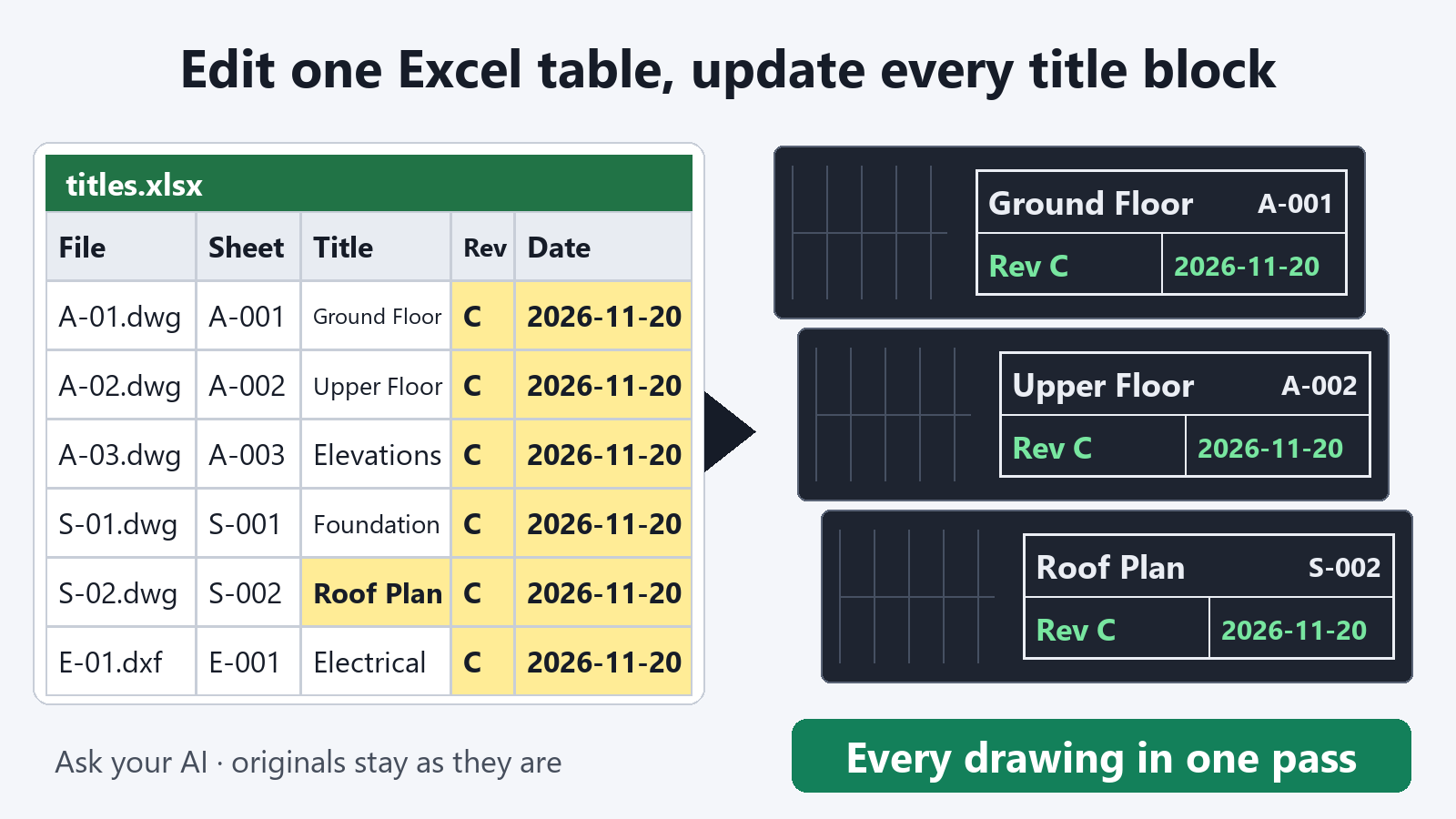
"Export the title blocks of the drawings in C:\Drawings\ProjectA to C:\Drawings\titles.xlsx"
Open the table in Excel and sort the rows into drawing order. The first four columns (file, layout, block, no) identify which title block each row belongs to, so leave them as they are. Edit the column for your drawing number tag, such as SHEET or DWG-NO. Enter the first number at the top of that column and drag the fill handle down to make it sequential. Numbers with a prefix, such as "A-101", also fill in sequence and keep the prefix. In the total column, enter the number of drawings and copy it down.
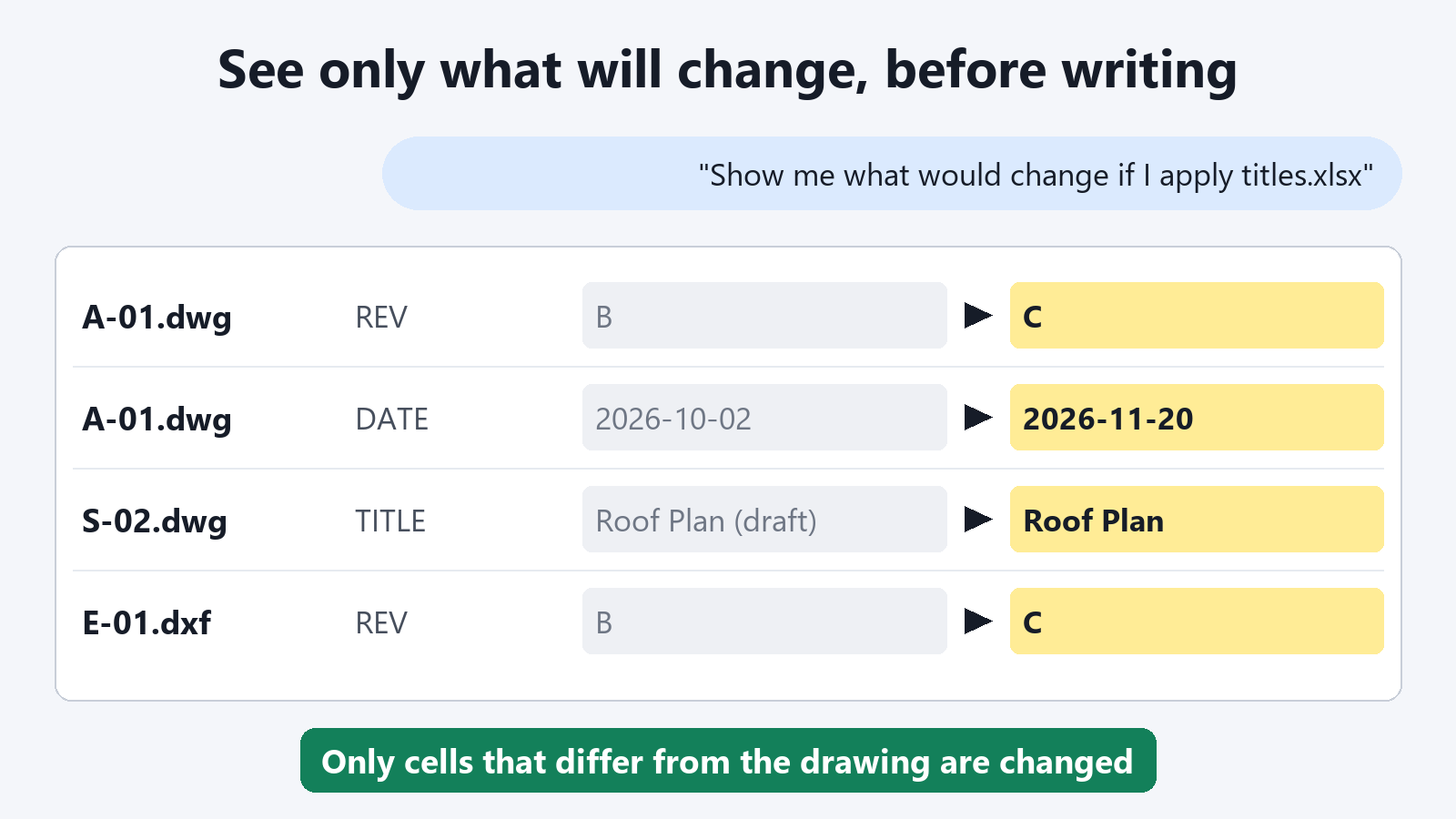
"Show me what would change if C:\Drawings\titles.xlsx is applied to the drawings in C:\Drawings\ProjectA"
Only the values that change are listed for each drawing, for example "drawing number A-104 to A-105" and "total 12 to 13". If the result is what you expected, write it back.
"Write it back and save the drawings in a folder named Issued"
How it protects your drawings
- Your original files are not changed. Updated drawings are saved in a different folder, so the state before renumbering stays as it was.
- You see the changes first. You can check that no numbers are off before writing back.
- Values go in exactly as you typed them. 001 stays 001. If Excel turned a value such as "1/12" into a date, the cell is reported and not written. Set the cell format to Text and type the value again, and it is entered as typed.
- Fields are kept. Attributes that contain a Sheet Set field are left as they are. To replace them with the values in the table, ask: "Write it back and overwrite the fields too"
- Saved drawings are read back and checked. Only drawings that contain all the values to be written are saved.
Exporting title blocks to a table and previewing what would change are free. Writing the values back into the drawings is a subscription feature.
FAQ
Is the name of the drawing number column fixed?
No. The column names in the table are the attribute tag names of the title block block. You can keep the tags your drawings already use, such as SHEET or DWG-NO.
Does it work if one drawing has more than one layout?
Yes. Each title block is one row, so the title block of each layout gets its own row, and you can number each layout separately.
Will a longer new number overflow the title block frame?
Add a request such as "Narrow the width of values that became longer", and the text width is narrowed to fit the frame. If you do not ask, you are told how many values became longer than before.