Steps in standard AutoCAD
- Save the new title block as a drawing file with the same name as the current block (for example, TB-A1.dwg).
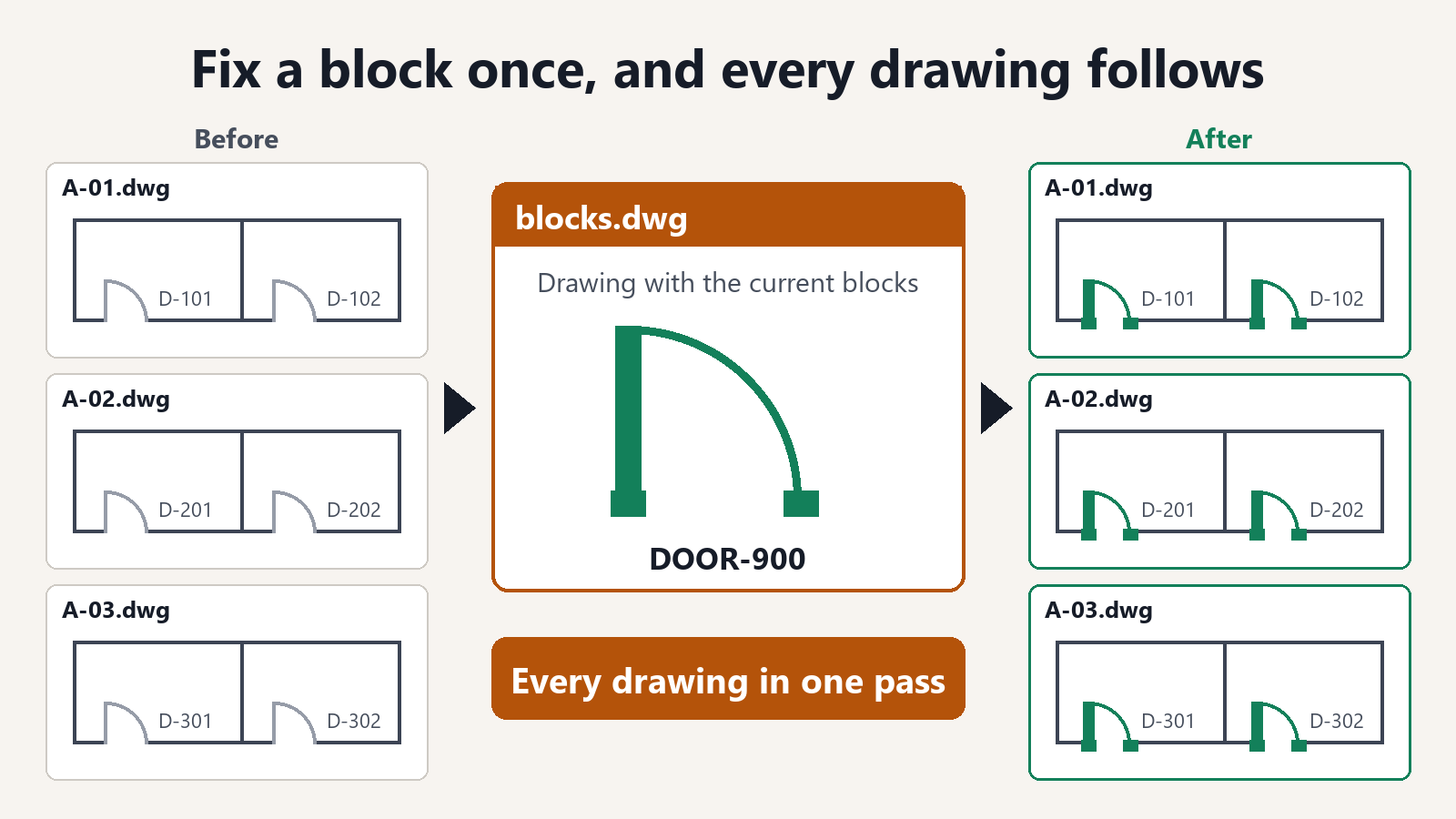
- Open the drawing you want to fix. Use INSERT to select the new title block drawing. AutoCAD asks about the existing block with the same name. Redefine it.
- Run ATTSYNC and select the name of the title block. The added attributes appear, and the values of attributes with the same tag are kept.
- If you also want to change the block name, use BLOCKREPLACE in Express Tools to replace the old title block with the new one.
- Repeat for each drawing, and check the title block position in each layout.
Ask AI to do it in one step
Ask an AI with Folder Block Updater for AutoCAD installed (such as Claude Desktop). For DWG files, keep AutoCAD running.
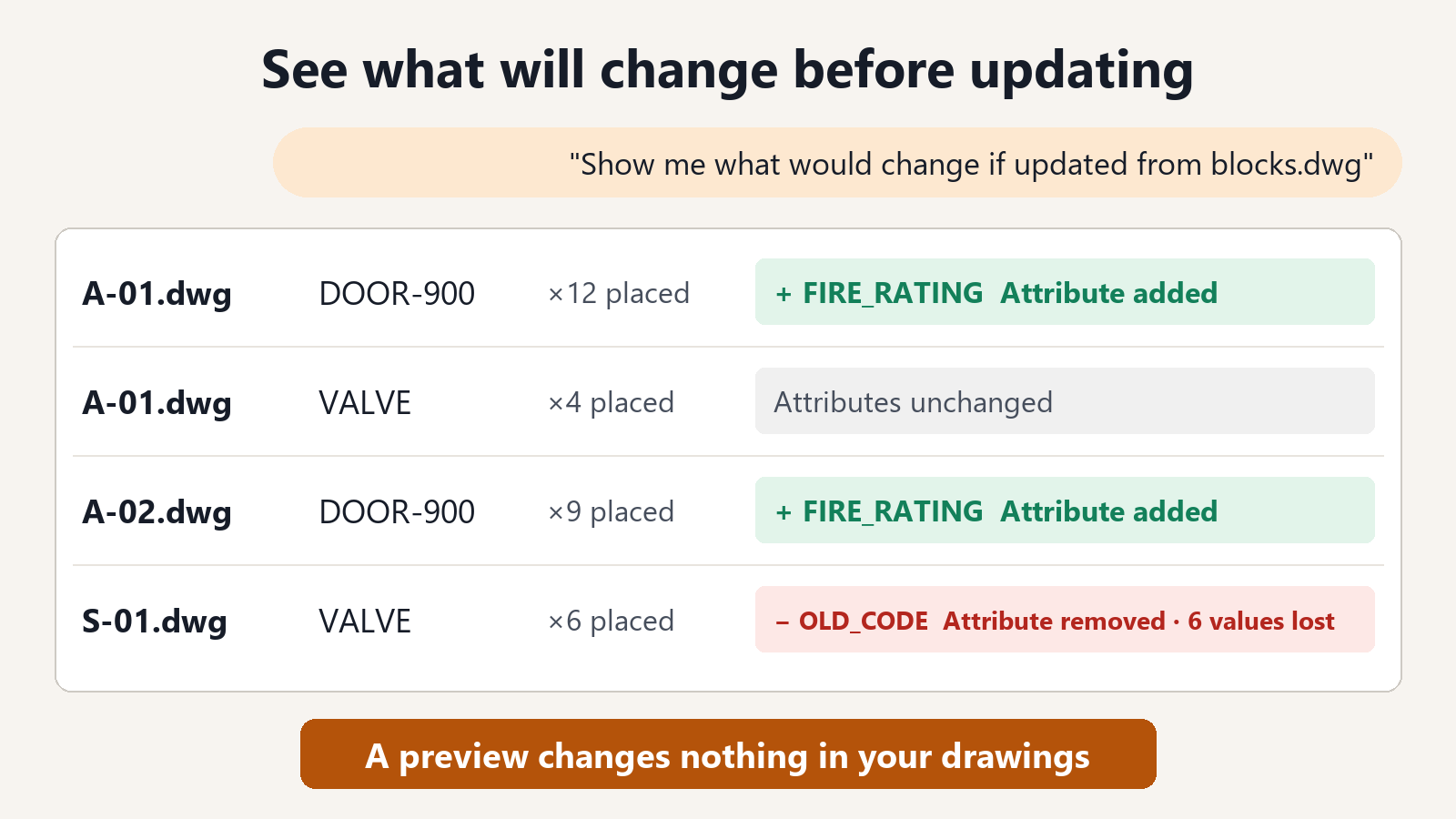
"Show me what would change if TB-A1 in the drawings in C:\Drawings\ProjectA is updated from TB-A1 in C:\Standards\blocks.dwg"
For each drawing, the result lists the number of placed instances, the attributes that will be added, and the attributes that will be removed (with the number of instances that hold a value). Before anything is saved, you can see where values such as the drawing number or date would be lost.
"Update them and save the drawings in a folder named Updated"
If the new title block has a different block name, ask like this:
"Show me what would change if TB-OLD in the drawings in C:\Drawings\ProjectA is replaced with TB-A1 from C:\Standards\blocks.dwg"
"Replace them and save the drawings in a folder named Replaced"
How it keeps your drawings safe
- Values of attributes with the same tag are kept. You do not need to retype drawing titles or drawing numbers.
- Title blocks in layouts are replaced too. Title blocks placed in model space, in layouts, and inside other blocks are handled the same way.
- You can see the values that would be lost, as a count, before saving. If values you did not expect to lose would be removed, you can review the new title block instead of updating.
- Your original files are not changed. The replaced drawings are saved to a separate folder.
- Saved drawings are read back to check that the replacement worked.
Previewing what would change is free. Saving the replaced drawings is a subscription feature.
FAQ
What if the new title block uses different tag names?
If the tag names differ, the values are not moved to the new attributes. First export the current values to a table with Excel to Title Blocks for AutoCAD and keep that file. After the replacement, export again, paste the saved values into the new columns, and write them back. This way you do not have to retype them.
What if the title block attributes contain fields?
To avoid breaking the fields, those title blocks are not replaced and are left as they are. You are told which title blocks in which drawings were left.
Does it work with DXF drawings?
Yes. DXF drawings can be handled without running AutoCAD. For DWG drawings, keep AutoCAD running.