How to Make Brushed or Streaked Glass with Anisotropy (Blender 5.3)
In Blender 5.3, set Roughness above 0 on the Glass BSDF node and raise its new Anisotropy value, for example to 0.9. In Cycles the blur behind the glass stretches into streaks instead of spreading evenly; Rotation and Tangent set which way the streaks run.
- Mode
- Shader Editor (Glass BSDF node), with Cycles
- Shortcut
- F12
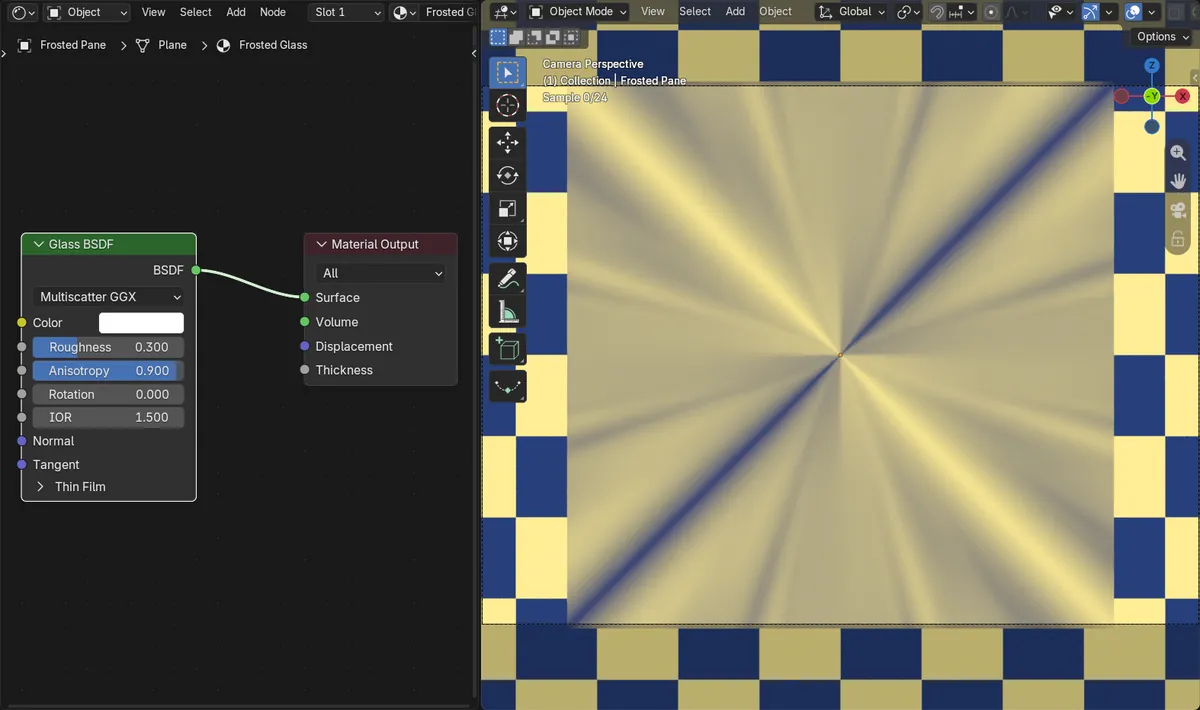
Anisotropy
Glass BSDF now shows Anisotropy and Rotation under Roughness, plus a Tangent input.
Streaked blur
With Anisotropy 0.9, the even blur of a checker behind the glass turned into streaks around the center.
New in 5.3
In Blender 5.2 LTS the Glass BSDF has no Anisotropy; rough glass always blurs evenly.
Before and after

AI Scene Builder is a Blender add-on. You type what you want, and it builds it in your scene: buildings, neon signs, wet pavement, fog and lights. Nothing in this picture was modeled by hand.
On a phone now? The add-on runs in Blender on a computer. Send yourself the link and open it there.
Step by step (Blender 5.3)
- Set Render Engine to Cycles.
- Select the glass object and open the Shader Editor.
- On the Glass BSDF node, set Roughness above 0, for example 0.3.
- Raise Anisotropy, for example to 0.9.
- Use Rotation to turn the direction of the streaks, or connect a Tangent node to the Tangent input to set it from a UV map.
- Switch the viewport to Rendered shading or press F12 to see the effect.
Other ways to do it
- The Principled BSDF also has Anisotropic and Anisotropic Rotation for its reflections
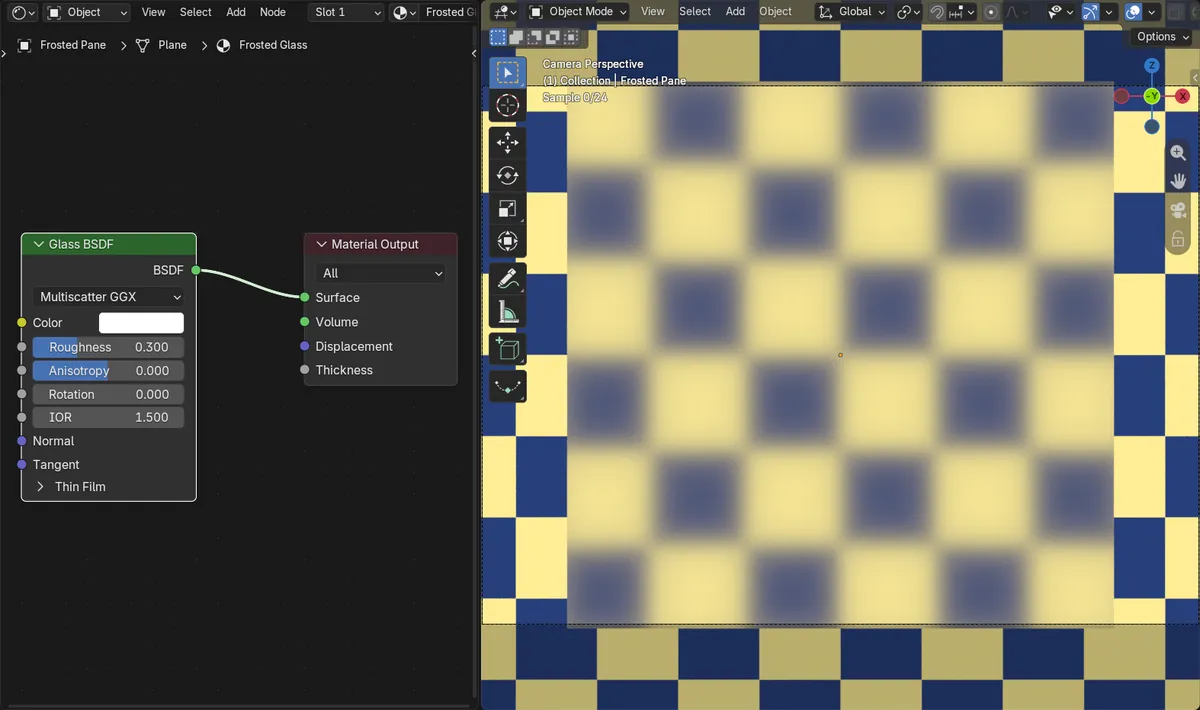
- Set Anisotropy back to 0 for the usual even blur
Blender 5.2 LTS vs Blender 5.3
| What | Blender 5.2 LTS | Blender 5.3 |
|---|---|---|
| Glass BSDF Anisotropy | Not in Blender 5.2 LTS. Glass BSDF only has Color, Roughness, IOR and Normal. | Blender 5.3 adds Anisotropy, Rotation and Tangent to Glass BSDF. |
Common snags
Nothing changes
Anisotropy only stretches existing blur. With Roughness at 0 the glass is perfectly clear and there is nothing to stretch.
The streaks run in circles
Without a Tangent connected, the streak direction goes around the object's center, which gives a radial pattern on a flat pane. Connect a Tangent node set to a UV map for straight streaks.
The setting is missing
Anisotropy on Glass BSDF is new in Blender 5.3.
An AI add-on for Blender
AI Scene Builder is a Blender add-on that builds and edits your scene from one typed request, such as “a small wooden table with two chairs”. Each request can be undone in one click.
 A log cabin room built with the add-on from 9 typed requests. See every request →
Questions
How do I make brushed glass in Blender?
In Blender 5.3, give the Glass BSDF some Roughness and raise Anisotropy. The blur stretches in one direction like brushed or reeded glass.
How do I change the direction of the streaks?
Use Rotation on the Glass BSDF, or connect a Tangent node to its Tangent input.
Does Blender 5.2 LTS have it?
No, Anisotropy on the Glass BSDF is new in Blender 5.3.
What the pictures show
- Before: a Glass BSDF pane (Roughness 0.3, IOR 1.5) in front of a yellow and blue checker, rendered in Cycles with Anisotropy 0, blurred the checker evenly.
- After setting Anisotropy to 0.9: the blur stretched into streaks, and the ratio of sharpness across and along the picture moved from 1.43 to 1.05.
- In Blender 5.2 LTS the Glass BSDF had no Anisotropy and the render stayed the same.