How to Use Boolean Math (And, Or, Not) in Blender Shader Nodes
In the Blender 5.3 Shader Editor, press Shift + A and choose Utilities › Math › Boolean Math, then set the operation to And, Or, Not or another logic option. Plug two true/false masks into it, for example from two Math nodes set to Greater Than, and send the result into a factor or strength input.
- Mode
- Shader Editor
- Menu
- Add › Utilities › Math › Boolean Math
- Shortcut
- Shift + A
Utilities > Math
Boolean Math and Integer Math sit next to Math.
And, Or, Not
Also Not And, Nor, Equal, Not Equal, Imply, Subtract.
New in shaders
The Blender 5.2 LTS shader Add menu has neither node.
Before and after

AI Scene Builder is a Blender add-on. You type what you want, and it builds it in your scene: buildings, neon signs, wet pavement, fog and lights. Nothing in this picture was modeled by hand.
On a phone now? The add-on runs in Blender on a computer. Send yourself the link and open it there.
Step by step (Blender 5.3)
- Open the Shader Editor for your material.
- Make two masks, for example two Math nodes set to Greater Than, each giving true where a condition is met.
- Press Shift + A and choose Utilities › Math › Boolean Math.
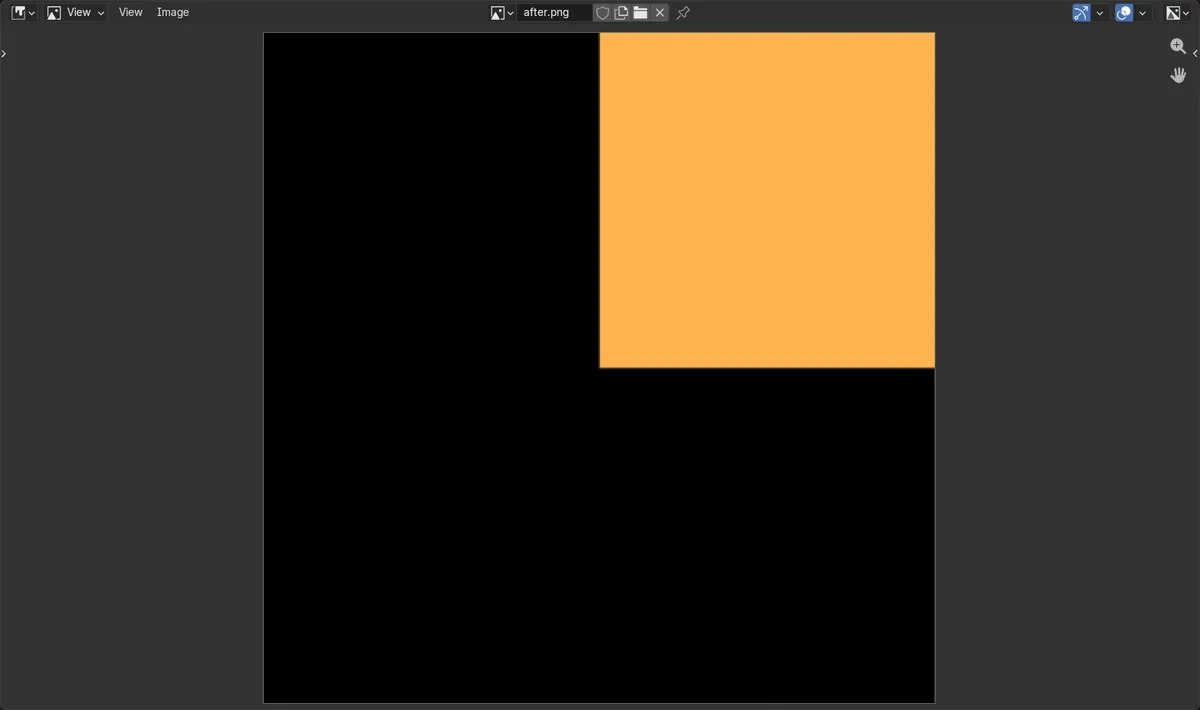
- Set the node's operation to And to keep only where both masks are true (Or for either, Not to flip one).
- Connect the two masks to the Boolean Math inputs and its output to the input you want to drive, such as the Strength of an Emission node.
Other ways to do it
- Hover over the Boolean Math entry in Add › Utilities › Math to pick the operation straight away, such as And or Or
- Add › Utilities › Math › Integer Math for whole-number math in shaders
- Press Shift + S on a selected node to swap it for Boolean Math from the same Utilities › Math list
Blender 5.2 LTS vs Blender 5.3
| What | Blender 5.2 LTS | Blender 5.3 |
|---|---|---|
| Boolean Math in shader nodes | The shader Add › Utilities › Math menu in Blender 5.2 LTS has no Boolean Math. | Blender 5.3 has Boolean Math in Add › Utilities › Math in the Shader Editor. |
| Integer Math in shader nodes | The shader Add › Utilities › Math menu in Blender 5.2 LTS has no Integer Math. | Blender 5.3 has Integer Math in the same Utilities › Math menu. |
Common snags
The node is not in the menu
Boolean Math is in the shader Add menu only from Blender 5.3. In Blender 5.2 LTS look for it under Utilities › Math and you will only find Math and the other utility nodes.
The result is the wrong area
And keeps only the area where both inputs are true, and Or keeps the area where either one is. Check the operation on the node and switch between And and Or.
Soft edges turn hard
Boolean Math works on true or false, so any value in between is turned into one or the other. Use a Math node such as Multiply instead if you need a soft blend.
An AI add-on for Blender
AI Scene Builder is a Blender add-on that builds and edits your scene from one typed request, such as “a small wooden table with two chairs”. Each request can be undone in one click.
 A lighthouse island at sunset built with the add-on from 10 typed requests. See every request →
Questions
How do I combine two masks with AND in Blender shader nodes?
In Blender 5.3, add Utilities › Math › Boolean Math, set it to And and plug both masks into it. The output is true only where both masks are true.
Is there an Integer Math node for shaders?
Yes, in Blender 5.3. It is in the shader Add menu under Utilities › Math, next to Math and Boolean Math.
What do Equal and Not Equal do in Boolean Math?
Equal is true when both inputs are the same, and Not Equal is true when they differ. Both are in the operation list of the Boolean Math node.
What the pictures show
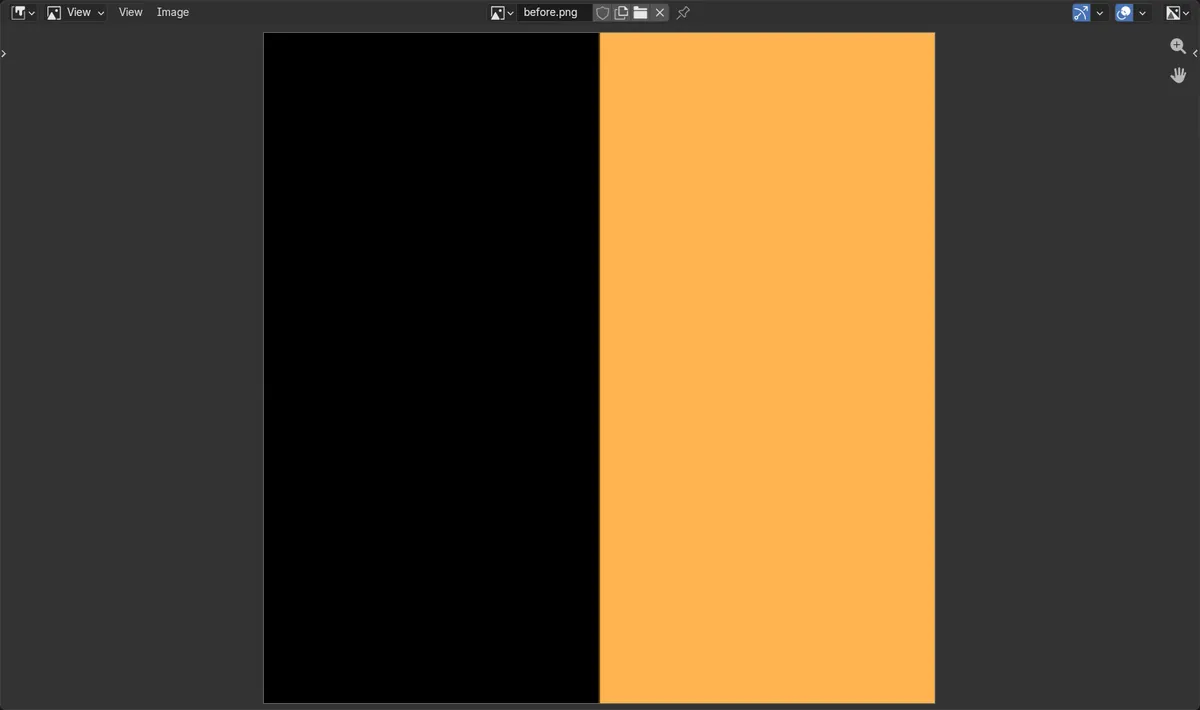
- Before: the panel glowed wherever the X mask was true, so the whole right half was lit (brightness about 0.67 in both right quarters).
- After adding Boolean Math set to And with the X and Y masks: only the top-right quarter glowed (about 0.67).
- The other three quarters were dark (0.0).
- In Blender 5.2 LTS the shader Add menu has no Boolean Math, so the same node could not be added to the material.