Why Fast Gaussian Blur Makes Dark Rings in the Blender Compositor
In Blender 5.3, the Fast Gaussian type of the compositor Blur node can leave a thin ring that is darker than the background around very bright spots, such as lamps or highlights far above 1.0. Set the Blur node's Type back to Gaussian and the ring is gone. In Blender 5.4 Alpha, Fast Gaussian no longer leaves the ring in the same test, and its result stays close to Gaussian.
- Mode
- Compositor (Node Editor)
- Menu
- Add › Filter › Blur › Blur, then Type: Gaussian
- Shortcut
- F12 (Render)
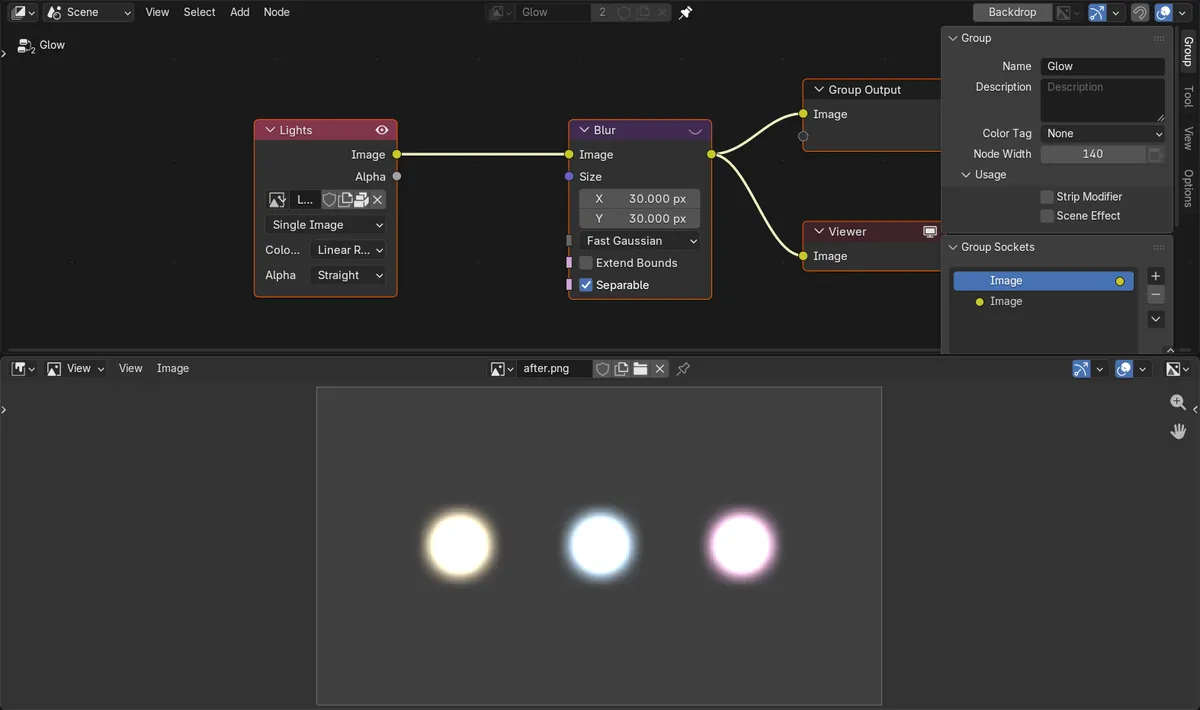
Where rings appear
Around small, very bright areas (values far above 1.0) blurred with Fast Gaussian in Blender 5.3.
Quick fix
Set Type on the Blur node to Gaussian. The darkest pixel then stays at the background level.
Fixed in 5.4 Alpha
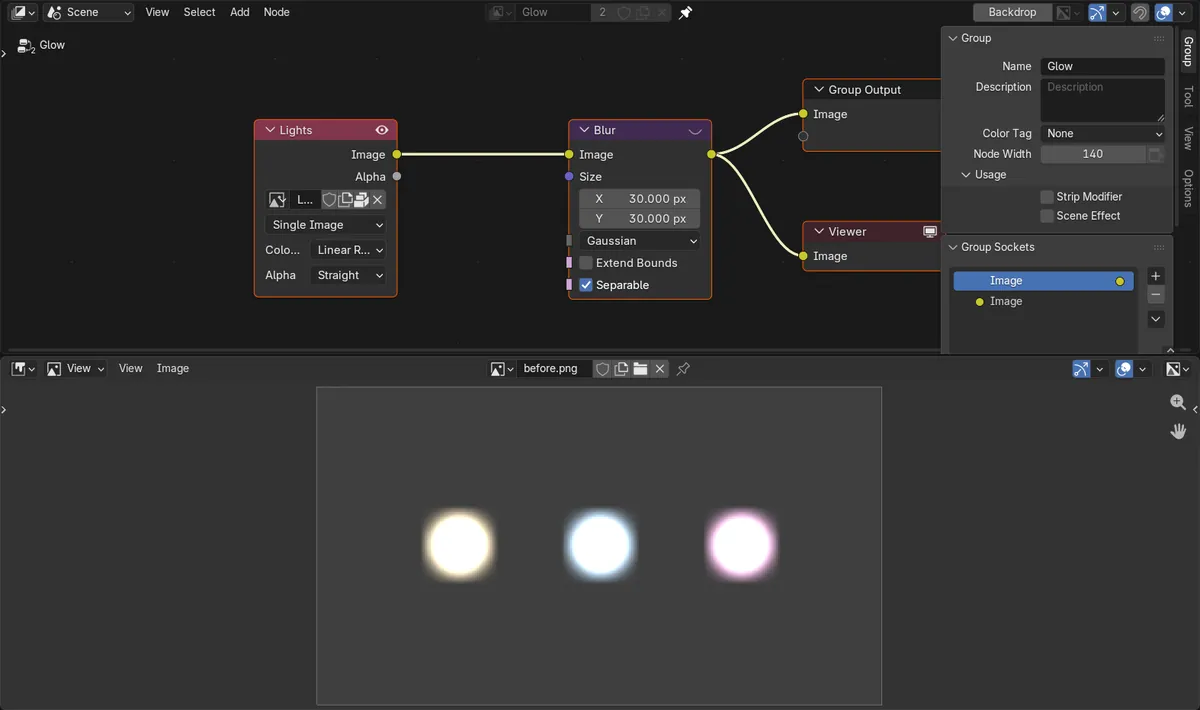
Fast Gaussian in Blender 5.4 Alpha left no ring in the same scene, and stayed close to Gaussian.
Before and after

AI Scene Builder is a Blender add-on. You type what you want, and it builds it in your scene: buildings, neon signs, wet pavement, fog and lights. Nothing in this picture was modeled by hand.
On a phone now? The add-on runs in Blender on a computer. Send yourself the link and open it there.
Step by step (Blender 5.4 Alpha)
- Open the compositor node tree in a Node Editor and click the Blur node that blurs your image. If there is none yet, add one with Add › Filter › Blur › Blur.
- On the Blur node, change Type from Fast Gaussian to Gaussian. Keep the same Size.Blender 5.3: In Blender 5.3 this is the fix for the dark ring. In Blender 5.4 Alpha you can keep Fast Gaussian, because it no longer makes the ring in the same test.
- Connect the Blur output to a Viewer node to check the result while you work, or press F12 to render the frame.
- Look at the dark background right next to the bright spots. With Gaussian it stays at the same brightness as the rest of the background.
Other ways to do it
- Render › Render Image (F12) renders the frame with the compositor, so you can compare Fast Gaussian and Gaussian in the render window.
- Image › Save As in the render window saves the result so you can compare both blur types side by side.
Blender 5.3 vs Blender 5.4 Alpha
| What | Blender 5.3 | Blender 5.4 Alpha |
|---|---|---|
| Fast Gaussian around very bright spots | Leaves a thin ring darker than the background (darkest pixel 0.0467 on a 0.05 background in the test). | No ring in the same test (darkest pixel 0.04999 on a 0.05 background). |
| Gaussian | No ring. | No ring. |
Common snags
The ring only shows with very bright values
On ordinary images with values up to 1.0 the ring is too faint to notice. It shows up around lamps, sun glints or emission that is far brighter, so test with your real render, not a plain picture.
Changing Size does not remove it
A smaller Size makes the ring smaller, but it is still there with Fast Gaussian in Blender 5.3. Switching Type to Gaussian is what removes it.
Checking the wrong output
If the Viewer node is connected before the Blur node, you see the unblurred image. Connect the Viewer to the Blur output, or render with F12.
An AI add-on for Blender
AI Scene Builder is a Blender add-on that builds and edits your scene from one typed request, such as “a small wooden table with two chairs”. Each request can be undone in one click.
 A log cabin room built with the add-on from 9 typed requests. See every request →
Questions
Why is there a black halo around lights after blurring in Blender?
In Blender 5.3, the Fast Gaussian type of the compositor Blur node can make a ring darker than the background around very bright areas. Set Type to Gaussian on the Blur node to get rid of it.
Is Fast Gaussian still worth using?
In Blender 5.4 Alpha it left no ring in the same test and stayed close to Gaussian. In Blender 5.3, use Gaussian when your image has very bright spots.
What the pictures show
- Test image: dark background at 0.05 with three small spots at 400 (very bright), blurred by a Blur node with Size 30 x 30.
- Blender 5.3, Fast Gaussian: the darkest pixel fell to 0.0467, about 7% below the background, in a ring around the spots.
- Blender 5.3 and 5.4 Alpha, Gaussian: the darkest pixel stayed at 0.04999, the background level, so no ring.
- Blender 5.4 Alpha, Fast Gaussian: no ring (darkest pixel 0.04999), with an average difference from Gaussian of 0.003 per color channel.