How to Use Curve Edge Loops Between Selected in Blender 5.3
In Edit Mode, select a few vertices along a row, then choose Mesh › Transform › Curve Edge Loops Between Selected. Blender 5.3 fits the unselected edge loops between your selected vertices to a smooth curve. There is no default keyboard shortcut for it.
- Mode
- Edit Mode (3D Viewport)
- Menu
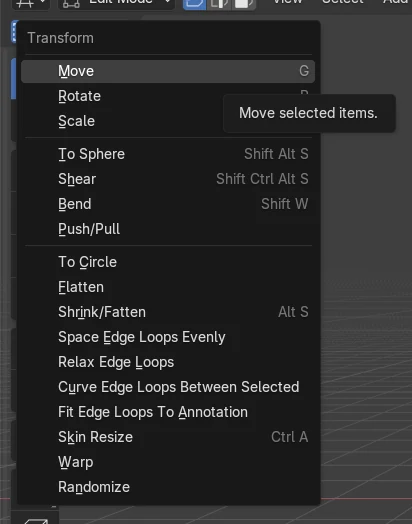
- Mesh › Transform › Curve Edge Loops Between Selected
Mesh > Transform
The command sits in the Transform submenu of the Mesh menu in Edit Mode.
Select control vertices
The selected vertices define the curve. Unselected loops between them are moved onto it.
New in 5.3
The command is not in Blender 5.2 LTS. It has no default key.
Before and after

AI Scene Builder is a Blender add-on. You type what you want, and it builds it in your scene: buildings, neon signs, wet pavement, fog and lights. Nothing in this picture was modeled by hand.
On a phone now? The add-on runs in Blender on a computer. Send yourself the link and open it there.
Step by step (Blender 5.3)
- Select your mesh object and press Tab to enter Edit Mode.
- Select the vertices that should define the curve, for example the two ends of a row and one vertex raised in the middle. Vertex select mode makes this easiest.
- Move the mouse over the 3D Viewport and open Mesh › Transform › Curve Edge Loops Between Selected.
- Check the result: the unselected vertices between your selected ones now follow a smooth curve, and the selected vertices stay where they were.
Blender 5.2 LTS vs Blender 5.3
| What | Blender 5.2 LTS | Blender 5.3 |
|---|---|---|
| Curve Edge Loops Between Selected | Not in Blender 5.2 LTS. The command and its Transform menu entry are missing. | Available in Blender 5.3 as Mesh › Transform › Curve Edge Loops Between Selected, with no default key. |
Common snags
Nothing happens or item is missing
The command is in the Mesh menu in Edit Mode. Press Tab with the mesh active, then open Mesh › Transform again. It does not exist in Blender 5.2 LTS.
Loops stay flat
If all the selected vertices sit at the same height, the loops have nothing to bend toward. Also select at least one vertex that is offset, such as one in the middle of the row.
Menu not found
The Mesh menu belongs to the 3D Viewport header. Make sure that editor is showing and you are not in Object Mode.
An AI add-on for Blender
AI Scene Builder is a Blender add-on that builds and edits your scene from one typed request, such as “a small wooden table with two chairs”. Each request can be undone in one click.
 A log cabin room built with the add-on from 9 typed requests. See every request →
Questions
Where is Curve Edge Loops Between Selected in Blender?
In Edit Mode, open Mesh › Transform › Curve Edge Loops Between Selected. It is available in Blender 5.3.
Is there a shortcut for Curve Edge Loops Between Selected?
No default key is assigned. Use the Mesh › Transform menu.
Is it in Blender 5.2 LTS?
No. The command is new in Blender 5.3 and is missing from 5.2 LTS.
What the pictures show
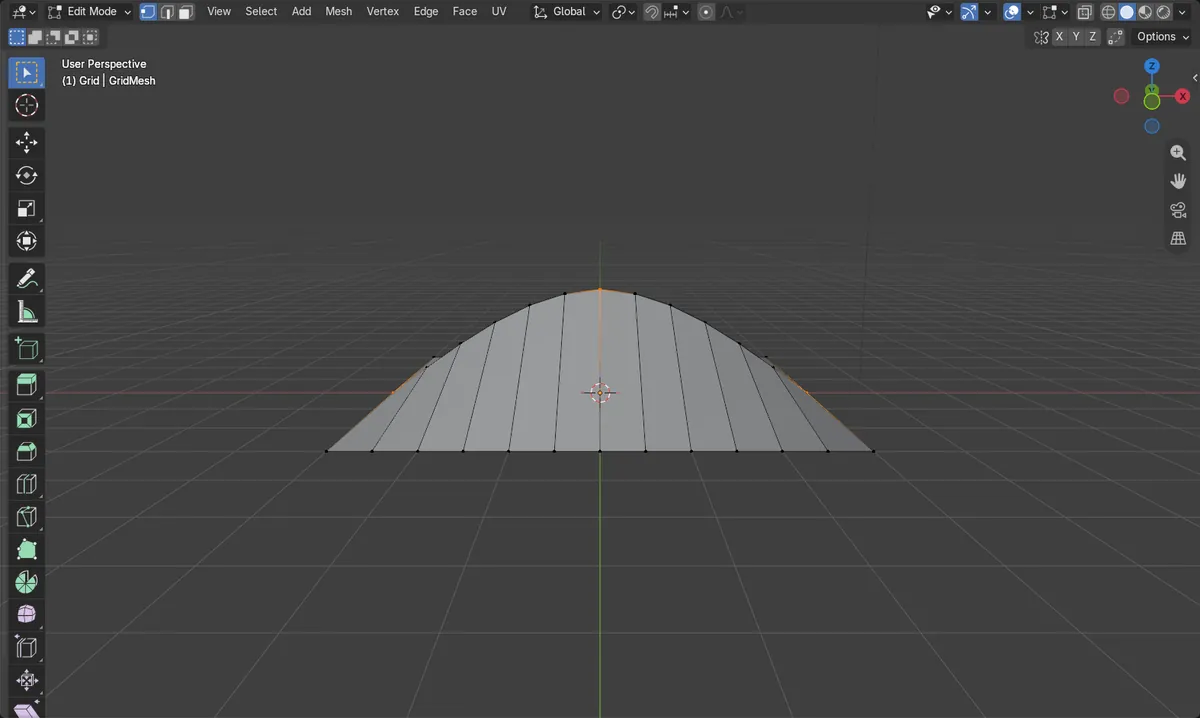
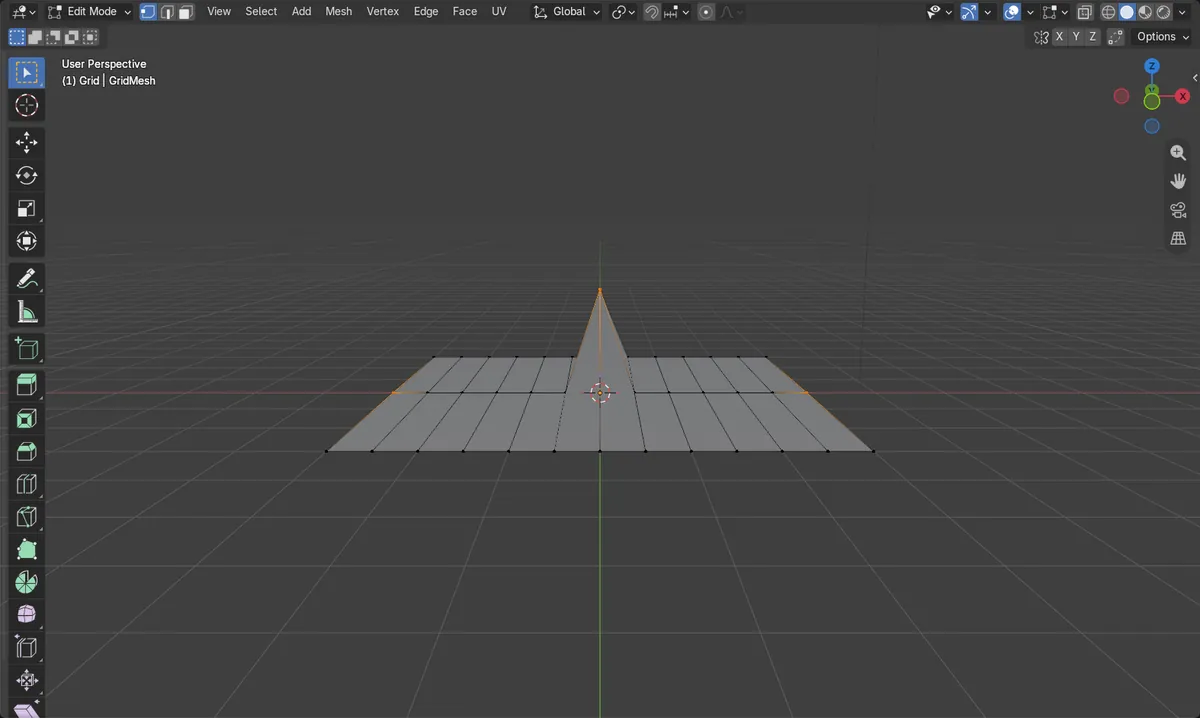
- On a grid, a row of 13 vertices started flat (height 0 m) with only the middle vertex raised to 1.5 m.
- After running the command, the row formed a smooth arch: heights 0, 0.37, 0.72, 1.03, 1.28, 1.44, 1.5 m, then back down to 0.
- The three selected vertices did not move (0, 1.5, 0 m), and the vertex count stayed at 39.