What Is Non-Manifold Geometry in Blender?
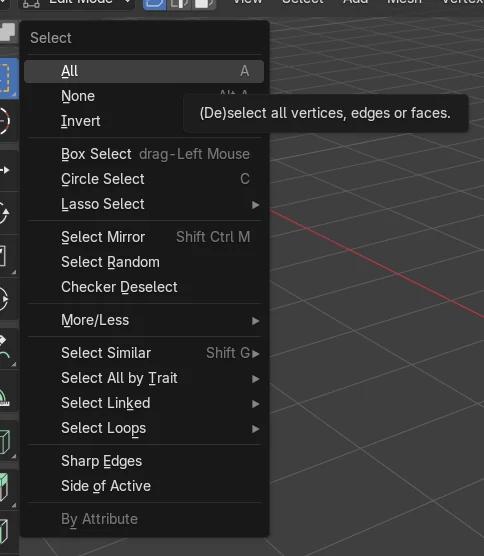
Non-manifold geometry is a mesh whose edges, vertices or faces cannot form a closed, real-world solid, for example open holes, loose edges or edges shared by more than two faces. To find it in Blender, go into Edit Mode and choose Select › Select All by Trait › Non Manifold.
- Mode
- Edit Mode (3D Viewport)
- Menu
- Select › Select All by Trait › Non Manifold
Find it
Select › Select All by Trait › Non Manifold in Edit Mode.
What it marks
Open boundary edges, loose edges and other problem spots.
Fix it
Fill Holes, Merge, Merge by Distance, or Recalculate Normals.
Before and after

AI Scene Builder is a Blender add-on. You type what you want, and it builds it in your scene: buildings, neon signs, wet pavement, fog and lights. Nothing in this picture was modeled by hand.
On a phone now? The add-on runs in Blender on a computer. Send yourself the link and open it there.
Step by step (Blender 5.x)
- Click the mesh object, then press Tab to enter Edit Mode.
- Deselect everything so you only see the new result.
- Choose Select › Select All by Trait › Non Manifold in the 3D Viewport header.
- If you like, adjust the options in the Select Non-Manifold panel that appears to choose which kinds of problem geometry are selected.
- Look at the highlighted vertices and edges, then repair them, for example with Fill Holes, Merge or Merge by Distance.
Common snags
Menu item missing
Non Manifold does not appear in Object Mode. Select the mesh and press Tab to enter Edit Mode first.
Old selection remains
If the operator is set to extend the selection, earlier selections stay highlighted. Deselect all before running it so only problem areas show.
Nothing selected
A closed, clean mesh has no non-manifold parts, so nothing is highlighted. Check the options in the operator panel.
An AI add-on for Blender
AI Scene Builder is a Blender add-on that builds and edits your scene from one typed request, such as “a small wooden table with two chairs”. Each request can be undone in one click.
 A log cabin room built with the add-on from 9 typed requests. See every request →
Questions
Why is non-manifold geometry a problem?
Such meshes have no clear inside or outside, which can cause trouble with modifiers, Boolean operations and 3D printing.
How do I fix a hole in a mesh?
Select the boundary edges with Non Manifold, then use Fill Holes to close the opening.
Can I remove duplicate vertices?
Yes. Select the vertices and use Merge by Distance to join those that sit close together.
What the pictures show
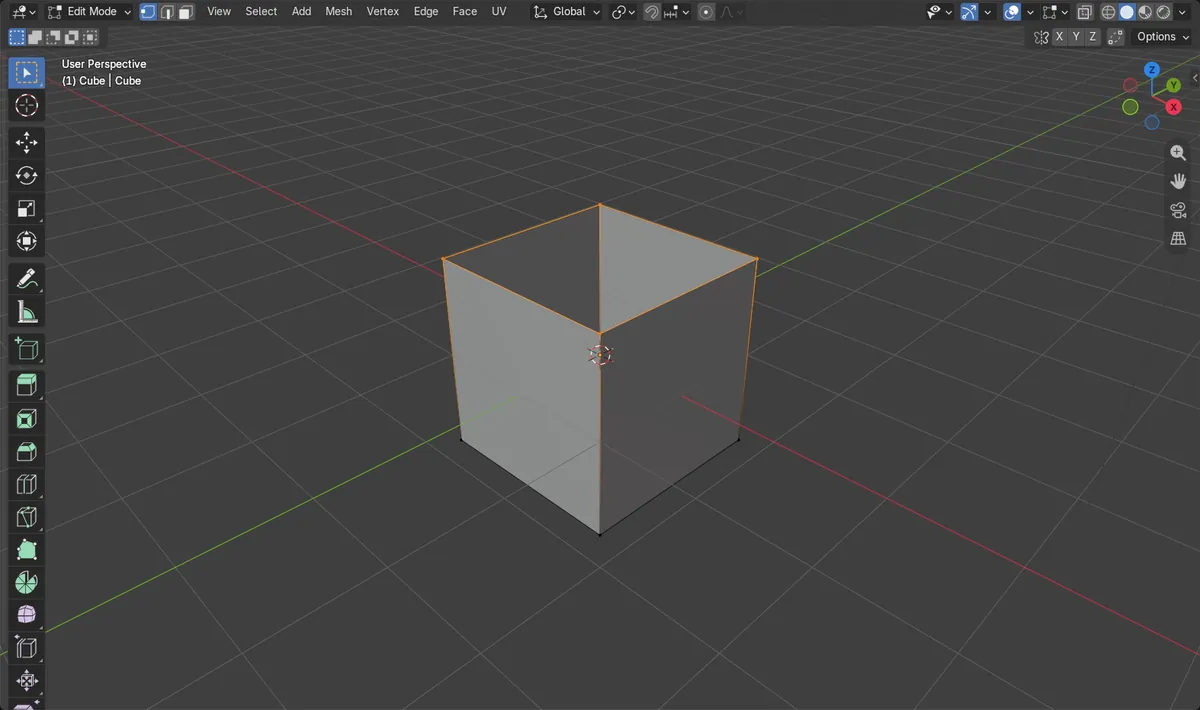
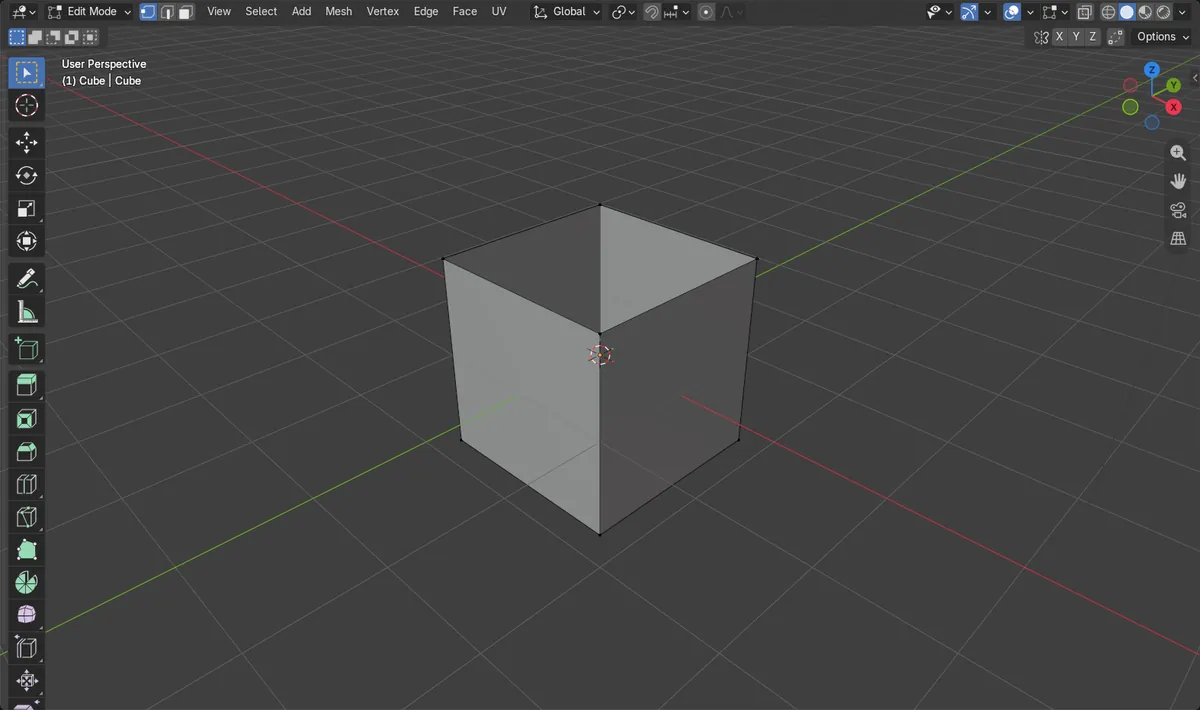
- A default cube had its top face deleted, leaving 5 faces and 8 vertices.
- Before running Non Manifold, 0 vertices and 0 edges were selected.
- After running it, 4 vertices and 4 edges were selected: the rim of the open hole.
- The result was the same in Blender 4.2 LTS and Blender 5.x.