How to Draw Closed Shapes with Grease Pencil in Blender 5.3 (Cyclic)
In Blender 5.3, turn on Cyclic in the Draw tool settings in Draw Mode, and every stroke you draw comes out closed, with its last point joined back to the first. Strokes drawn before you turned it on stay open. For a stroke that is already drawn, use Stroke › Close or Toggle Cyclic in Edit Mode.
- Mode
- Draw Mode (Grease Pencil)
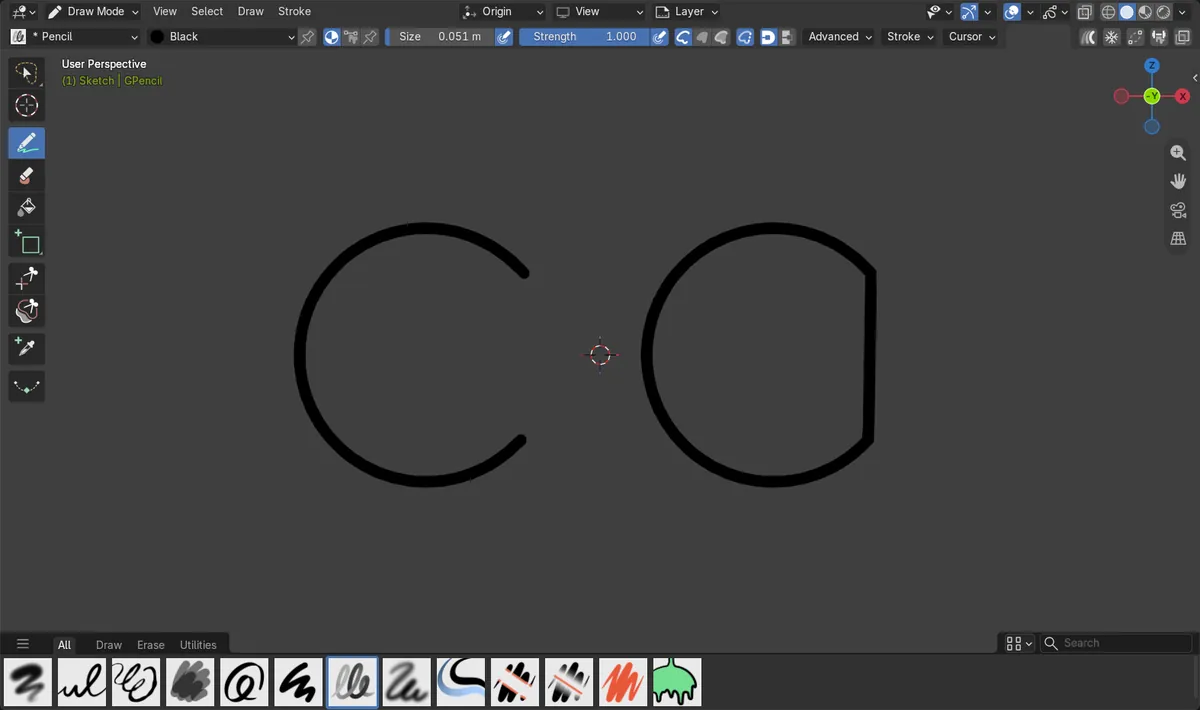
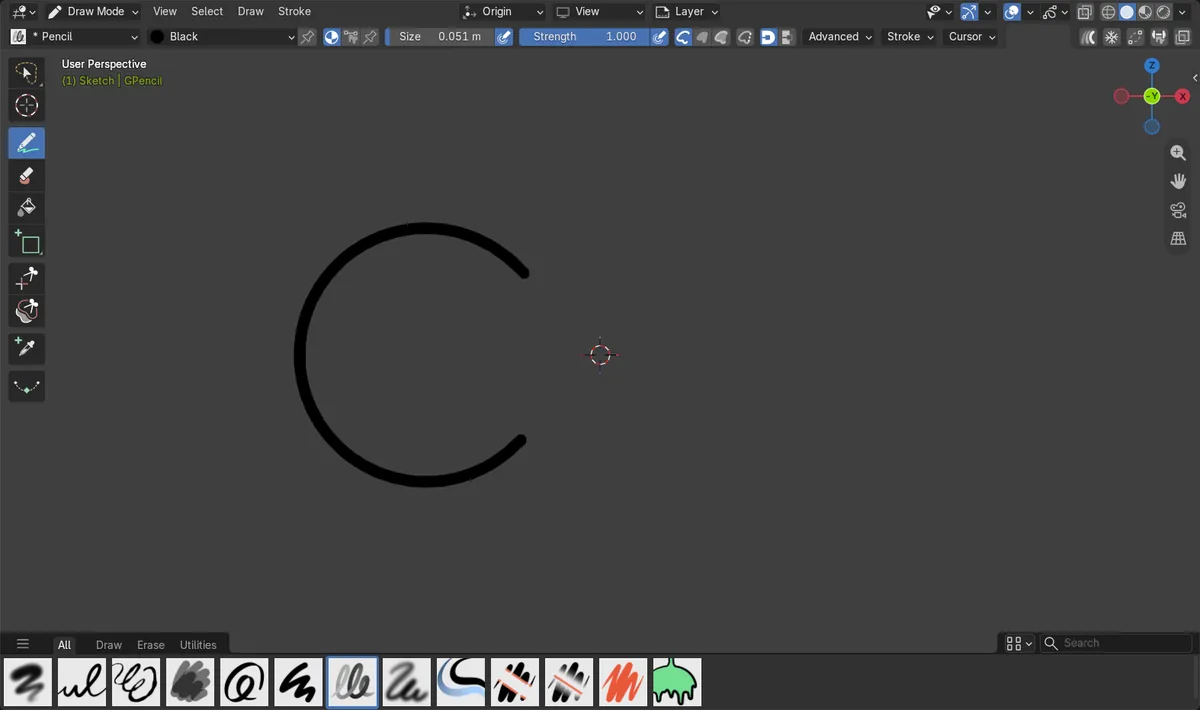
Closed as you draw
With Cyclic on, a C-shaped stroke was saved as a closed stroke, with no extra step.
Only new strokes
The stroke drawn before Cyclic was turned on stayed open and unchanged.
For old strokes
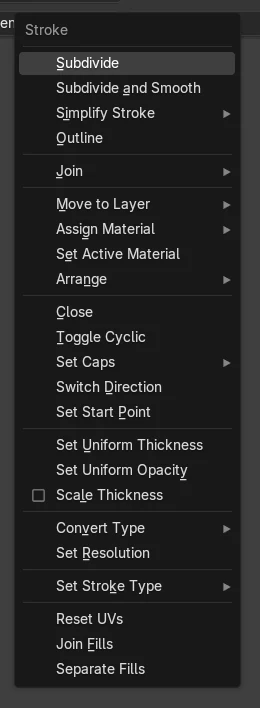
In Edit Mode, Stroke › Close (F) or Toggle Cyclic (Alt + C) closes strokes that are already drawn.
Before and after

AI Scene Builder is a Blender add-on. You type what you want, and it builds it in your scene: buildings, neon signs, wet pavement, fog and lights. Nothing in this picture was modeled by hand.
On a phone now? The add-on runs in Blender on a computer. Send yourself the link and open it there.
Step by step (Blender 5.3)
- Select your Grease Pencil object and switch to Draw Mode. For a new drawing, add one with Add › Grease Pencil › Blank first.
- Pick the Draw tool and open its settings in the Tool tab of the sidebar or Properties editor.
- Turn on Cyclic. In the 3D Viewport header it is a small toggle without a label, next to the Stroke, Fill and Both buttons.
- Draw your shape. When you lift the pen, the end joins back to the start, so the outline is closed even if you stopped short.
Other ways to do it
- In Edit Mode, select a stroke and use Stroke › Close (F) to close it.
- In Edit Mode, Stroke › Toggle Cyclic (Alt + C) switches selected strokes between open and closed.
Blender 5.2 LTS vs Blender 5.3
| What | Blender 5.2 LTS | Blender 5.3 |
|---|---|---|
| Cyclic option on the Draw tool | Not in Blender 5.2 LTS. | In the Draw tool settings; new strokes are drawn closed. |
| Stroke › Close and Toggle Cyclic in Edit Mode | In the Stroke menu (F and Alt + C). | In the Stroke menu (F and Alt + C). |
Common snags
Old strokes did not close
Cyclic only affects strokes you draw after turning it on. Close existing strokes in Edit Mode with Stroke › Close (F).
Every stroke now closes, even lines
Cyclic stays on for the Draw tool until you turn it off, so open lines such as hair or hatching also get closed. Turn it off before drawing open lines.
A long straight edge appears
The closing segment is a straight line from the last point to the first. Finish the stroke near where you started to keep the closing edge short.
An AI add-on for Blender
AI Scene Builder is a Blender add-on that builds and edits your scene from one typed request, such as “a small wooden table with two chairs”. Each request can be undone in one click.
 A lighthouse island at sunset built with the add-on from 10 typed requests. See every request →
Questions
How do I close a Grease Pencil stroke in Blender?
To close strokes while drawing, turn on Cyclic in the Draw tool settings in Blender 5.3. To close a finished stroke, select it in Edit Mode and use Stroke › Close (F).
Does Cyclic close strokes I already drew?
No. Only strokes drawn after turning it on are closed. Use Stroke › Close or Toggle Cyclic in Edit Mode for the others.
Is the Cyclic draw option in Blender 5.2 LTS?
No. The Draw tool in Blender 5.2 LTS has no Cyclic option; there you close strokes in Edit Mode with Stroke › Close.
What the pictures show
- Blender 5.3: with Cyclic off, a C-shaped stroke drawn in Draw Mode stayed open, with its ends 0.72 apart.
- Blender 5.3: after turning Cyclic on, the same C shape drawn again was saved as a closed stroke.
- Blender 5.3: the first stroke was still open after Cyclic was turned on.
- Blender 5.2 LTS: the Draw tool has no Cyclic option.