How to Import Gaussian Splats (.ply) in Blender 5.3
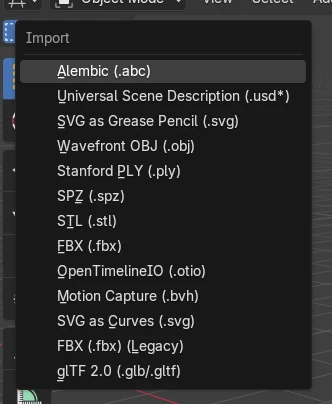
In Blender 5.3, choose File › Import › Stanford PLY (.ply) and pick the splat file. Blender detects Gaussian splat data and creates a point cloud object whose Type is 3D Gaussian Splat, with the scale, rotation and color of every splat kept. .spz files have their own SPZ entry in the same Import menu. Gaussian splat import is not in Blender 5.2 LTS, which reads the same file as a plain mesh of points.
- Mode
- Object Mode, 3D Viewport
- Menu
- File › Import › Stanford PLY (.ply)
File > Import > PLY
Splat data is detected for you.
Type: 3D Gaussian Splat
Shown in Object Data Properties › Type.
New in 5.3
Blender 5.2 LTS imports a mesh of points.
Before and after

AI Scene Builder is a Blender add-on. You type what you want, and it builds it in your scene: buildings, neon signs, wet pavement, fog and lights. Nothing in this picture was modeled by hand.
On a phone now? The add-on runs in Blender on a computer. Send yourself the link and open it there.
Step by step (Blender 5.3)
- Open the File menu, go to Import and pick Stanford PLY (.ply).
- For a .spz splat file, pick the SPZ entry in the same Import menu instead.
- Pick the splat file and click Import PLY.
- The splats appear as one point cloud object in the 3D Viewport and the Outliner.
- Open Object Data Properties: Type shows 3D Gaussian Splat. Switch it to Points if you want plain points.
- If the scene lies on its side, rotate the object, for example 90 degrees on X, so it stands upright.
- Switch the viewport to Material Preview or Rendered shading, or render with F12, to see the splats shaded.
Other ways to do it
- Drag the .ply file from your file browser into the 3D Viewport
- In Geometry Nodes, the Import PLY node now outputs a point cloud, and Set Point Cloud Type turns it into splats
Blender 5.2 LTS vs Blender 5.3
| What | Blender 5.2 LTS | Blender 5.3 |
|---|---|---|
| Gaussian splat .ply import | Not in Blender 5.2 LTS. The PLY importer makes a mesh of loose vertices and leaves the splat values as raw attributes (f_dc, opacity, scale, rot). | Blender 5.3 detects splat data and creates a point cloud with Type 3D Gaussian Splat; there is also an SPZ importer. |
Common snags
The scene is upside down or on its side
Many splat files use Z forward and minus Y up, while Blender uses Z up. Rotate the imported object until it stands upright.
Apply Transform changes how the splats look
Applying scale or rotation moves the points but does not update each splat's own scale, rotation and color data. Keep the transform on the object instead of applying it.
There is no splat export
Blender 5.3 imports PLY and SPZ splats but cannot write them back out as a splat file yet. Keep the original file.
An AI add-on for Blender
AI Scene Builder is a Blender add-on that builds and edits your scene from one typed request, such as “a small wooden table with two chairs”. Each request can be undone in one click.
 An evening market street built with the add-on from 11 typed requests. See every request →
Questions
Can Blender import Gaussian splats?
Yes, from Blender 5.3. Use File › Import › Stanford PLY (.ply) or SPZ (.spz); splats come in as a point cloud of Type 3D Gaussian Splat.
Which render engines show Gaussian splats?
Workbench, EEVEE and Cycles all render them in Blender 5.3, using a default emissive material.
Can Blender 5.2 LTS import Gaussian splats?
No. Blender 5.2 LTS reads a splat .ply as an ordinary mesh of points.
What the pictures show
- Before: the scene had no splat object; a Gaussian splat .ply file with 900 splats was on disk.
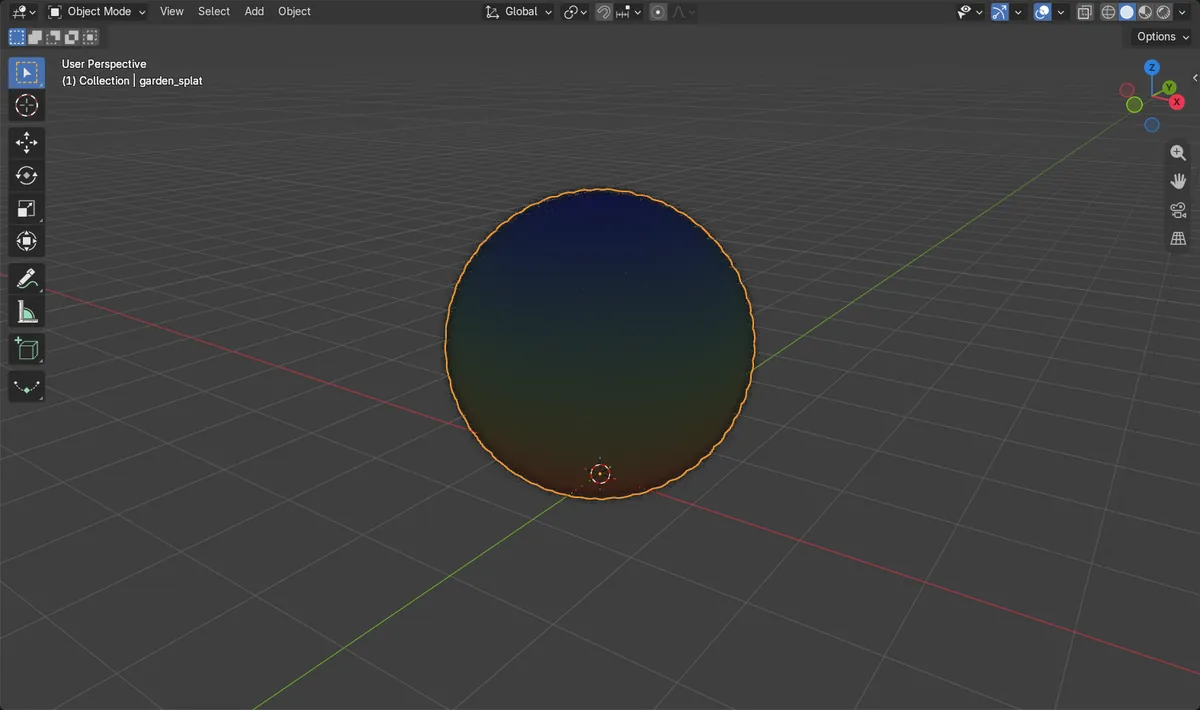
- After File > Import > Stanford PLY, Blender 5.3 created one point cloud object with 900 points.
- Its Type was 3D Gaussian Splat and it carried scale, rotation and color attributes for every splat.
- Blender 5.2 LTS imported the same file as a mesh of points with the raw splat values as attributes.