How to Use a Switch Node in Blender Shader Nodes (5.3)
In Blender 5.3, open the Shader Editor, press Shift + A, open Utilities and pick Index Switch (or Switch for a true/false choice). Plug your colors or textures into its numbered inputs and its output into Base Color. To give each object its own option from one shared material, connect Object Info › Object Index to the Index input and set Object Properties › Relations › Pass Index to 0, 1, 2 and so on. Switch and Index Switch are not in the shader editor in Blender 5.2 LTS.
- Mode
- Shader Editor
- Shortcut
- Shift + A (Add)
Add > Utilities
Index Switch, Switch and Menu Switch.
Shift+A in the Shader Editor
Then wire the output into Base Color.
New in 5.3
Not in Blender 5.2 LTS shader nodes.
Before and after

AI Scene Builder is a Blender add-on. You type what you want, and it builds it in your scene: buildings, neon signs, wet pavement, fog and lights. Nothing in this picture was modeled by hand.
On a phone now? The add-on runs in Blender on a computer. Send yourself the link and open it there.
Step by step (Blender 5.3)
- Select the object and open the Shader Editor (or the Shading workspace).
- Press Shift + A, open Utilities and pick the Index Switch node.
- Set the node's data type to Color and add numbered inputs until there is one for each option.
- Set a color in each numbered input, or plug a texture into it.
- Connect the node's Output to Base Color of the Principled BSDF.
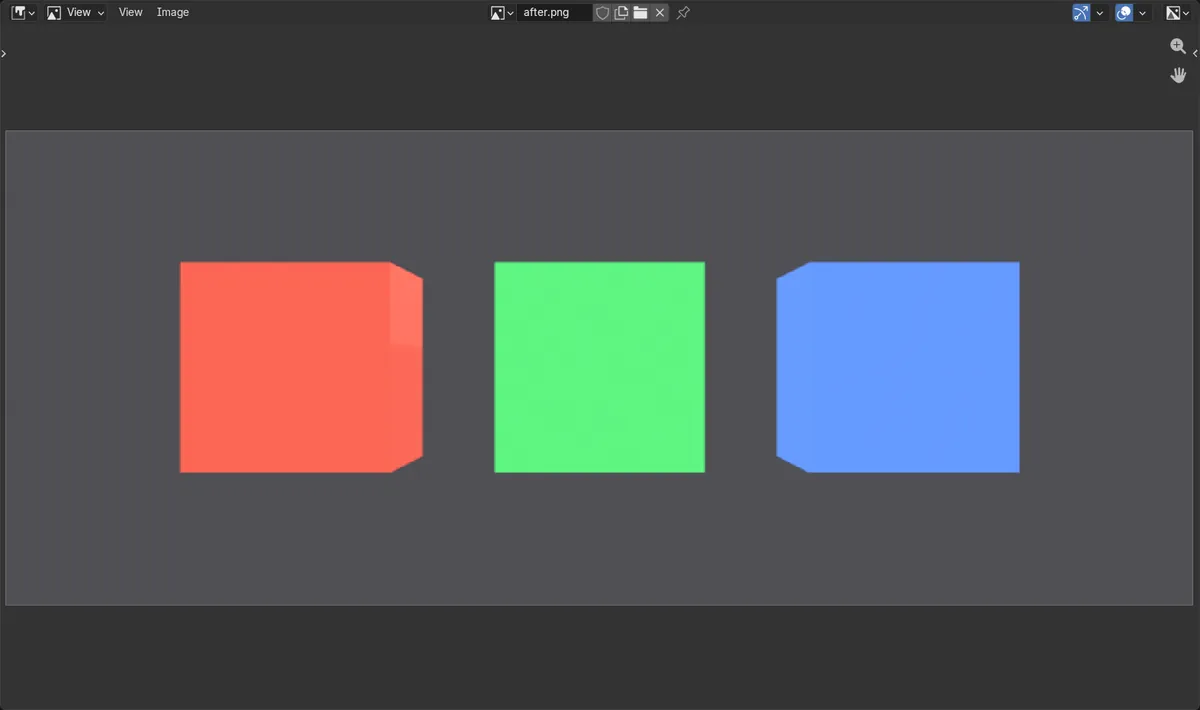
- Add Input › Object Info and connect Object Index to the Index input.
- For each object, set Object Properties › Relations › Pass Index (0, 1, 2 ...) to choose its option.
Other ways to do it
- Use Switch instead of Index Switch for an on/off choice between two inputs, driven by a Boolean
- Drive the Index input with a Value or Integer node exposed in a node group, so you can change it from the group's inputs
- Menu Switch gives a named drop-down instead of numbers
Blender 5.2 LTS vs Blender 5.3
| What | Blender 5.2 LTS | Blender 5.3 |
|---|---|---|
| Switch and Index Switch in shader nodes | Not in Blender 5.2 LTS. These nodes exist only in Geometry Nodes; the shader Add menu has Menu Switch only. | Blender 5.3 adds Switch, Index Switch, Boolean Math and Integer Math to shader nodes. |
Common snags
Every object shows the first option
The Pass Index of every new object is 0. Set a different Pass Index on each object in Object Properties › Relations.
The inputs show numbers instead of colors
Change the node's data type to Color (or Vector or Shader) before you plug things in, so each input takes the kind of value you need.
The colors are shifted by one
Counting starts at 0: Pass Index 0 picks the first input, 1 the second and 2 the third.
An AI add-on for Blender
AI Scene Builder is a Blender add-on that builds and edits your scene from one typed request, such as “a small wooden table with two chairs”. Each request can be undone in one click.
 A lighthouse island at sunset built with the add-on from 10 typed requests. See every request →
Questions
Does Blender have a switch node for shaders?
Yes, from Blender 5.3. In the Shader Editor, press Shift + A and open Utilities: Switch, Index Switch and Menu Switch are there.
How do I give each object a different color with one material?
Connect Object Info › Object Index to an Index Switch node, plug the colors into it, and set a different Pass Index on each object.
Can Blender 5.2 LTS use Index Switch in materials?
No. In Blender 5.2 LTS Index Switch and Switch exist only in Geometry Nodes.
What the pictures show
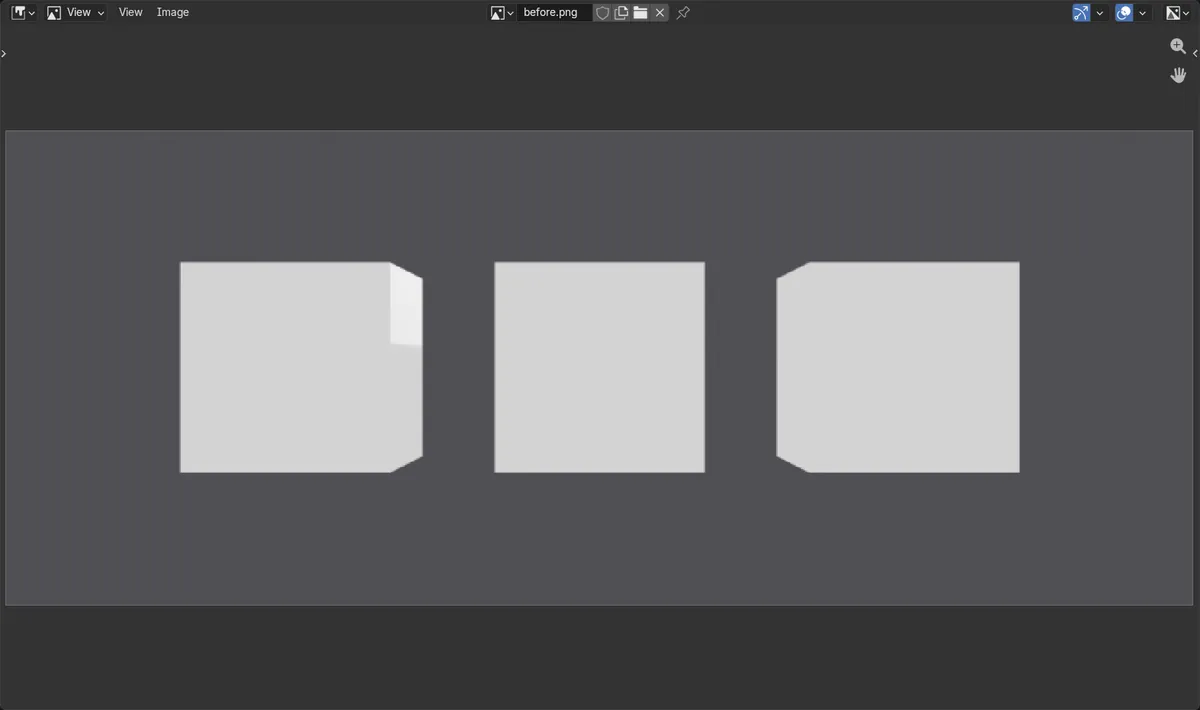
- Before: three cubes shared one material and all rendered the same gray in EEVEE.
- After adding an Index Switch node with red, green and blue inputs, fed by Object Info > Object Index, the same cubes rendered red, green and blue.
- It was still one material on all three cubes; only their Pass Index (0, 1, 2) differed.
- In Blender 5.2 LTS the Index Switch node could not be added to a shader node tree.