How to Use the Integer Math Node in Blender Shaders (Blender 5.3)
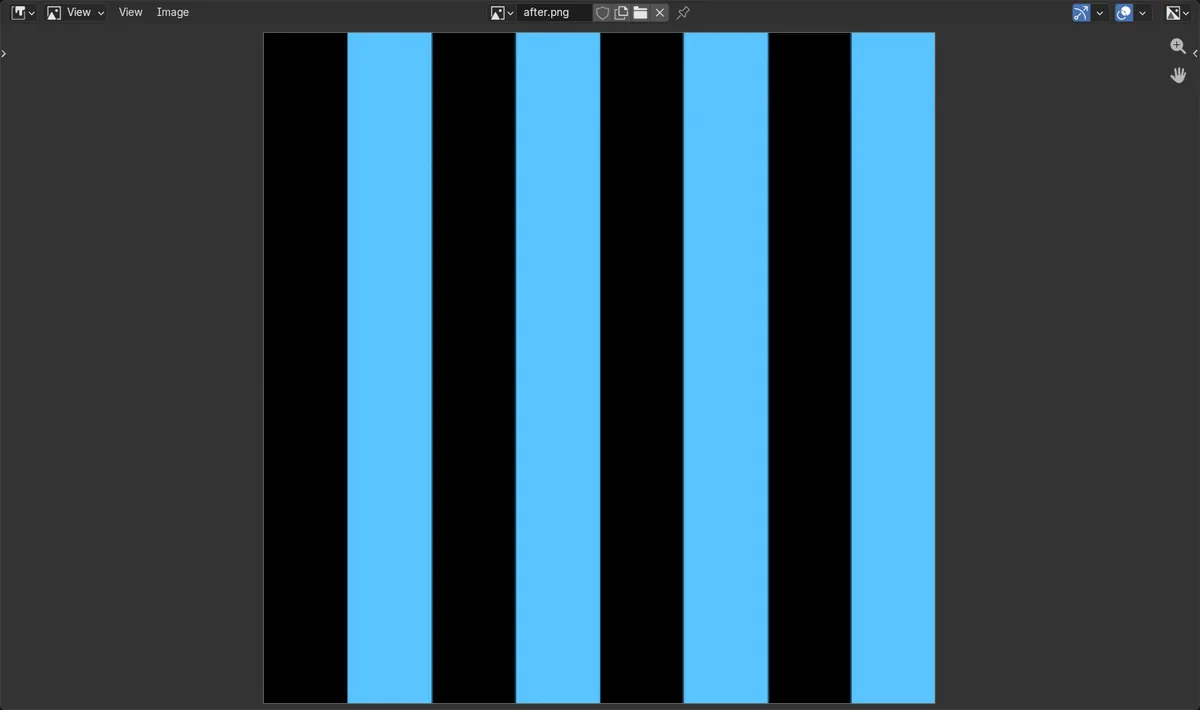
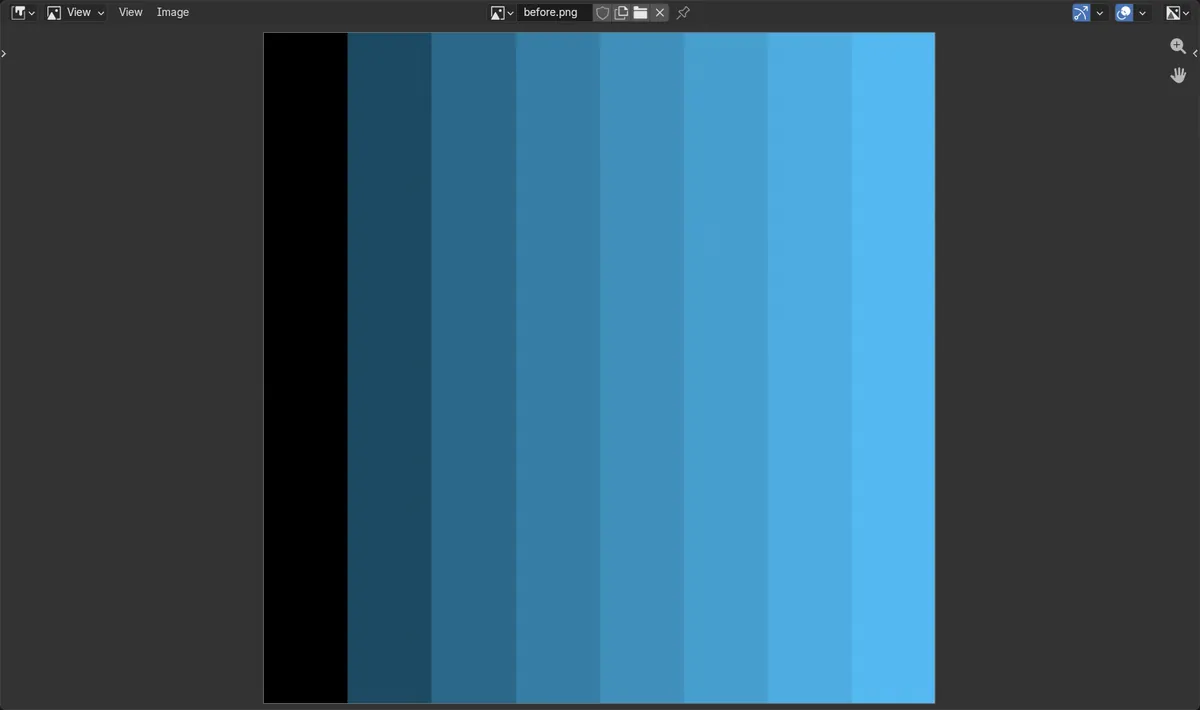
In Blender 5.3, the Integer Math node is in the Shader Editor under Add › Utilities › Math › Integer Math. It works on whole numbers, so Modulo with 2 turns any band number into 0 or 1. In the test, eight bands made with Floor stepped from dark to bright; sending them through Integer Math set to Modulo 2 made the eight bands alternate dark and bright.
- Mode
- Shader Editor
- Menu
- Add › Utilities › Math › Integer Math
- Shortcut
- Shift + A
In the Math submenu
Integer Math sits under Utilities and Math in the Add menu of the Shader Editor, next to the Math node.
Stripes from a count
Eight bands that stepped from dark to bright became 8 bands alternating dark and bright after Modulo 2.
New for shaders in 5.3
In Blender 5.2 LTS Integer Math belongs to Geometry Nodes and cannot be added to a material.
Before and after

AI Scene Builder is a Blender add-on. You type what you want, and it builds it in your scene: buildings, neon signs, wet pavement, fog and lights. Nothing in this picture was modeled by hand.
On a phone now? The add-on runs in Blender on a computer. Send yourself the link and open it there.
Step by step (Blender 5.3)
- Open your material in the Shader Editor.
- Build a whole number to work on, for example Texture Coordinate Generated into Separate XYZ, X into a Math node set to Multiply by 8, then a Math node set to Floor. This gives the band number 0 to 7 across the object.
- Press Shift + A and add Integer Math from Add › Utilities › Math › Integer Math.
- Connect the Floor result to the first input of Integer Math, set Operation to Modulo and type 2 into the second input.
- Connect the Integer Math result to the input you want to drive, such as the Strength of an Emission node or the Factor of a Mix node. Even bands get 0 and odd bands get 1.
Other ways to do it
- Type Integer Math into the search field at the top of the Add menu
- Change Operation to Divide Floor, Greatest Common Divisor, Least Common Multiple or Power for other whole-number math
Blender 5.2 LTS vs Blender 5.3
| What | Blender 5.2 LTS | Blender 5.3 |
|---|---|---|
| Integer Math node in shaders | Not in Blender 5.2 LTS. The node cannot be added to a material there; it is a Geometry Nodes node. | Blender 5.3 adds Integer Math to the Shader Editor, in the Math submenu under Utilities. |
Common snags
The stripes are uneven or blurry
Integer Math works on whole numbers and turns a decimal input into a whole number first. Put a Math node set to Floor in front of it so each band gets the number you expect.
Negative numbers give a negative result
Modulo keeps the sign of the first input. Use Floored Modulo if the band numbers can go below zero.
The node is not in the Add menu
You are in a Blender version before 5.3. Use the Math node set to Truncated Modulo instead.
An AI add-on for Blender
AI Scene Builder is a Blender add-on that builds and edits your scene from one typed request, such as “a small wooden table with two chairs”. Each request can be undone in one click.
 An evening market street built with the add-on from 11 typed requests. See every request →
Questions
Can I use Integer Math in shader nodes in Blender?
Yes, from Blender 5.3. Add it with Shift + A from Add › Utilities › Math › Integer Math in the Shader Editor.
How do I make alternating stripes in a Blender material?
Turn a coordinate into a band number with Multiply and Floor, then use Integer Math set to Modulo with 2. Even bands give 0 and odd bands give 1.
What is the difference between Math and Integer Math?
Math works with decimal numbers. Integer Math works with whole numbers and has operations such as Divide Floor, Greatest Common Divisor and Least Common Multiple.
What the pictures show
- Before: a plane with an Emission material whose Strength came from Floor of X times 8, divided by 8. The render stepped up in 8 bands from dark on the left to bright on the right, each band brighter than the one to its left.
- After adding Integer Math set to Modulo with 2 on the Floor result: the 8 bands alternated dark and bright from left to right; the four even bands came out black and the four odd bands all at the same brightness.
- In Blender 5.2 LTS adding Integer Math to the material failed, so the panel stayed in 8 rising bands.