How the Sculpt Paint Brush Respects the Mask in Blender 5.4
In Sculpt Mode, mask the area you want to protect (with the Mask brush or Box Mask), then paint with the Paint brush. In Blender 5.4 the mask sets a limit for the whole stroke: an area masked at 0.5 gets at most half the colour, however many times you go back and forth over it in that stroke. In Blender 5.3 the same back-and-forth stroke built up to full colour even on the half-masked area.
- Mode
- Sculpt Mode, Paint brush from the asset shelf (mesh with a color attribute)
- Menu
- Mask › Box Mask
- Shortcut
- Alt + M (clear mask), Ctrl + I (invert mask)
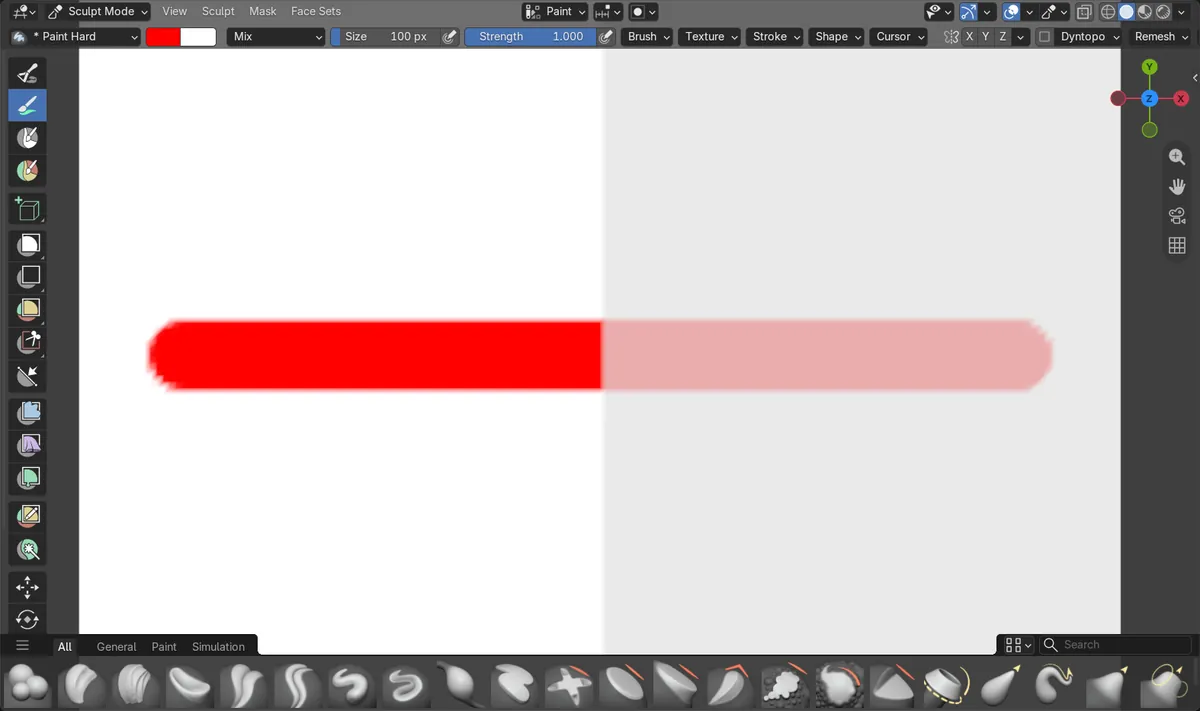
The mask caps the stroke
On a half-masked area, one red stroke scrubbed back and forth three times gave exactly 50% red in Blender 5.4.
Masking keys
Alt + M clears the mask and Ctrl + I inverts it in Sculpt Mode, so you can protect the other side in one step.
New in 5.4
In Blender 5.3 the same stroke reached 100% red on the half-masked area.
Before and after

AI Scene Builder is a Blender add-on. You type what you want, and it builds it in your scene: buildings, neon signs, wet pavement, fog and lights. Nothing in this picture was modeled by hand.
On a phone now? The add-on runs in Blender on a computer. Send yourself the link and open it there.
Step by step (Blender 5.4 Alpha)
- Make sure the mesh has a color attribute (Properties › Data › Color Attributes) and switch to Sculpt Mode.
- Paint a mask over the area to protect with the Mask brush, or drag a box with Box Mask. Fully masked areas show dark; lighter mask values protect only partly.
- Pick the Paint brush in the asset shelf (for example Paint Hard) and choose a colour.
- Paint across the model. You can go back and forth in one stroke: on masked areas the colour stops at the limit the mask allows.Blender 5.3: In Blender 5.3, overlapping dabs in one stroke kept adding colour, so a partly masked area could end up fully painted.
- When you are done, press Alt + M to clear the mask, or Ctrl + I to invert it and paint the other side.
Other ways to do it
- Mask › Box Mask, Mask › Lasso Mask and the Mask brush all make masks the Paint brush follows.
- Lower the Paint brush Strength as well if you want a softer result on unmasked areas.
Blender 5.3 vs Blender 5.4 Alpha
| What | Blender 5.3 | Blender 5.4 Alpha |
|---|---|---|
| Paint brush and partial masks | Blender 5.3.0: repeated dabs in one stroke built up past the mask; our half-masked area reached 100% red. | Blender 5.4: the mask limits the whole stroke; our half-masked area stopped at 50% red. |
| Release status | Blender 5.3.0 is the current stable release. | Blender 5.4 is in Alpha; the final release is planned for February 3, 2027. |
Common snags
Colour still creeps into the masked area
The mask there is only partial. Paint the mask again at full strength where nothing should be painted, or use Box Mask.
I can't see the colour I painted
The viewport is not showing the color attribute. In the Viewport Shading popover, set the Solid mode Color to Attribute.
The masked area filled up with colour
You are on Blender 5.3 or older, where scrubbing over a partial mask in one stroke keeps adding colour. Blender 5.4 stops at the mask's limit.
I want to paint the masked side now
Press Ctrl + I to invert the mask, or Alt + M to clear it.
Questions
How do I stop the sculpt Paint brush from painting the masked area?
Mask that area fully in Sculpt Mode (Mask brush or Box Mask) before you paint. Partly masked areas get only part of the colour, and in Blender 5.4 that limit holds for the whole stroke.
Why did my partly masked area end up fully painted?
In Blender 5.3 and older, going back and forth in one stroke kept adding colour. In our 5.3 test a half-masked area reached 100% red; in 5.4 it stopped at 50%.
How do I clear or invert the mask in Sculpt Mode?
Alt + M clears the mask and Ctrl + I inverts it.
Where does the sculpt Paint brush store its colour?
In the mesh's color attribute, listed in Properties › Data › Color Attributes.
What the pictures show
- Tested build: Blender 5.4.0 Alpha (f9495703eb0b, 2026-11-10 build), compared with Blender 5.3.0.
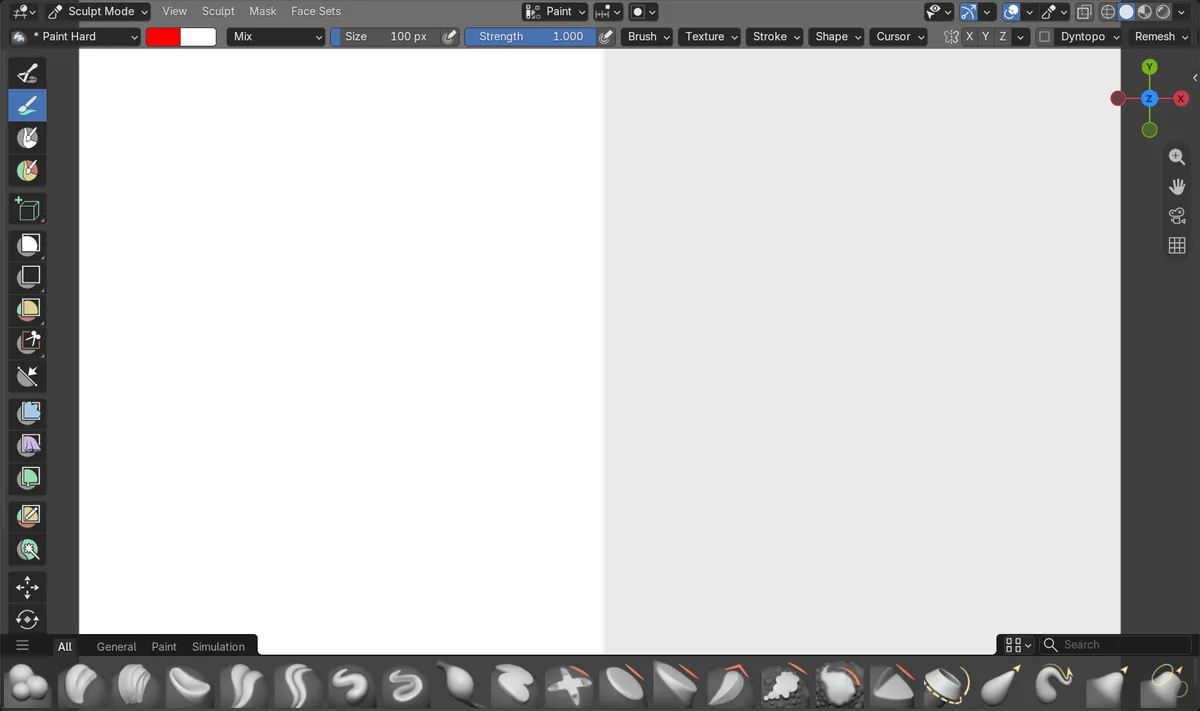
- Scene: a white 160 x 160 grid plane with a color attribute; the right half masked at 0.5, the left half not masked. Paint Hard brush, red, strength 1.
- Before: no colour on either half.
- After one red stroke going back and forth three times across both halves in 5.4: the open half was 100% red and the half-masked half 50% red.
- In Blender 5.3.0 the same stroke made both halves 100% red.