How to Show the Sun Disc of the Sky Texture in EEVEE (Blender 5.3)
In Blender 5.3, tick Sun Disc on the Sky Texture node of your World and set Sun Size. EEVEE now draws the round sun in the sky, in Rendered view and in the final render, where before only Cycles showed it.
- Mode
- Shader Editor set to World, with EEVEE
- Shortcut
- F12
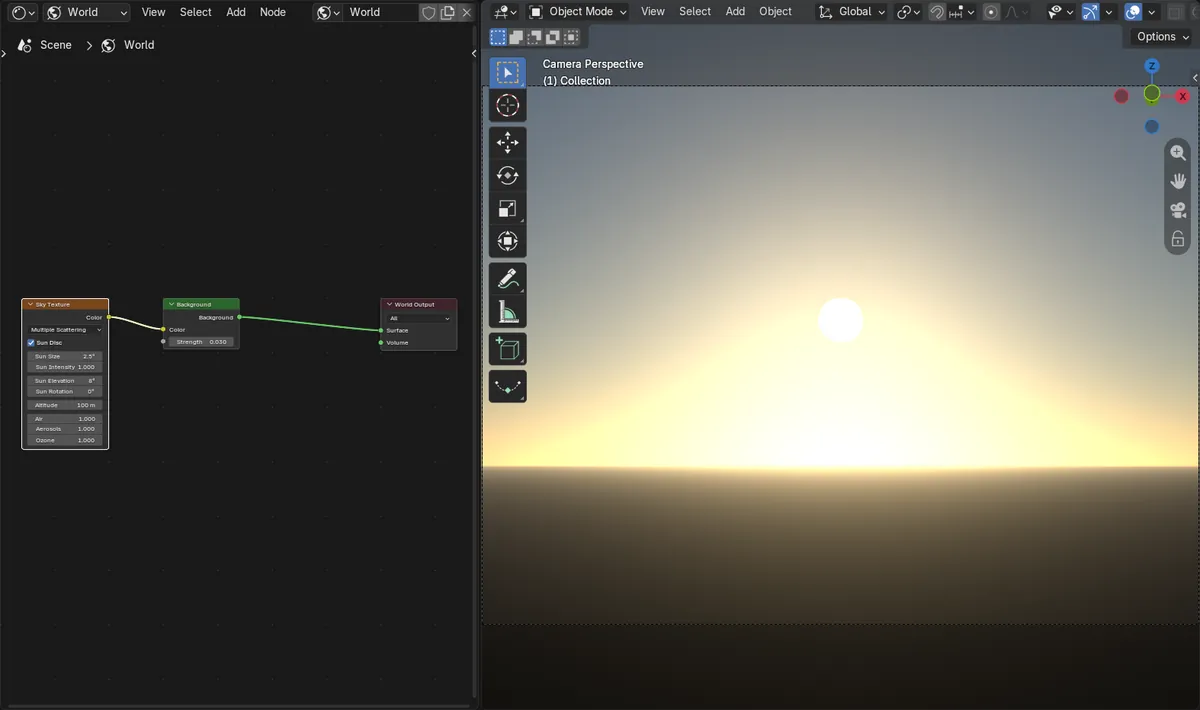
Sun Disc
A checkbox on the Sky Texture node; Sun Size and Sun Intensity appear when it is ticked.
Sun in EEVEE
With Sun Disc on, the EEVEE render showed a round white sun above the horizon glow.
New in 5.3
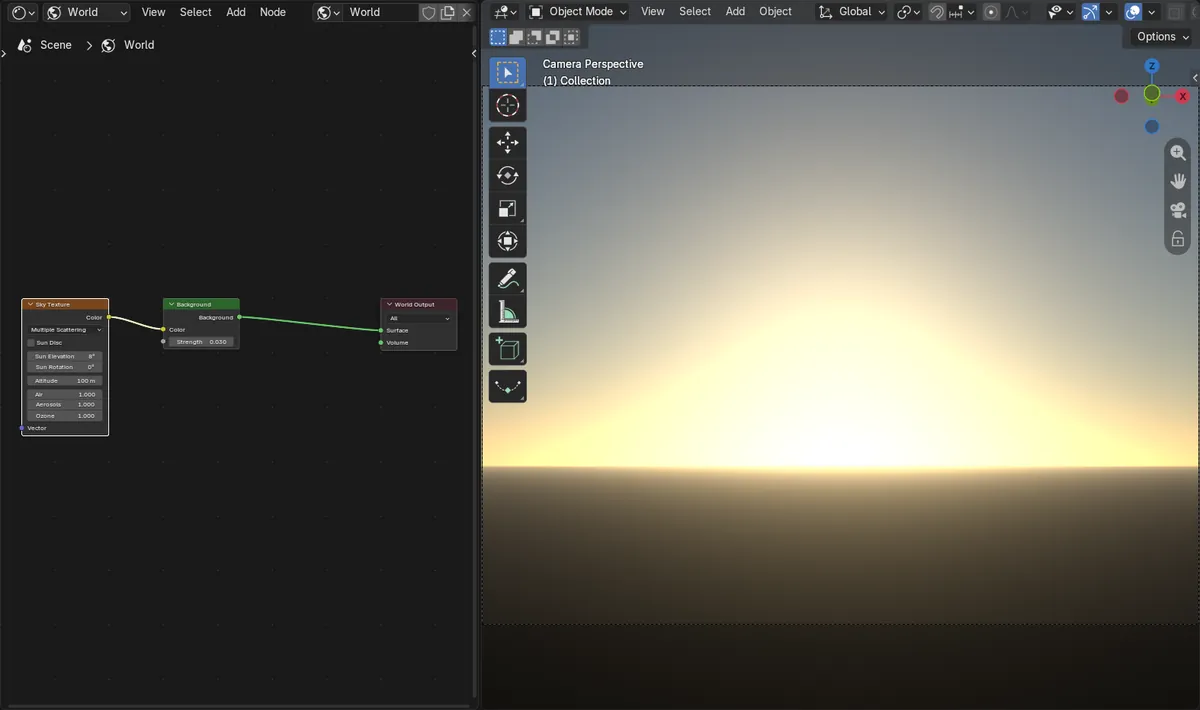
In Blender 5.2 LTS, EEVEE drew the sky glow but never the sun disc.
Before and after

AI Scene Builder is a Blender add-on. You type what you want, and it builds it in your scene: buildings, neon signs, wet pavement, fog and lights. Nothing in this picture was modeled by hand.
On a phone now? The add-on runs in Blender on a computer. Send yourself the link and open it there.
Step by step (Blender 5.3)
- Set Render Engine to EEVEE.
- Open the Shader Editor and switch it to World.
- Connect a Sky Texture node to the Color input of the Background node, if your World does not have one yet.
- Tick Sun Disc on the Sky Texture node.
- Set Sun Size and Sun Elevation so the sun is where you want it, then turn the camera toward it.
- Switch the viewport to Rendered shading or press F12 to see the sun.
Other ways to do it
- Set the same Sky Texture values in the Properties editor, World tab, Surface panel
- Untick Sun Disc to keep only the sky glow
Blender 5.2 LTS vs Blender 5.3
| What | Blender 5.2 LTS | Blender 5.3 |
|---|---|---|
| Sun disc in EEVEE | In Blender 5.2 LTS, EEVEE ignores Sun Disc and draws only the sky glow. | In Blender 5.3, EEVEE draws the sun disc of the Sky Texture. |
Common snags
The sun is not in the picture
Check Sun Elevation and Sun Rotation and point the camera toward that direction. A sun below 0 degrees is under the horizon.
The whole sky turns white
The Sky Texture is very bright. Lower Strength on the Background node or Sun Intensity on the Sky Texture.
The sun is too small to see
Raise Sun Size, for example to 2 or 3 degrees, or use a longer lens on the camera.
An AI add-on for Blender
AI Scene Builder is a Blender add-on that builds and edits your scene from one typed request, such as “a small wooden table with two chairs”. Each request can be undone in one click.
 An evening market street built with the add-on from 11 typed requests. See every request →
Questions
Why does the sun not show in EEVEE?
Before Blender 5.3, EEVEE did not draw the sun disc of the Sky Texture. In 5.3, tick Sun Disc on the node.
How do I make the sun bigger?
Raise Sun Size on the Sky Texture node.
Does the sun disc also light the scene?
The Sky Texture lights the scene through the World. For crisp sun shadows, a Sun light pointed the same way is the usual choice.
What the pictures show
- Before: an EEVEE scene whose World uses a Sky Texture with the sun 8 degrees up in front of the camera, Sun Disc off, rendered only the sky glow, with no pure white pixels in the upper half of the picture.
- After ticking Sun Disc with Sun Size 2.5 degrees: the EEVEE render showed a round white sun of 167 pure white pixels above the horizon glow.
- In Blender 5.2 LTS the same EEVEE scene with Sun Disc ticked still had no sun (0 white pixels in the upper half).