How to Switch to Wireframe View in Blender
Hover the 3D Viewport and press Shift + Z: the view switches to Wireframe shading and every object shows only its edges. Press Shift + Z again to return to the shading you had before. You can also click the first of the four shading buttons at the right of the 3D Viewport header.
- Mode
- Any mode, 3D Viewport
- Menu
- 3D Viewport header › Viewport Shading › Wireframe
- Shortcut
- Shift + Z
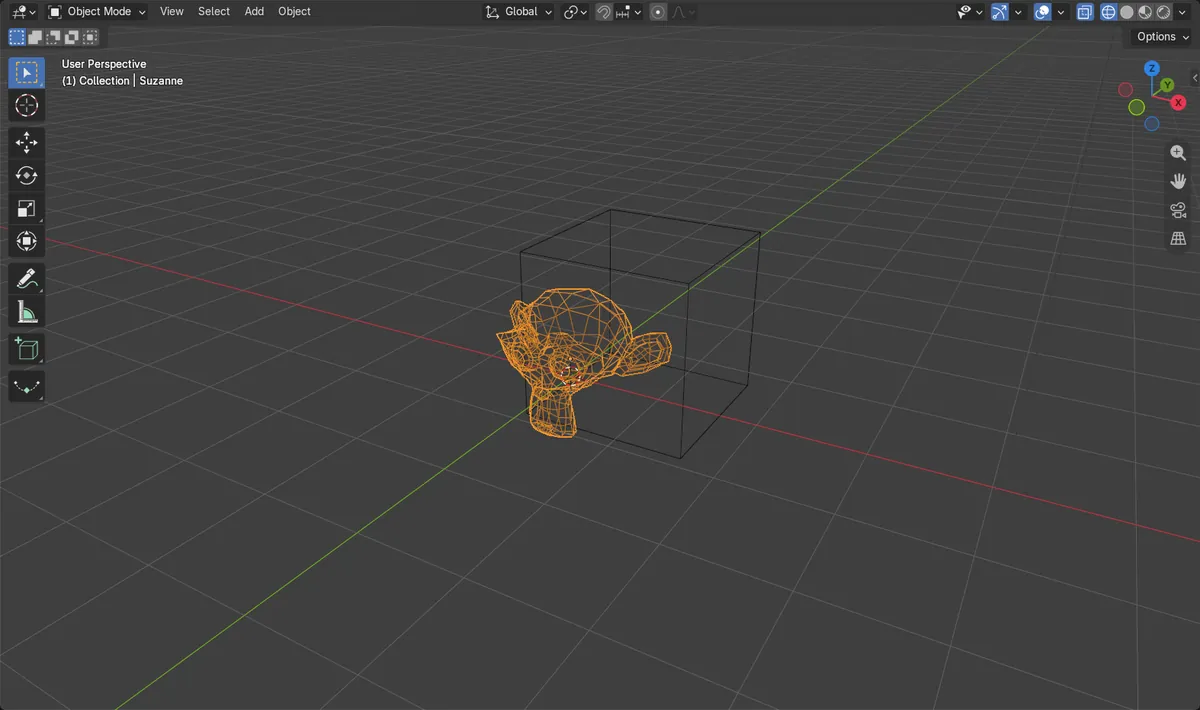
Shift + Z
Toggles between Wireframe and the previous shading.
Z pie menu
Pick Wireframe, Solid, Material Preview or Rendered.
Alt + Z
Toggles X-Ray so you can see and select through objects.
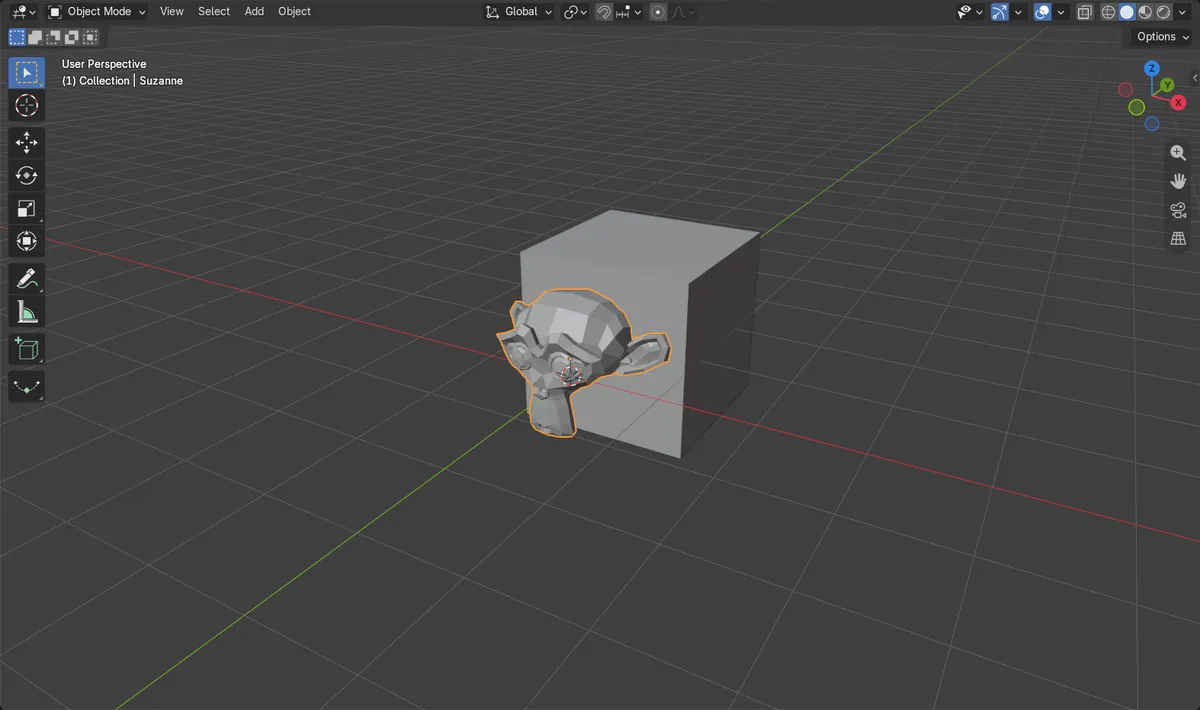
Before and after

AI Scene Builder is a Blender add-on. You type what you want, and it builds it in your scene: buildings, neon signs, wet pavement, fog and lights. Nothing in this picture was modeled by hand.
On a phone now? The add-on runs in Blender on a computer. Send yourself the link and open it there.
Step by step (Blender 5.x)
- Move the mouse over the 3D Viewport.
- Press Shift + Z. All objects are drawn as wireframes.
- Press Shift + Z again to return to Solid or whatever shading you used before.
- Or click the Wireframe button, the first of the four shading buttons at the right of the header.
- Open the Viewport Shading drop-down next to those buttons to change X-Ray Opacity for the wireframe.Blender 4.2 LTS: The slider is called X-Ray Alpha in Blender 4.2 LTS.
Other ways to do it
- Press Z and choose Wireframe in the shading pie menu
- Click the Wireframe button in the 3D Viewport header
Blender 4.2 LTS vs Blender 5.x
| What | Blender 4.2 LTS | Blender 5.x |
|---|---|---|
| Wireframe transparency slider | X-Ray Alpha | X-Ray Opacity |
Common snags
I can see through objects in Solid view
X-Ray is on. Press Alt + Z to turn it off, or click the X-Ray button left of the shading buttons.
Back faces cannot be selected in Wireframe
Show X-Ray must be on in Wireframe for selections to go through the mesh. It is on by default; check the Viewport Shading drop-down if it was turned off.
Shift + Z does nothing
The mouse is over another editor. Keys go to the editor under the mouse, so hover the 3D Viewport first.
An AI add-on for Blender
AI Scene Builder is a Blender add-on that builds and edits your scene from one typed request, such as “a small wooden table with two chairs”. Each request can be undone in one click.
 A lighthouse island at sunset built with the add-on from 10 typed requests. See every request →
Questions
What is the shortcut for wireframe in Blender?
Shift + Z over the 3D Viewport toggles Wireframe shading on and off.
How do I see through objects in Blender?
Press Alt + Z to toggle X-Ray in any shading mode.
How do I show the wireframe on top of solid shading?
Open the Viewport Overlays drop-down and tick Wireframe, so edges are drawn over the solid view.
What the pictures show
- Before: the viewport used Solid shading.
- After Shift + Z: the viewport shading is Wireframe, with Show X-Ray on.
- Results were identical in Blender 4.2 LTS and Blender 5.x.