How to Add a Strip Modifier with Shift+A in Blender's Video Editor (Blender 5.3)
In Blender 5.3, select a strip, open the Strip Modifiers tab in the Properties editor, hover the mouse over it and press Shift + A. The Add Modifier menu opens, the same one as the Add Modifier button, with entries such as Color Balance, Curves and Hue Correct. In the test the active color strip had no modifiers, and choosing Color Balance added one. In Blender 5.2 LTS Shift + A in the Properties editor opens the object modifier menu, so strip modifiers are added with the button.
- Mode
- Properties editor, Strip Modifiers tab
- Shortcut
- Shift + A
Shift+A for strips
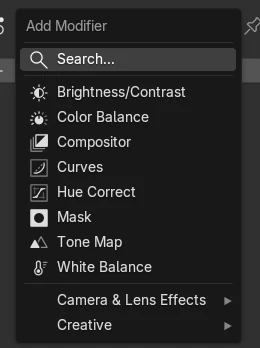
With the Strip Modifiers tab open, Shift + A in the Properties editor opens Add Modifier for the active strip.
Same menu as the button
The menu lists the strip modifiers, from Brightness/Contrast and Color Balance to Tone Map and White Balance.
New in 5.3
In Blender 5.2 LTS Shift + A in the Properties editor is mapped to the object modifier menu, not to strip modifiers.
Before and after

AI Scene Builder is a Blender add-on. You type what you want, and it builds it in your scene: buildings, neon signs, wet pavement, fog and lights. Nothing in this picture was modeled by hand.
On a phone now? The add-on runs in Blender on a computer. Send yourself the link and open it there.
Step by step (Blender 5.3)
- In the Sequencer, click the strip you want to change so it is the active strip.
- In the Properties editor, open the Strip Modifiers tab.
- Move the mouse over the Properties editor and press Shift + A.Blender 5.2 LTS: In Blender 5.2 LTS click the Add Modifier button in the Modifiers panel instead.
- Choose a modifier, for example Color Balance; it appears in the Modifiers panel of the strip.
- Press Shift + A again to stack more modifiers; they run from top to bottom.
Other ways to do it
- Click the Add Modifier button in the Modifiers panel of the Strip Modifiers tab
- Press Shift + D over a modifier to duplicate it on the same strip
Blender 5.2 LTS vs Blender 5.3
| What | Blender 5.2 LTS | Blender 5.3 |
|---|---|---|
| Shift + A in the Strip Modifiers tab | Not in Blender 5.2 LTS. Shift + A in the Properties editor is mapped to the object Add Modifier menu. | Blender 5.3 maps Shift + A in the Properties editor to Add Modifier for strips when the Strip Modifiers tab is open. |
Common snags
Shift+A opens the Add strip menu instead
The mouse is over the Sequencer instead of the Properties editor, where Shift + A adds strips. Move the mouse over the Properties editor and press it again.
The Strip Modifiers tab is missing
No strip is active. Click a strip in the Sequencer so the Properties editor shows the strip tabs.
The modifier went onto the wrong strip
Modifiers are added to the active strip. Click the strip you want in the Sequencer before pressing Shift + A.
An AI add-on for Blender
AI Scene Builder is a Blender add-on that builds and edits your scene from one typed request, such as “a small wooden table with two chairs”. Each request can be undone in one click.
 A log cabin room built with the add-on from 9 typed requests. See every request →
Questions
How do I add a modifier to a strip in Blender's Video Editor?
Select the strip, open the Strip Modifiers tab in the Properties editor and press Shift + A over it in Blender 5.3, or click Add Modifier in the Modifiers panel.
Why does Shift+A add a strip instead of a modifier?
Shift + A was pressed over the Sequencer. Move the mouse over the Properties editor with the Strip Modifiers tab open.
Can I copy a strip modifier?
Yes. Hover the modifier and press Shift + D to duplicate it on the same strip.
What the pictures show
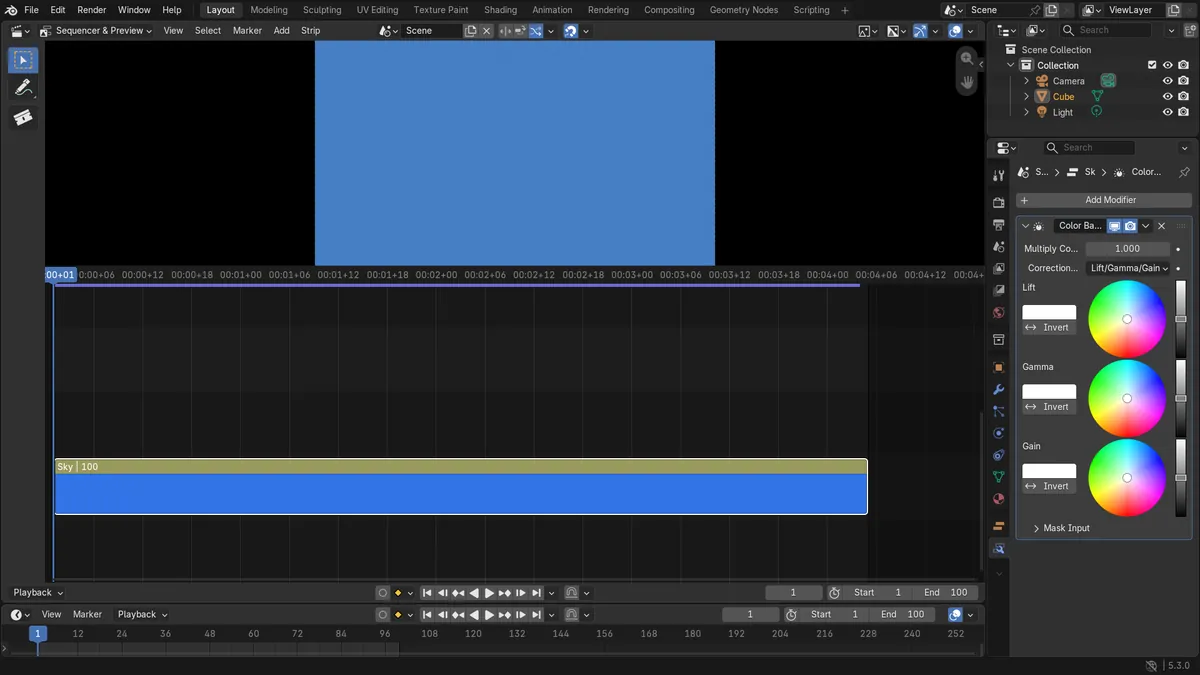
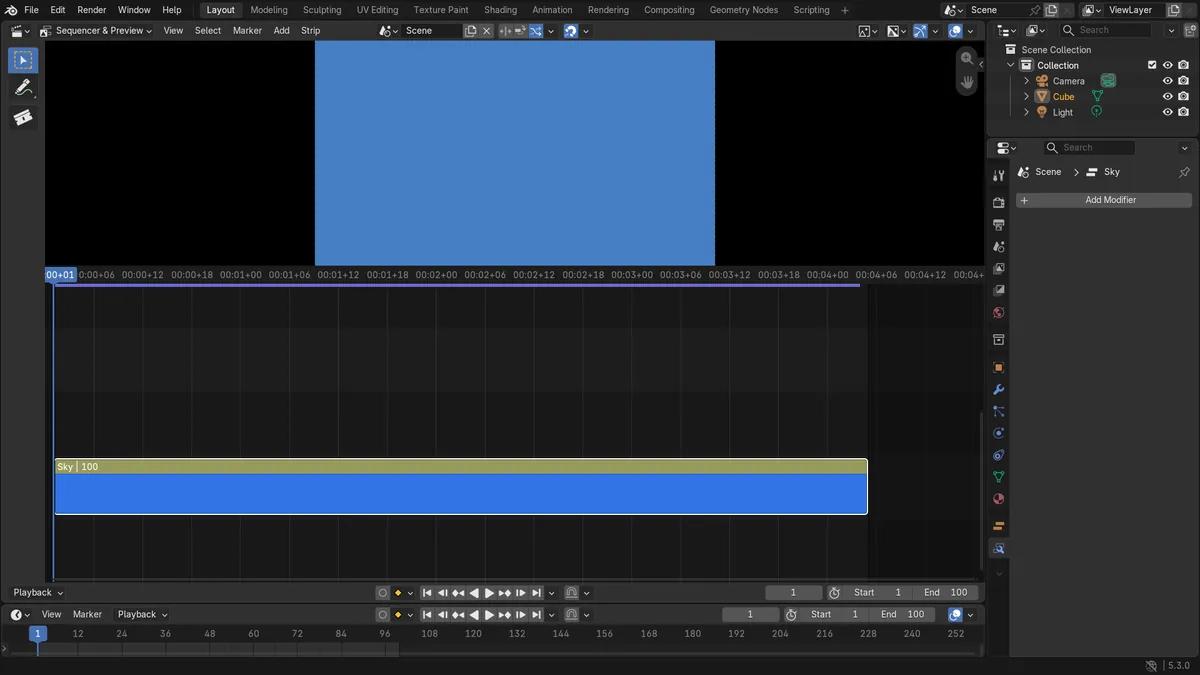
- Before: a color strip named Sky (frames 1 to 100) as the active strip, the Properties editor on the Strip Modifiers tab, and no strip modifiers.
- In Blender 5.3 Shift+A in the Properties editor was mapped to Add Modifier for strips, the Add Modifier menu listed the strip modifiers, and adding Color Balance gave the strip one Color Balance modifier.
- In Blender 5.2 LTS Shift+A in the Properties editor was mapped to the object Add Modifier menu, with no entry for strip modifiers.