How to Change Render Samples in Blender Cycles
With Cycles as the render engine, open the Render Properties tab and expand Sampling › Render. Set Max Samples: higher values give a cleaner image but take longer. The Viewport section above sets the samples for Rendered shading separately. Denoise, in its own panel, can clean up the grain that is left.
- Mode
- Cycles, Properties editor
- Menu
- Render Properties › Sampling › Render › Max Samples
- Shortcut
- F12 to render
Sampling > Render
Max Samples sets the samples for the final render.
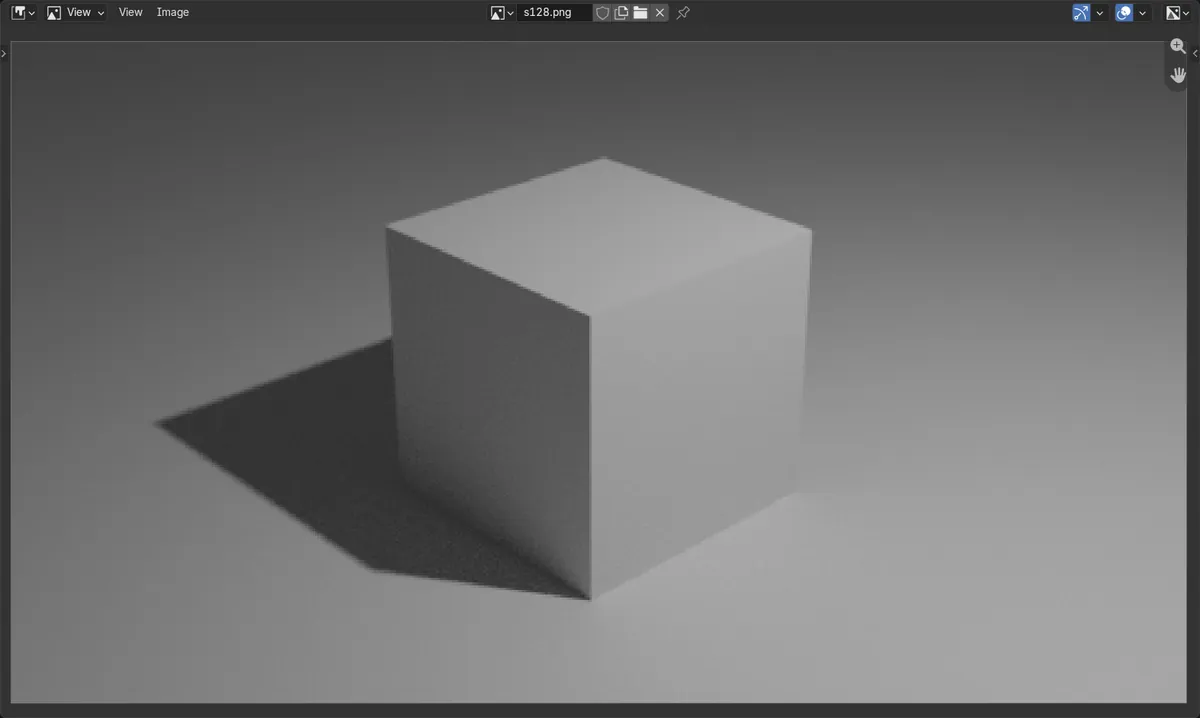
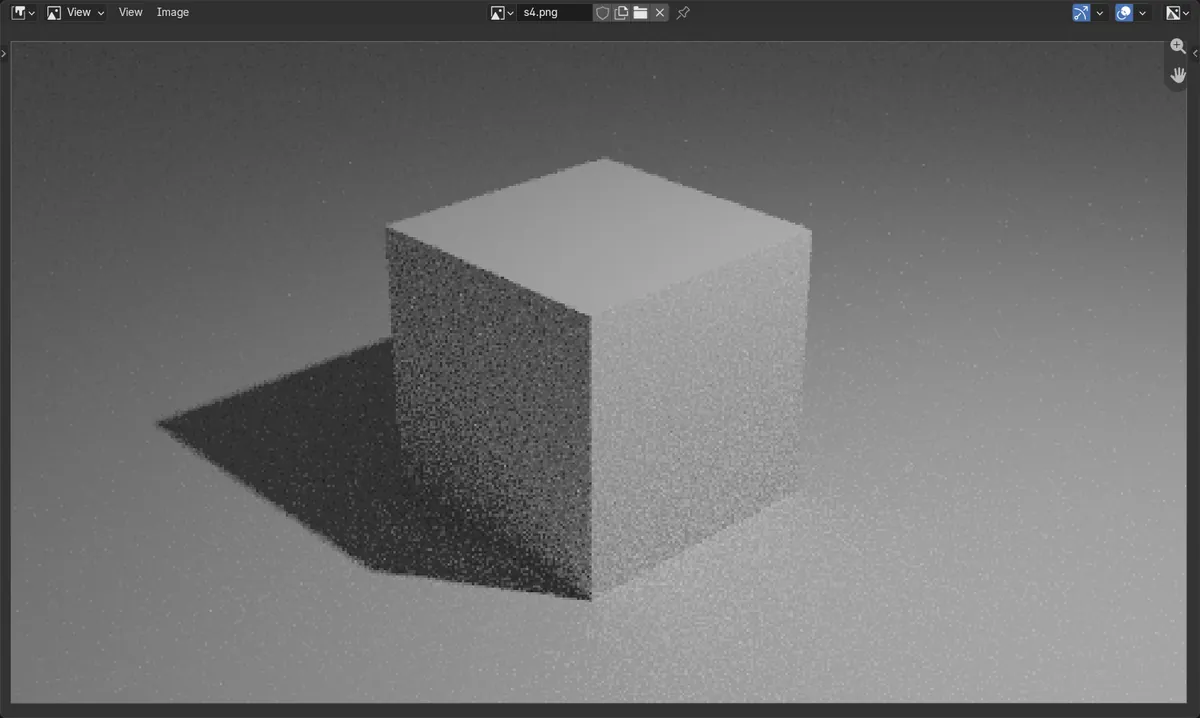
More samples, less grain
Renders get cleaner and slower.
Viewport is separate
Rendered shading uses its own sample count.
Before and after

AI Scene Builder is a Blender add-on. You type what you want, and it builds it in your scene: buildings, neon signs, wet pavement, fog and lights. Nothing in this picture was modeled by hand.
On a phone now? The add-on runs in Blender on a computer. Send yourself the link and open it there.
Step by step (Blender 5.x)
- Open the Render Properties tab and make sure Render Engine is Cycles.
- Expand Sampling, then Render.
- Set Max Samples, for example 128 for a quick test.
- Press F12 to render and check the grain.
Other ways to do it
- Turn on Denoise to clean up the grain at a lower sample count
- Set Time Limit to stop each render after a fixed time
Common snags
The viewport is still grainy
Rendered shading uses the Viewport samples, not Render. Change Max Samples under Sampling › Viewport.
Renders became very slow
Render time grows with samples. Lower Max Samples and turn on Denoise, or set a Time Limit.
I cannot find Max Samples
The engine is set to EEVEE, which has its own Samples setting in the Render Properties tab (64 by default). Switch to Cycles for this one.
An AI add-on for Blender
AI Scene Builder is a Blender add-on that builds and edits your scene from one typed request, such as “a small wooden table with two chairs”. Each request can be undone in one click.
 A log cabin room built with the add-on from 9 typed requests. See every request →
Questions
How many samples should I use in Cycles?
It depends on the scene. Many still images look clean at a few hundred samples with Denoise on; raise it if grain remains.
What is the difference between Viewport and Render samples?
Viewport samples are used in Rendered shading; Render samples are used for F12 and final renders.
What the pictures show
- Before: Max Samples 4; the floor in the render was covered in coarse grain.
- After: Max Samples 128; the floor looked smooth, with less than a quarter of the grain seen at 4 samples.
- Denoise was off in both renders, so the difference came from the samples alone.
- Results were identical in Blender 4.2 LTS and Blender 5.x.