How to Export an STL File for 3D Printing in Blender
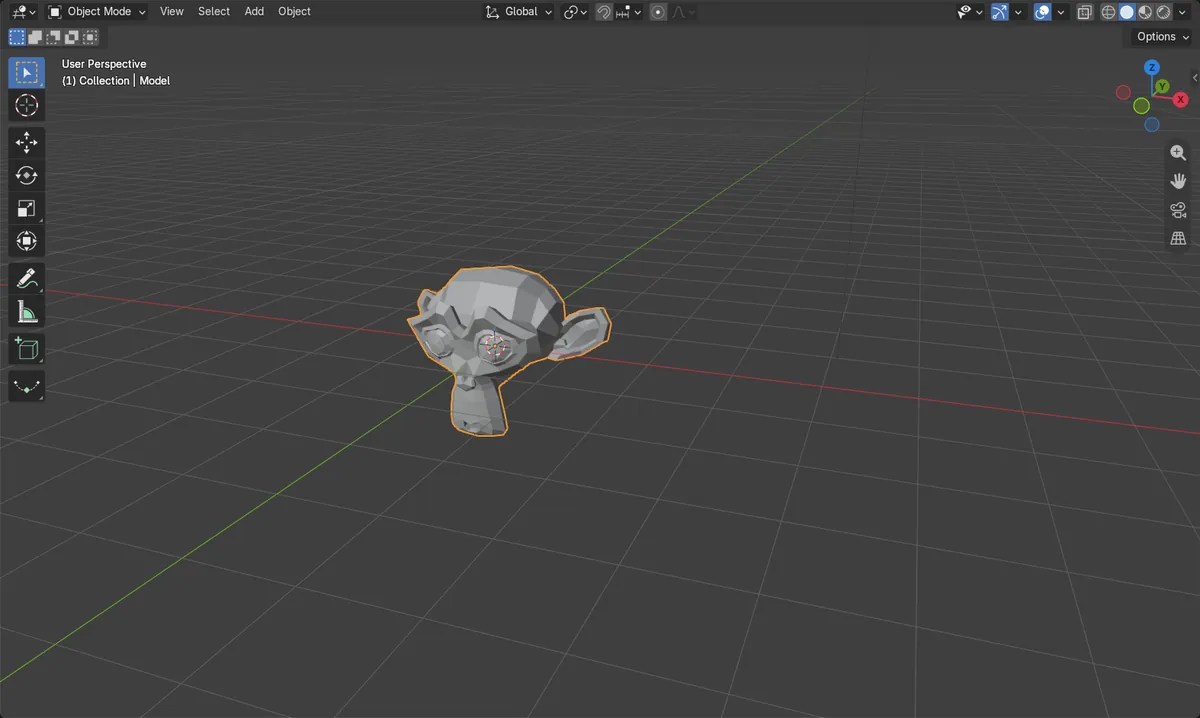
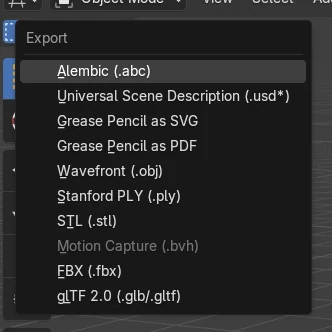
Select the model, then choose File › Export › STL (.stl). In the export window turn on Selection Only so that only the model is saved, type a file name and click Export STL. STL files have no unit and most slicers read them as millimetres, while Blender works in metres by default, so set Scale to 1000 to keep the real size.
- Mode
- Object Mode
- Menu
- File › Export › STL (.stl)
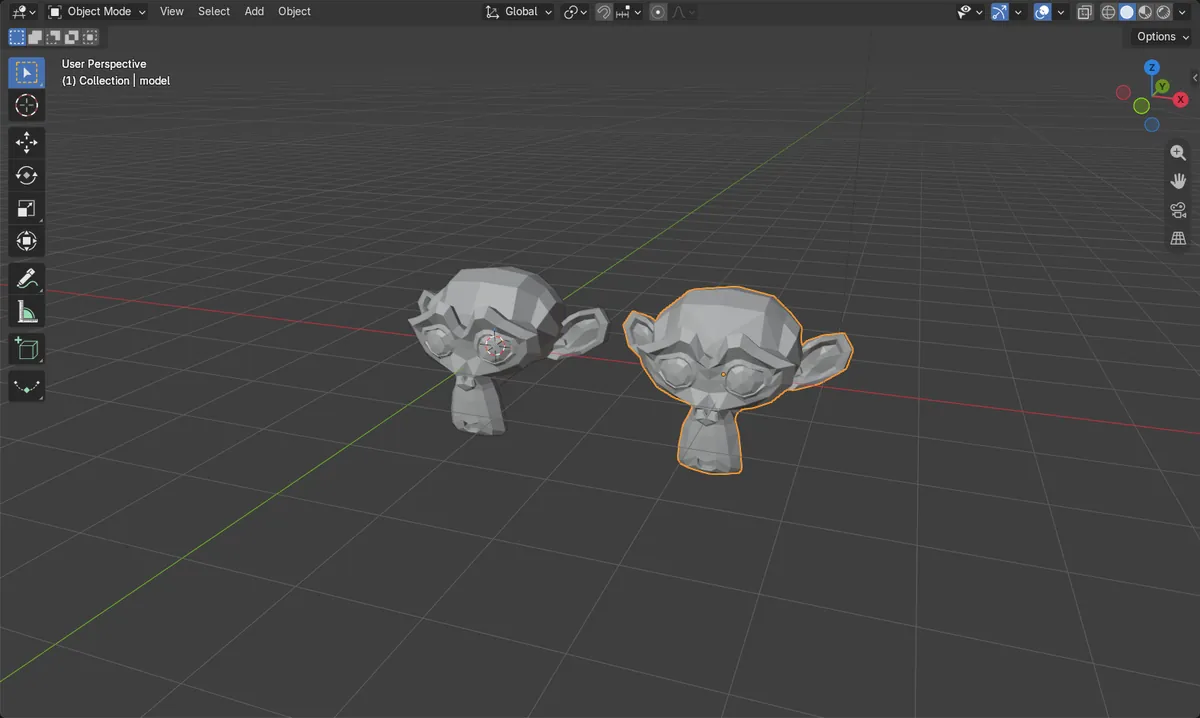
File > Export > STL
Opens the STL export window.
Selection Only
Saves only the selected objects.
Scale 1000 for mm
Blender metres become slicer millimetres.
Before and after

AI Scene Builder is a Blender add-on. You type what you want, and it builds it in your scene: buildings, neon signs, wet pavement, fog and lights. Nothing in this picture was modeled by hand.
On a phone now? The add-on runs in Blender on a computer. Send yourself the link and open it there.
Step by step (Blender 5.x)
- In Object Mode, click the model you want to print.
- Choose File › Export › STL (.stl).
- On the right of the export window, turn on Selection Only.
- If your model is built in metres, set Scale to 1000 so the slicer reads the same numbers in millimetres.
- Pick a folder, type a file name and click Export STL.
Other ways to do it
- Model in millimetres from the start: Scene Properties › Units, set Unit Scale to 0.001 and Length to Millimeters
- File › Import › STL (.stl) to load the file back and check its size
Common snags
The print is tiny in the slicer
Blender counts in metres and most slicers read STL numbers as millimetres. Set Scale to 1000 when you export. In the test a 2.73 m wide model came back 2734.4 units wide at Scale 1000.
Other objects ended up in the file
Without Selection Only every mesh in the scene is exported. Select the model and turn the option on.
The model is split into triangles
STL stores only triangles, so every face is split. This is normal for printing. In the test 500 faces became 968 triangles.
An AI add-on for Blender
AI Scene Builder is a Blender add-on that builds and edits your scene from one typed request, such as “a small wooden table with two chairs”. Each request can be undone in one click.
 An evening market street built with the add-on from 11 typed requests. See every request →
Questions
Does Blender export STL in millimetres?
STL has no unit. Blender writes its own units, which are metres by default, so use Scale 1000 when the slicer expects millimetres.
How do I check the size of my model before printing?
Press N in the 3D Viewport and read Dimensions in the Item tab.
Can I import an STL file into Blender?
Yes. Choose File › Import › STL (.stl).
What the pictures show
- Before: one model with 500 faces in a scene with metric units and Unit Scale 1.0.
- Exported at Scale 1 and imported back: 968 triangles and the same size, 2.73 x 1.7 x 1.97.
- Exported at Scale 1000 and imported back: 2734.4 x 1703.1 x 1968.8, 1000 times the numbers.
- Results were identical in Blender 4.2 LTS and Blender 5.x.