How to Fix Flipped Normals on Mirrored Instances with Realize Instances (Blender 5.3)
In Blender 5.3, tick Preserve Normals on the Realize Instances node. Instances mirrored with a negative scale then keep their normals pointing outward when they become real geometry, instead of coming out inside out.
- Mode
- Geometry Nodes editor (Realize Instances node)
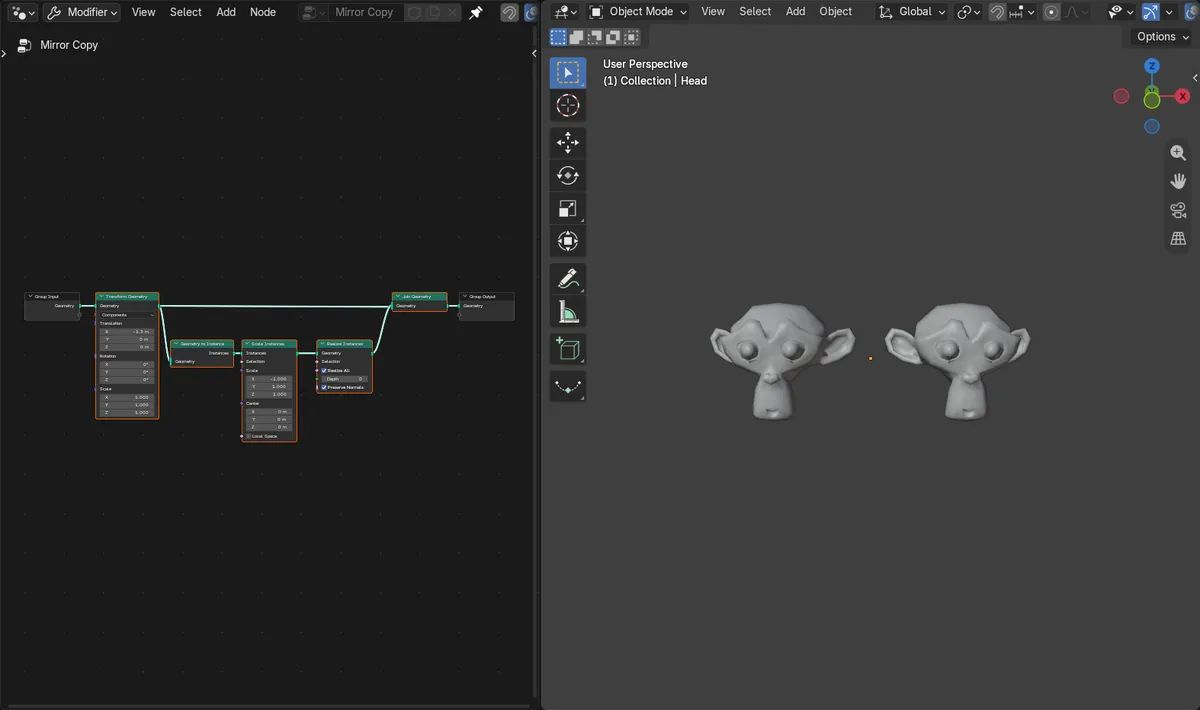
Preserve Normals
A new checkbox on the Realize Instances node, under Realize All and Depth.
No more red
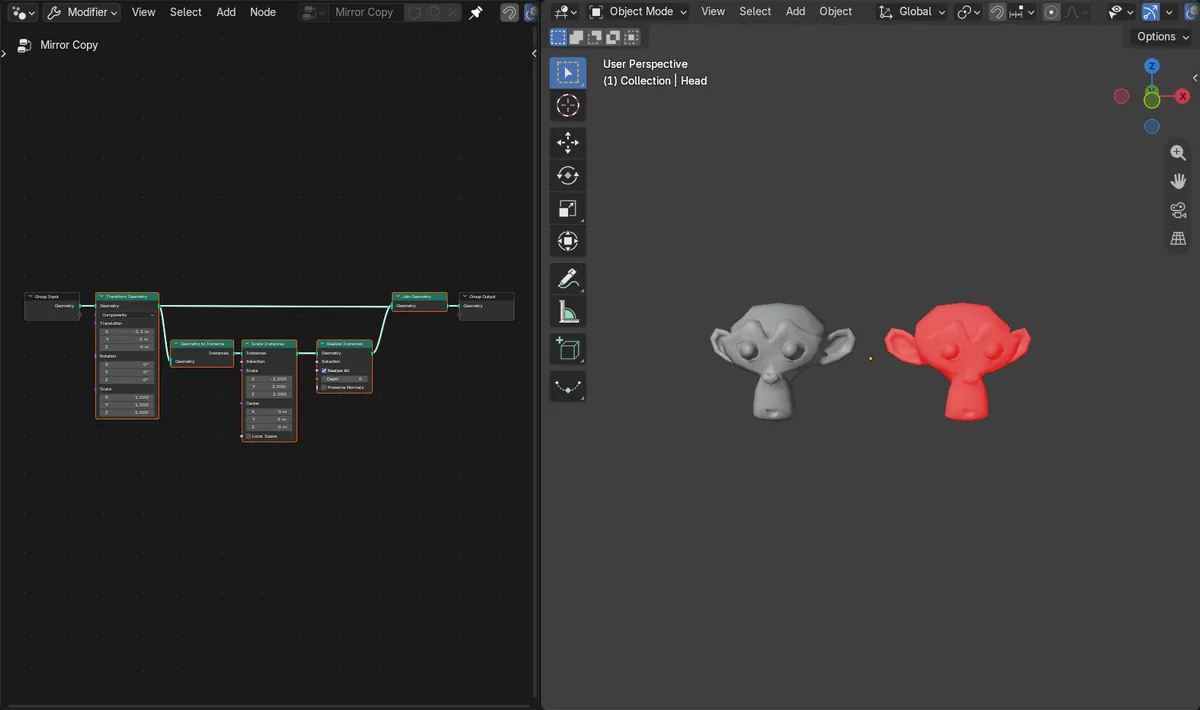
A copy mirrored with Scale X -1 showed red in Face Orientation; with Preserve Normals it matched the original.
New in 5.3
In Blender 5.2 LTS, realized mirrored instances come out inside out and need a Flip Faces node.
Before and after

AI Scene Builder is a Blender add-on. You type what you want, and it builds it in your scene: buildings, neon signs, wet pavement, fog and lights. Nothing in this picture was modeled by hand.
On a phone now? The add-on runs in Blender on a computer. Send yourself the link and open it there.
Step by step (Blender 5.3)
- Open the Geometry Nodes editor for the object.
- Find the Realize Instances node that comes after the Scale Instances node with the negative scale.
- Tick Preserve Normals.
- Turn on Face Orientation in the Viewport Overlays to check: the mirrored copy no longer shows red.
Other ways to do it
- In Blender 5.2 LTS, add a Flip Faces node after Realize Instances, limited to the mirrored part
- Untick Preserve Normals to get the old behavior
Blender 5.2 LTS vs Blender 5.3
| What | Blender 5.2 LTS | Blender 5.3 |
|---|---|---|
| Realize Instances Preserve Normals | Not in Blender 5.2 LTS. Mirrored instances are realized inside out. | Blender 5.3 adds Preserve Normals to Realize Instances. |
Common snags
Shading looks dark or wrong on the mirrored side
Inside-out faces shade dark and show red in Face Orientation. Tick Preserve Normals on Realize Instances.
The copy is still red
The checkbox must be on the Realize Instances node that turns the mirrored instances into geometry. Faces that were already flipped before instancing stay flipped.
The option is missing
Preserve Normals is new in Blender 5.3.
An AI add-on for Blender
AI Scene Builder is a Blender add-on that builds and edits your scene from one typed request, such as “a small wooden table with two chairs”. Each request can be undone in one click.
 A log cabin room built with the add-on from 9 typed requests. See every request →
Questions
Why are my mirrored instances inside out after Realize Instances?
A negative scale flips the faces. In Blender 5.3, tick Preserve Normals on Realize Instances to keep them facing outward.
Do I still need Flip Faces?
Not for mirrored instances in Blender 5.3 if Preserve Normals is on. In 5.2 LTS, Flip Faces is the fix.
Does it change instances that are not mirrored?
No, the original side kept the same volume and faces.
What the pictures show
- Before: a head and a copy mirrored with Scale Instances X -1, then Realize Instances, gave the copy a negative volume (normals pointing inward), and Face Orientation showed it red.
- After ticking Preserve Normals: the copy's volume became positive and matched the original (1.153 on both sides), and the red was gone.
- In Blender 5.2 LTS the same node setup had no Preserve Normals, and the copy stayed inside out.