How to Group Objects in Blender (Parent to an Empty)
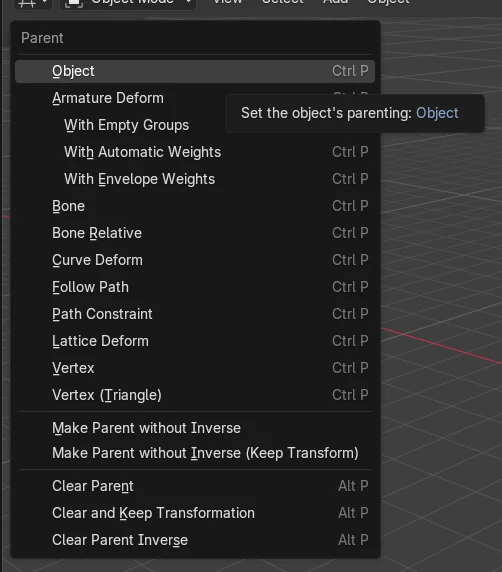
Select the objects you want to group, then select an Empty last so it is the active object, and press Ctrl + P and choose Object. The objects become children of the Empty, so moving, rotating or scaling the Empty moves the whole group.
- Mode
- Object Mode, 3D Viewport
- Menu
- Object › Parent
- Shortcut
- Ctrl + P
Ctrl + P
Opens the Parent menu in Object Mode. Pick Object.
Empty is active
Select the Empty last so it becomes the parent.
Release the group
Alt + P opens Clear Parent to ungroup.
Before and after

AI Scene Builder is a Blender add-on. You type what you want, and it builds it in your scene: buildings, neon signs, wet pavement, fog and lights. Nothing in this picture was modeled by hand.
On a phone now? The add-on runs in Blender on a computer. Send yourself the link and open it there.
Step by step (Blender 5.x)
- Add an Empty if you do not have one: use the Add menu (Add › Empty in 4.2) and pick a type such as Plain Axes. Rename it, for example to Group.
- In Object Mode, click the first object, then Shift-click the other objects you want in the group.
- Shift-click the Empty last so it is the active (parent) object.
- With the mouse over the 3D Viewport, press Ctrl + P, or use Object › Parent, and choose Object.
- Select the Empty and move it with G. All grouped objects follow. You can check the link in Properties › Object tab › Relations › Parent.
Other ways to do it
- Object › Parent › Object in the 3D Viewport header
- Right-click in the viewport and open the Parent submenu in the Object context menu
- Select a single object, then set Parent in Object tab › Relations
- Alt + P opens Clear Parent to remove the grouping
Blender 4.2 LTS vs Blender 5.x
| What | Blender 4.2 LTS | Blender 5.x |
|---|---|---|
| Move to Collection shortcut | M is bound to Move to Collection in Object Mode. | No default key is listed for Move to Collection. |
| Add › Empty menu entry | Add menu contains the Empty entry directly. | The Add menu source here does not list the Empty entry directly. The Add Empty command (object.empty_add) still exists. |
Common snags
Wrong parent
If the group moves the wrong way, the Empty was not selected last. Clear the parent with Alt + P and reselect, ending with the Empty.
Wrong editor
Ctrl + P does nothing useful if the mouse is over another editor or you are not in Object Mode. Hover over the 3D Viewport and return to Object Mode.
Empty placed off-center
Rotation and scale happen around the Empty's position. Move the Empty to the middle of the objects before parenting.
Or type one line in AI Scene Builder
AI Scene Builder is a Blender add-on that carries out the steps for you from one typed request. For this task, type a request like this one, using your own object names:
Group the selected objects by parenting them to a new empty An evening market street built with the add-on from 11 typed requests. See every request →
Questions
Is there a Group command in Blender like Ctrl + G in other apps?
The usual way is parenting to an Empty with Ctrl + P. Collections are another way to organize objects.
How do I ungroup objects in Blender?
Select the child objects and press Alt + P, then choose a Clear Parent option.
What the pictures show
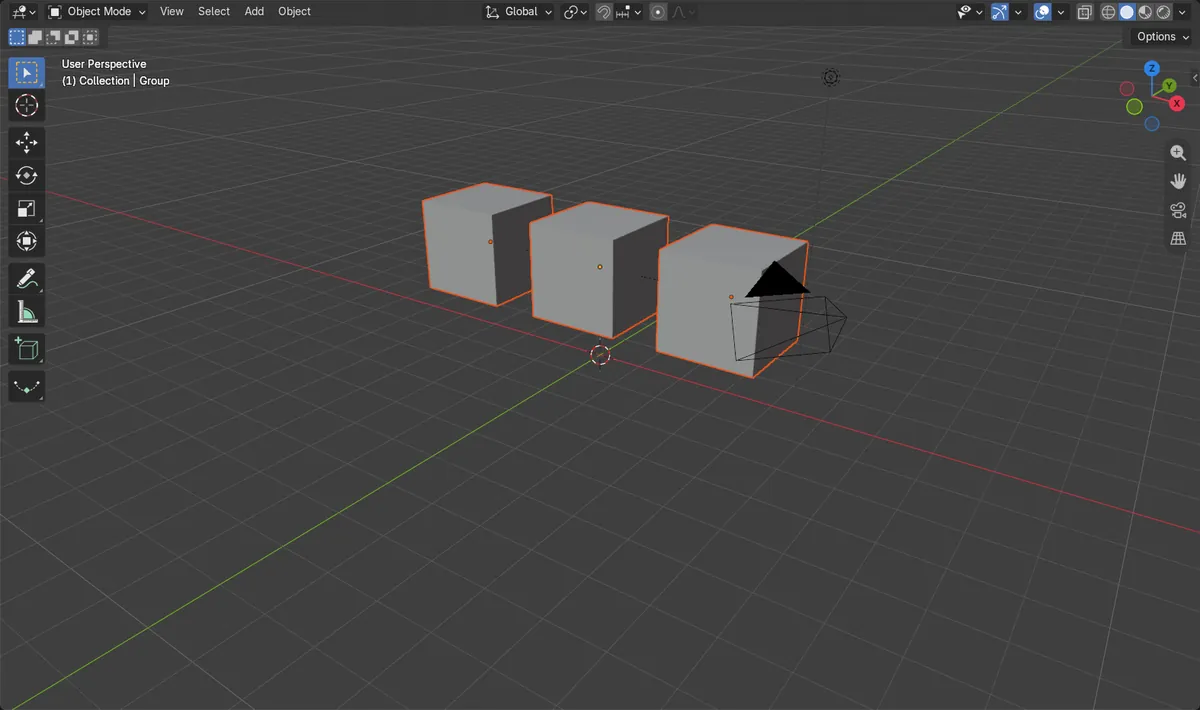
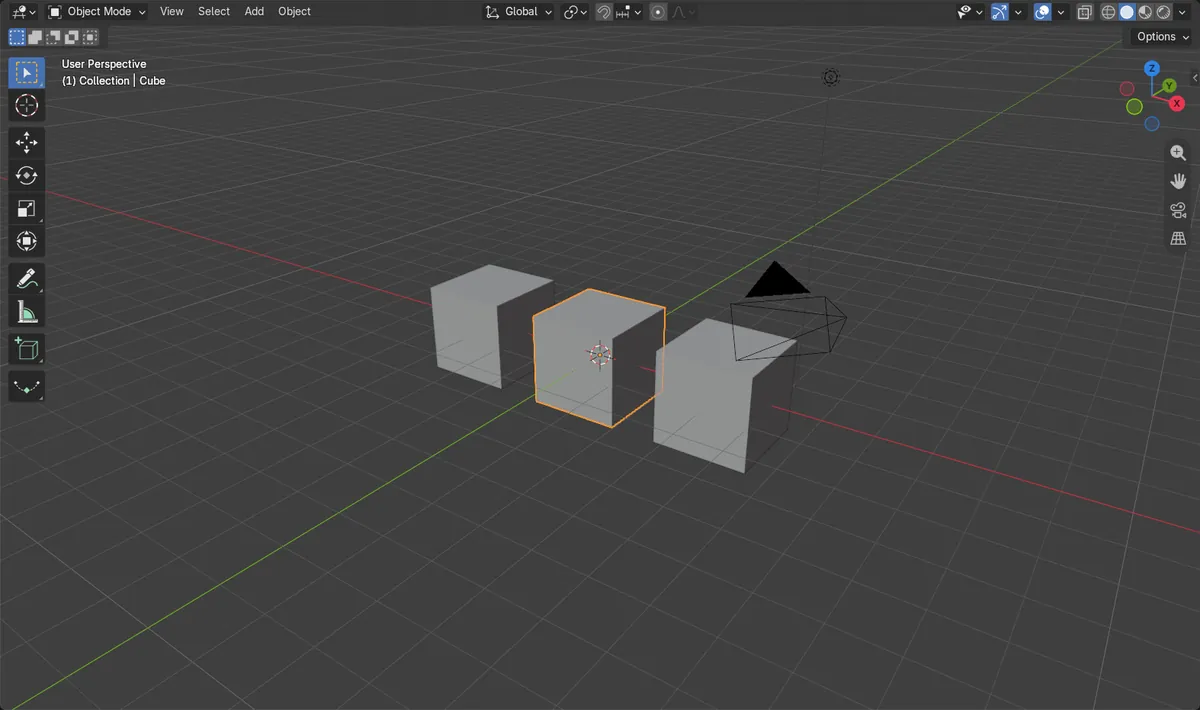
- Before: three cubes had no parent and sat at height 0 m.
- After parenting to the Empty named Group, all three cubes showed Group as parent.
- Raising the Empty to 2 m moved all three cubes to 2 m height.