How to Hide Modifiers in the Blender Outliner
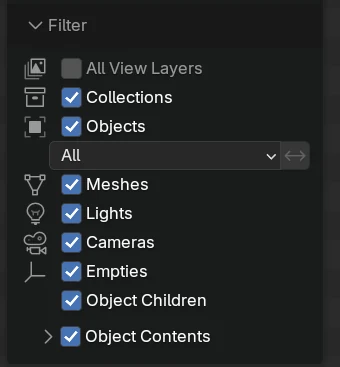
In Blender 5.3, open the Filter popover in the Outliner header, expand Object Contents under Filter and turn off Modifiers. The Modifiers rows under every object disappear from the Outliner, while the modifiers themselves stay on the objects and keep working.
- Mode
- Outliner, View Layer display mode
Object Contents
Expand it in the Filter section of the Outliner Filter popover.
Only the rows go
Turning off Modifiers hides the rows; the modifiers stay on the objects.
New in 5.3
Blender 5.2 LTS has no separate Modifiers filter in the Outliner.
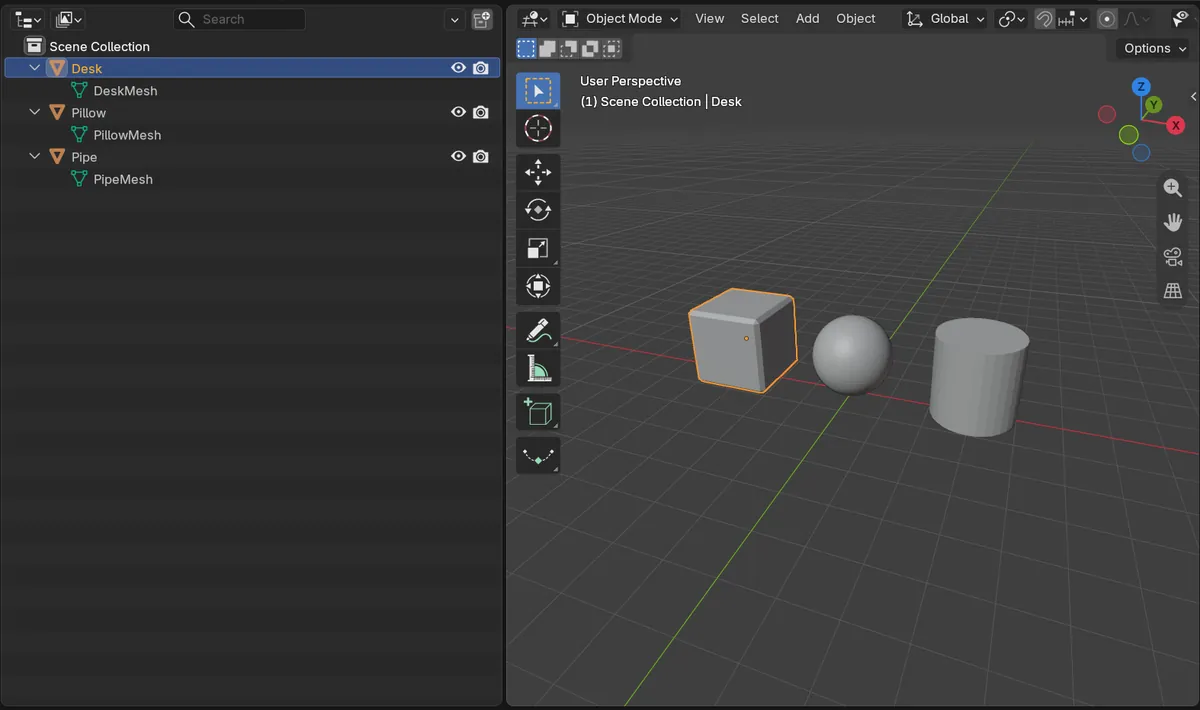
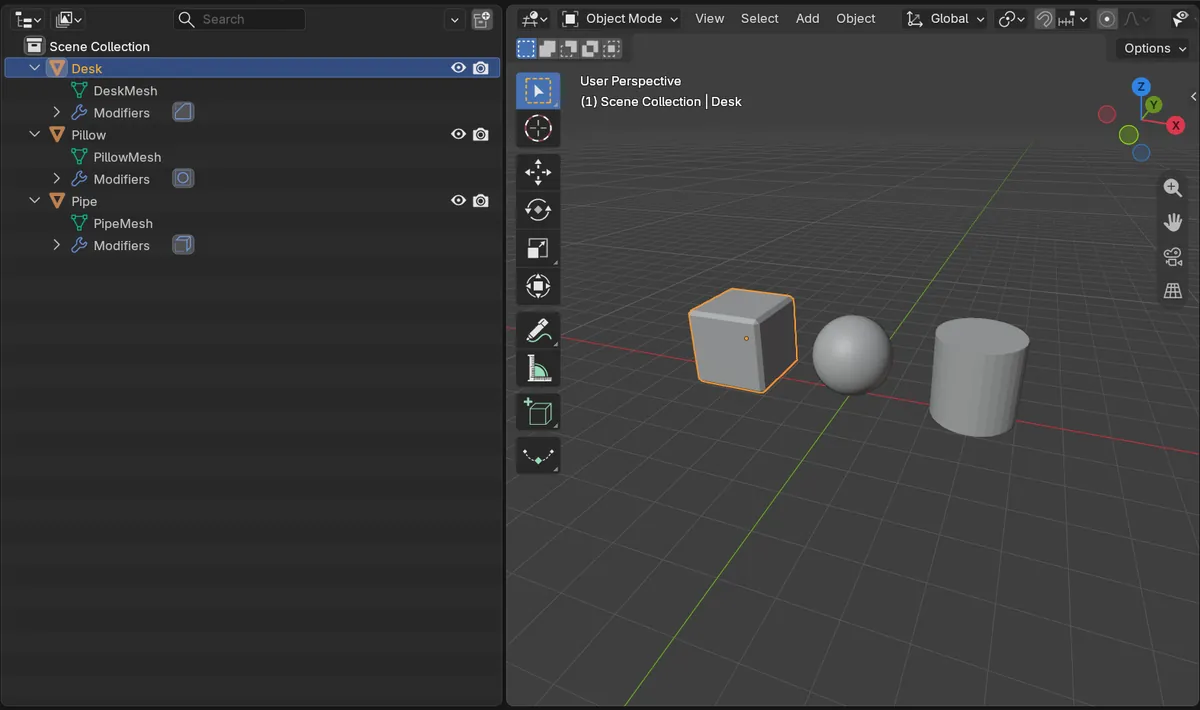
Before and after

AI Scene Builder is a Blender add-on. You type what you want, and it builds it in your scene: buildings, neon signs, wet pavement, fog and lights. Nothing in this picture was modeled by hand.
On a phone now? The add-on runs in Blender on a computer. Send yourself the link and open it there.
Step by step (Blender 5.3)
- Open the Outliner in the View Layer display mode.
- Click the Filter popover (the drop-down button at the right of the Outliner header).
- In the Filter section, click the arrow next to Object Contents to expand it.
- Turn off Modifiers.
- The Modifiers rows under each object are gone; turn Modifiers back on to show them again.
Other ways to do it
- Materials and Constraints sit next to Modifiers under Object Contents, so you can hide those rows the same way
- Collapse an object row with its arrow to hide everything under that one object
- The modifiers are still listed in the Modifier tab of the Properties editor
Blender 5.2 LTS vs Blender 5.3
| What | Blender 5.2 LTS | Blender 5.3 |
|---|---|---|
| Modifiers filter | Not in Blender 5.2 LTS. The Outliner Filter popover has no Modifiers toggle. | Blender 5.3 adds Modifiers, Materials and Constraints under Object Contents in the Outliner filter drop-down. |
Common snags
My modifiers stopped working
The Modifiers filter only changes what the Outliner lists. The modifiers still apply in the viewport and in the render; check the Modifier tab of the Properties editor.
I cannot find the Modifiers toggle
It is inside Object Contents, which is collapsed by default. Click the small arrow to the left of Object Contents to open it.
The option is missing
The separate Modifiers filter is new in Blender 5.3. Blender 5.2 LTS does not have it.
An AI add-on for Blender
AI Scene Builder is a Blender add-on that builds and edits your scene from one typed request, such as “a small wooden table with two chairs”. Each request can be undone in one click.
 An evening market street built with the add-on from 11 typed requests. See every request →
Questions
How do I stop the Outliner from showing modifiers in Blender?
In Blender 5.3, open the Outliner Filter popover, expand Object Contents and turn off Modifiers.
Does hiding modifiers in the Outliner disable them?
No. Only the Outliner rows are hidden. The modifiers still apply to the objects.
Can I also hide materials and constraints?
Yes. Materials and Constraints are next to Modifiers under Object Contents.
What the pictures show
- Before: three objects (Desk, Pillow and Pipe) each had one modifier (Bevel, Subdivision Surface and Solidify).
- With the objects opened, the Outliner listed 10 rows: the Scene Collection plus the object, its mesh and its Modifiers row for each object.
- After turning off Modifiers: the three Modifiers rows were gone and 7 rows were left.
- All three modifiers were still on their objects.
- In Blender 5.2 LTS the Filter popover had no Modifiers toggle, and the rows stayed at 10.