How to Import an FBX File into Blender
Choose File › Import › FBX (.fbx), pick the .fbx file and click Import FBX. The model appears where the file places it (usually the world origin) and is selected. If you cannot see it, hover the 3D Viewport and press Numpad . (View › Frame Selected). In Blender 5.x the menu also lists FBX (.fbx) (Legacy), the older importer, which you only need if the default one gives trouble.
- Mode
- Object Mode
- Menu
- File › Import › FBX (.fbx)
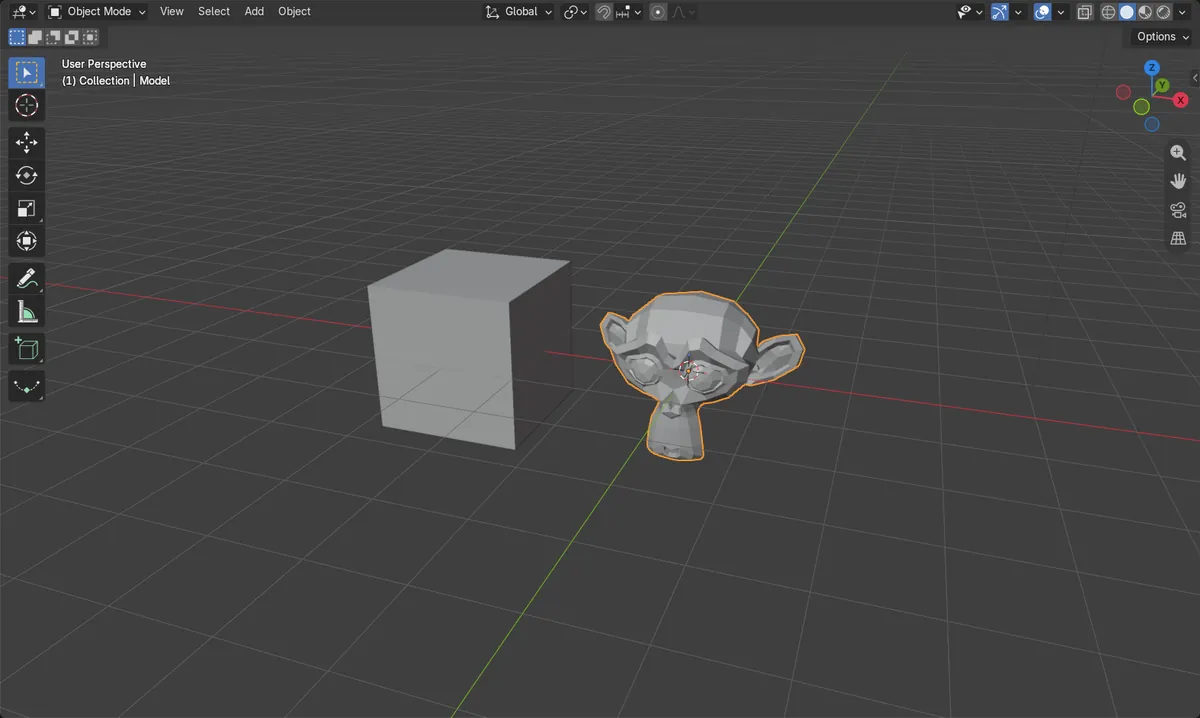
File > Import > FBX
Pick the file and click Import FBX.
At the origin
The model lands where the file places it (usually the world origin), selected.
Numpad .
Frames the imported model in the view.
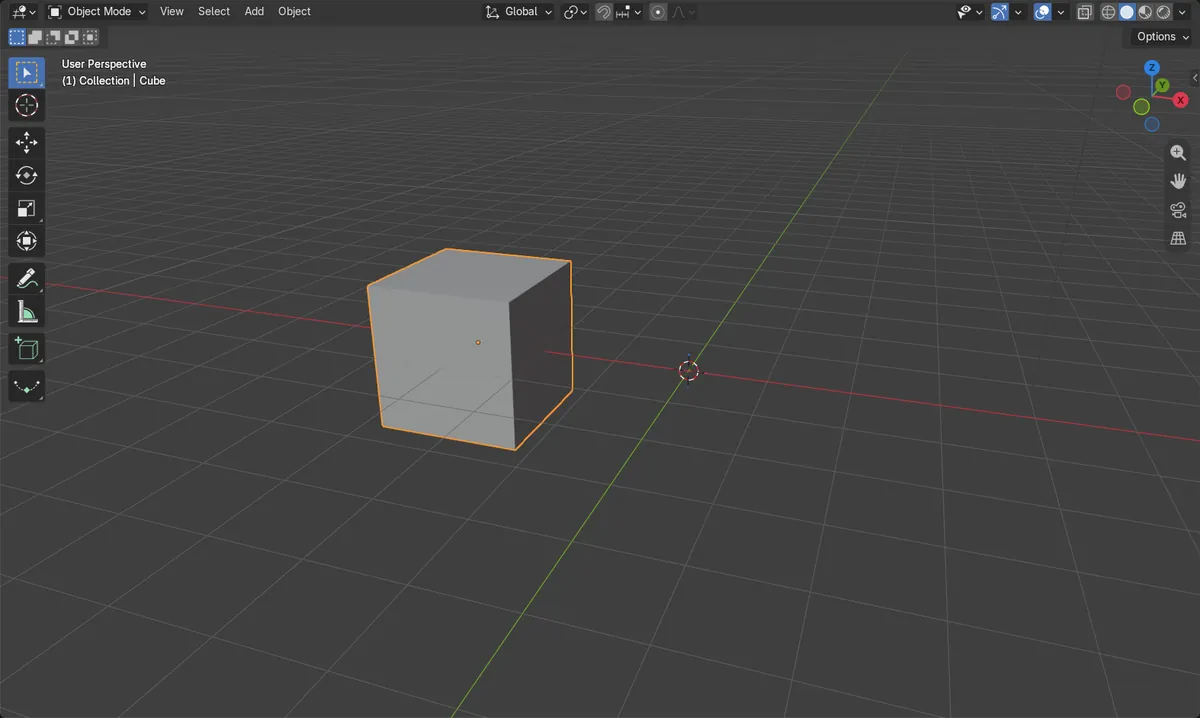
Before and after

AI Scene Builder is a Blender add-on. You type what you want, and it builds it in your scene: buildings, neon signs, wet pavement, fog and lights. Nothing in this picture was modeled by hand.
On a phone now? The add-on runs in Blender on a computer. Send yourself the link and open it there.
Step by step (Blender 5.x)
- Choose File › Import › FBX (.fbx).
- Find the folder and click the .fbx file.
- Click Import FBX.
- The model appears where the file places it (usually the world origin) and is selected.
- Hover the 3D Viewport and press Numpad . to zoom to it.
Other ways to do it
- File › Import › FBX (.fbx) (Legacy) in Blender 5.x for the older importer
- View › Frame Selected in the 3D Viewport header to zoom to the model
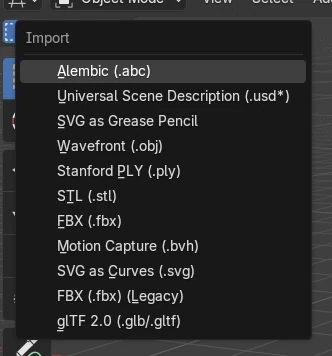
Blender 4.2 LTS vs Blender 5.x
| What | Blender 4.2 LTS | Blender 5.x |
|---|---|---|
| FBX entries in File › Import | FBX (.fbx) | FBX (.fbx) and FBX (.fbx) (Legacy) |
Common snags
I cannot see the model after import
FBX files are often in centimetres, so the model can come in very large or very small. It is selected after import; press Numpad . to zoom to it.
The textures are missing
Keep the texture images next to the .fbx file, or use a file with embedded textures. View it in Material Preview (press Z and choose Material Preview).
Which FBX entry should I pick in Blender 5.x?
Use FBX (.fbx). Use FBX (.fbx) (Legacy) only if a file does not import correctly with the default one.
An AI add-on for Blender
AI Scene Builder is a Blender add-on that builds and edits your scene from one typed request, such as “a small wooden table with two chairs”. Each request can be undone in one click.
 A lighthouse island at sunset built with the add-on from 10 typed requests. See every request →
Questions
How do I export an FBX file from Blender?
Choose File › Export › FBX (.fbx) and turn on Selected Objects to save only your selection.
Why is my imported FBX so big?
The file uses a different unit scale, often centimetres. Scale the model down with S, or change Scale in the import window.
Does Blender import FBX animation?
Yes. Animation in the file is imported with the model; press Space to play it.
What the pictures show
- Before: the scene held only the cube.
- After File > Import > FBX (.fbx): the model was added with all 507 of its vertices.
- It was placed at the world origin and was the selected object.
- Results were identical in Blender 4.2 LTS and Blender 5.x; only the menu names differ as shown above.