How to Make a Glass Material in Blender
Select the object, open the Material Properties tab and, in the Principled BSDF, open the Transmission panel, set Weight to 1 and set Roughness to 0. Render with Cycles (Render Properties › Render Engine) to get clear glass that bends the background behind it. IOR is already 1.5, the usual value for glass.
- Mode
- Object Mode, Properties editor
- Menu
- Material Properties › Principled BSDF (Transmission)
- Shortcut
- F12 to render
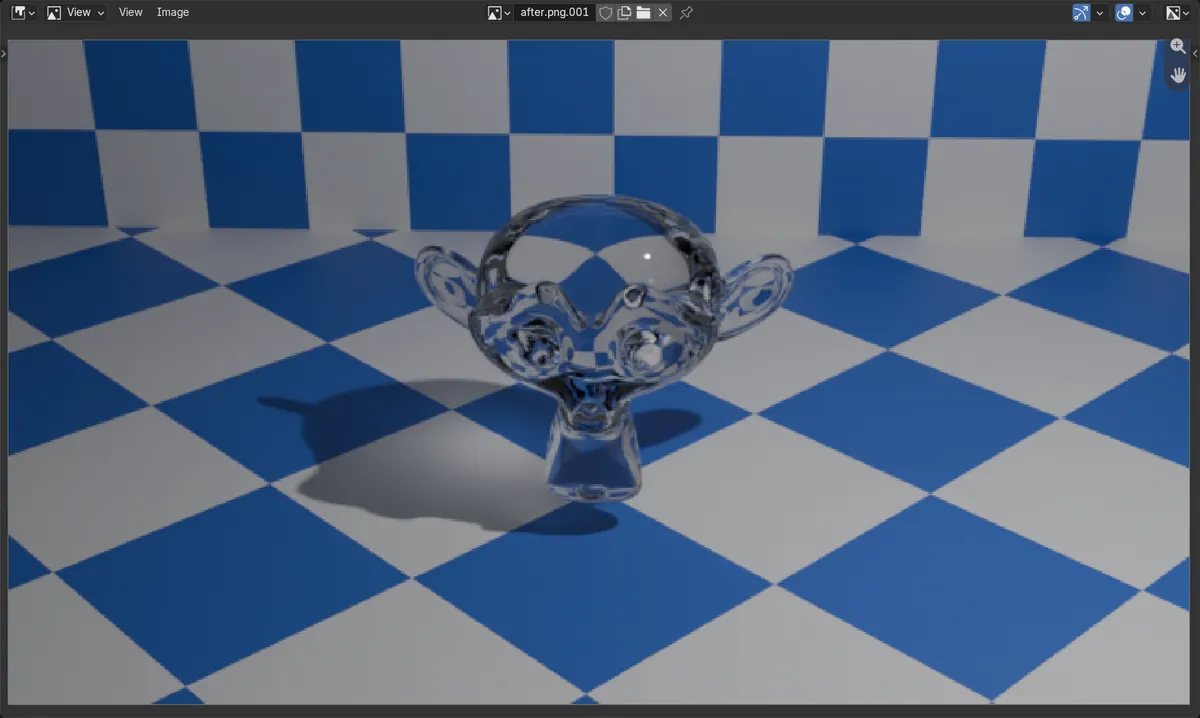
Transmission Weight 1
Makes the surface let light through.
Roughness 0
Keeps the glass clear. Higher values give frosted glass.
Render with Cycles
Cycles shows refraction through the glass as it is.
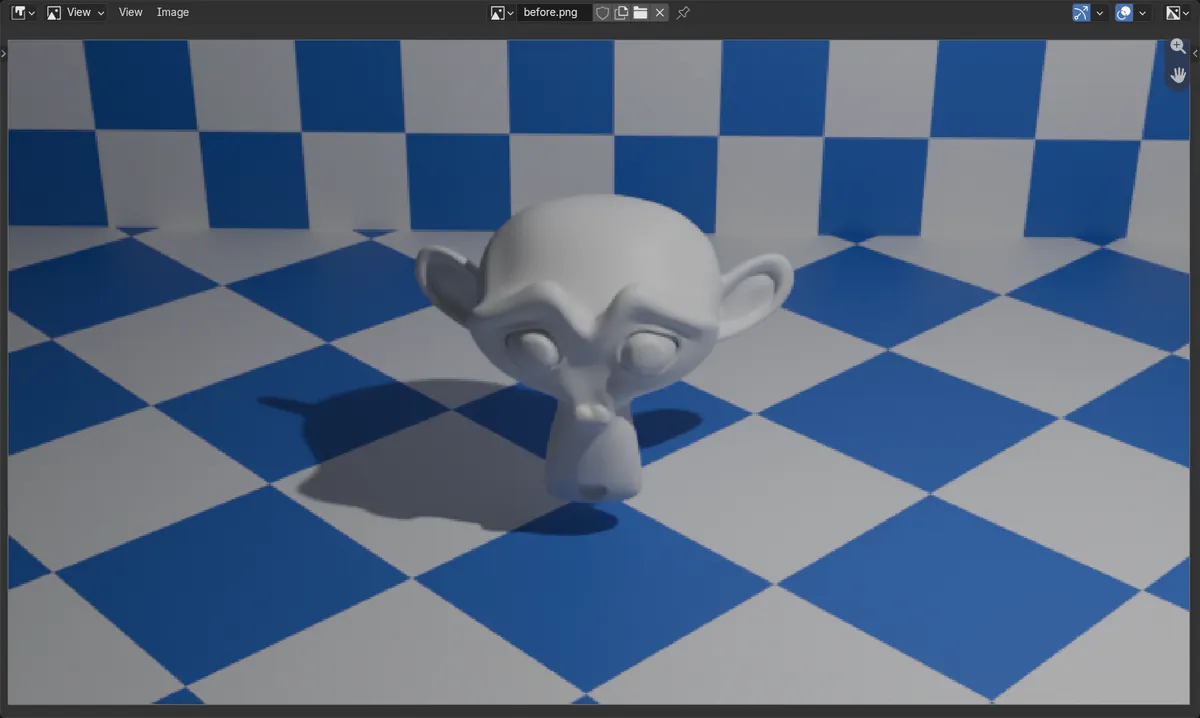
Before and after

AI Scene Builder is a Blender add-on. You type what you want, and it builds it in your scene: buildings, neon signs, wet pavement, fog and lights. Nothing in this picture was modeled by hand.
On a phone now? The add-on runs in Blender on a computer. Send yourself the link and open it there.
Step by step (Blender 5.x)
- Select the object and open the Material Properties tab. Click New if it has no material yet.
- In the Principled BSDF settings, open the Transmission section and set Weight to 1.
- Set Roughness to 0. Leave IOR at 1.5.
- Open the Render Properties tab and set Render Engine to Cycles.
- Press F12 to render, or switch the 3D Viewport to Rendered shading by pressing Z and choosing Rendered to preview it.
Other ways to do it
- In the Shader Editor, press Shift + A and choose Shader › Glass BSDF, then use that node instead of the Principled BSDF
- For EEVEE, turn on Raytracing in the Render Properties tab and Raytrace Transmission in the material Settings panel
Common snags
The glass looks grey or solid in EEVEE
EEVEE needs Raytracing turned on in the Render Properties tab, and Raytrace Transmission in the material Settings panel, to show refraction. Cycles shows it without extra settings.
The glass is cloudy
Roughness is still at its default of 0.5. Set it to 0 for clear glass.
The glass shows only black or faceted shapes
Glass needs something behind it to bend, and a smooth surface. Put a floor or a patterned wall behind the object and use Shade Smooth from the Object menu.
An AI add-on for Blender
AI Scene Builder is a Blender add-on that builds and edits your scene from one typed request, such as “a small wooden table with two chairs”. Each request can be undone in one click.
 A lighthouse island at sunset built with the add-on from 10 typed requests. See every request →
Questions
How do I make frosted glass in Blender?
Keep Transmission Weight at 1 and raise Roughness, for example to 0.2 or 0.3.
How do I make coloured glass?
Change the Base Color of the Principled BSDF; with Transmission Weight 1 it tints the light passing through.
What IOR should glass use?
About 1.5, which is already the default. Water is about 1.33.
What the pictures show
- Before: the model used a default material with Transmission Weight 0 and Roughness 0.5.
- After setting Transmission Weight 1 and Roughness 0, the Cycles render showed the checker wall refracted through the clear model.
- IOR stayed at 1.5 without changing it.
- Results were identical in Blender 4.2 LTS and Blender 5.x.