How to Make a Metal Material in Blender
Select the object, open the Material Properties tab and click New. In the Principled BSDF set Metallic to 1 and lower Roughness to about 0.2 to 0.3, then choose the Base Color of the metal: light grey for steel or a warm yellow for gold. Press Z in the 3D Viewport and choose Material Preview to see the reflections.
- Mode
- Object Mode, Properties editor
- Menu
- Material Properties › Principled BSDF (Metallic)
- Shortcut
- Z, then Material Preview
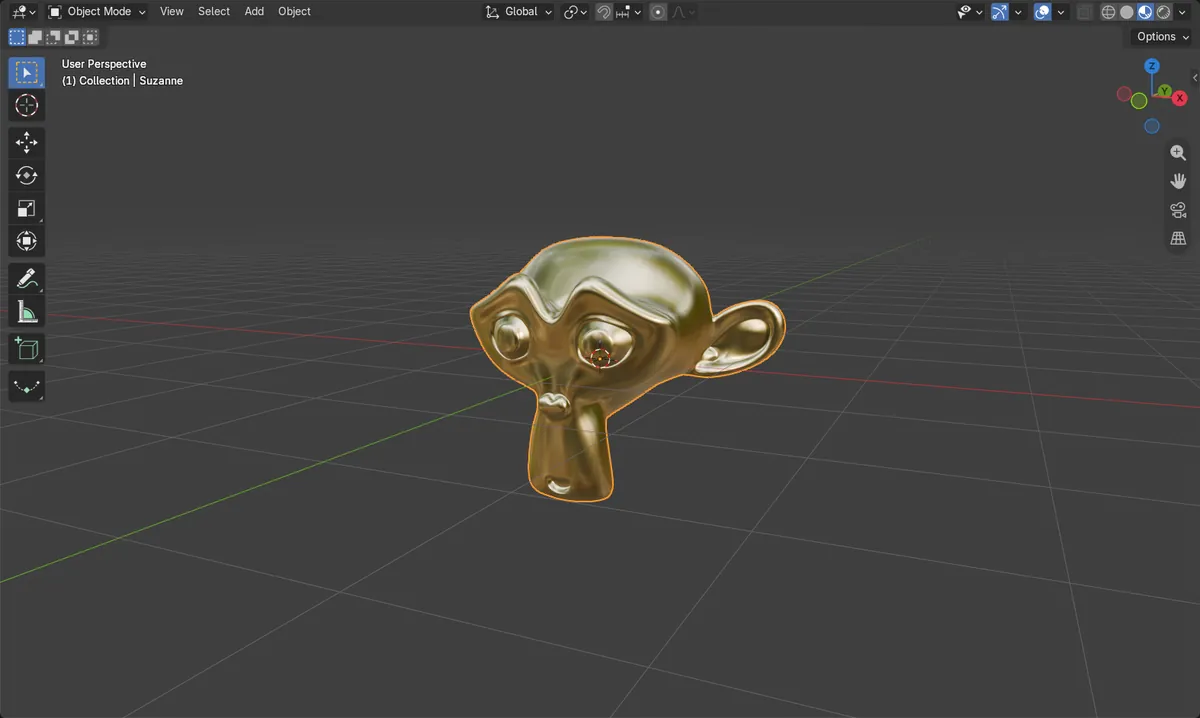
Metallic 1
Turns the surface into metal that reflects its surroundings.
Roughness 0.2 to 0.3
Lower is shinier, higher is more brushed and blurry.
Base Color sets the metal
Grey for steel or silver, yellow for gold, orange for copper.
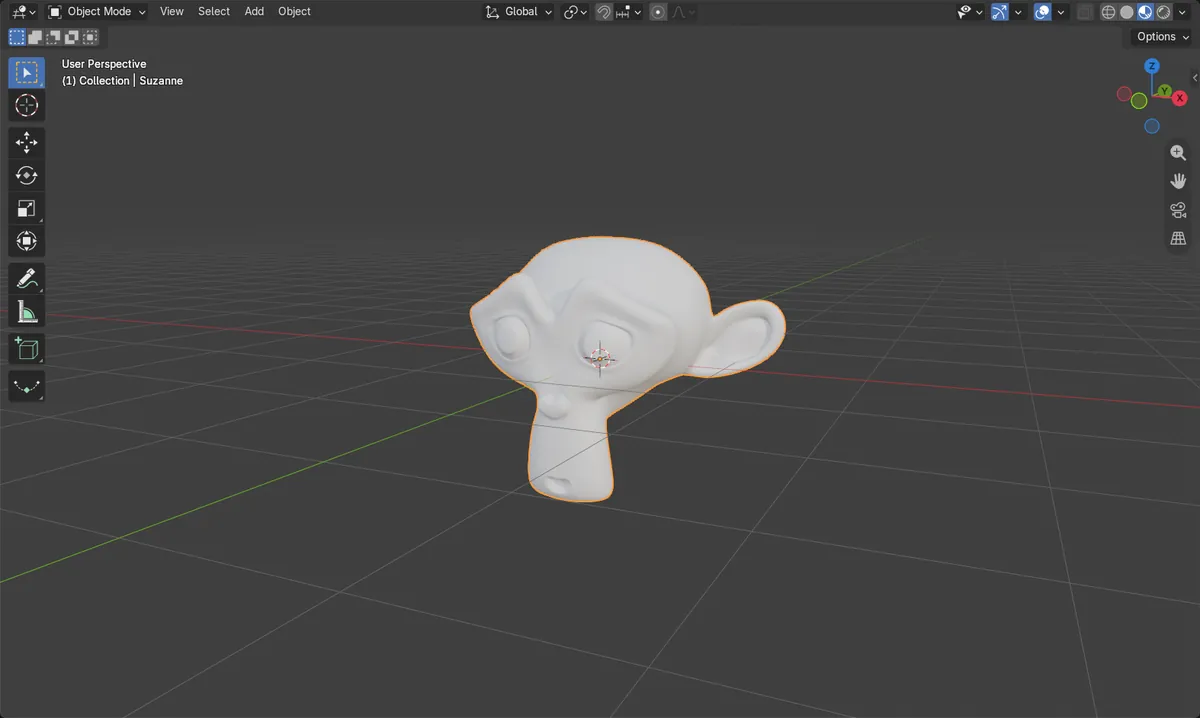
Before and after

AI Scene Builder is a Blender add-on. You type what you want, and it builds it in your scene: buildings, neon signs, wet pavement, fog and lights. Nothing in this picture was modeled by hand.
On a phone now? The add-on runs in Blender on a computer. Send yourself the link and open it there.
Step by step (Blender 5.x)
- Select the object and open the Material Properties tab in the Properties editor.
- Click New to add a material. It uses a Principled BSDF.
- Set Metallic to 1.
- Lower Roughness from 0.5 to about 0.25 for a polished look.
- Click Base Color and pick the metal colour, for example a warm yellow for gold.
- Hover the 3D Viewport, press Z and choose Material Preview to see the result.
Other ways to do it
- In the Shader Editor, change the values on the Principled BSDF node directly
- In the Shader Editor, press Shift + A and choose Texture › Noise Texture, then link it to Roughness for an uneven worn finish
Common snags
The metal looks like plastic
Metallic is still 0, the default for a new material. Set it to 1; values in between look like painted or coated surfaces.
The metal looks flat or dark in the render
Metal shows what is around it. The default world is a plain grey, so there is little to reflect. Add an environment image in the World Properties tab or place other objects nearby.
The surface looks blocky
Use Object › Shade Smooth so the reflections run smoothly across the faces.
An AI add-on for Blender
AI Scene Builder is a Blender add-on that builds and edits your scene from one typed request, such as “a small wooden table with two chairs”. Each request can be undone in one click.
 A log cabin room built with the add-on from 9 typed requests. See every request →
Questions
How do I make gold in Blender?
Use Metallic 1, Roughness about 0.25 and a warm yellow Base Color such as (1.0, 0.766, 0.336).
How do I make brushed metal?
Raise Roughness to about 0.4 to 0.6, or link a Noise Texture to Roughness for an uneven finish.
Why is my metal black?
It has nothing bright to reflect. Add an environment image in the World Properties tab or look at it in Material Preview.
What the pictures show
- Before: the monkey head had no material.
- A new material started at Metallic 0 and Roughness 0.5.
- After setting Metallic 1, Roughness 0.25 and a Base Color of (1.0, 0.766, 0.336), the head showed as polished gold in Material Preview.
- Results were identical in Blender 4.2 LTS and Blender 5.x.