How to Mark Seams for UV Unwrapping in Blender
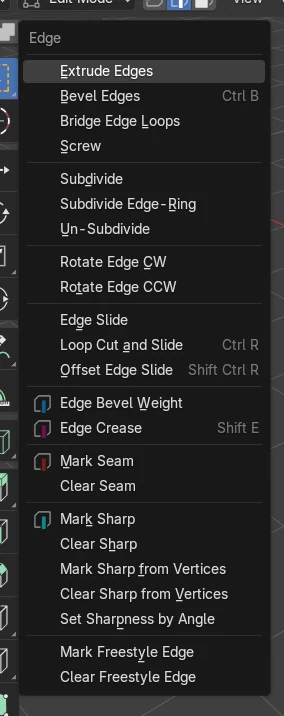
In Edit Mode, press 2 for edge select, select the edges where the mesh should be cut open, then choose Edge › Mark Seam: those edges turn red. Select all faces, press U and choose Unwrap Angle Based, and Blender flattens the mesh along the seams into a UV layout.
- Mode
- Edit Mode (edge select), 3D Viewport
- Menu
- Edge › Mark Seam
- Shortcut
- U
Edge > Mark Seam
Marks the selected edges as cuts for unwrapping.
U menu
Holds Mark Seam, Clear Seam and the Unwrap commands.
Alt-click a loop
Selects a whole edge loop in one click, ideal for seams.
Before and after

AI Scene Builder is a Blender add-on. You type what you want, and it builds it in your scene: buildings, neon signs, wet pavement, fog and lights. Nothing in this picture was modeled by hand.
On a phone now? The add-on runs in Blender on a computer. Send yourself the link and open it there.
Step by step (Blender 5.x)
- Select the object and press Tab to enter Edit Mode.
- Press 2 to switch to edge select.
- Click the edges where the mesh should be cut. Shift-click adds more, Alt-click selects a whole loop.
- Open the Edge menu in the 3D Viewport header and choose Mark Seam. The edges turn red.
- Press A to select everything, press U and choose Unwrap Angle Based.Blender 4.2 LTS: In Blender 4.2 LTS the entry is simply called Unwrap.
- Open the UV Editing workspace to see the flattened pieces.
Other ways to do it
- Press U and choose Mark Seam in the UV Mapping menu
- Right-click the selected edges and choose Mark Seam in the edge context menu
Blender 4.2 LTS vs Blender 5.x
| What | Blender 4.2 LTS | Blender 5.x |
|---|---|---|
| Unwrap entries in the U menu | One Unwrap entry with the method chosen afterwards | Unwrap Angle Based, Unwrap Conformal and Unwrap Minimum Stretch are listed separately |
Common snags
The red seams do not show
Seam display is off in the overlays. Open the Viewport Overlays drop-down and turn on Seams under Mesh Edit Mode.
The UV layout is stretched
The seams do not let the mesh lie flat. Add a seam so every closed part has a cut, then unwrap again.
A seam was placed on the wrong edge
Select that edge and choose Clear Seam in the Edge menu or the U menu.
An AI add-on for Blender
AI Scene Builder is a Blender add-on that builds and edits your scene from one typed request, such as “a small wooden table with two chairs”. Each request can be undone in one click.
 An evening market street built with the add-on from 11 typed requests. See every request →
Questions
Where is Mark Seam in Blender?
In Edit Mode it is in the Edge menu, in the U menu and in the right-click menu when edges are selected.
How do I remove a seam in Blender?
Select the seam edges and choose Clear Seam in the Edge menu.
Where should I put seams?
Along edges that are hidden or less visible, such as under the arms or along the back, so texture breaks are hard to notice.
What the pictures show
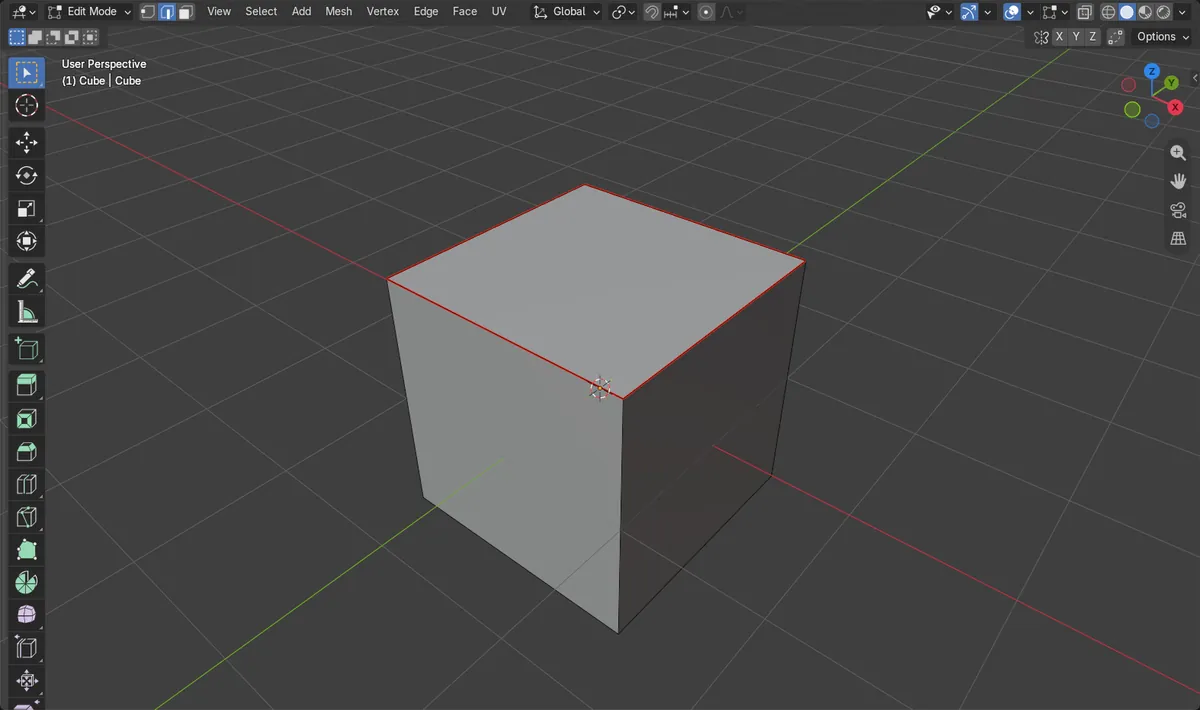
- Before: 4 edges selected on the mesh and no seams.
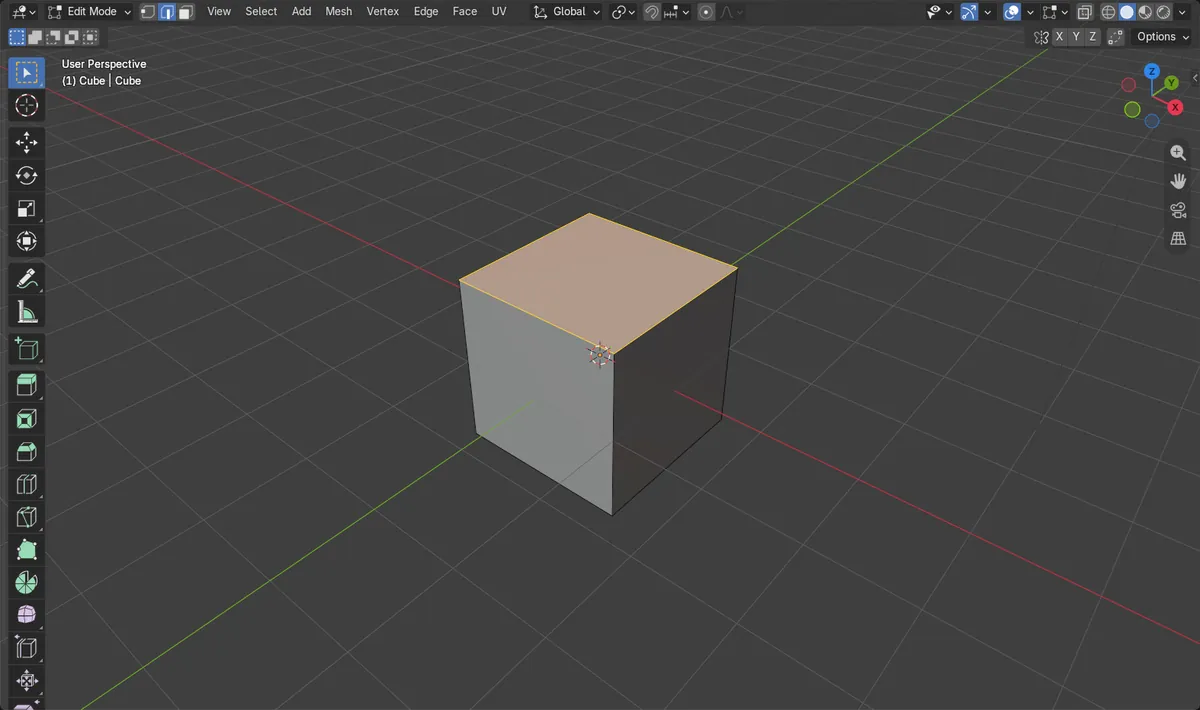
- After Edge > Mark Seam: the mesh has 4 seam edges.
- Results were identical in Blender 4.2 LTS and Blender 5.x.