How to Move the Sculpt Pivot Without Moving the Mesh (Blender 5.3)
In Blender 5.3, open the Options popover in the Sculpt Mode tool header and tick Pivot at the top of the popover. The Move tool then moves the sculpt pivot and leaves the shape in place. In the test the Move tool moved the pivot 1.5 m along X and no vertex moved. After turning Pivot off again, a 90 degree clockwise rotation around Z, seen from above, swung Suzanne around the new pivot at X 1.5, and her centre went from (0, -0.33) to (1.17, 1.50). In Blender 5.2 LTS there is no such option, and the same move shifted the whole mesh 1.5 m.
- Mode
- Sculpt Mode, tool header Options popover
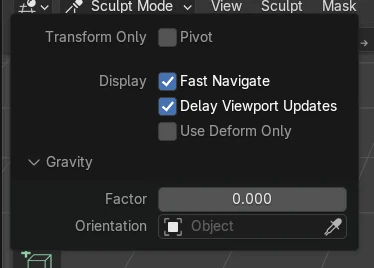
The Pivot checkbox
The Pivot checkbox at the top of the Options popover makes the transform tools move the pivot instead of the mesh.
The mesh stays put
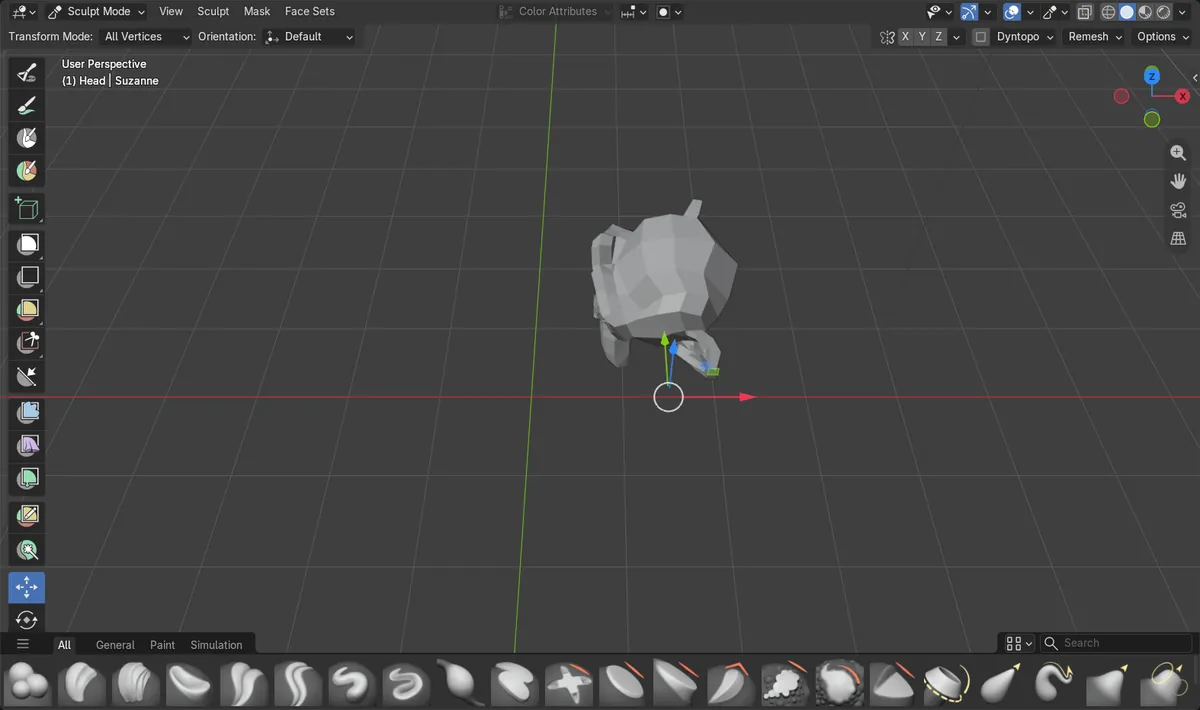
Moving the pivot 1.5 m along X moved no vertex, and the next rotation turned the mesh around the new pivot.
New in 5.3
Blender 5.2 LTS has no Pivot option, so moving with the transform tools always moves the mesh.
Before and after

AI Scene Builder is a Blender add-on. You type what you want, and it builds it in your scene: buildings, neon signs, wet pavement, fog and lights. Nothing in this picture was modeled by hand.
On a phone now? The add-on runs in Blender on a computer. Send yourself the link and open it there.
Step by step (Blender 5.3)
- In Sculpt Mode, pick the Move tool in the toolbar.
- Open the Options popover in the tool header and tick Pivot at the top of the popover.Blender 5.2 LTS: Blender 5.2 LTS has no Pivot checkbox here.
- Drag the Move gizmo to the place where the pivot should be. The pivot moves and the mesh stays in place.
- Open the Options popover again and untick Pivot.
- Pick the Rotate or Scale tool in the toolbar, in the same group as the Move tool, rather than a sculpt brush. The mesh now turns or scales around the new pivot.
Other ways to do it
- Use the Set Pivot entries in the Sculpt menu to put the pivot at the origin, the unmasked area, the mask border, the active vertex or the surface under the cursor
Blender 5.2 LTS vs Blender 5.3
| What | Blender 5.2 LTS | Blender 5.3 |
|---|---|---|
| Moving the pivot by hand | Not in Blender 5.2 LTS. The transform tools always move the mesh, and the pivot is set from the Set Pivot entries. | Blender 5.3 adds a Pivot checkbox to the sculpt Options popover, so the Move tool can place the pivot while the mesh stays in place. |
Common snags
The mesh does not move any more
Pivot is still ticked in the Options popover, so the transform tools move the pivot. Untick it when the pivot is in place.
The rotation does not use the new pivot
The pivot was moved with Pivot off, so the mesh moved instead. Tick Pivot, move the pivot, untick it, and then rotate.
Pivot is not in the Options popover
The popover in the Sculpt Mode tool header lists Pivot at the top in Blender 5.3. Blender 5.2 LTS does not have it.
An AI add-on for Blender
AI Scene Builder is a Blender add-on that builds and edits your scene from one typed request, such as “a small wooden table with two chairs”. Each request can be undone in one click.
 A log cabin room built with the add-on from 9 typed requests. See every request →
Questions
How do I move the pivot in Blender sculpt mode?
In Blender 5.3, tick Pivot at the top of the Options popover and drag the Move gizmo. The pivot moves and the mesh stays in place.
How do I rotate a sculpt around a different point?
Move the pivot first with Pivot ticked, untick it, and then use the Rotate tool in the toolbar next to Move. The mesh turns around the new pivot.
Can I put the sculpt pivot on the mesh surface?
Yes. Use the Set Pivot entries in the Sculpt menu, which include the surface under the cursor and the active vertex.
What the pictures show
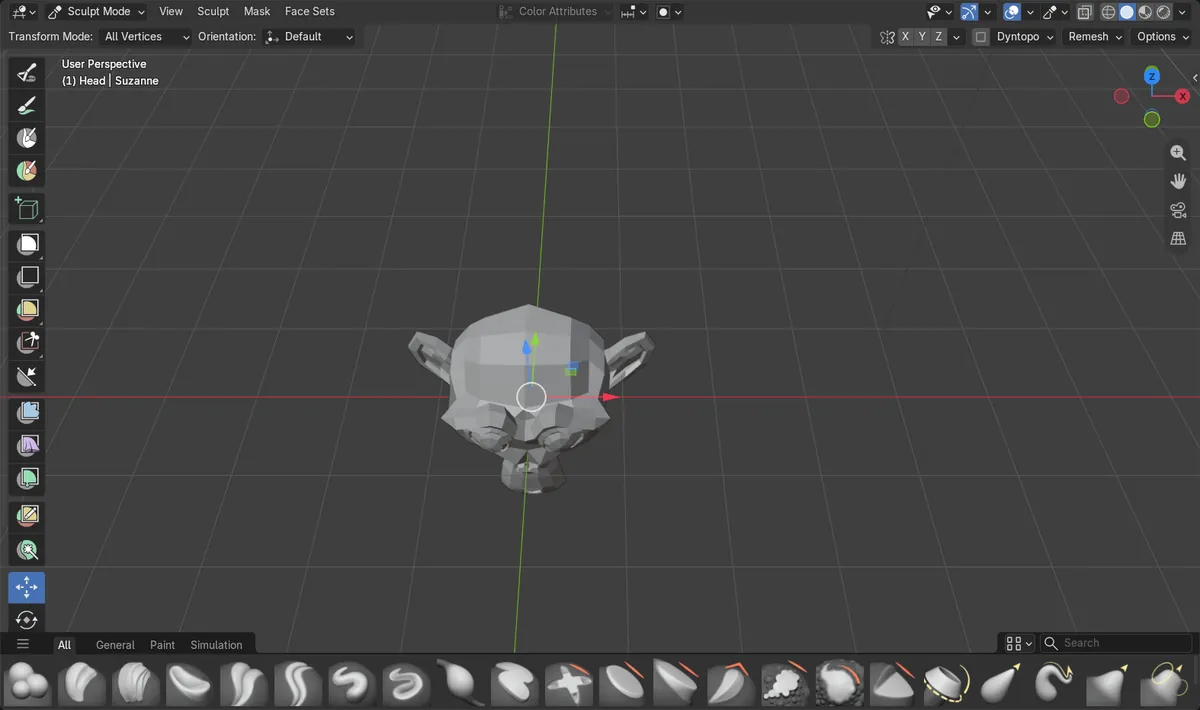
- Before: Suzanne in Sculpt Mode in Blender 5.3 with the Move tool, Pivot in the Options popover off (the default), and the mesh centre at (0, -0.33).
- With Pivot ticked, a move of 1.5 m along X moved no vertex. With Pivot unticked again, a 90 degree clockwise turn around Z, seen from above, swung the mesh around the pivot at X 1.5, and the mesh centre went to (1.17, 1.50).
- In Blender 5.2 LTS there was no Pivot option, and the same move of 1.5 m along X moved every vertex by 1.5 m.