How to Make the Outliner Expand to the Object You Click (Blender 5.3)
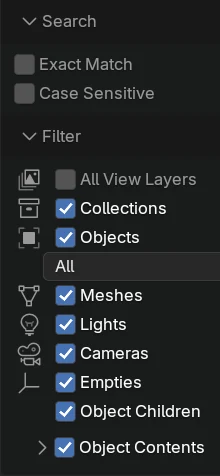
In Blender 5.3, open the Filter menu in the Outliner header and tick Expand on Focus (it needs Sync Selection and Scroll to Active on). Clicking an object in the 3D Viewport then opens every folded collection above it, so the Outliner shows and highlights that object's row.
- Mode
- Outliner and 3D Viewport
Expand on Focus
A new option in the Outliner Filter menu, right under Sync Selection and Scroll to Active.
Opens nested collections
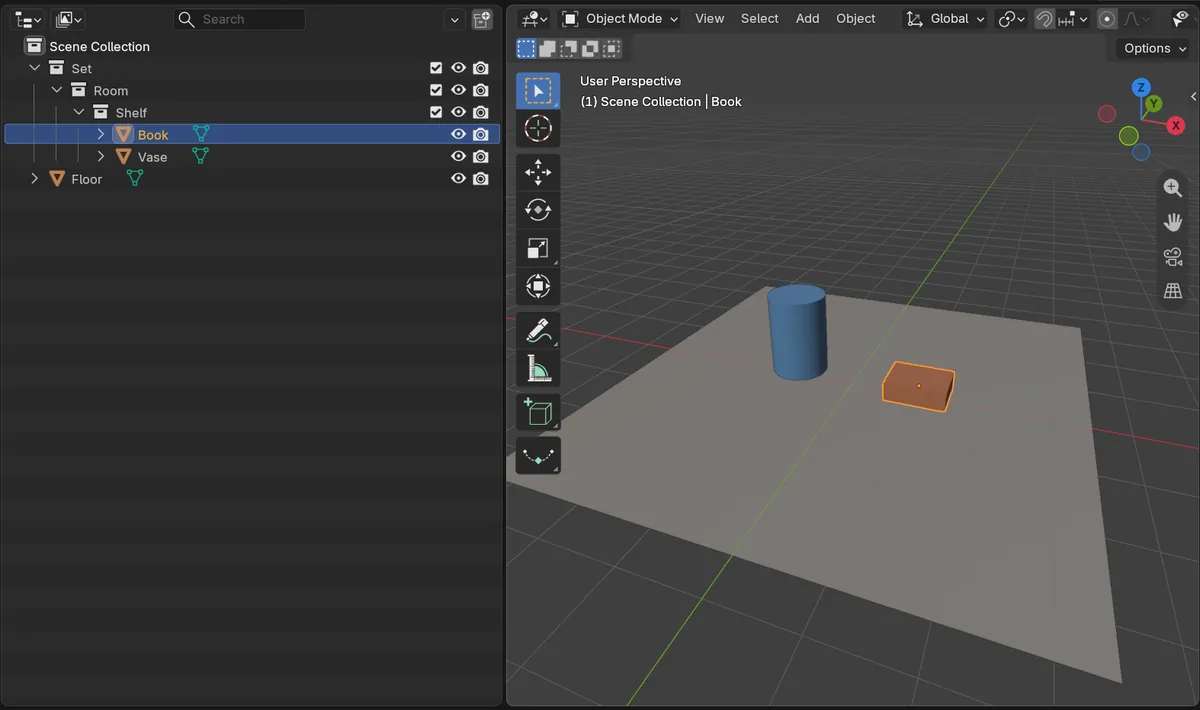
Clicking a book three collections deep opened Set, Room and Shelf, and the Outliner went from 3 rows to 7.
New in 5.3
In Blender 5.2 LTS the Outliner stays folded; press the period key over it to show the active object.
Before and after

AI Scene Builder is a Blender add-on. You type what you want, and it builds it in your scene: buildings, neon signs, wet pavement, fog and lights. Nothing in this picture was modeled by hand.
On a phone now? The add-on runs in Blender on a computer. Send yourself the link and open it there.
Step by step (Blender 5.3)
- In the Outliner header, open the Filter menu (funnel icon).
- Make sure Sync Selection and Scroll to Active are ticked.
- Tick Expand on Focus.
- Click an object in the 3D Viewport.
- The Outliner opens the collections that hold it and highlights its row.
Other ways to do it
- Press the period key (.) with the mouse over the Outliner, or use View › Show Active, to open the tree to the active object once
- Hold Shift and click a collection's arrow to open it and everything inside it
Blender 5.2 LTS vs Blender 5.3
| What | Blender 5.2 LTS | Blender 5.3 |
|---|---|---|
| Expand on Focus | Not in Blender 5.2 LTS. The Outliner does not open folded collections when you click an object; press the period key over the Outliner (Show Active). | Blender 5.3 adds Expand on Focus, which opens the collections above any object you click in the viewport. |
Common snags
Expand on Focus is greyed out
It works together with Sync Selection and Scroll to Active. Tick both first.
Too many collections stay open
Expand on Focus opens the tree but does not fold it again. Press minus on the numpad with the mouse over the Outliner to close one level.
The row is open but off screen
Scroll to Active moves the Outliner to the row. Make sure it is ticked.
An AI add-on for Blender
AI Scene Builder is a Blender add-on that builds and edits your scene from one typed request, such as “a small wooden table with two chairs”. Each request can be undone in one click.
 A log cabin room built with the add-on from 9 typed requests. See every request →
Questions
How do I make the Outliner jump to the selected object in Blender?
In Blender 5.3, tick Expand on Focus in the Outliner Filter menu, with Sync Selection and Scroll to Active on.
Is there a shortcut in older versions?
Press the period key (.) with the mouse over the Outliner to open the tree to the active object.
Does it fold the other collections again?
No, it only opens the ones above the object you clicked.
What the pictures show
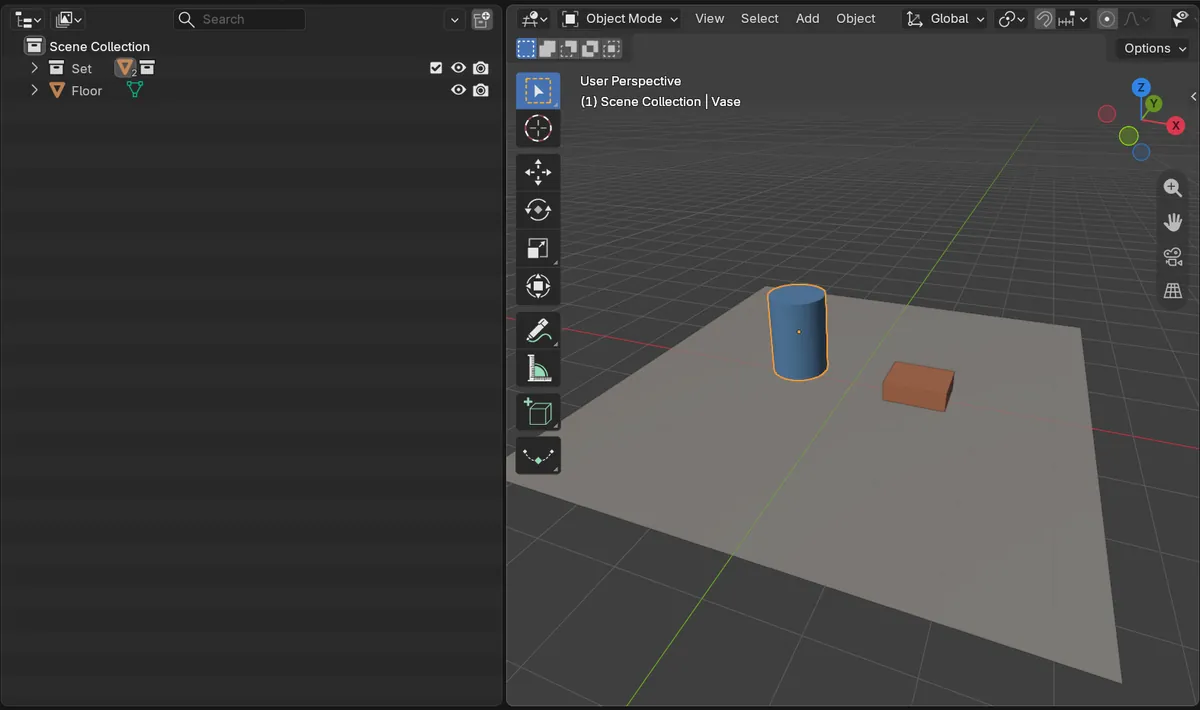
- Before: Sync Selection and Scroll to Active were on and Expand on Focus was off; after clicking a vase inside Set > Room > Shelf, the Outliner still showed only 3 rows (Scene Collection, Set and Floor).
- After ticking Expand on Focus and clicking a book in the same Shelf collection: the Outliner opened Set, Room and Shelf by itself and showed 7 rows with the Book highlighted.
- In Blender 5.2 LTS there was no Expand on Focus, and the same click on the book left the Outliner at 3 rows.