How to Parent an Object in Blender (Ctrl+P)
In Object Mode click the object that should follow (the child), then Shift + click the object that should lead (the parent) so it becomes the active object. Hover the 3D Viewport, press Ctrl + P and choose Object. Now moving, rotating or scaling the parent carries the child with it. To undo it, select the child, press Alt + P and choose Clear Parent.
- Mode
- Object Mode, 3D Viewport
- Menu
- Object › Parent › Object
- Shortcut
- Ctrl + P
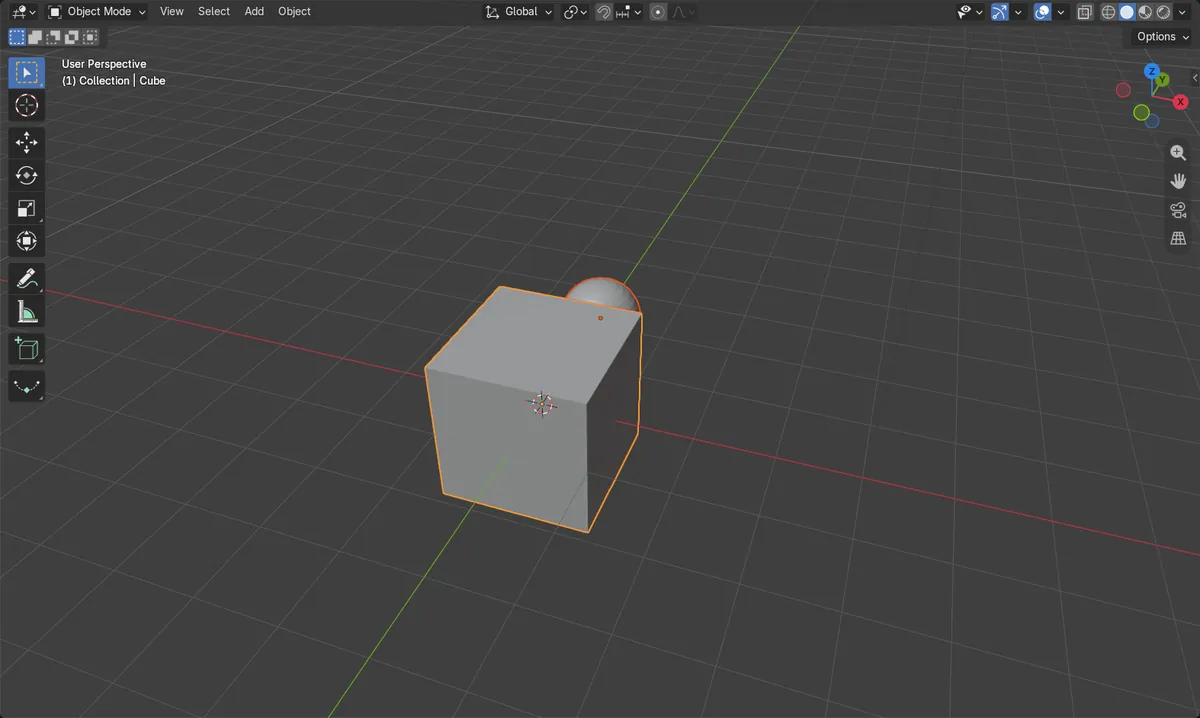
Ctrl + P > Object
Makes the active object the parent.
Parent last
The object you select last becomes the parent.
Alt + P
Clears the parent again.
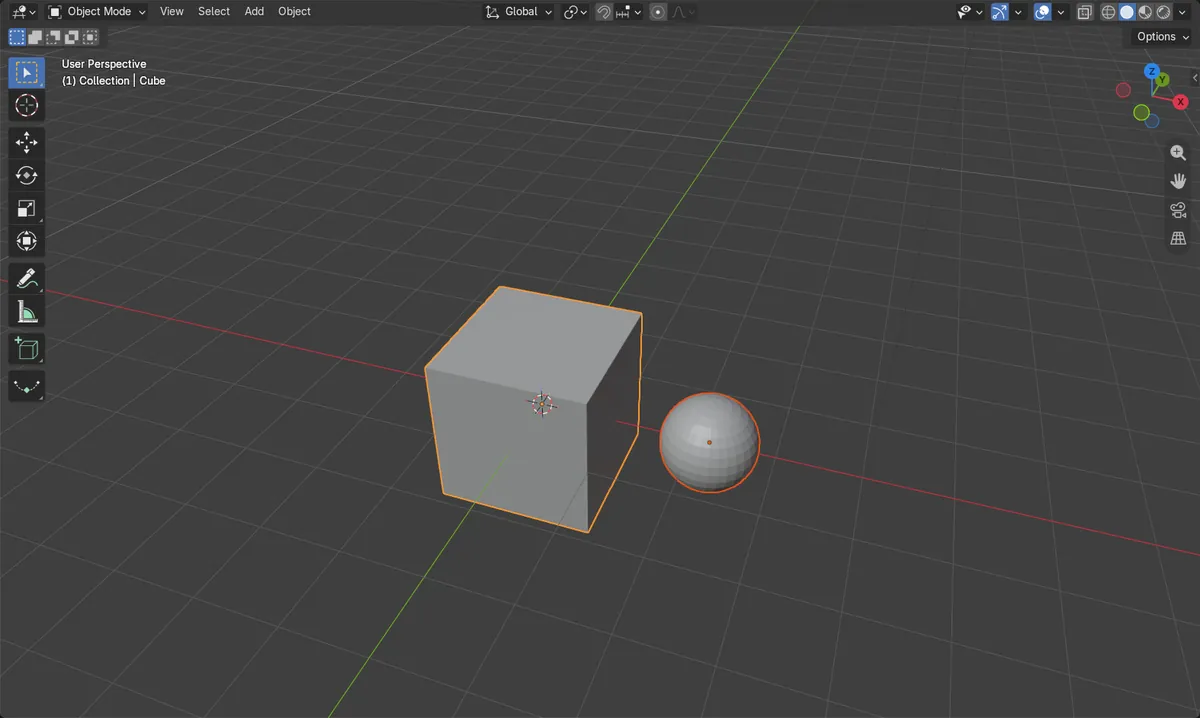
Before and after

AI Scene Builder is a Blender add-on. You type what you want, and it builds it in your scene: buildings, neon signs, wet pavement, fog and lights. Nothing in this picture was modeled by hand.
On a phone now? The add-on runs in Blender on a computer. Send yourself the link and open it there.
Step by step (Blender 5.x)
- In Object Mode, click the child object.
- Shift + click the parent object so it is the active object (lighter outline).
- Hover the 3D Viewport, press Ctrl + P and choose Object.
- Move or rotate the parent: the child follows.
Other ways to do it
- Object › Parent › Object
- Pick the parent in the Parent field of the Object Properties tab, Relations panel
- Drag the child onto the parent in the Outliner
- Ctrl + P, then Object (Keep Transform)
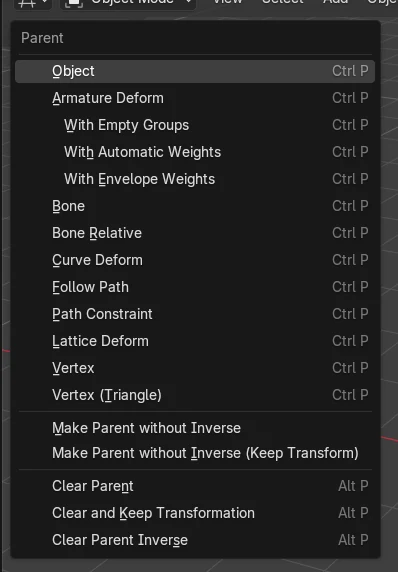
Common snags
The wrong object became the parent
The active object, the one selected last, becomes the parent. Press Alt + P to clear it and select again in the other order.
Moving the child does not move the parent
Parenting works one way: the child follows the parent, but moving the child moves only the child.
An AI add-on for Blender
AI Scene Builder is a Blender add-on that builds and edits your scene from one typed request, such as “a small wooden table with two chairs”. Each request can be undone in one click.
 A log cabin room built with the add-on from 9 typed requests. See every request →
Questions
Which object becomes the parent in Blender?
The active object, which is the one you select last.
How do I unparent an object in Blender?
Select the child, press Alt + P and choose Clear Parent.
Can a parent have more than one child?
Yes. Select all the children, then the parent last, press Ctrl + P and choose Object.
What the pictures show
- Before: no parent; the sphere sat at X 2.2 next to the cube.
- Ctrl + P > Object with the cube active made the cube the parent of the sphere.
- Turning the cube 90 degrees carried the sphere round from (2.2, 0) to (0, 2.2).
- Results were identical in Blender 4.2 LTS and Blender 5.x.