How to Smooth Vertices in Blender Edit Mode
Press Tab for Edit Mode and 1 for Vertex select, select the bumpy area, then right-click and choose Smooth Vertices (also in the header under Vertex). Open the panel at the bottom left, or press F9, and raise Repeat for a stronger effect. It moves the vertices themselves, unlike Shade Smooth, which only changes how the surface is lit.
- Mode
- Edit Mode, Vertex select
- Menu
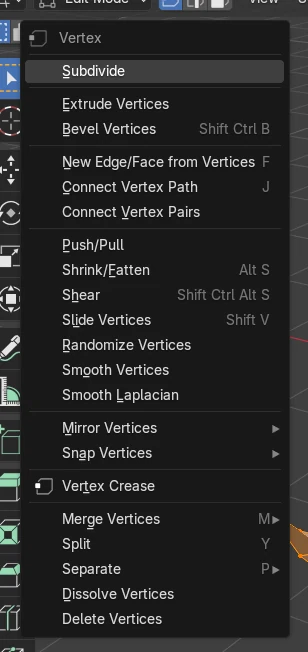
- Vertex › Smooth Vertices
Right-click in Vertex select
Smooth Vertices evens out bumps.
F9 > Repeat
More repeats give a smoother result.
Shapes shrink
Strong smoothing often pulls the edges in.
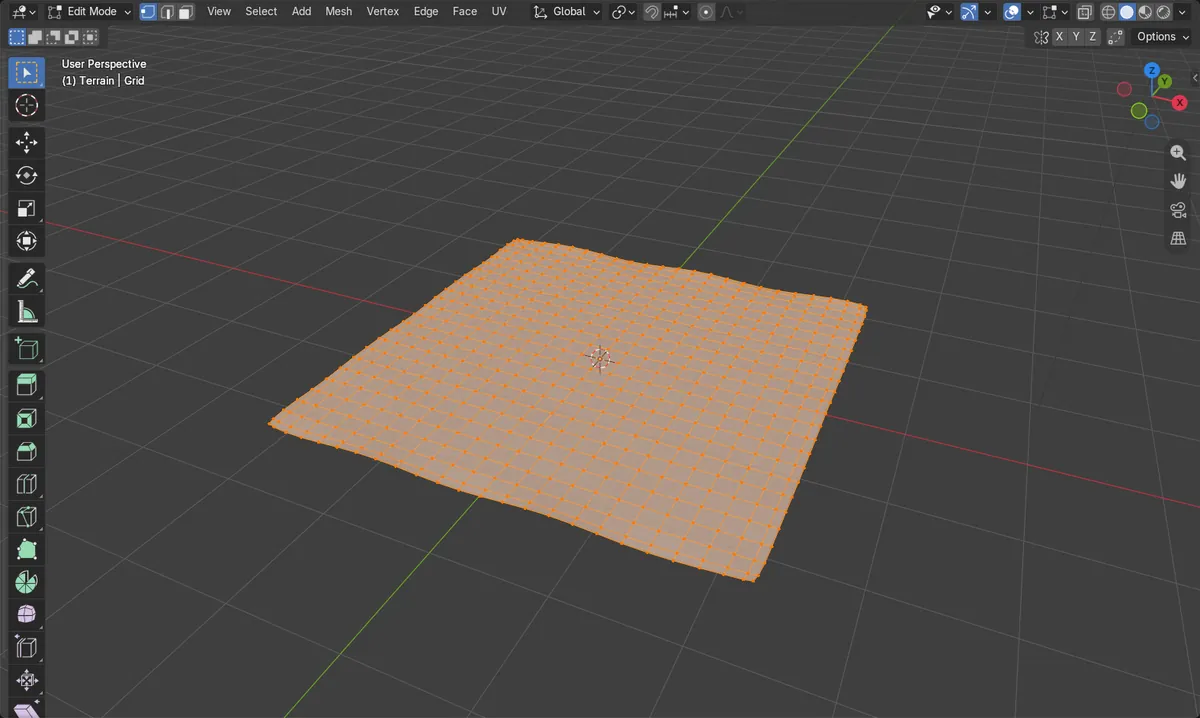
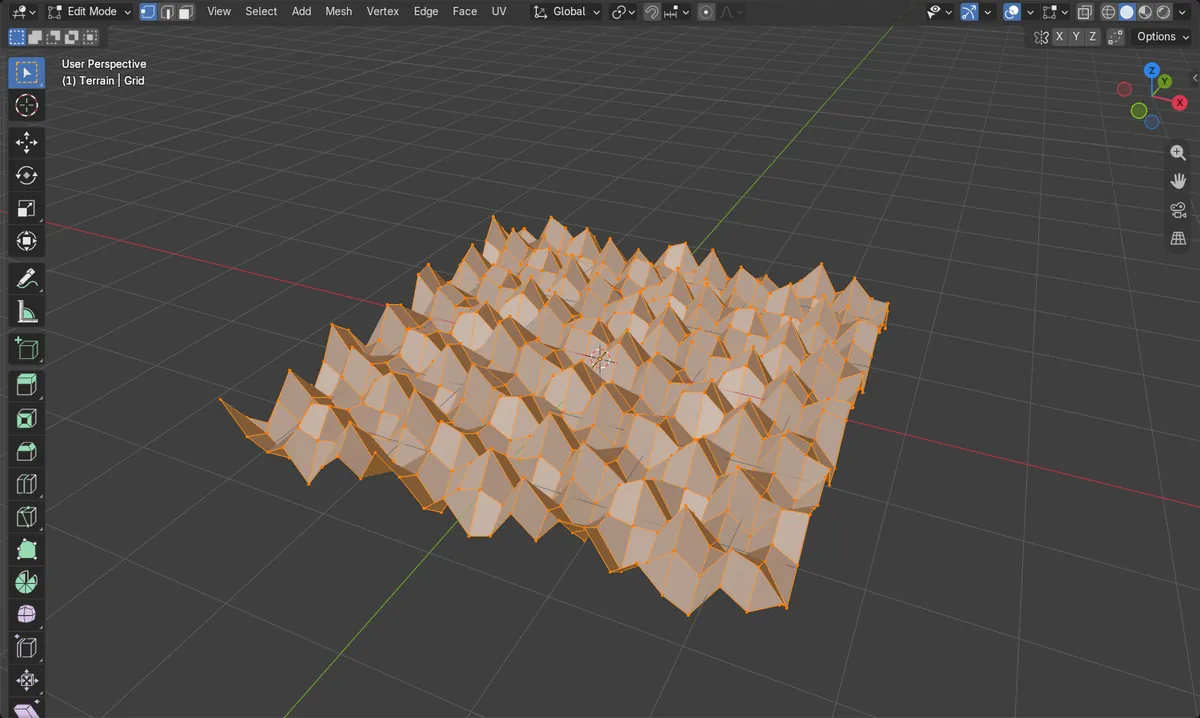
Before and after

AI Scene Builder is a Blender add-on. You type what you want, and it builds it in your scene: buildings, neon signs, wet pavement, fog and lights. Nothing in this picture was modeled by hand.
On a phone now? The add-on runs in Blender on a computer. Send yourself the link and open it there.
Step by step (Blender 5.x)
- Select the object, press Tab for Edit Mode and 1 for Vertex select.
- Select the bumpy vertices (A selects all).
- Right-click and choose Smooth Vertices.
- Press F9 and raise Repeat, for example to 10, until the bumps are gone.
Other ways to do it
- Vertex › Smooth Vertices in the header
- In Vertex select, right-click and choose Smooth Laplacian, which shrinks the shape less
- A Smooth, Corrective Smooth or Laplacian Smooth modifier for a non-destructive result
Common snags
The mesh shrank
Smoothing pulls vertices toward their neighbours, so open edges move in. In the test a 5 m wide surface became about 4.6 m. Try Smooth Laplacian or fewer repeats.
Shade Smooth did not remove the bumps
Shade Smooth only changes the lighting. Smooth Vertices moves the vertices.
No Smooth Vertices in the right-click menu
The right-click menu changes with the select mode. It is there in Vertex select; switch to Vertex select first.
An AI add-on for Blender
AI Scene Builder is a Blender add-on that builds and edits your scene from one typed request, such as “a small wooden table with two chairs”. Each request can be undone in one click.
 A lighthouse island at sunset built with the add-on from 10 typed requests. See every request →
Questions
How do I smooth a bumpy mesh in Blender?
Select the vertices in Edit Mode, right-click in Vertex select and choose Smooth Vertices, then raise Repeat in the F9 panel.
What is the difference between Smooth Vertices and Shade Smooth?
Smooth Vertices moves the vertices to remove bumps. Shade Smooth only changes the lighting of the surface.
What the pictures show
- Before: a bumpy surface of 625 vertices, with bumps up to about 0.35 m high.
- Smooth Vertices with Smoothing 0.5 and Repeat 10 left the surface almost flat: the highest bump was about 0.02 m.
- The vertex count stayed 625; the width shrank from 5 m to about 4.6 m.
- Results were identical in Blender 4.2 LTS and Blender 5.x.