How to Add a Reference Image in Blender
In Object Mode, press Shift + A and choose Image › Reference, then pick the picture file: it is placed in the scene as an image object facing the view. Move, rotate and scale it like any object and model on top of it. Choose Image › Background instead to keep the picture behind everything else.
- Mode
- Object Mode, 3D Viewport
- Menu
- Add › Image › Reference
- Shortcut
- Shift + A
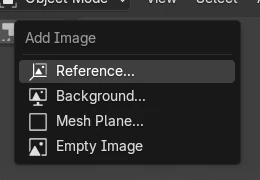
Add > Image
Reference or Background adds the picture as an image object.
Image settings
Depth, opacity and side-view display live in the Object Data tab.
Drag and drop
Dropping an image file into the viewport adds it too.
Before and after

AI Scene Builder is a Blender add-on. You type what you want, and it builds it in your scene: buildings, neon signs, wet pavement, fog and lights. Nothing in this picture was modeled by hand.
On a phone now? The add-on runs in Blender on a computer. Send yourself the link and open it there.
Step by step (Blender 5.x)
- Hover the 3D Viewport in Object Mode. For a front blueprint, switch to Front view first so the image faces you.
- Press Shift + A to open the Add menu.
- Choose Image › Reference.
- Pick your picture in the file browser and confirm. The image object appears at the 3D Cursor.
- Scale and move it so its size matches your model, then lock or hide it in the Outliner while you work.
Other ways to do it
- Add › Image › Background in the 3D Viewport header keeps the picture behind all other objects
- Drag an image file from your file manager straight into the 3D Viewport
Blender 4.2 LTS vs Blender 5.x
| What | Blender 4.2 LTS | Blender 5.x |
|---|---|---|
| Add › Image entries | Reference and Background | Reference... and Background..., both open the file browser |
Common snags
The image covers the model
Set Empty Image Depth to Back in the image's Object Data tab, or use Background instead of Reference when adding it.
The image vanishes in other views
Display Only Axis Aligned is on, so it only shows when you look straight at it. Turn it off in the Object Data tab to see it from any angle.
Transparent parts look black or white
Tick Use Alpha in the image settings and lower the opacity so the model shows through.
An AI add-on for Blender
AI Scene Builder is a Blender add-on that builds and edits your scene from one typed request, such as “a small wooden table with two chairs”. Each request can be undone in one click.
 A log cabin room built with the add-on from 9 typed requests. See every request →
Questions
How do I put a reference image behind my model in Blender?
Press Shift + A and choose Image › Background, or set Empty Image Depth to Back on a reference image.
How do I make a reference image see-through?
Select it, open the Object Data tab, tick Use Alpha and lower the opacity value.
Can I drag an image into Blender?
Yes. Drop the file into the 3D Viewport in Object Mode and it is added as an image object.
What the pictures show
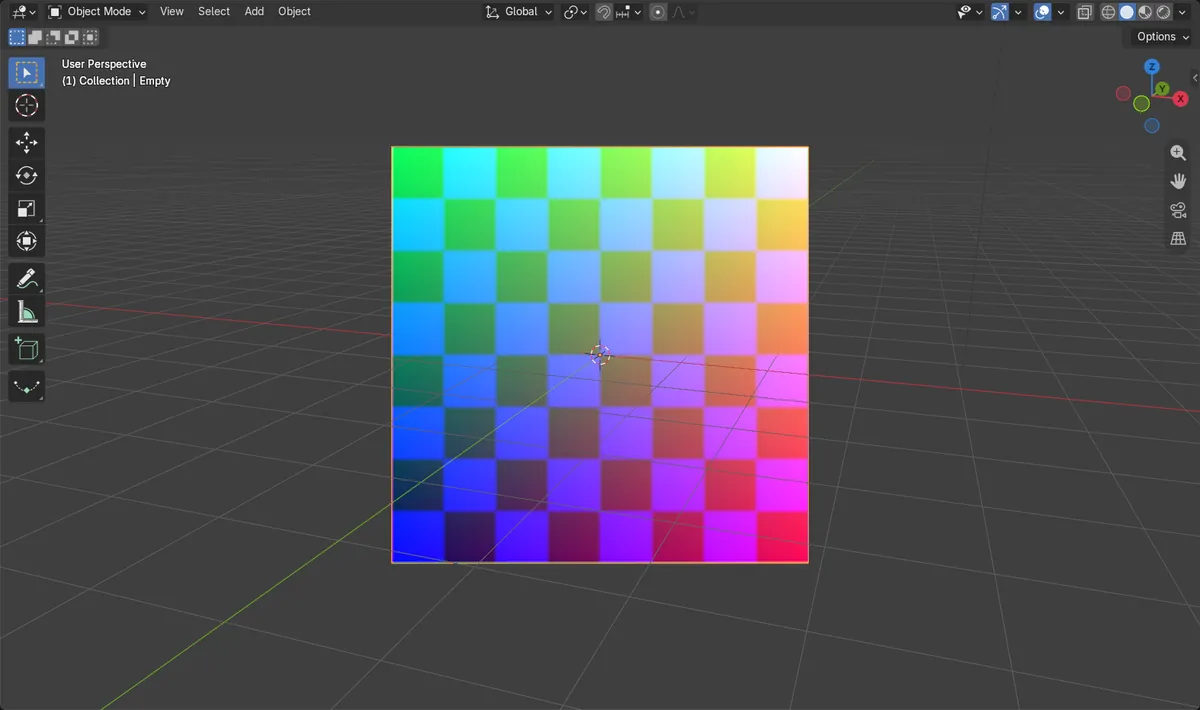
- Before: the scene had no image objects.
- After Add > Image > Reference with a test sketch: 1 image object exists and it holds the picture ref_sketch.
- Results were identical in Blender 4.2 LTS and Blender 5.x.