Blender AI Free Trial: 15 Credits, No Card Needed
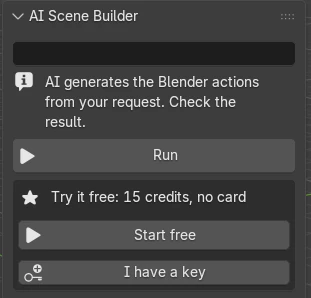
You can try AI in Blender for free with AI Scene Builder: press Start free in the add-on’s AI tab and you get 15 credits, about 5 requests, with no card. After the trial, plans start at $19 a month.
- Free
- 15 credits, about 5 requests
- Needed
- Blender 4.2 or newer, no card
- Per request
- Usually 1–3 credits, at most 5 on the trial

15 credits to start
Enough for about 5 requests, often more. One trial per computer.
No card to try
Press Start free in the AI tab. There is no other account to create and no other bill.
Not spent on dropped connections
Credits are spent only when the AI sends back an answer. A failed connection costs nothing.
What one request costs on the free credits
Credits used by real requests. On the trial a request takes at most 5 credits, so even the biggest of these fits.
| One request built | Credits |
|---|---|
| A 6 metre white picket fence with a gate in the middle | 2 |
| A vintage brass desk lamp with a glowing bulb | 2 |
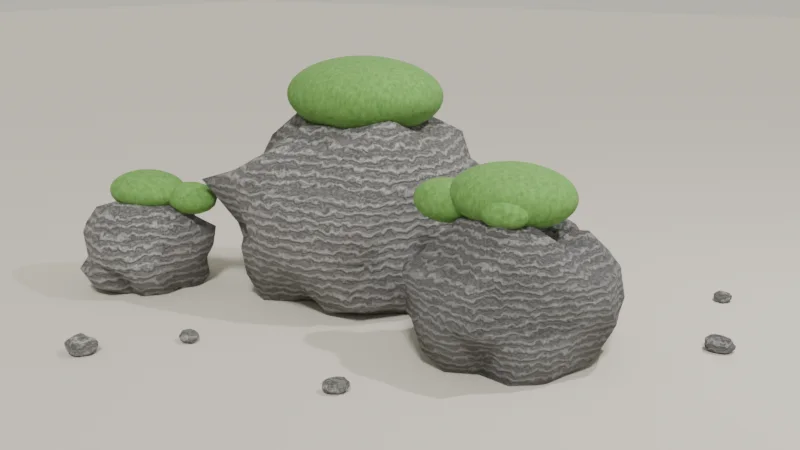
| Five mossy granite boulders with small pebbles | 2 |
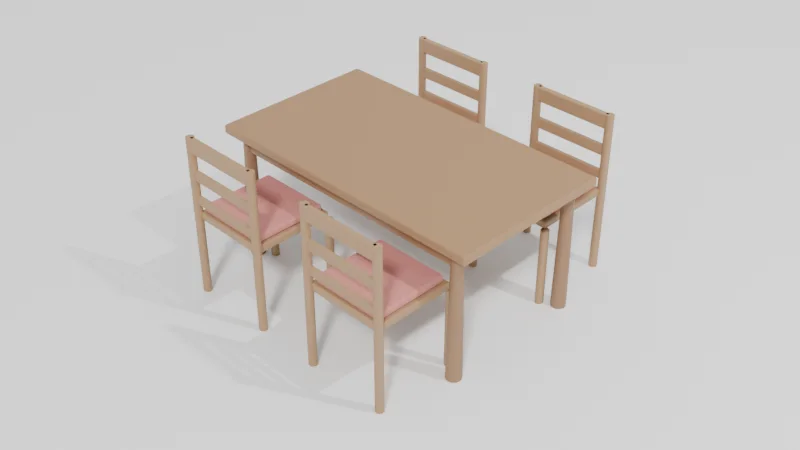
| A wooden dining table with four matching chairs | 2 |
| A small red delivery scooter with a cargo box | 5 |
| A street taco stall with a striped awning, a griddle, sauce bottles and two stools | 5 |
Install it in 3 steps
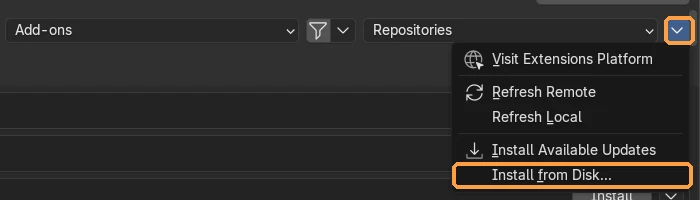
- Download the .zip from the add-on page and keep it zipped. Drag it into the Blender window, or use Edit › Preferences › Get Extensions › ⌄ menu › Install from Disk….
- Allow online access. The add-on needs the internet to reach the AI. If Blender asks, turn on Allow Online Access in Edit › Preferences › System › Network.
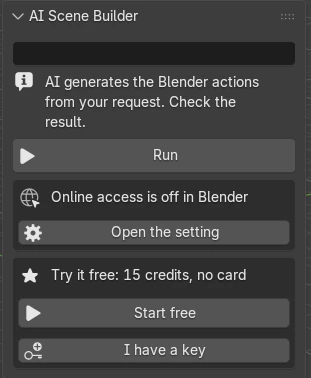
- Start free and type. With the mouse over the 3D Viewport, press N, open the AI tab, press Start free, type a request and press Run.
Price and free trial
Start with 15 free credits. Pick a plan when you want more; cancel anytime.
Free
$0
15 credits to try it. About 5 requests. One trial per computer. No card.
A big request takes at most 5 credits.
Basic
$19 / month
200 credits a month. About 66 requests a month.
A big request takes at most 12 credits.
Pro Recommended
$39 / month
450 credits a month. About 150 requests a month.
A big request takes at most 18 credits.
Studio
$79 / month
1000 credits a month. About 333 requests a month.
A big request takes at most 24 credits.
- One request usually takes 1–3 credits.
- On any monthly plan you can add 100 credits for $10. Extra credits are used after your monthly credits and last up to 60 days while your plan is active.
- Monthly plans renew every month until you cancel. Change or cancel with Manage plan in Edit › Preferences › Add-ons › AI Scene Builder.
- Prices are in US dollars. Tax may be added depending on your country; you see the final amount before you pay.
Try AI Scene Builder in your Blender
Type one request and get editable objects in your open scene. Every request can be undone in one click.
 A lighthouse island at sunset built with the add-on from 10 typed requests. See every request →
Questions
Is the Blender AI add-on free?
The download and the trial are free: 15 credits, about 5 requests, with no card. To keep going after that, plans start at $19 a month and can be cancelled anytime.
Do I need a credit card for the free credits?
No. Press Start free in the AI tab to get 15 credits without a card.
What happens when the free credits run out?
Pick a plan when you want more: Basic $19, Pro $39 or Studio $79 a month. Your plan is added to the add-on you already use, so there is nothing to set up.
How do I cancel a paid plan?
Open Edit › Preferences › Add-ons › AI Scene Builder and press Manage plan. You can change or cancel the plan there.
Limitations
- It is best at props, furniture, simple buildings and small scenes. On complex shapes it can miss details; Undo this request and a more detailed request help.
- It needs Blender 4.2 or newer and an internet connection while a request runs.
- The free trial is one per computer. Payment is not available from China or Russia.
- Something not working? Write to contact
@saas-diary.com and we will help.