How to Change the Brush Falloff Curve in Sculpt Mode (Blender 5.3)
In Blender 5.3, click Shape in the Sculpt Mode tool header and pick a falloff preset from the list, or pick Custom to edit the curve by hand. The same settings are in Brush Settings › Shape in the Sidebar's Tool tab. In the test the cross-section of a Draw stroke with the default Smooth preset dropped to 0.82 of its peak height at half the radius and to 0.48 at three quarters; with Constant it kept 1.0 at half the radius and 0.75 at three quarters, a flat-topped stroke. In Blender 5.2 LTS the same presets are in the Falloff popover of the tool header and gave the same strokes.
- Mode
- Sculpt Mode, tool header
- Menu
- Brush Settings › Shape
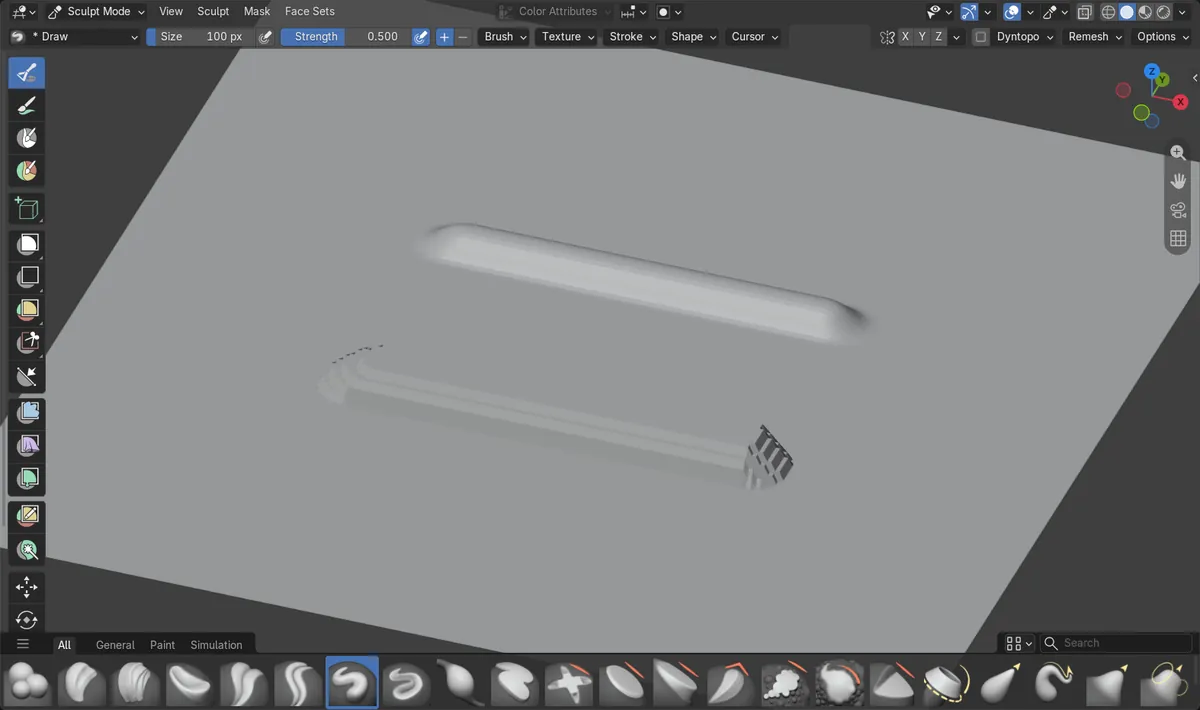
Falloff is under Shape
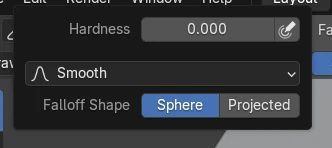
In 5.3 the falloff presets, Hardness and Falloff Shape are in the Shape popover of the tool header and in Brush Settings › Shape.
Constant gives a flat top
With Constant the stroke's cross-section kept 1.0 of its peak height at half the radius, against 0.82 with the default Smooth preset.
Called Falloff in 5.2 LTS
Blender 5.2 LTS has the same presets in a popover named Falloff, so guides for 5.2 point to a button that 5.3 calls Shape.
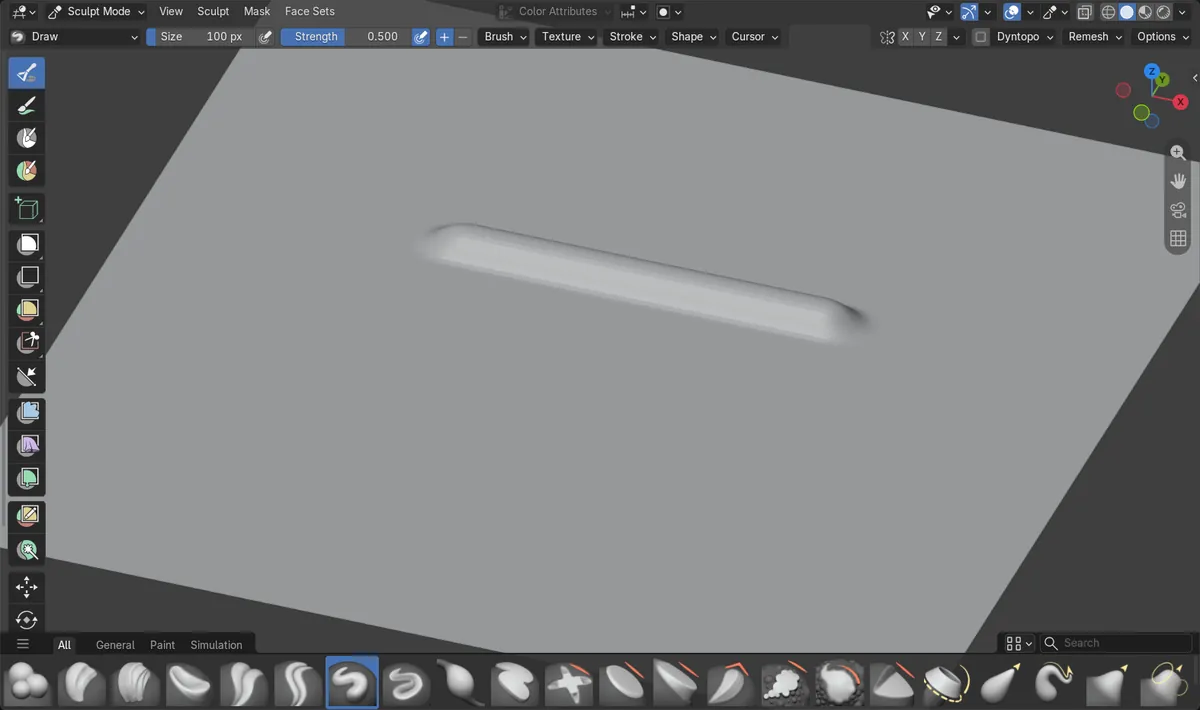
Before and after

AI Scene Builder is a Blender add-on. You type what you want, and it builds it in your scene: buildings, neon signs, wet pavement, fog and lights. Nothing in this picture was modeled by hand.
On a phone now? The add-on runs in Blender on a computer. Send yourself the link and open it there.
Step by step (Blender 5.3)
- In Sculpt Mode, pick the brush whose falloff you want to change, for example Draw.
- Click Shape in the tool header to open the brush shape settings.Blender 5.2 LTS: In Blender 5.2 LTS click Falloff in the tool header instead.
- Open the falloff preset list and pick a preset: Smooth is the default, Constant gives a flat top, and Sharp or Linear give a pointed stroke.
- To draw your own curve, pick Custom and drag the points of the curve that appears.
- Set Falloff Shape to Sphere or Projected if you also want to change how the falloff is measured.
- Make a stroke on the mesh to see the new profile.
Other ways to do it
- Open Brush Settings › Shape in the Tool tab of the Sidebar or the Properties editor for the same settings in a panel
- Change Hardness in the same place to keep the full strength further out from the centre without changing the preset
Blender 5.2 LTS vs Blender 5.3
| What | Blender 5.2 LTS | Blender 5.3 |
|---|---|---|
| Where the falloff is | Blender 5.2 LTS has the falloff presets in the Falloff popover of the tool header. | Blender 5.3 has them in the Shape popover of the tool header and in Brush Settings › Shape, together with Hardness. |
| Falloff presets | Blender 5.2 LTS lists Custom, Smooth, Smoother, Sphere, Root, Sharp, Linear, Sharper, Inverse Square and Constant. | Blender 5.3 has the same presets, and Draw still starts with Smooth. |
Common snags
There is no Falloff button in the tool header
Blender 5.3 moved the falloff into the Shape popover. Click Shape in the tool header, or open Brush Settings › Shape in the Sidebar.
The curve editor is not shown
The curve is drawn when the preset is Custom. Pick Custom in the preset list to edit the points.
Other brushes still use the old falloff
The falloff is stored on each brush. Pick the other brush and change its preset too.
An AI add-on for Blender
AI Scene Builder is a Blender add-on that builds and edits your scene from one typed request, such as “a small wooden table with two chairs”. Each request can be undone in one click.
 An evening market street built with the add-on from 11 typed requests. See every request →
Questions
Where is the brush falloff in Blender 5.3?
Click Shape in the Sculpt Mode tool header, or open Brush Settings › Shape in the Sidebar's Tool tab. In Blender 5.2 LTS it is the Falloff popover.
How do I make a flat sculpt brush in Blender?
Pick Constant as the falloff preset in Shape. In the test the stroke kept its full height at half the radius.
How do I edit the brush falloff curve by hand?
Pick Custom as the falloff preset, and the curve appears below it. Drag its points to shape the falloff.
What the pictures show
- Before: a subdivided plane in Sculpt Mode in Blender 5.3 with the Draw brush on its default Smooth preset. A stroke rose 0.098 m, and its cross-section dropped to 0.82 of that height at half the radius and to 0.48 at three quarters.
- After choosing Constant in the Shape popover: a second stroke rose 0.146 m, kept 1.0 of its height at half the radius and 0.75 at three quarters, a flat top with a steeper edge.
- In Blender 5.2 LTS the presets were in the Falloff popover, Draw also started with Smooth, and the two strokes gave the same heights.