How to Make a Circular Array in Blender with an Offset Object
Add an Array modifier to your object, turn off Relative Offset, turn on Object Offset and pick an Empty placed at the ring's centre. Then rotate the Empty around Z by 360 divided by the Count (45 degrees for 8 copies) and the copies will form a full circle.
- Mode
- Object Mode, Properties editor > Modifiers tab
Empty as pivot
Place an Empty at the centre of the ring, with the object offset from it.
Object Offset
Turn off Relative Offset and turn on Object Offset, then choose the Empty.
Rotate the Empty
Z rotation = 360 / Count, for example 45 degrees for 8 copies.
Before and after

AI Scene Builder is a Blender add-on. You type what you want, and it builds it in your scene: buildings, neon signs, wet pavement, fog and lights. Nothing in this picture was modeled by hand.
On a phone now? The add-on runs in Blender on a computer. Send yourself the link and open it there.
Step by step (Blender 5.x)
- In Object Mode add a Plain Axes Empty (Add menu or Shift + A › Empty), place it at the centre of the ring and name it Center.
- Select the object to repeat, press Tab for Edit Mode, select all and move the mesh 3 m along X, so the object's origin stays at the centre. Press Tab to go back to Object Mode.
- Select the object, open the Modifiers tab in the Properties editor, click Add Modifier and choose the Array modifier.
- Set Fit Type to Fixed Count and set Count to 8.
- Turn off Relative Offset and turn off Constant Offset.
- Turn on Object Offset and pick Center in the object field.
- Select the Empty and set its Z rotation to 45 degrees (360 / 8). The copies now go all the way around the centre.
Other ways to do it
- Change the Count and the Empty's Z rotation together (rotation = 360 / Count) to get a different number of copies.
- Use Apply Modifier in the Modifiers tab if you want to bake the copies into the mesh.
Common snags
Copies form a spiral or line
Relative Offset is still on, or the Empty is not rotated. Turn off Relative Offset and set the Empty's Z rotation to 360 divided by Count.
Ring is off-centre
The object's origin is not at the Empty's position, because the array rotates around the object origin. Keep the origin at the centre and move only the mesh in Edit Mode.
Or type one line in AI Scene Builder
AI Scene Builder is a Blender add-on that carries out the steps for you from one typed request. For this task, type a request like this one, using your own object names:
Make a circular array of the selected object with 8 copies around an Empty at the world origin A log cabin room built with the add-on from 9 typed requests. See every request →
Questions
How do I set the number of items in a circular array?
Set Count in the Array modifier, then set the Empty's Z rotation to 360 divided by Count.
Why use an Empty for a circular array?
The Array modifier's Object Offset adds the Empty's location and rotation to each copy, so rotating the Empty turns each copy around the centre.
What the pictures show
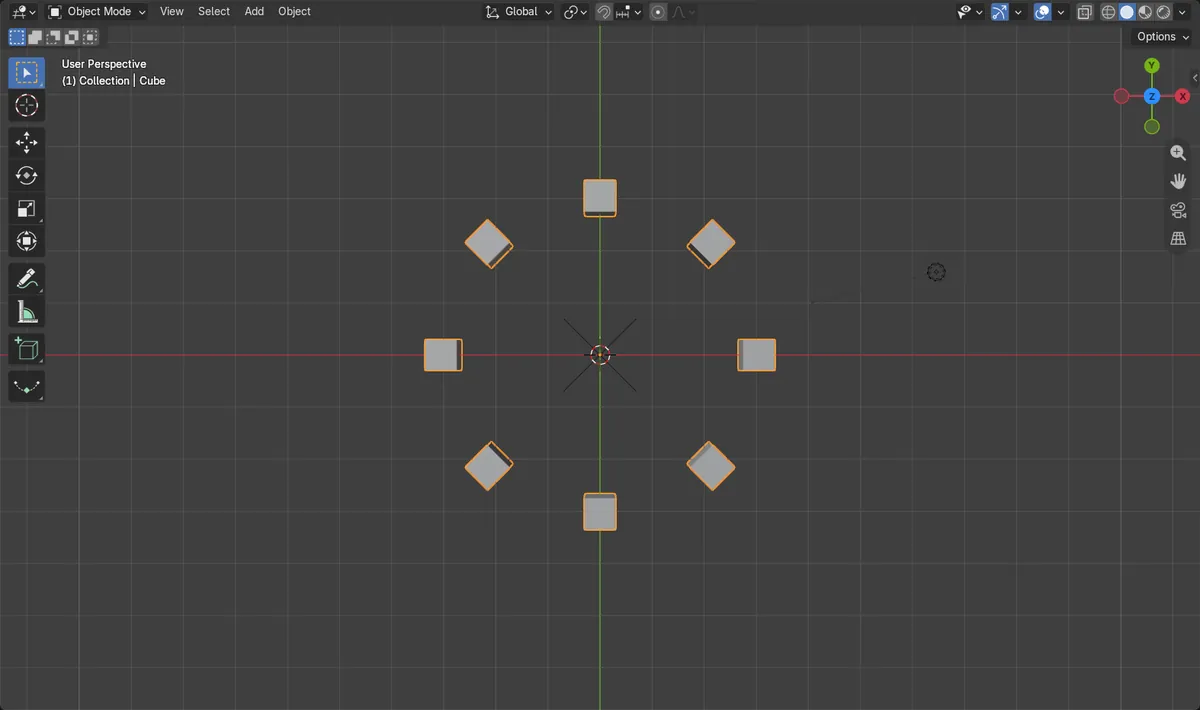
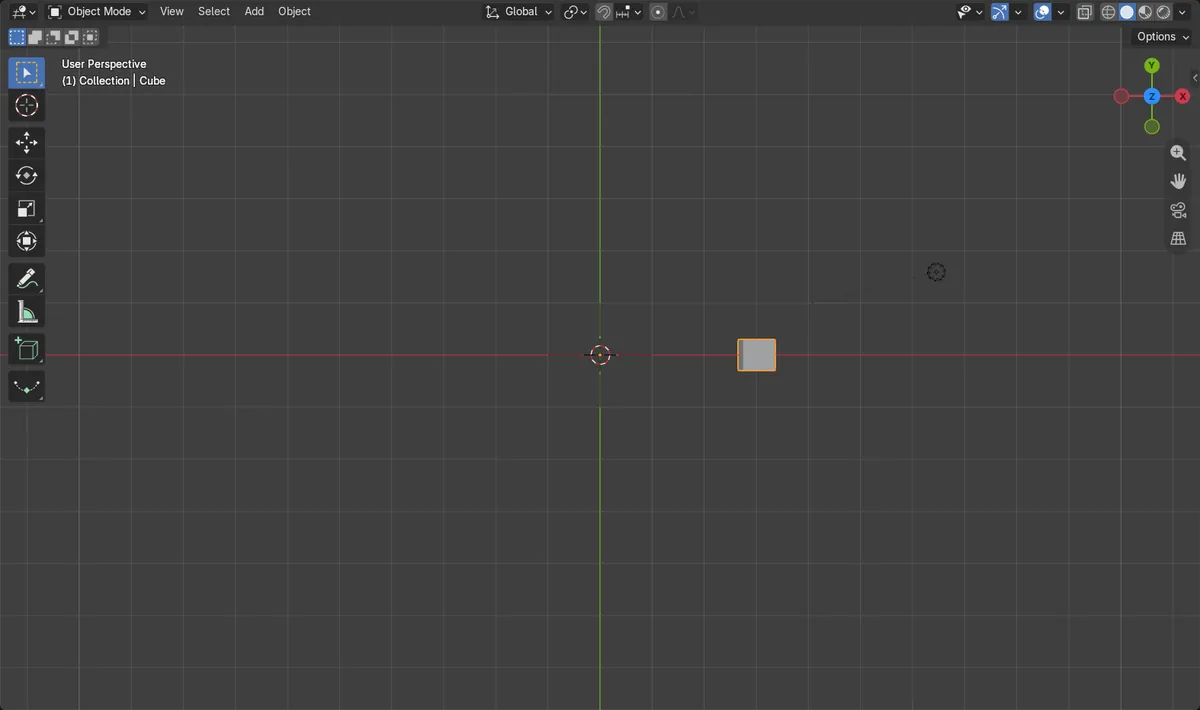
- Before: the single cube sat 2.7 to 3.3 m from the centre on X, with 8 vertices.
- After: the Array modifier with 8 copies gives 64 vertices.
- All copies stay on a ring of about 2.7 to 3.3 m from the centre.
- The copies span roughly -3.3 to 3.3 m on both X and Y, so they go all the way around.