How to Convert Markers to Pose Markers (Blender 5.3)
In Blender 5.3, open the Dope Sheet in Action Editor mode, select the scene markers you want, and choose Marker › Convert to Pose Markers. The selected markers move into the active action as pose markers and leave the scene. In the test the selected markers Contact on frame 1 and Passing on frame 30 became pose markers of CubeAction, and the unselected marker Release on frame 60 stayed a scene marker. In Blender 5.2 LTS the same command is called Make Markers Local.
- Mode
- Dope Sheet, Action Editor
- Menu
- Marker › Convert to Pose Markers
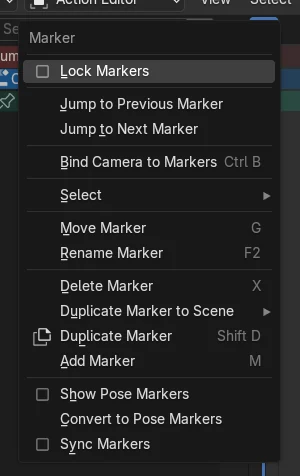
New name in the Marker menu
The Marker menu of the Action Editor lists Convert to Pose Markers where Make Markers Local used to be.
Selected markers move
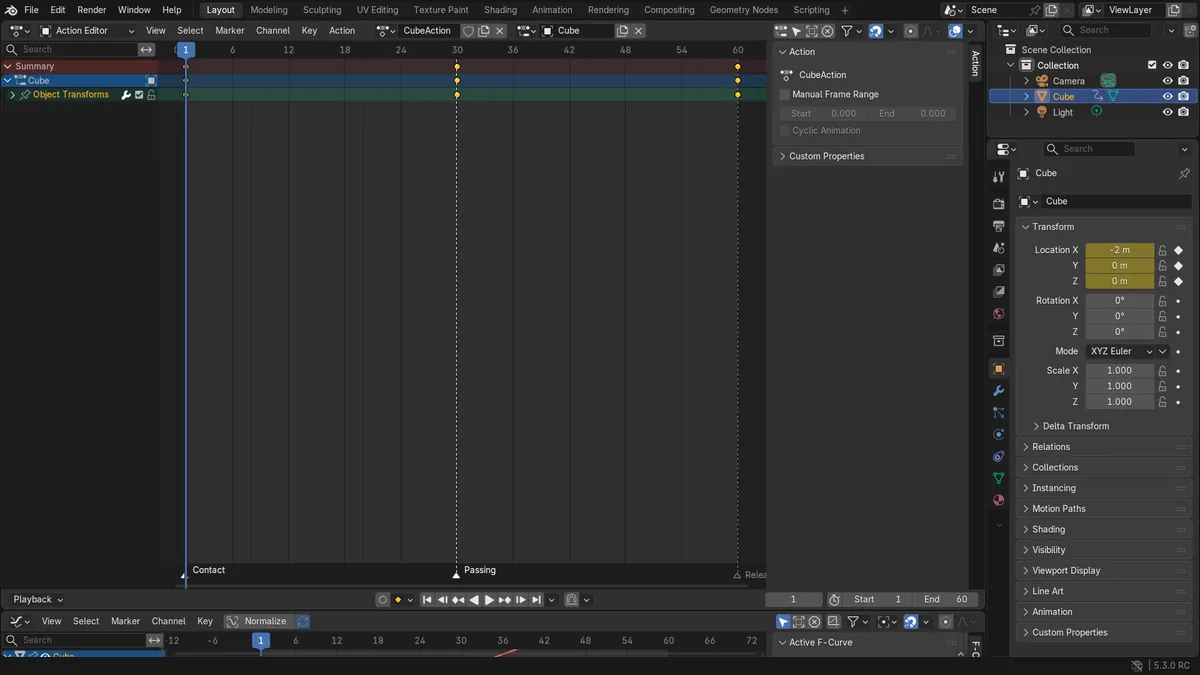
Contact and Passing moved into CubeAction as pose markers. Release, which was not selected, stayed in the scene.
They leave the scene
Converted markers are removed from the scene marker row. Tick Show Pose Markers in the Marker menu to see them in the action.
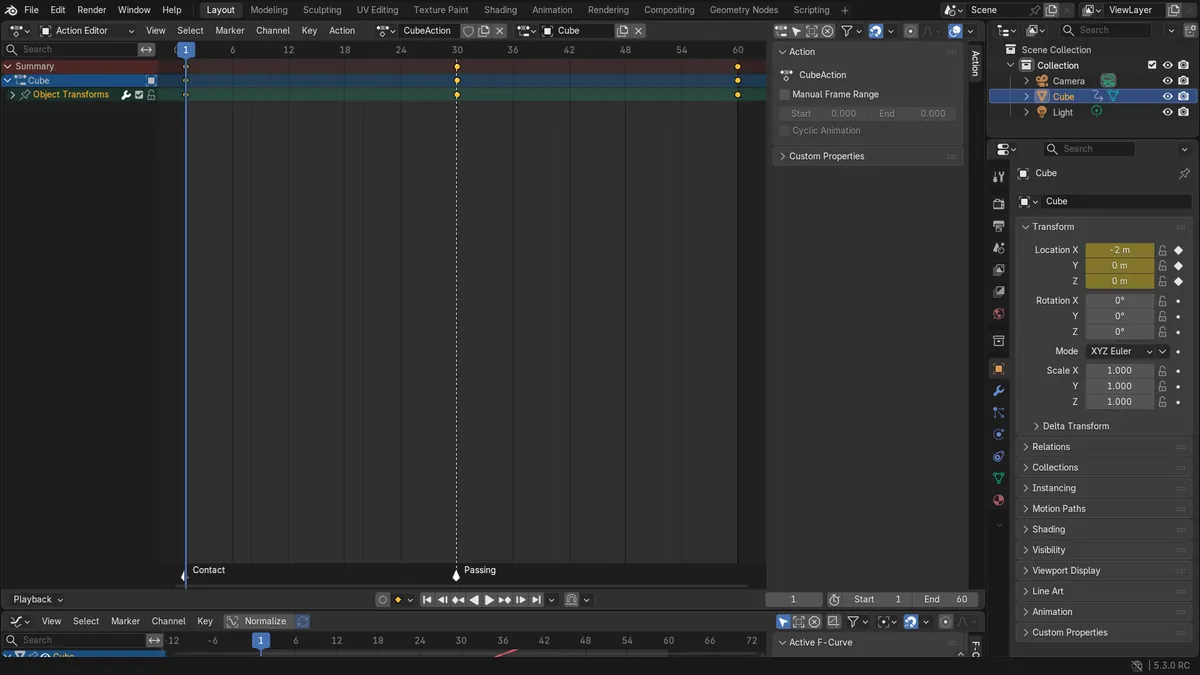
Before and after

AI Scene Builder is a Blender add-on. You type what you want, and it builds it in your scene: buildings, neon signs, wet pavement, fog and lights. Nothing in this picture was modeled by hand.
On a phone now? The add-on runs in Blender on a computer. Send yourself the link and open it there.
Step by step (Blender 5.3)
- Select the object with the action, open the Dope Sheet and switch its mode to Action Editor.
- In the marker row at the bottom, click a marker and Shift-click the others you want to convert.
- Choose Marker › Convert to Pose Markers.Blender 5.2 LTS: In Blender 5.2 LTS choose Marker › Make Markers Local.
- Open the Marker menu again and tick Show Pose Markers to see the converted markers, which now belong to the action.
Other ways to do it
- Search for Convert to Pose Markers in the Action Editor's search menu (F3)
Blender 5.2 LTS vs Blender 5.3
| What | Blender 5.2 LTS | Blender 5.3 |
|---|---|---|
| Command name | Blender 5.2 LTS calls it Make Markers Local. | Blender 5.3 calls it Convert to Pose Markers. |
| Where to find it | Blender 5.2 LTS has it in the Marker menu of the Action Editor. | Blender 5.3 keeps it in the Marker menu of the Action Editor. |
Common snags
The markers vanished after converting
They moved into the action. Tick Show Pose Markers in the Marker menu to see them in the Action Editor.
An unselected marker did not convert
The command converts the selected markers. Select all the markers you need first, then run the command again.
Convert to Pose Markers is not in the Marker menu
The menu lists it when the Dope Sheet is in Action Editor mode with an active action and Show Pose Markers is off. Untick Show Pose Markers, or pick the action in the header.
An AI add-on for Blender
AI Scene Builder is a Blender add-on that builds and edits your scene from one typed request, such as “a small wooden table with two chairs”. Each request can be undone in one click.
 A lighthouse island at sunset built with the add-on from 10 typed requests. See every request →
Questions
Where did Make Markers Local go in Blender 5.3?
It was renamed. Choose Marker › Convert to Pose Markers in the Action Editor.
What happens to the scene markers after converting?
The selected scene markers are moved into the active action as pose markers and leave the scene marker row.
How do I see pose markers?
Tick Show Pose Markers in the Marker menu of the Action Editor.
What the pictures show
- Before: a Blender 5.3 scene with the action CubeAction open in the Action Editor and three scene markers, Contact on frame 1 and Passing on frame 30 selected, and Release on frame 60 not selected.
- After Marker > Convert to Pose Markers in Blender 5.3: Contact and Passing were pose markers of CubeAction and no longer scene markers. Release stayed a scene marker.
- In Blender 5.2 LTS, Marker > Make Markers Local on the same scene gave the same result.