How to Create a Project in Blender 5.3 (File > Project > New)
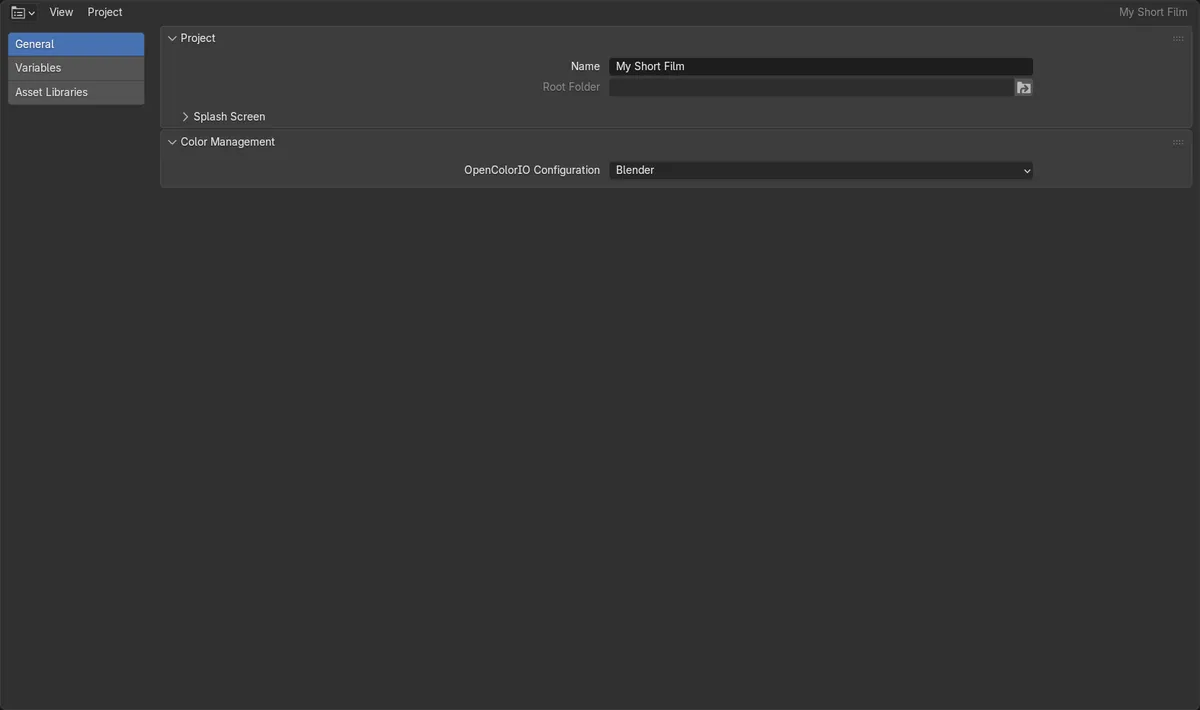
In Blender 5.3, choose File › Project › New..., give the project a name and pick a folder. Blender makes that folder the project root, writes a .blender_project/project.toml settings file inside it, and opens the project. The Project editor then shows the name, the root folder, color management, variables and asset libraries for that project.
- Mode
- Any mode
- Menu
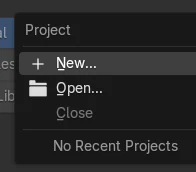
- File › Project › New...
One folder per project
New Project made a folder named My Short Film and opened it as the active project.
Settings live in the folder
The folder holds .blender_project/project.toml, which stores the project name.
New in 5.3
Blender 5.2 LTS has no projects, no File › Project menu and no Project editor.
Before and after

AI Scene Builder is a Blender add-on. You type what you want, and it builds it in your scene: buildings, neon signs, wet pavement, fog and lights. Nothing in this picture was modeled by hand.
On a phone now? The add-on runs in Blender on a computer. Send yourself the link and open it there.
Step by step (Blender 5.3)
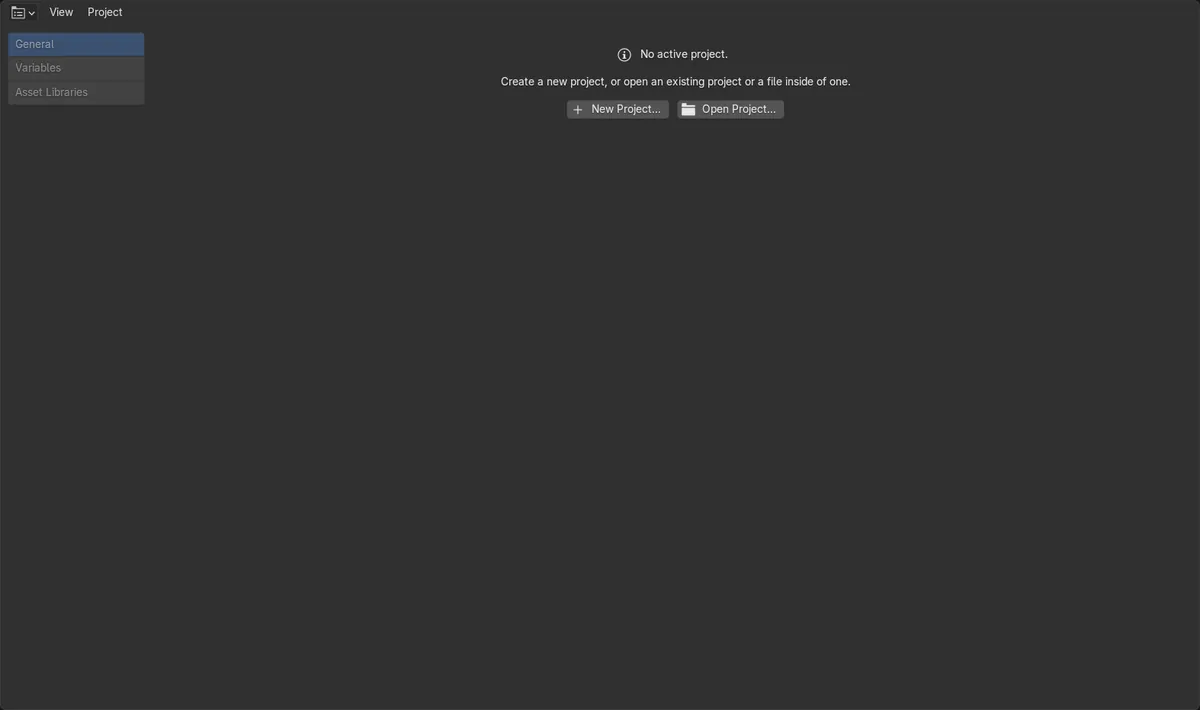
- Open File › Project and choose New.... In the Project editor you can also click New Project... while no project is open.
- Type a name for the project and choose the folder it should live in, then confirm.
- Check the Project editor: the General tab shows the Name and Root Folder, plus Splash Screen and Color Management settings for this project.
- Use the Variables and Asset Libraries tabs in the Project editor for values and asset folders that belong to this project.
- Later, reopen the project with File › Project › Open..., or pick it from the recent projects list in the same menu.
Other ways to do it
- Change an area to the Project editor and click New Project... or Open Project... in its No Project panel.
- Once a project is open, the top bar gets a Project menu with Settings... that opens the project settings.
- The File › Project menu also has Close, which closes the active project and starts a new file.
Blender 5.2 LTS vs Blender 5.3
| What | Blender 5.2 LTS | Blender 5.3 |
|---|---|---|
| File › Project menu (New, Open, Close, recent projects) | Not in Blender 5.2 LTS. | In the File menu. |
| Project editor and project.toml settings file | Not in Blender 5.2 LTS. | The Project editor shows the open project; settings are stored in .blender_project/project.toml in the project folder. |
Common snags
Close is greyed out
Close only works while a project is open. With no active project, the Project editor shows No active project and only New and Open are available.
Hidden settings folder
The .blender_project folder starts with a dot, so some file browsers hide it. Keep it with the project when you copy or move the folder.
No Project menu in the top bar
The Project menu in the top bar only appears while a project is open. Before that, use File › Project or the Project editor.
An AI add-on for Blender
AI Scene Builder is a Blender add-on that builds and edits your scene from one typed request, such as “a small wooden table with two chairs”. Each request can be undone in one click.
 A log cabin room built with the add-on from 9 typed requests. See every request →
Questions
How do I create a project in Blender?
In Blender 5.3, use File › Project › New..., then name the project and choose its folder. Blender writes a .blender_project/project.toml file there and opens the project.
Where does Blender store project settings?
In a .blender_project folder inside the project root, in a file named project.toml. The Project editor shows and edits these settings.
Does Blender 5.2 LTS have projects?
No. File › Project, the Project editor and the project settings file are new in Blender 5.3.
What the pictures show
- Blender 5.3: before, no project was open and the Project editor showed No active project with New Project... and Open Project... buttons.
- Blender 5.3: File > Project > New made the project My Short Film, and it became the open project.
- Blender 5.3: the project folder was named My Short Film and held .blender_project/project.toml with the project name in it.
- Blender 5.2 LTS: the project.new, project.open and project.close operators and the File > Project menu do not exist.