How to Use Fit Edge Loops To Annotation in Blender 5.3
In Edit Mode, select the vertices of an edge loop and choose Mesh › Transform › Fit Edge Loops To Annotation. Blender stretches the selected vertices along the active annotation stroke. There is no default key for it in Blender 5.3.
- Mode
- Edit Mode (3D Viewport)
- Menu
- Mesh › Transform › Fit Edge Loops To Annotation
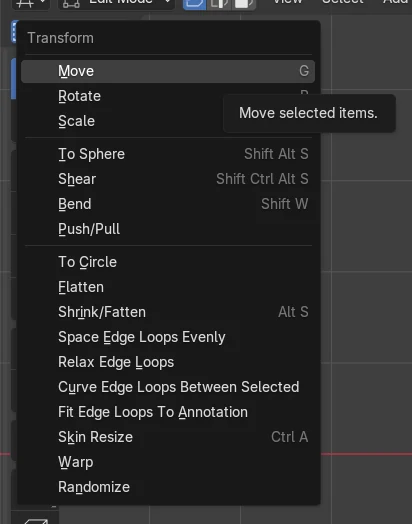
Find it in Transform
Mesh › Transform › Fit Edge Loops To Annotation.
Select vertices first
Only the selected vertices are moved onto the stroke.
Needs an annotation
Draw a stroke with the Annotation Draw tool first.
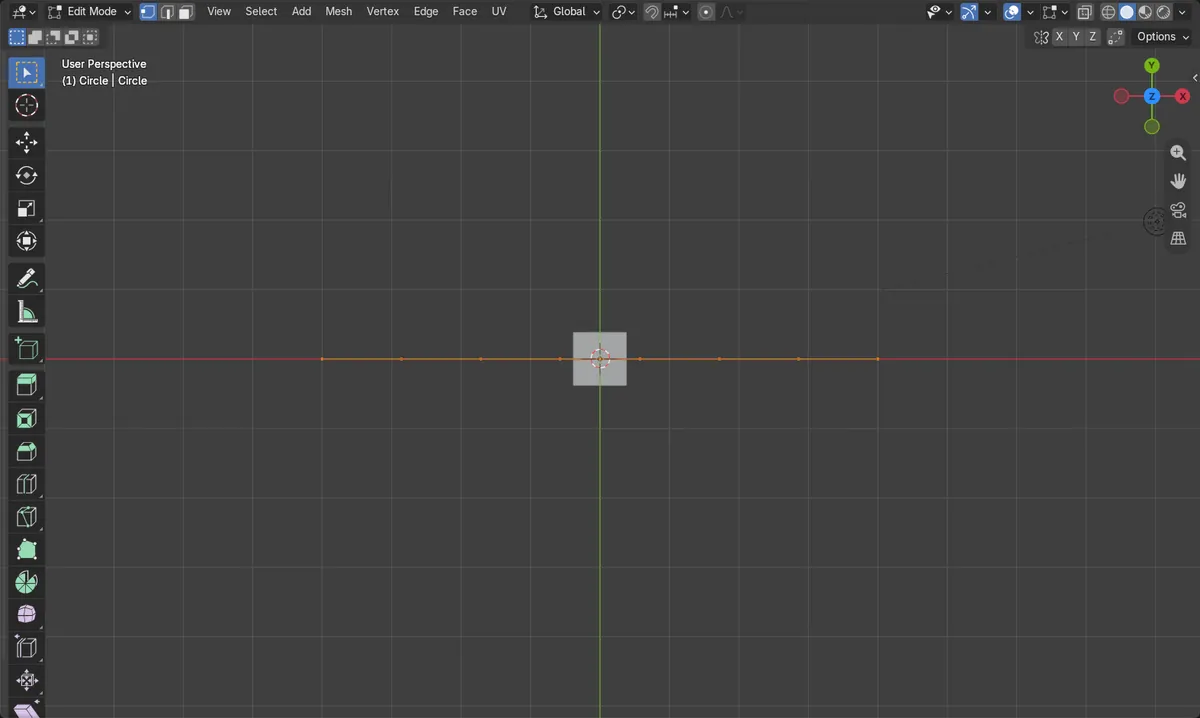
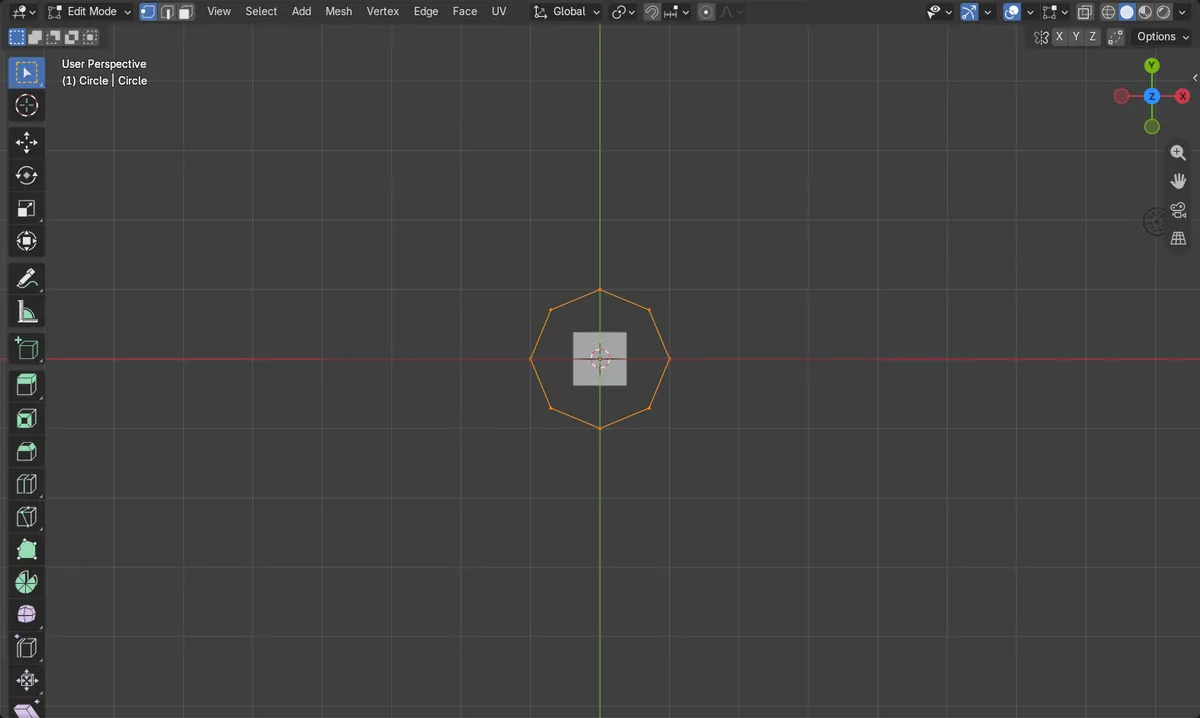
Before and after

AI Scene Builder is a Blender add-on. You type what you want, and it builds it in your scene: buildings, neon signs, wet pavement, fog and lights. Nothing in this picture was modeled by hand.
On a phone now? The add-on runs in Blender on a computer. Send yourself the link and open it there.
Step by step (Blender 5.3)
- Draw an annotation stroke in the 3D Viewport where you want the loop to go, using the Annotation Draw tool.
- Select your mesh object and press Tab to enter Edit Mode.
- Select the vertices of the edge loop you want to fit (for example, press A to select all).
- Choose Mesh › Transform › Fit Edge Loops To Annotation.
- The selected vertices are stretched along the annotation stroke. Check the result from the view in which you drew the stroke.
Other ways to do it
- The same item appears wherever the Transform menu is opened from the Edit Mode Mesh menu.
Blender 5.2 LTS vs Blender 5.3
| What | Blender 5.2 LTS | Blender 5.3 |
|---|---|---|
| Fit Edge Loops To Annotation | Not in Blender 5.2 LTS. The operator and its Transform menu entry are missing. | Available in Blender 5.3 as Mesh › Transform › Fit Edge Loops To Annotation, with no default key. |
Common snags
Menu item does nothing useful
Draw a stroke with Annotation Draw first, and make sure it is the active annotation.
Wrong mode
The Mesh menu with this entry shows only in Edit Mode. Select the mesh and press Tab.
Nothing moves
Only selected vertices are affected. Select the loop or press A to select all before running it.
An AI add-on for Blender
AI Scene Builder is a Blender add-on that builds and edits your scene from one typed request, such as “a small wooden table with two chairs”. Each request can be undone in one click.
 A log cabin room built with the add-on from 9 typed requests. See every request →
Questions
Where is Fit Edge Loops To Annotation in Blender 5.3?
In Edit Mode, open Mesh › Transform and choose Fit Edge Loops To Annotation.
Does Fit Edge Loops To Annotation have a shortcut?
No default key is assigned in Blender 5.3. Use the Mesh › Transform menu.
Is it in Blender 5.2 LTS?
No. The operator and menu entry are not present in Blender 5.2 LTS.
What the pictures show
- A test 8-vertex circle (2 m wide, 2 m deep) was fitted to a straight stroke 8 m long.
- Depth (Y) span shrank from 2.0 m to 0.0 m, so the loop was flattened onto the stroke.
- Width (X) span grew from 2.0 m to 8.0 m.
- The vertex count stayed at 8 before and after.