How to Toggle Holdout for One Object in the Outliner (Blender 5.3)
In Blender 5.3, open the Filter menu in the Outliner header and turn on the Holdout icon under Restriction Toggles. Every object row then shows a Holdout toggle, and clicking it on one object cuts that object out of the render as a hole, while the other objects stay as they are.
- Mode
- Outliner
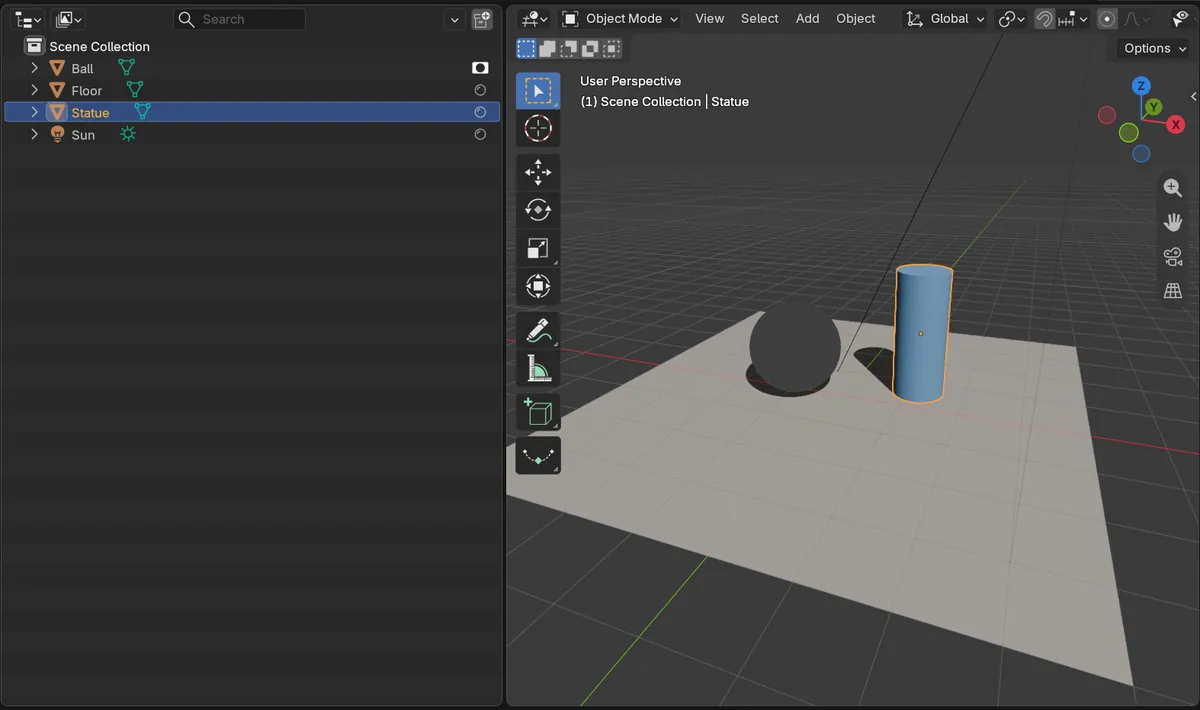
Holdout column
Turning on the Holdout restriction toggle adds a column of Holdout icons to the Outliner.
One click per object
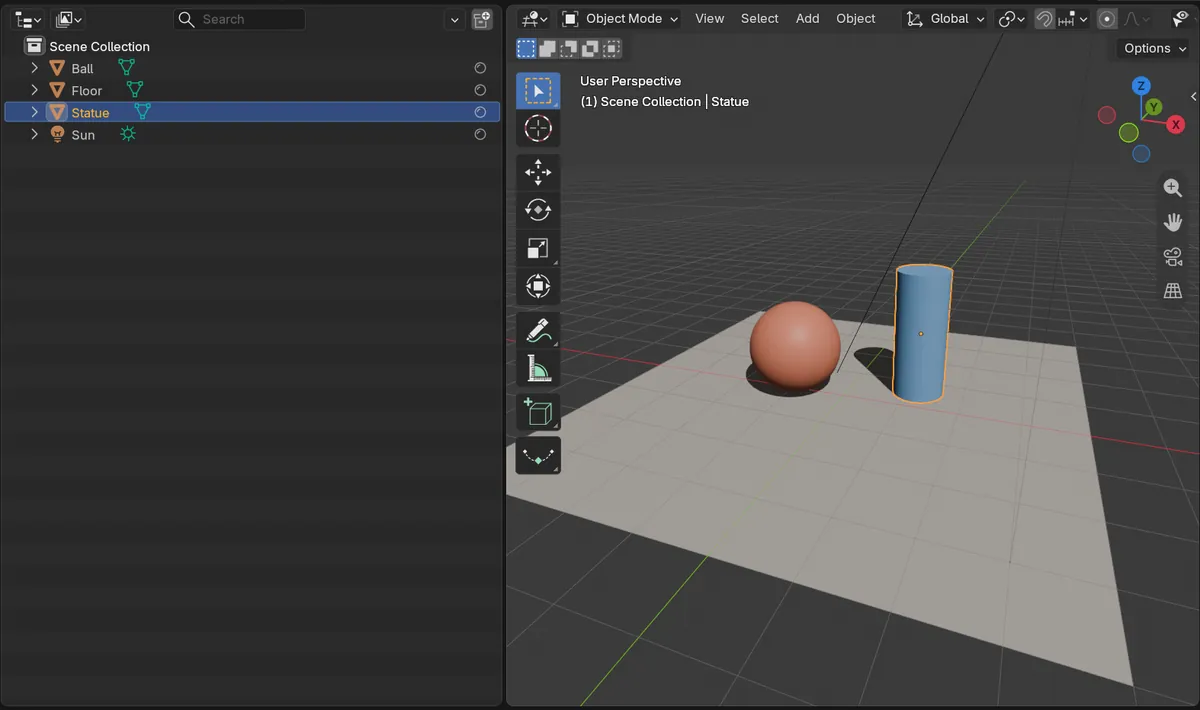
Clicking the icon on the Ball row made only the Ball a holdout; the Floor and Statue stayed unchanged.
New in 5.3
In Blender 5.2 LTS the Holdout column only works on collection rows, not on single objects.
Before and after

AI Scene Builder is a Blender add-on. You type what you want, and it builds it in your scene: buildings, neon signs, wet pavement, fog and lights. Nothing in this picture was modeled by hand.
On a phone now? The add-on runs in Blender on a computer. Send yourself the link and open it there.
Step by step (Blender 5.3)
- In the Outliner header, open the Filter menu (funnel icon).
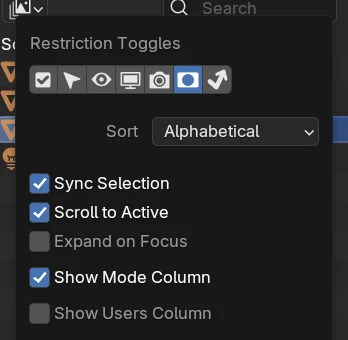
- Under Restriction Toggles, turn on the Holdout icon.
- Find the object in the Outliner; its row now has a Holdout icon on the right.
- Click the icon on that object's row.
- Switch the viewport to Rendered shading or render with F12: the object shows as a cut-out.
Other ways to do it
- Tick Holdout in the Object Properties tab, in the Visibility panel
- Click the same icon on a collection row to make the whole collection a holdout
Blender 5.2 LTS vs Blender 5.3
| What | Blender 5.2 LTS | Blender 5.3 |
|---|---|---|
| Object rows in the Holdout column | Not in Blender 5.2 LTS. The Holdout column shows only on collection rows; for a single object, tick Holdout in Object Properties › Visibility. | Blender 5.3 shows the Holdout toggle on every object row in the Outliner. |
Common snags
The cut-out looks black, not see-through
A holdout leaves zero alpha. To see it as transparent, turn on Transparent in the Film panel of the Render properties.
No Holdout icons on the rows
The column stays hidden until the Holdout toggle is on in the Outliner Filter menu.
The whole group disappears
Clicking the icon on a collection row affects everything in that collection. Click the object's own row instead.
An AI add-on for Blender
AI Scene Builder is a Blender add-on that builds and edits your scene from one typed request, such as “a small wooden table with two chairs”. Each request can be undone in one click.
 A lighthouse island at sunset built with the add-on from 10 typed requests. See every request →
Questions
How do I make one object a holdout in Blender?
In Blender 5.3, turn on the Holdout toggle in the Outliner Filter menu and click the Holdout icon on that object's row.
What does holdout do?
It cuts the object out of the render as a hole with zero alpha, so you can fill it later in compositing.
Can I do it from the Outliner in Blender 5.2 LTS?
Only for collections. For a single object, tick Holdout in Object Properties › Visibility.
What the pictures show
- Before: with the Holdout toggle on in the Outliner Filter menu, the object rows Ball, Floor and Statue each had their own Holdout icon, and none of them was a holdout.
- After clicking the Holdout icon on the Ball row: the Ball became a holdout and showed as a cut-out in Rendered shading, while the Floor and Statue were unchanged.
- In Blender 5.2 LTS the same object rows had no Holdout icons.