How to Reset a Tilted View in Blender 5.3 (Reset Roll)
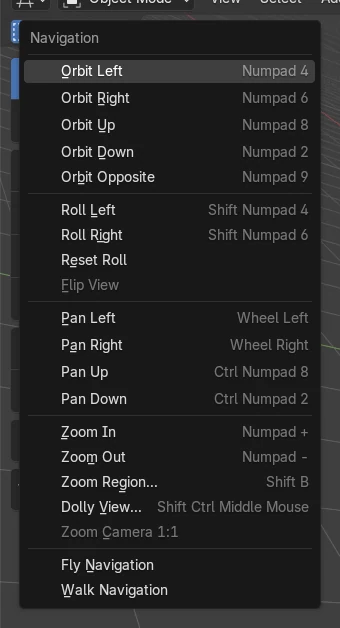
In Blender 5.3, open View › Navigation in the 3D Viewport header and click Reset Roll. The view roll goes back to 0, so the horizon is level again, while the direction you look from and the zoom stay the same. Reset Roll is new in Blender 5.3; in Blender 5.2 LTS you have to roll the view back by hand with Shift + Numpad 4 and Shift + Numpad 6.
- Mode
- 3D Viewport, any mode (Object Mode shown)
- Menu
- View › Navigation › Reset Roll
Where to find it
View › Navigation › Reset Roll, under Roll Left and Roll Right.
Keeps your angle
Only the tilt is removed; direction and zoom stay.
New in 5.3
Blender 5.2 LTS has no Reset Roll.
Before and after

AI Scene Builder is a Blender add-on. You type what you want, and it builds it in your scene: buildings, neon signs, wet pavement, fog and lights. Nothing in this picture was modeled by hand.
On a phone now? The add-on runs in Blender on a computer. Send yourself the link and open it there.
Step by step (Blender 5.3)
- Look at the 3D Viewport that is tilted, for example after rolling it with Shift + Numpad 4 or Shift + Numpad 6.
- Click View in the 3D Viewport header.
- Open Navigation.
- Click Reset Roll, right below Roll Left and Roll Right.
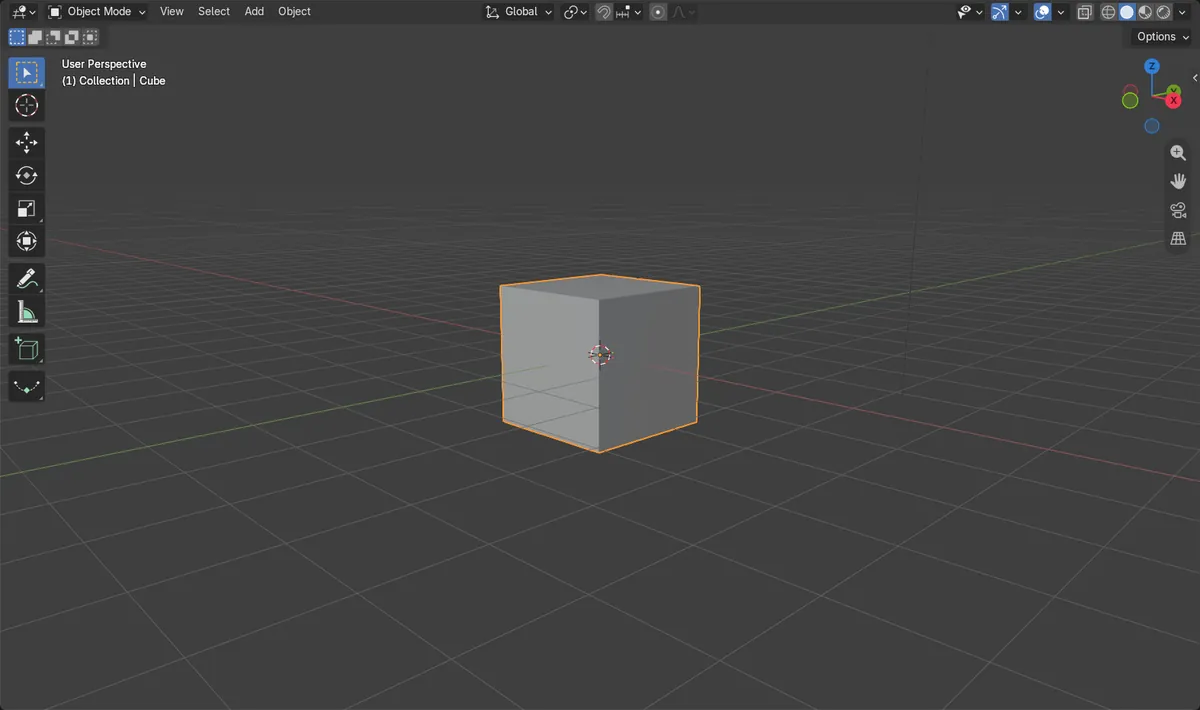
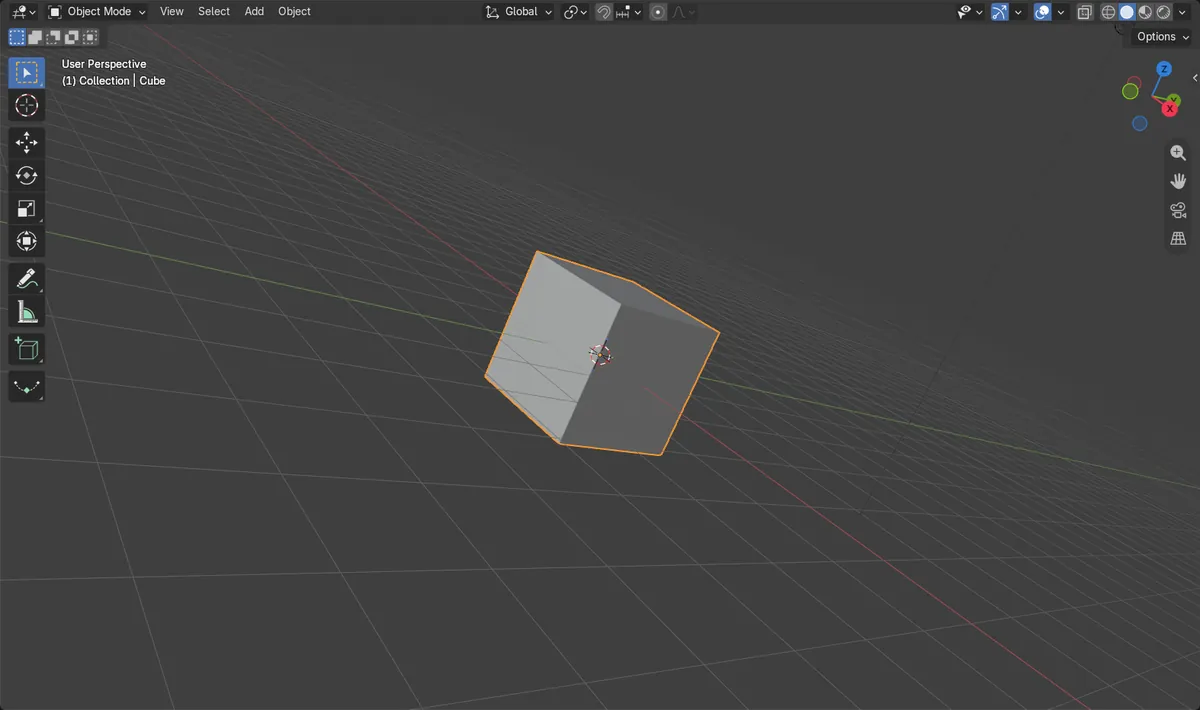
- The view turns level again. The object stays in the same place on screen and you keep looking from the same side, as in the picture.
Other ways to do it
- To level the view in steps instead, use Roll Left (Shift + Numpad 4) and Roll Right (Shift + Numpad 6) from the same Navigation menu.
- Jump to a straight Front, Right or Top view with Numpad 1, Numpad 3 or Numpad 7. This also changes the side you look from.
- Press the ` key (Accent Grave) to open the View pie menu and pick a straight view.
Blender 5.2 LTS vs Blender 5.3
| What | Blender 5.2 LTS | Blender 5.3 |
|---|---|---|
| Reset Roll | Not in Blender 5.2 LTS. Its Navigation menu has only Roll Left and Roll Right, so you roll back by hand. | Blender 5.3 adds Reset Roll, which sets the roll to 0 in one click. |
Common snags
Reset Roll is missing from the menu
Reset Roll only exists in Blender 5.3 and later. In 5.2 LTS, use Roll Left and Roll Right until the horizon is level.
My view still looks angled
Reset Roll removes the sideways tilt only. If you look down at the scene from above, that angle stays. For a straight side view, use Numpad 1, Numpad 3 or Numpad 7.
Will Reset Roll move my objects?
No. It only changes how the viewport is turned. Objects, the camera and the render stay the same.
An AI add-on for Blender
AI Scene Builder is a Blender add-on that builds and edits your scene from one typed request, such as “a small wooden table with two chairs”. Each request can be undone in one click.
 An evening market street built with the add-on from 11 typed requests. See every request →
Questions
How do I straighten a rotated viewport in Blender 5.3?
Open View › Navigation and click Reset Roll. The view roll is set to 0 and your viewing angle stays.
Is there a shortcut for Reset Roll?
Reset Roll has no default key in Blender 5.3. Use it from View › Navigation.
Is there Reset Roll in Blender 5.2 LTS?
No. It is new in Blender 5.3. In 5.2 LTS, roll the view back with Shift + Numpad 4 or Shift + Numpad 6.
What the pictures show
- Before: the 3D Viewport was rolled so the horizon was tilted by about 23 degrees.
- After View > Navigation > Reset Roll: the tilt was 0 degrees.
- The viewing direction and the zoom distance (12 m) were the same before and after.
- In Blender 5.2.2 LTS the Reset Roll operator does not exist, and the view stayed tilted.