How to Ripple Delete Strips in the Blender 5.3 Video Editor
In Blender 5.3, select the strip in the Video Sequencer timeline and press Shift + X, or choose Strip › Ripple Delete. The strip is removed and every strip after it moves back, so no empty gap is left. Ripple Delete is not in Blender 5.2 LTS.
- Mode
- Video Sequencer, Sequencer timeline
- Menu
- Strip › Ripple Delete
- Shortcut
- Shift + X
Shift + X
Shift + Delete works too. Plain X or Delete leaves a gap.
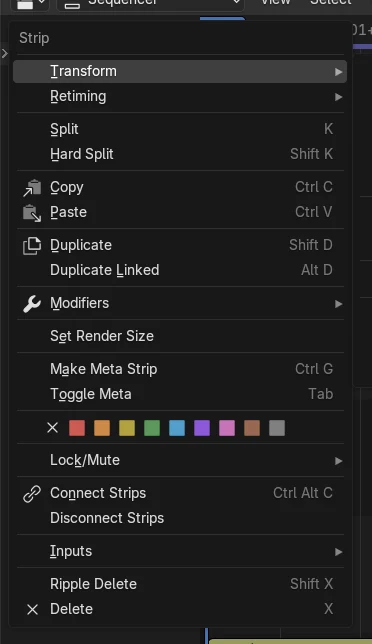
Strip menu
Strip › Ripple Delete, or right-click the strip.
New in 5.3
Blender 5.2 LTS has no Ripple Delete.
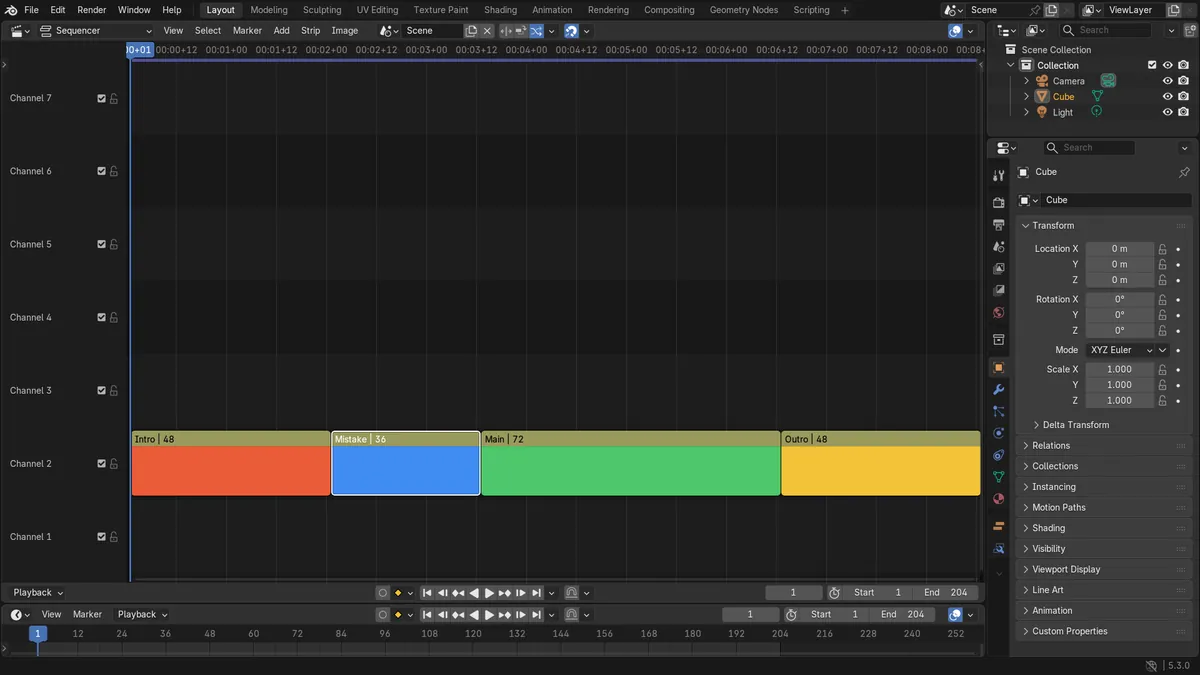
Before and after

AI Scene Builder is a Blender add-on. You type what you want, and it builds it in your scene: buildings, neon signs, wet pavement, fog and lights. Nothing in this picture was modeled by hand.
On a phone now? The add-on runs in Blender on a computer. Send yourself the link and open it there.
Step by step (Blender 5.3)
- Open the Video Sequencer and hover the mouse over the Sequencer timeline.
- Click the strip you want to remove so it is the only one selected.
- Press Shift + X (or Shift + Delete), or choose Strip › Ripple Delete.
- Check that the strips after it have moved back and now start where the deleted strip began.
- To cut only part of a strip, place the playhead and use Strip › Transform › Ripple Trim Start (Shift + Q) or Ripple Trim End (Shift + W).
Other ways to do it
- Right-click the strip and choose Ripple Delete
- Strip › Ripple Delete in the Sequencer header
- Shift + Delete with the mouse over the timeline
Blender 5.2 LTS vs Blender 5.3
| What | Blender 5.2 LTS | Blender 5.3 |
|---|---|---|
| Ripple Delete | Not in Blender 5.2 LTS. The Strip menu has no Ripple Delete item. | Blender 5.3 has Strip › Ripple Delete (Shift + X or Shift + Delete). |
| Ripple Trim Start / End | Not in Blender 5.2 LTS. | Blender 5.3 has Strip › Transform › Ripple Trim Start (Shift + Q) and Ripple Trim End (Shift + W). |
| Edit Mode ripple options | Not in Blender 5.2 LTS. | Blender 5.3 has the Edit Mode popover in the Sequencer header with All Channels, Markers, Insert and Clear Ranges. |
Common snags
A gap is still there
Plain X or Delete removes the strip but leaves an empty space. Undo it and use Shift + X instead.
Other channels moved too
All Channels is on by default, so strips on every channel move back. Open the Edit Mode popover in the Sequencer header and turn off All Channels to move only the same channels.
Content on other channels was cut
Clear Ranges is on by default, so parts of strips on other channels inside the deleted range are removed to close the full gap. Turn off Clear Ranges in the Edit Mode popover to keep them; later strips then move back only as far as they can.
An AI add-on for Blender
AI Scene Builder is a Blender add-on that builds and edits your scene from one typed request, such as “a small wooden table with two chairs”. Each request can be undone in one click.
 A log cabin room built with the add-on from 9 typed requests. See every request →
Questions
What is the shortcut for ripple delete in Blender?
In Blender 5.3 it is Shift + X or Shift + Delete with the mouse over the Sequencer timeline.
Why does ripple delete move strips on other channels?
All Channels is on by default. Turn it off in the Edit Mode popover in the Sequencer header.
Is ripple delete in Blender 5.2 LTS?
No. Ripple Delete and Ripple Trim are new in Blender 5.3.
What the pictures show
- Before: four strips in a row on channel 2, from frame 1 to 205, with the Main strip starting at frame 85.
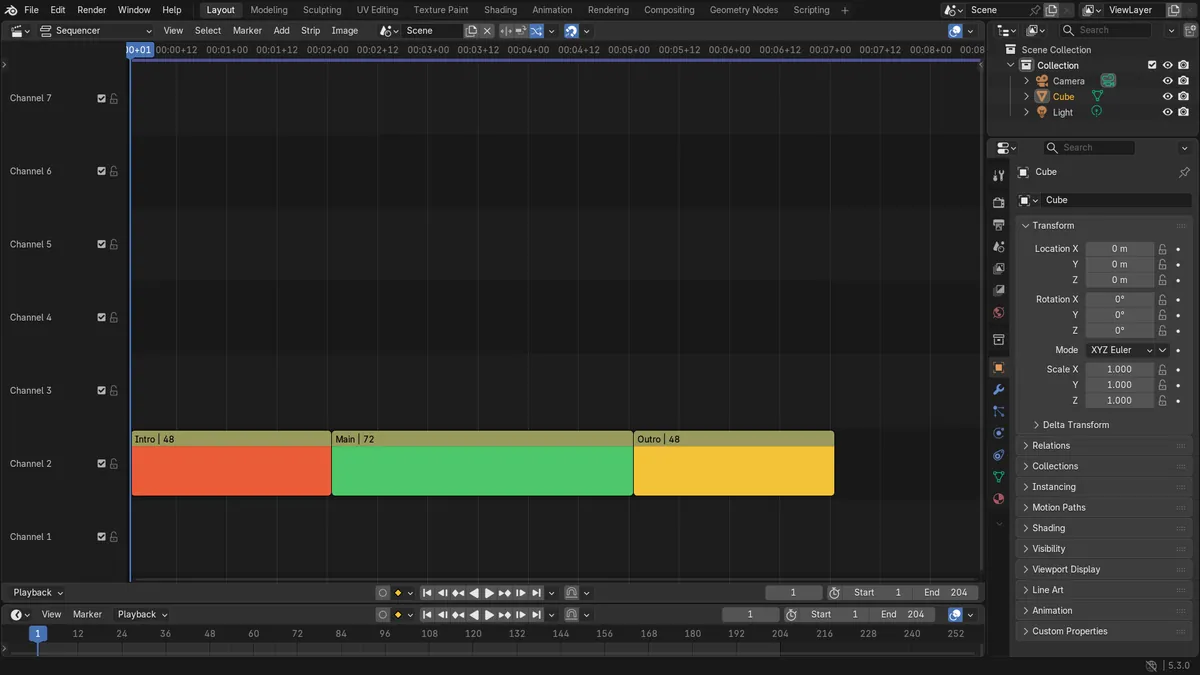
- After Ripple Delete: the 36-frame Mistake strip was gone and three strips remained.
- Main now starts at frame 49, right after Intro, and the edit ends at frame 169 instead of 205.
- No gaps were left between the remaining strips.