How to Rotate an Object by Exact Degrees in Blender
Select the object, press R, tap the Z key (or X or Y) and type the angle, for example 90, then confirm with the Enter key. The object turns exactly 90 degrees around that axis. You can also type the angle into the Rotation fields in the Transform panel of the Object Properties tab.
- Mode
- Object Mode, 3D Viewport
- Shortcut
- R
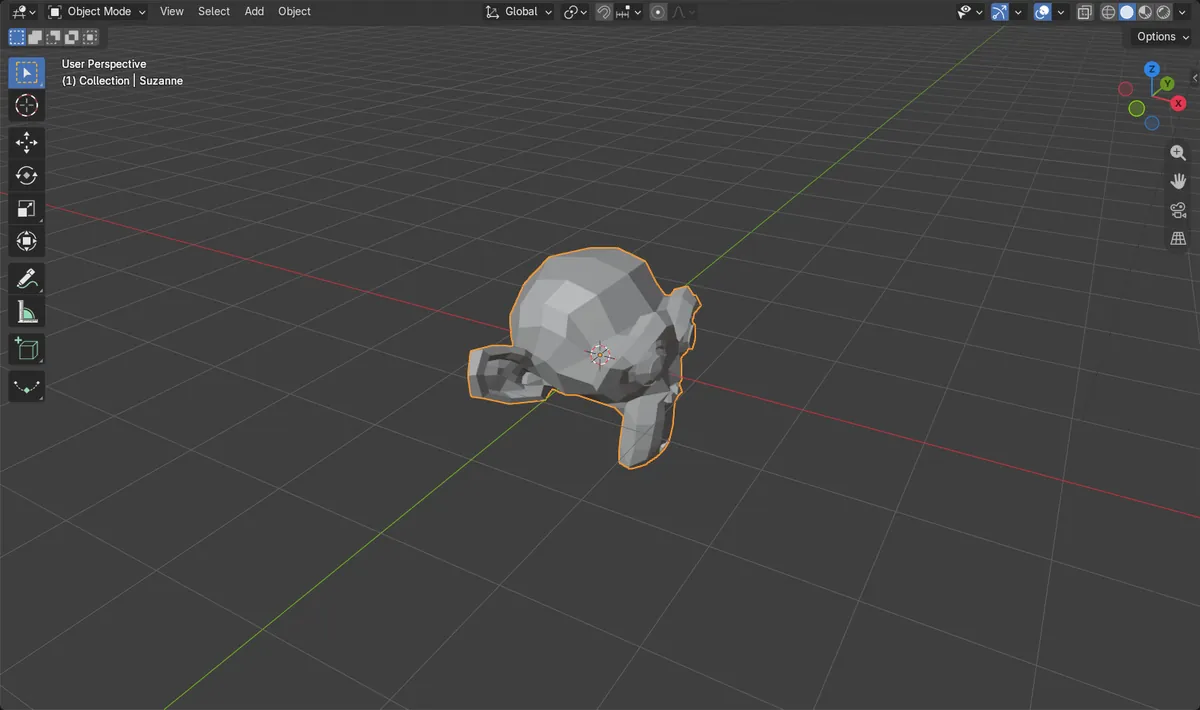
R, axis, number
R starts rotating, the axis key locks it, the number sets the angle.
Rotation fields
Type degrees straight into Rotation X, Y or Z.
Alt + R resets
Clear Rotation puts the object back to 0 degrees.
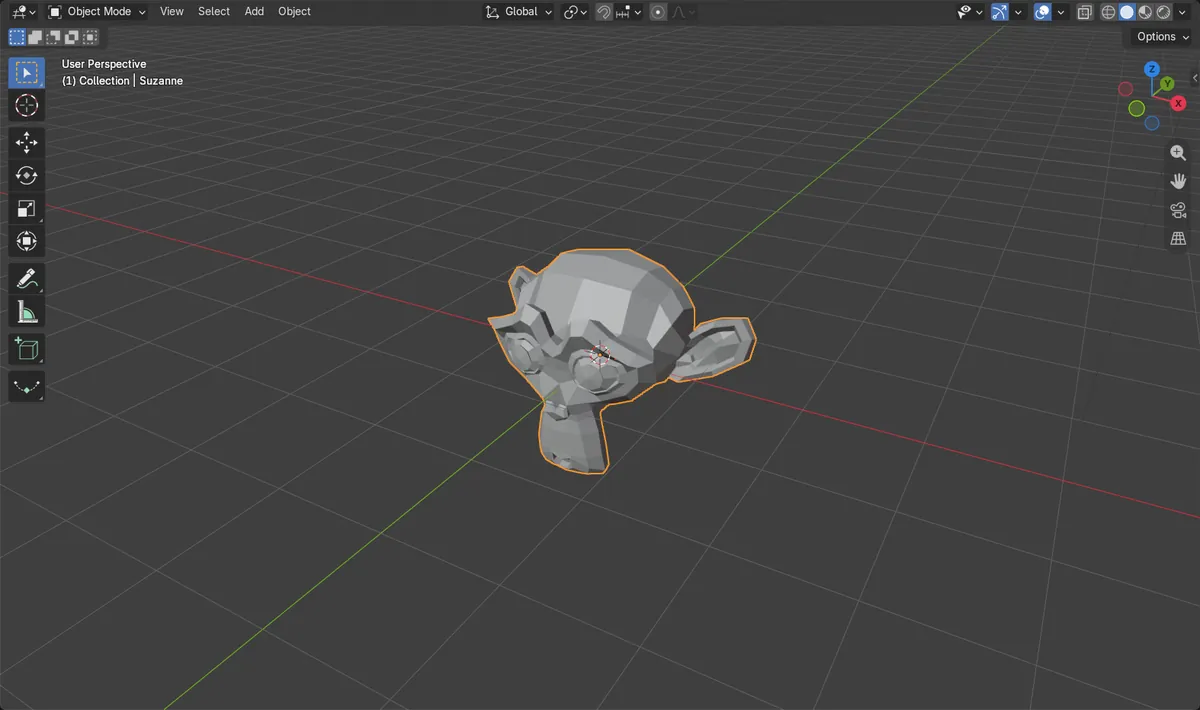
Before and after

AI Scene Builder is a Blender add-on. You type what you want, and it builds it in your scene: buildings, neon signs, wet pavement, fog and lights. Nothing in this picture was modeled by hand.
On a phone now? The add-on runs in Blender on a computer. Send yourself the link and open it there.
Step by step (Blender 5.x)
- Click the object in Object Mode to select it.
- Press R to start rotating. The object now follows the mouse.
- Tap the Z key to rotate only around the vertical axis (use the X or Y key for the others).
- Type 90 on the keyboard. The header shows the angle as you type; type a minus sign first for the other direction.
- Confirm with the Enter key. Right-click instead cancels and leaves the object as it was.
Other ways to do it
- Type the angle into Rotation X, Y or Z in the Transform panel of the Object Properties tab
- Object › Clear › Rotation (Alt + R) sets the rotation back to 0
Common snags
The angle is not what you typed
A stray minus sign or a second axis key changes the result. Type the number right after the axis key and check the value in the header before confirming.
It rotates around the wrong point
Rotation happens around the pivot point, usually the object's origin. If the origin is far from the mesh, the object swings around instead of turning in place.
The Rotation fields show odd numbers
Rotation Mode is set to Quaternion or Axis Angle. Switch Rotation Mode to XYZ Euler in the Transform panel to see plain degrees.
An AI add-on for Blender
AI Scene Builder is a Blender add-on that builds and edits your scene from one typed request, such as “a small wooden table with two chairs”. Each request can be undone in one click.
 A lighthouse island at sunset built with the add-on from 10 typed requests. See every request →
Questions
How do I rotate 90 degrees in Blender?
Select the object and type R, then the axis letter, then 90, and confirm with Enter. For example R, Z, 90 turns it a quarter turn around the vertical axis.
How do I rotate in exact steps with the mouse?
Hold Ctrl while rotating to snap in fixed increments, or turn on Use Snap for Rotation in the Snapping popover.
How do I reset an object's rotation in Blender?
Press Alt + R in Object Mode, or use Object › Clear › Rotation. The rotation goes back to 0, 0, 0.
What the pictures show
- Before: the monkey head Suzanne at rotation 0, 0, 0 degrees.
- After rotating 90 degrees around Z: rotation is 0, 0, 90 degrees and the X and Y angles stayed at 0.
- Rotation Mode stayed at XYZ Euler, so the values read as plain degrees.
- Results were identical in Blender 4.2 LTS and Blender 5.x.