How to Select and Move Strokes in Draw Mode (Blender 5.3)
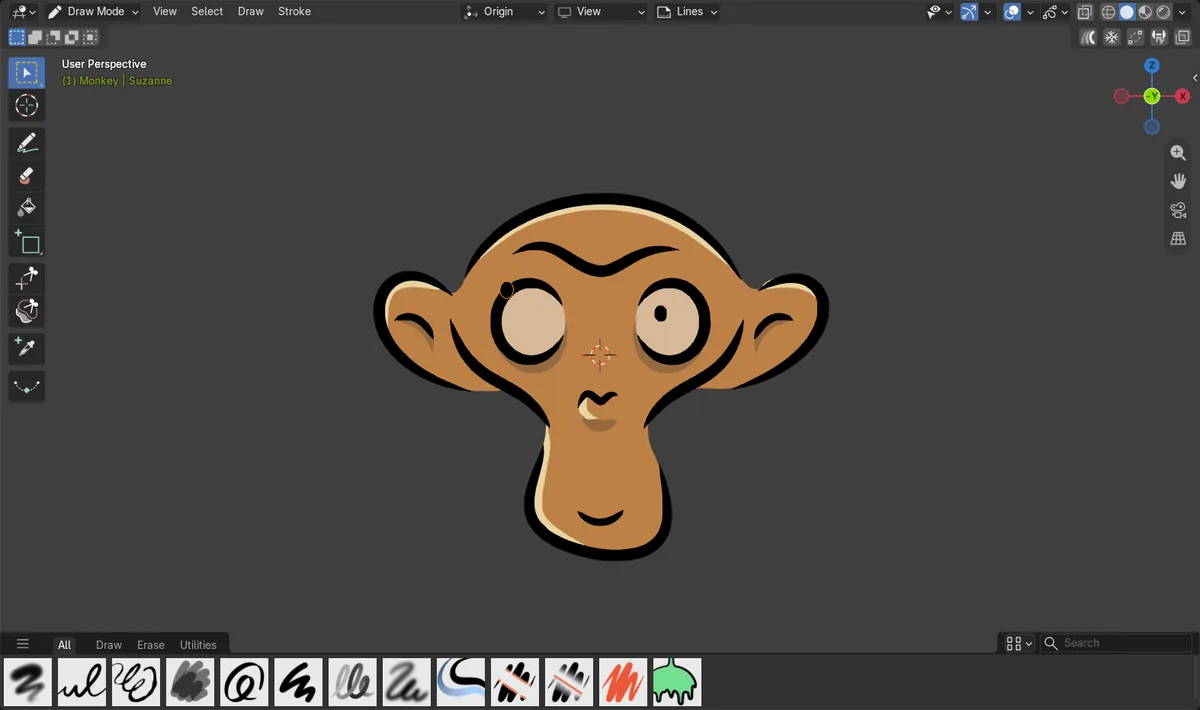
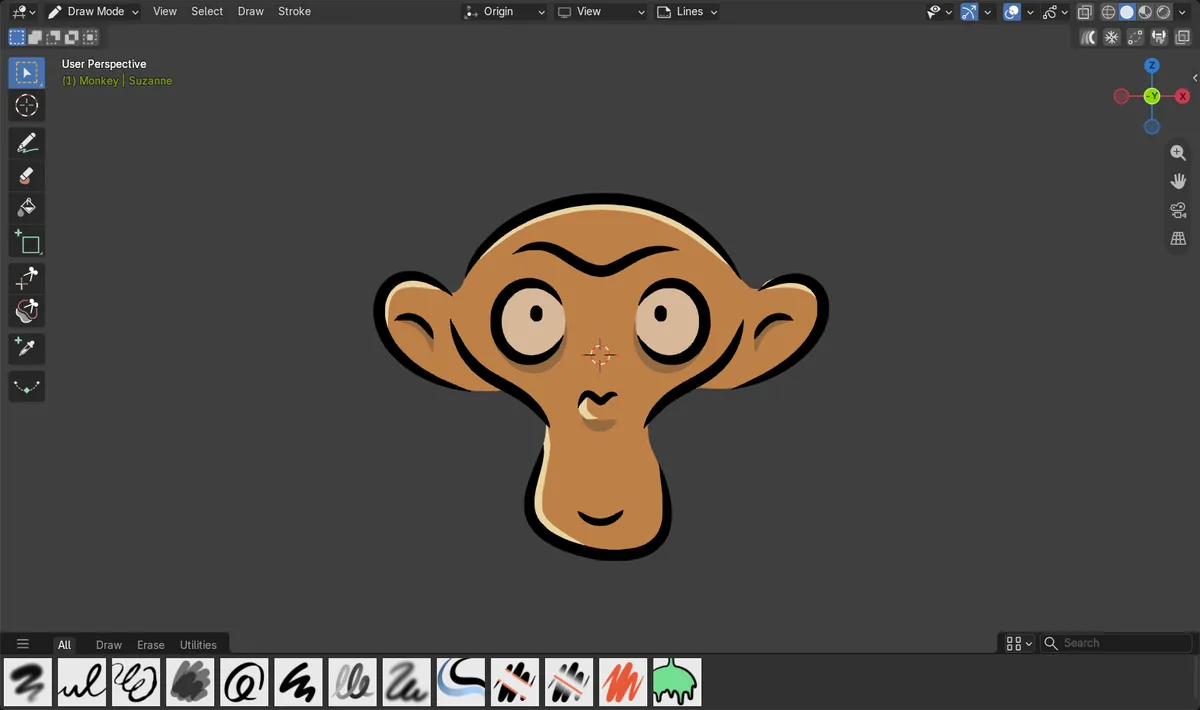
In Blender 5.3, pick Select Box at the top of the Draw Mode toolbar, drag a box around the stroke, then press G and move the mouse to move it. Draw Mode now has its own selection tools, Tweak, Select Lasso, Select Box and Select Circle, and the header has a Select menu and a Stroke menu. In the test on the Monkey drawing with 28 strokes, a box around the pupil selected that one stroke of 26 points, and G moved it up and to the left without leaving Draw Mode. In Blender 5.2 LTS the Draw Mode toolbar starts with Cursor, and its header has no Select or Stroke menu.
- Mode
- Grease Pencil, Draw Mode
- Shortcut
- G
Select tools at the top of the toolbar
The Draw Mode toolbar starts with the select tools, Tweak, Select Lasso, Select Box and Select Circle, above Cursor and Draw.
The boxed stroke is selected
A box around the whole pupil selected that stroke with all 26 of its points, and G moved it.
Switch back to Draw to keep drawing
While a select tool is active, dragging selects. Pick the Draw tool in the toolbar to draw again.
Before and after

AI Scene Builder is a Blender add-on. You type what you want, and it builds it in your scene: buildings, neon signs, wet pavement, fog and lights. Nothing in this picture was modeled by hand.
On a phone now? The add-on runs in Blender on a computer. Send yourself the link and open it there.
Step by step (Blender 5.3)
- In Draw Mode, pick Select Box at the top of the toolbar on the left.Blender 5.2 LTS: In Blender 5.2 LTS the Draw Mode toolbar starts with Cursor.
- Drag a box around the stroke you want. Press A to select all strokes, or Alt + A to select none.
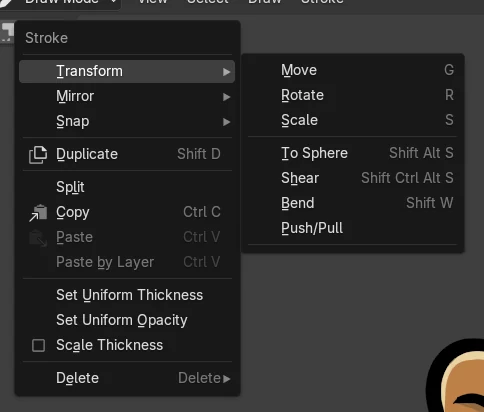
- Press G and move the mouse, then click to place the stroke. The Stroke menu in the header also has Transform, Duplicate, Copy, Paste and Delete.Blender 5.2 LTS: Blender 5.2 LTS has no Stroke menu in the Draw Mode header.
- Pick the Draw tool in the toolbar to go back to drawing.
Other ways to do it
- Use Select Lasso or Select Circle from the same toolbar group for strokes that are close together
- Press Shift + D to duplicate the selected strokes and move the copy
- Press Ctrl + I to invert the selection
Blender 5.2 LTS vs Blender 5.3
| What | Blender 5.2 LTS | Blender 5.3 |
|---|---|---|
| Draw Mode toolbar | Blender 5.2 LTS starts the Draw Mode toolbar with Cursor. | Blender 5.3 starts it with Tweak, Select Lasso, Select Box and Select Circle. |
| Draw Mode header menus | Blender 5.2 LTS has no Select or Stroke menu in the Draw Mode header. | Blender 5.3 adds a Select menu and a Stroke menu. |
Common snags
Dragging draws a new line instead of selecting
The Draw tool is still active. Pick Select Box or another select tool at the top of the toolbar.
Nothing moves after pressing G
No stroke is selected. Drag a box around the stroke first, or press A to select all.
The pen draws nothing after moving a stroke
A select tool is still active. Pick the Draw tool in the toolbar.
An AI add-on for Blender
AI Scene Builder is a Blender add-on that builds and edits your scene from one typed request, such as “a small wooden table with two chairs”. Each request can be undone in one click.
 An evening market street built with the add-on from 11 typed requests. See every request →
Questions
Can I select strokes in Grease Pencil Draw Mode?
Yes, in Blender 5.3. Pick Tweak, Select Lasso, Select Box or Select Circle at the top of the Draw Mode toolbar.
How do I move a stroke without leaving Draw Mode?
Select it with Select Box, press G and move the mouse, then click to place it.
Where are copy, paste and delete in Draw Mode?
In the Stroke menu of the Draw Mode header in Blender 5.3.
What the pictures show
- Before: the Grease Pencil Monkey in Blender 5.3 Draw Mode, 28 strokes and 1216 points, Select Box active and nothing selected.
- After dragging a box around the pupil in Blender 5.3: one stroke of 26 points was selected, and G moved it up and to the left while Draw Mode stayed active.
- In Blender 5.2 LTS the Draw Mode toolbar started with Cursor and listed no select tools, and the Draw Mode header had no Select or Stroke menu.