Top, Front and Side View in Blender Without a Numpad
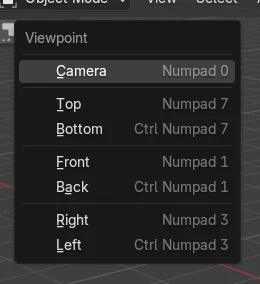
Hover the 3D Viewport and press the ` key (backquote, usually left of the 1 key) to open the View pie, then pick Top, Front, Right, Left, Bottom or Back. The same views are in the header under View › Viewpoint. On a laptop you can also turn on Emulate Numpad in Preferences › Input so the top-row 1, 3 and 7 keys act like the numpad. Picking one of these views switches to orthographic, because Auto Perspective is on by default.
- Mode
- 3D Viewport
- Menu
- View › Viewpoint › Top / Front / Right
` key pie
Top, Front, Right and the other views in one pie.
View > Viewpoint
The same views from the header menu.
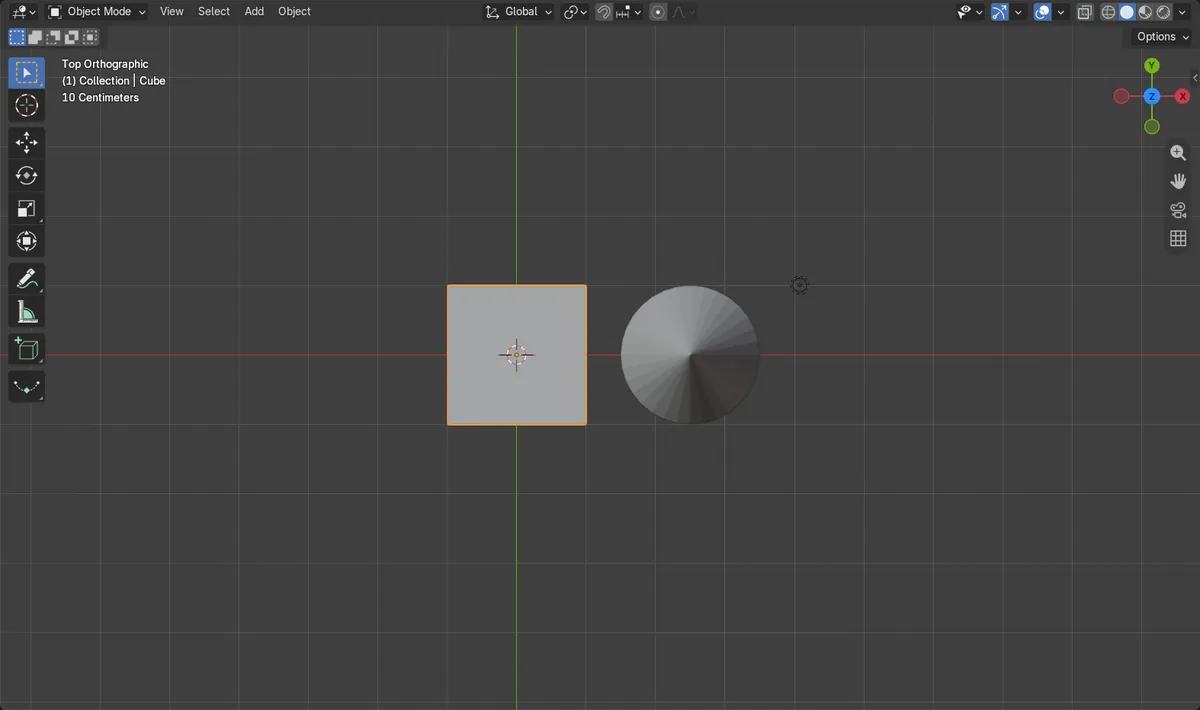
Flat view
These views switch to orthographic.
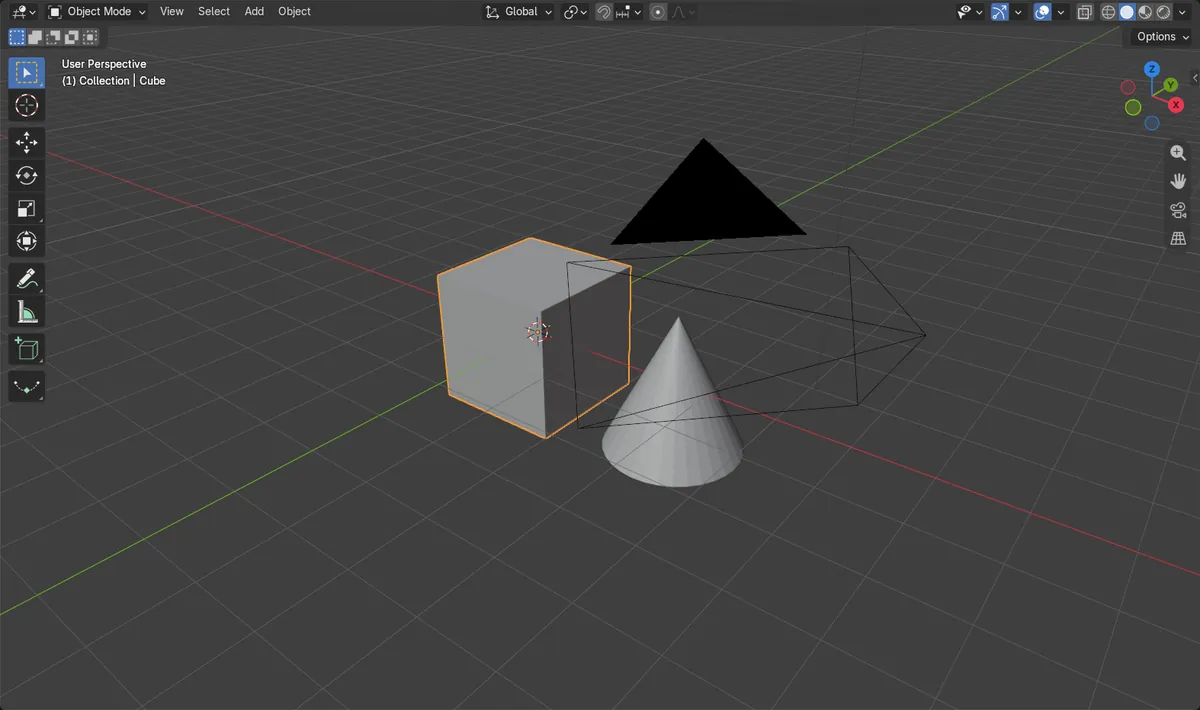
Before and after

AI Scene Builder is a Blender add-on. You type what you want, and it builds it in your scene: buildings, neon signs, wet pavement, fog and lights. Nothing in this picture was modeled by hand.
On a phone now? The add-on runs in Blender on a computer. Send yourself the link and open it there.
Step by step (Blender 5.x)
- Hover the 3D Viewport.
- Press the ` key to open the View pie.
- Click Top, Front, Right or another view.
- Orbit with the middle mouse button to leave the view again.
Other ways to do it
- View › Viewpoint › Top, Bottom, Front, Back, Right or Left
- Turn on Emulate Numpad in Preferences › Input to use 1, 3 and 7 on the top row
- Click the X, Y or Z circles of the navigation gizmo at the top right of the 3D Viewport
Common snags
The view looks flat
Auto Perspective, on by default, switches these views to orthographic. Orbit with the middle mouse button, or drag the navigation gizmo, to return to perspective.
The ` key does nothing
On some keyboard layouts the key sits elsewhere. Use View › Viewpoint instead.
1, 2 and 3 stopped switching select modes
With Emulate Numpad on, the top-row numbers change the view in Edit Mode too. Turn it off if you prefer the select mode keys.
An AI add-on for Blender
AI Scene Builder is a Blender add-on that builds and edits your scene from one typed request, such as “a small wooden table with two chairs”. Each request can be undone in one click.
 A log cabin room built with the add-on from 9 typed requests. See every request →
Questions
How do I get top view in Blender on a laptop?
Press the ` key for the View pie and pick Top, or use View › Viewpoint › Top.
How do I go back to perspective view?
Orbit with the middle mouse button, or drag the navigation gizmo.
What does Emulate Numpad do?
It makes the top-row number keys act like the numpad, so 1, 3 and 7 give front, right and top view.
What the pictures show
- Before: a tilted perspective view of the cube and cone.
- View > Viewpoint > Top changed it to a view looking straight down.
- The view switched to orthographic, as Auto Perspective is on by default.
- Results were identical in Blender 4.2 LTS and Blender 5.x.