How to Stop Weight Paint Bleeding onto a Nearby Separate Part (Blender 5.3)
In Blender 5.3, open the Auto-Masking menu in the 3D Viewport header while in Weight Paint mode and tick Topology. The brush then paints only the mesh part that is connected to the spot under the cursor, so a separate piece right next to it, like a lower lip or a sleeve, keeps its weights.
- Mode
- Weight Paint mode, 3D Viewport
- Menu
- 3D Viewport header › Auto-Masking › Topology
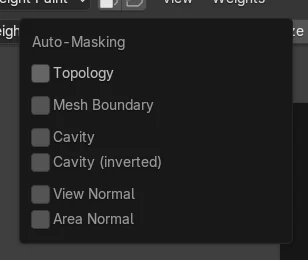
Auto-Masking in Weight Paint
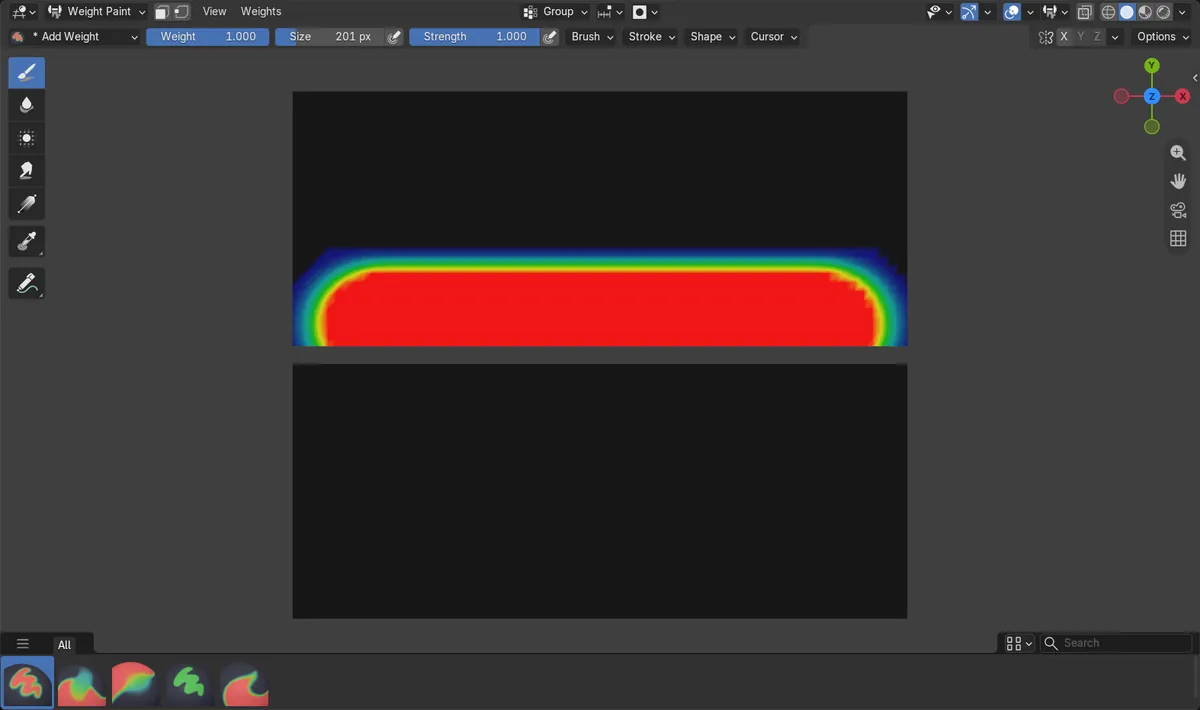
The header in Weight Paint mode now has an Auto-Masking menu with Topology, Mesh Boundary, Cavity, View Normal and Area Normal.
No bleeding
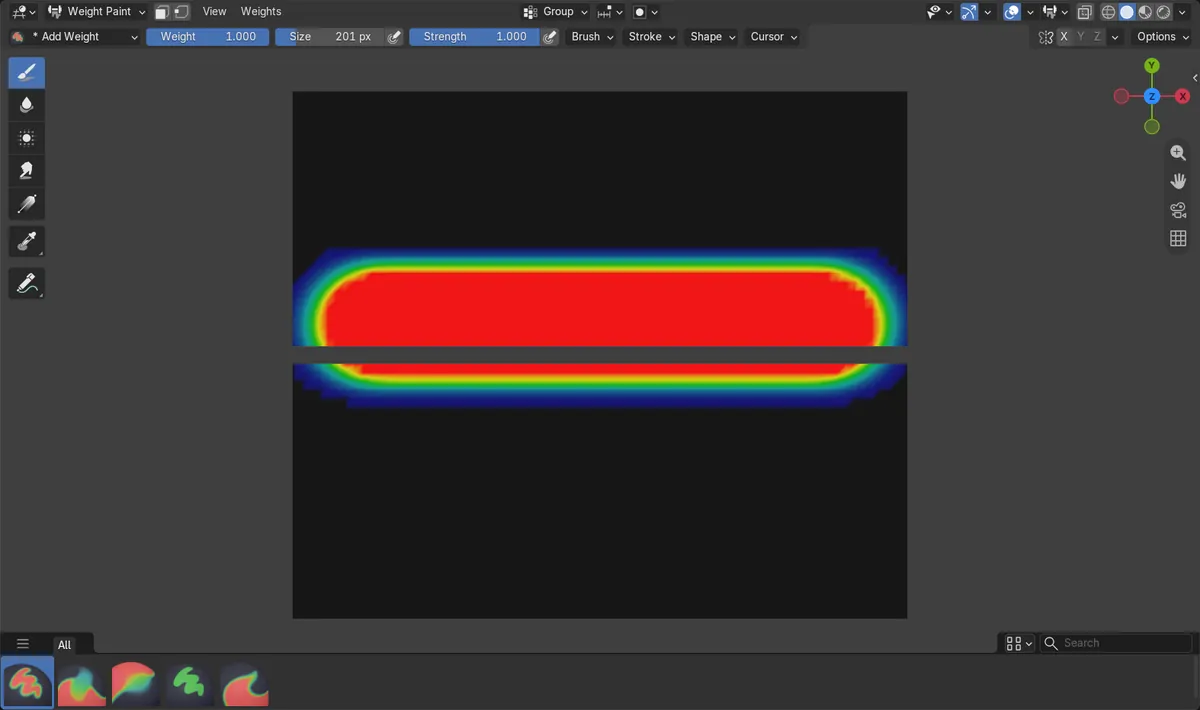
A stroke along one strip painted 262 vertices of the separate strip next to it; with Topology on, that dropped to 0.
New in 5.3
Blender 5.2 LTS has no Auto-Masking in Weight Paint; the brush reaches any part inside its circle.
Before and after

AI Scene Builder is a Blender add-on. You type what you want, and it builds it in your scene: buildings, neon signs, wet pavement, fog and lights. Nothing in this picture was modeled by hand.
On a phone now? The add-on runs in Blender on a computer. Send yourself the link and open it there.
Step by step (Blender 5.3)
- Select the mesh, switch to Weight Paint mode and pick the vertex group to paint.
- In the 3D Viewport header, open the Auto-Masking menu (next to the Snapping menu).
- Tick Topology.
- Paint on the part you want; start the stroke on that part, because Topology follows the piece under the cursor when the stroke begins.
- Check the separate part next to it: its weights stay as they were.
Other ways to do it
- Set the same options in the Tool tab of the Properties editor, in the brush settings
- Turn on Face Selection Masking in the header and select only the faces you want to paint
Blender 5.2 LTS vs Blender 5.3
| What | Blender 5.2 LTS | Blender 5.3 |
|---|---|---|
| Weight Paint Auto-Masking | Not in Blender 5.2 LTS. Weight Paint has no Auto-Masking menu; use Face Selection Masking and select the faces to paint. | Blender 5.3 adds the Auto-Masking menu to Weight Paint, with Topology to keep the brush on the connected part. |
Common snags
The other part still gets painted
Topology only separates parts that are not connected. If the two pieces share an edge or vertex, they count as one part; use Face Selection Masking instead.
Nothing gets painted
The stroke has to start on the part you want. Starting it over empty space or over the other piece paints the wrong part or nothing.
The option is missing
Auto-Masking in Weight Paint is new in Blender 5.3.
An AI add-on for Blender
AI Scene Builder is a Blender add-on that builds and edits your scene from one typed request, such as “a small wooden table with two chairs”. Each request can be undone in one click.
 A lighthouse island at sunset built with the add-on from 10 typed requests. See every request →
Questions
How do I stop weight painting from bleeding onto another part in Blender?
In Blender 5.3, tick Topology in the Auto-Masking menu of the Weight Paint header. The brush then stays on the connected part under the cursor.
Does Topology work if the parts are joined?
No. It only keeps the brush off pieces that are not connected to the one under the cursor.
Is there a way in Blender 5.2 LTS?
Use Face Selection Masking and select only the faces you want to paint.
What the pictures show
- Before: a card mesh made of two separate strips with a small gap; one stroke along the upper strip painted 755 vertices there and also 262 vertices of the lower strip.
- After ticking Auto-Masking > Topology and painting the same stroke again: the upper strip got the same 755 vertices and the lower strip stayed at 0.
- In Blender 5.2 LTS Weight Paint had no Auto-Masking menu; the same stroke still painted 195 vertices of the lower strip.