How to Add a Cloth Simulation in Blender
Select a plane that has been subdivided, open the Physics Properties tab and click Cloth. Then select the object the cloth should land on and click Collision in the same tab, otherwise the cloth falls straight through it. Press Space to play the timeline and watch the cloth drop and drape.
- Mode
- Object Mode, Properties editor
- Menu
- Physics Properties › Cloth
- Shortcut
- Space to play
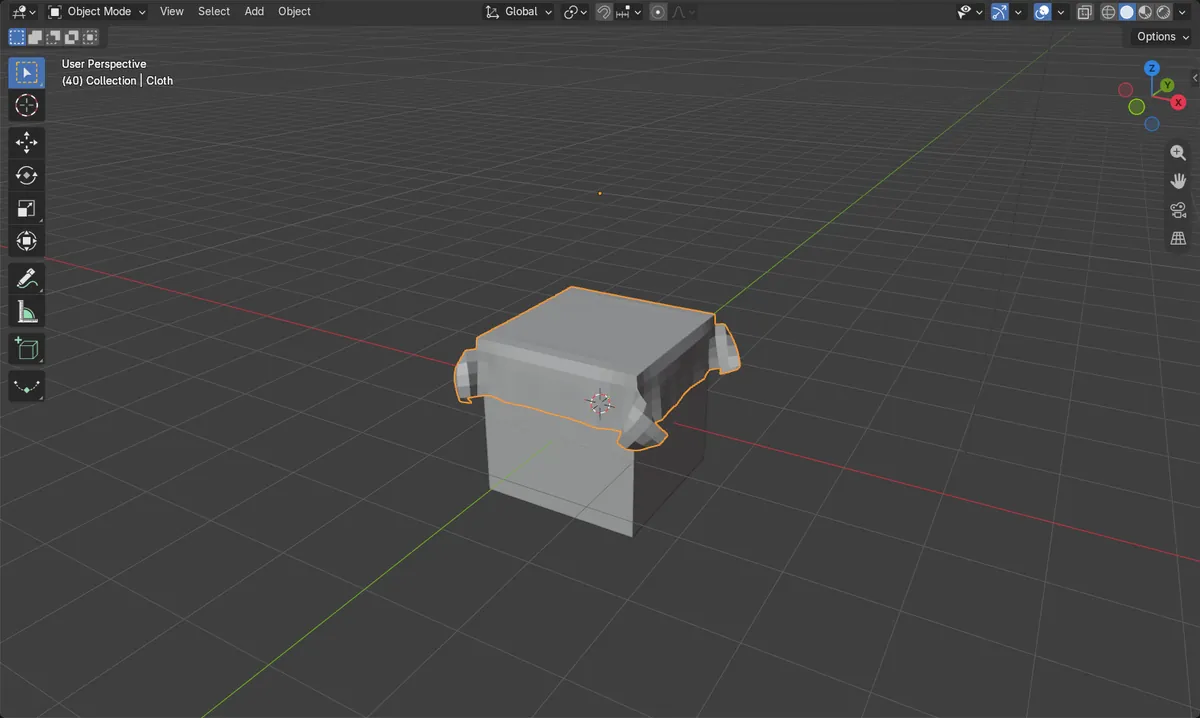
Cloth on the sheet
Physics Properties › Cloth turns the selected mesh into fabric.
Collision on the target
Without Collision the cloth passes through other objects.
Space plays it
The simulation runs as the timeline plays from frame 1.
Before and after

AI Scene Builder is a Blender add-on. You type what you want, and it builds it in your scene: buildings, neon signs, wet pavement, fog and lights. Nothing in this picture was modeled by hand.
On a phone now? The add-on runs in Blender on a computer. Send yourself the link and open it there.
Step by step (Blender 5.x)
- Press Shift + A and choose Mesh › Plane, then move the plane above the object it should fall on.
- Press Tab to enter Edit Mode, press A to select all, right-click and choose Subdivide. In the Adjust Last Operation panel set Number of Cuts to about 20 to 30, then press Tab to go back to Object Mode.
- With the plane selected, open the Physics Properties tab in the Properties editor and click Cloth.
- Select the object underneath, open the Physics Properties tab and click Collision.
- Go to frame 1 (Shift + Left Arrow) and press Space to play. Press Space again to stop.
Other ways to do it
- Properties editor › Modifiers tab › Add Modifier › Physics › Cloth
- Shift + Left Arrow jumps to the start frame before playing again
Common snags
The cloth falls through the object
The object underneath needs its own Collision setting in Physics Properties. In the test the same sheet dropped to about -2.5 m without it and stopped on the cube with it.
The cloth stays stiff and does not fold
A plane with only 4 corners cannot bend. Subdivide it in Edit Mode first so it has enough vertices to fold over edges.
The animation looks wrong after changing a setting
The simulation is recalculated from the start. Jump back to frame 1 with Shift + Left Arrow and play it again.
An AI add-on for Blender
AI Scene Builder is a Blender add-on that builds and edits your scene from one typed request, such as “a small wooden table with two chairs”. Each request can be undone in one click.
 A lighthouse island at sunset built with the add-on from 10 typed requests. See every request →
Questions
Why does my cloth go through the object in Blender?
The object it falls on needs Collision turned on in its Physics Properties tab.
How do I make the cloth look smoother?
Subdivide the plane more, or add Shade Smooth from the Object menu.
How long does the cloth simulation run?
It follows the scene frame range, which is frame 1 to 250 by default.
What the pictures show
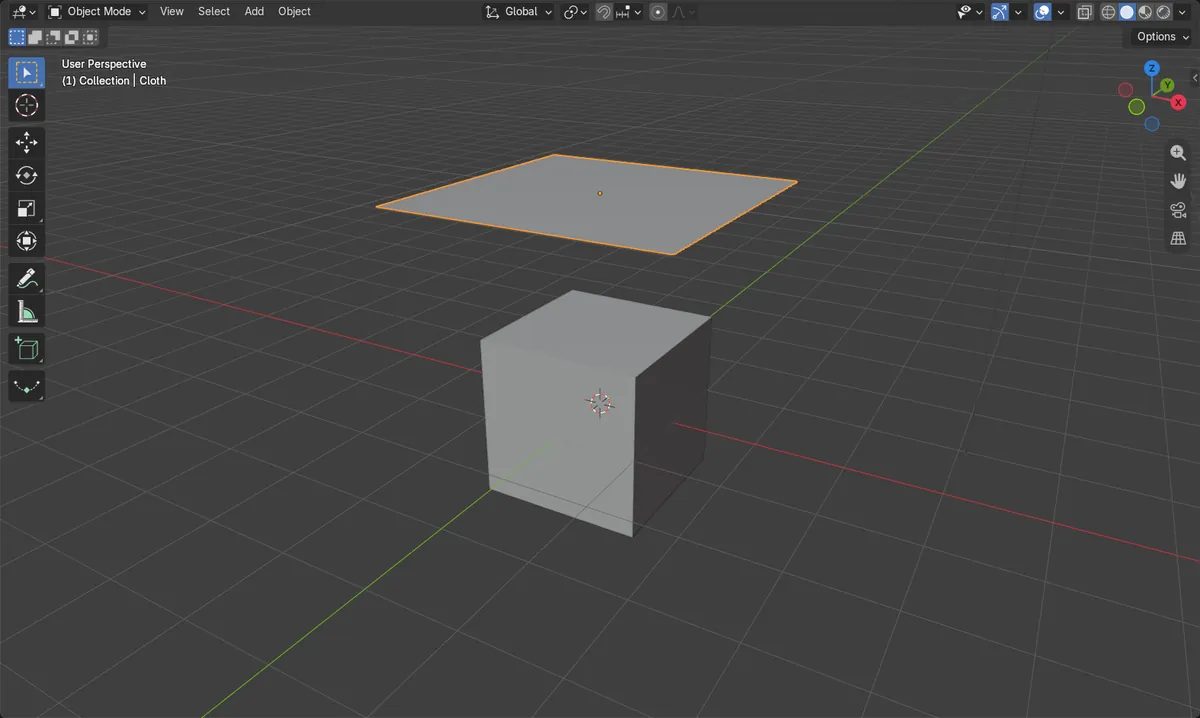
- Before: a flat 3.4 m sheet at 2.6 m height above a 2 m cube.
- At frame 40 with Cloth on the sheet and Collision on the cube, the sheet hung between 0.2 m and 1.04 m over the cube edges.
- Without Collision on the cube, the same sheet had fallen to -2.47 m by frame 40.
- Results were identical in Blender 4.2 LTS and Blender 5.x.