Free
$0
15 credits to try it
Enough for about 5 requests. One trial per computer. No card.
One request usually takes 1–3 credits. Even a big one takes at most 5 credits.
Download freeAI Scene Builder
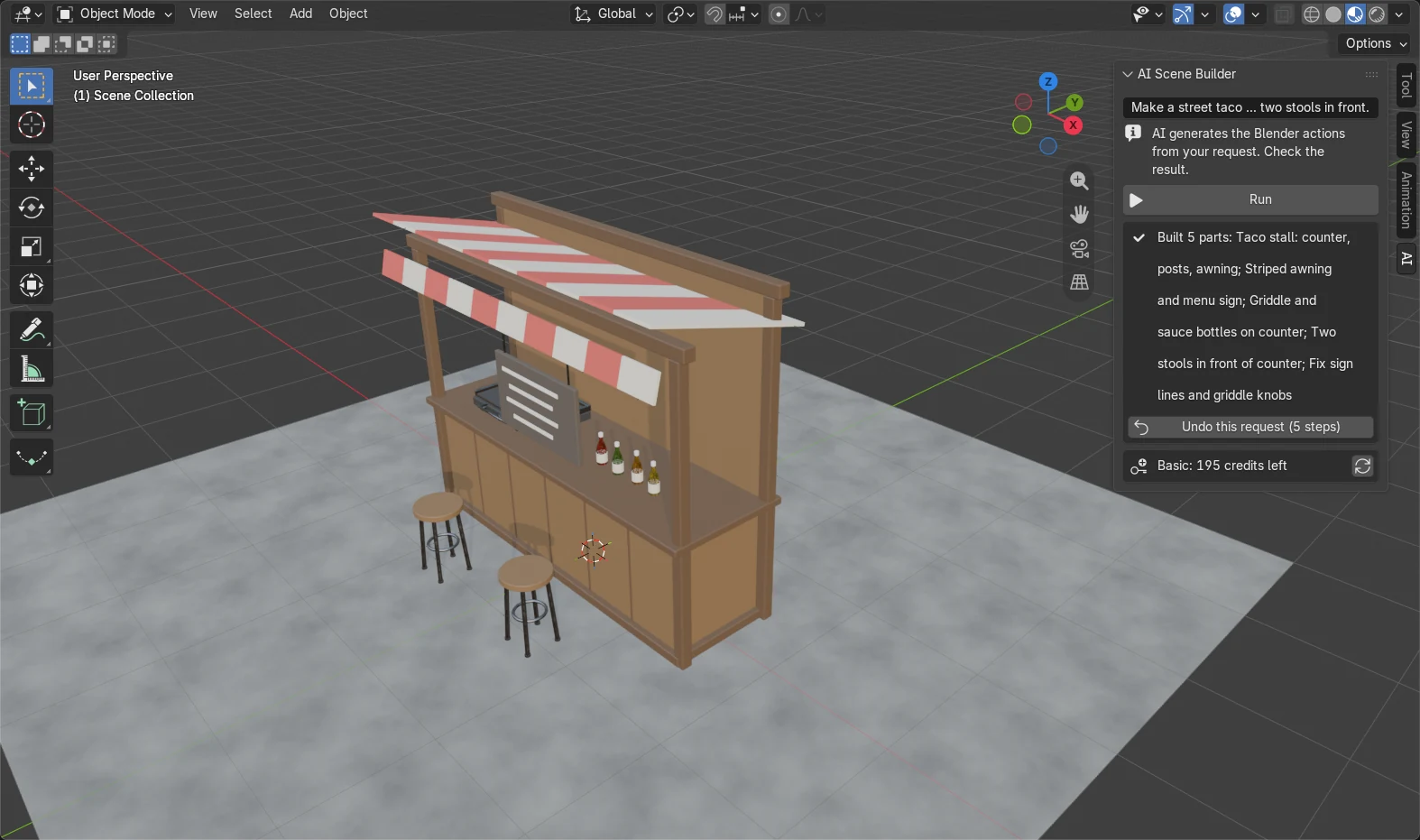
Make a street taco stall: a wooden counter with a striped awning, a menu sign, a griddle, a few sauce bottles and two stools in front.
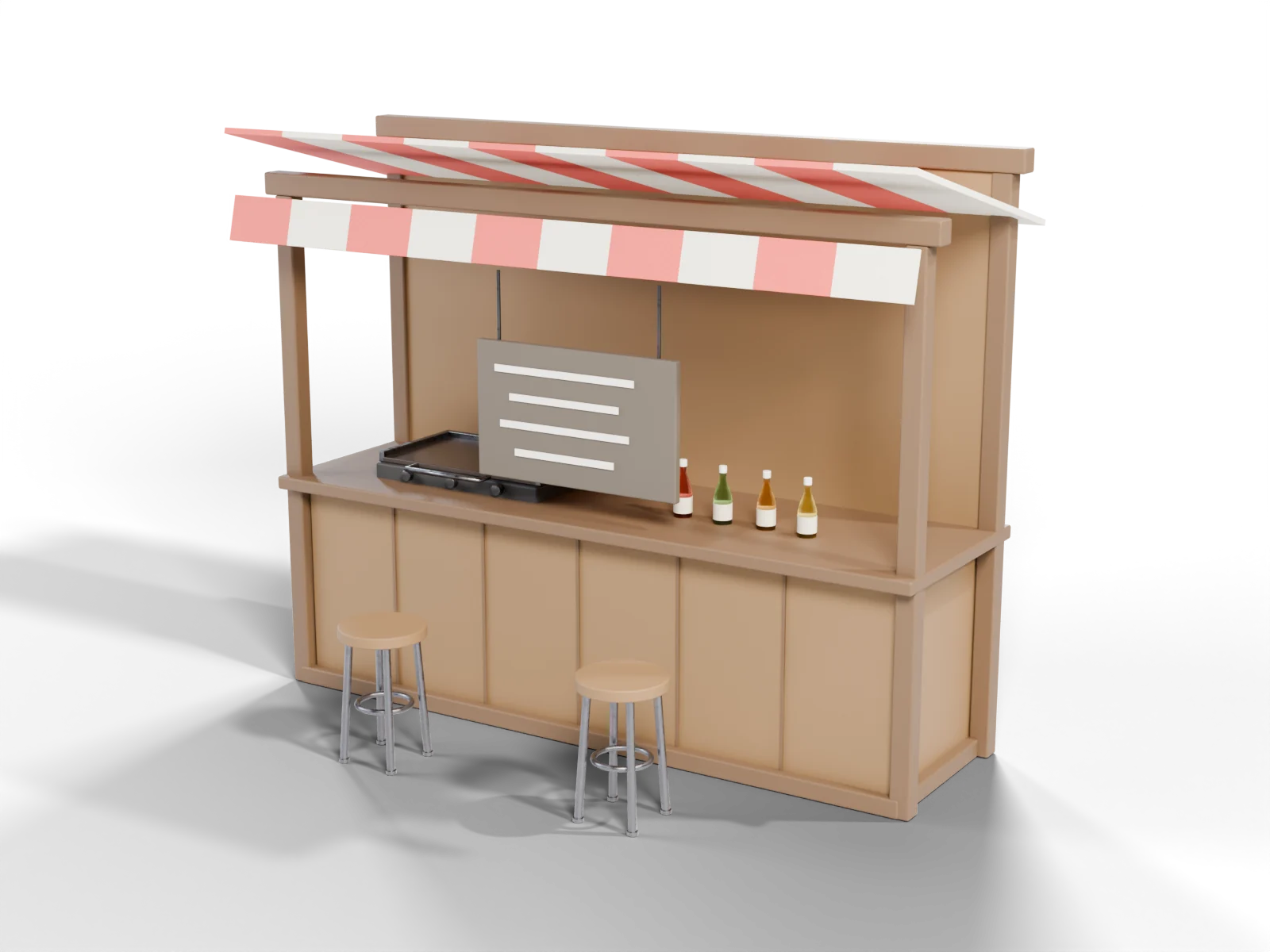
AI Scene Builder is a Blender add-on that turns plain English into props, furniture, simple buildings and small scenes with materials, right in your open scene. For scenes with several parts, it checks the result before it finishes.
Works right after install: the AI comes with the add-on. 15 free credits, about 5 requests, no card. Plans from $19/month, cancel anytime.
Credits each month: Basic 200 · Pro 450 · Studio 1000
Install it on the computer where you use Blender.
Every part is a normal Blender object with its own material. Move it, edit it, export it.
For scenes with several parts, it looks at a preview, finds parts that float, sit hidden inside others or drop below the floor, and corrects them before it finishes.
“Make the awning blue.” “Bevel the selected edge by 0.2.” A request can change your own model too, not only add to it.
Changed your mind? One button takes back the whole request.
Typed into the add-on exactly as written below, with no editing afterwards. Each took 12–36 seconds.
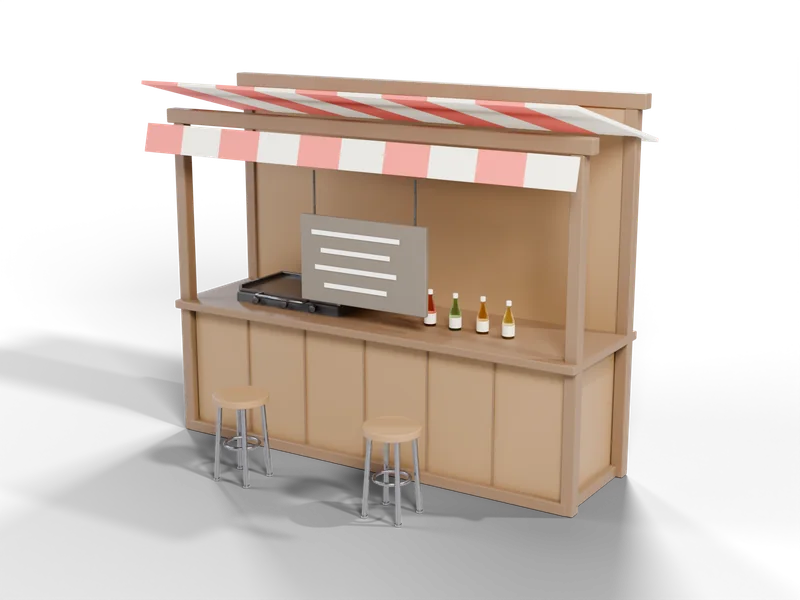
Make a street taco stall: a wooden counter with a striped awning, a menu sign, a griddle, a few sauce bottles and two stools in front.
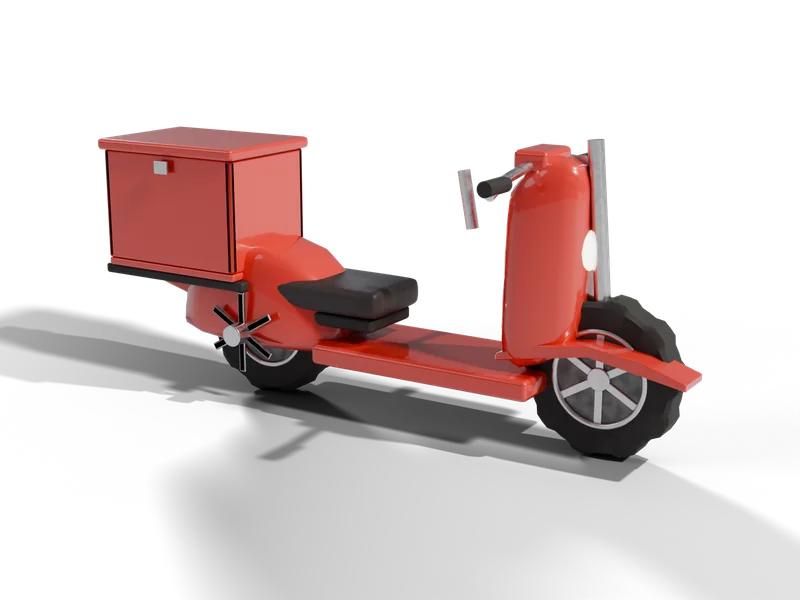
Make a small red delivery scooter with a cargo box on the back, a round headlight, a seat, handlebars and two wheels.

Make a vintage brass desk lamp with a round weighted base, a jointed two-part arm and a cone shade with a glowing bulb inside.
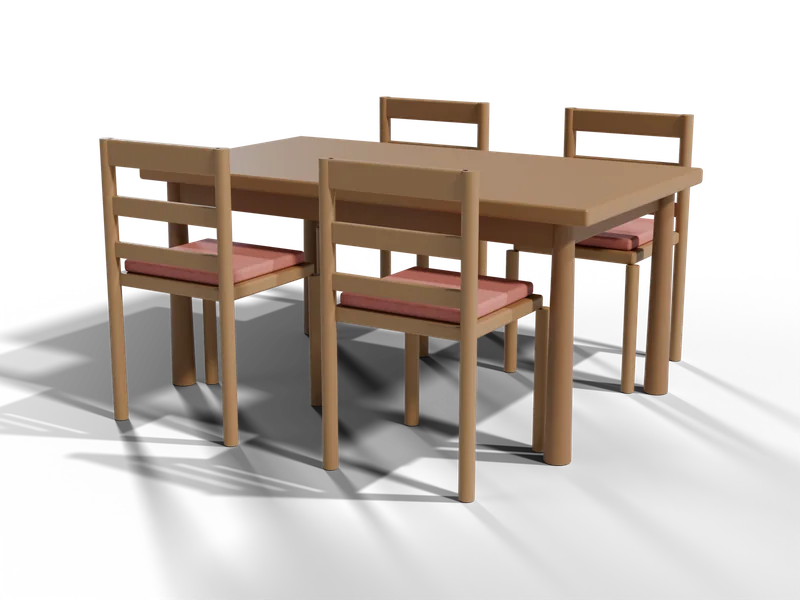
Make a wooden dining table with four matching chairs with backrests, pushed in around it.

Make a cluster of five mossy granite boulders of different sizes, with a few small pebbles around them.
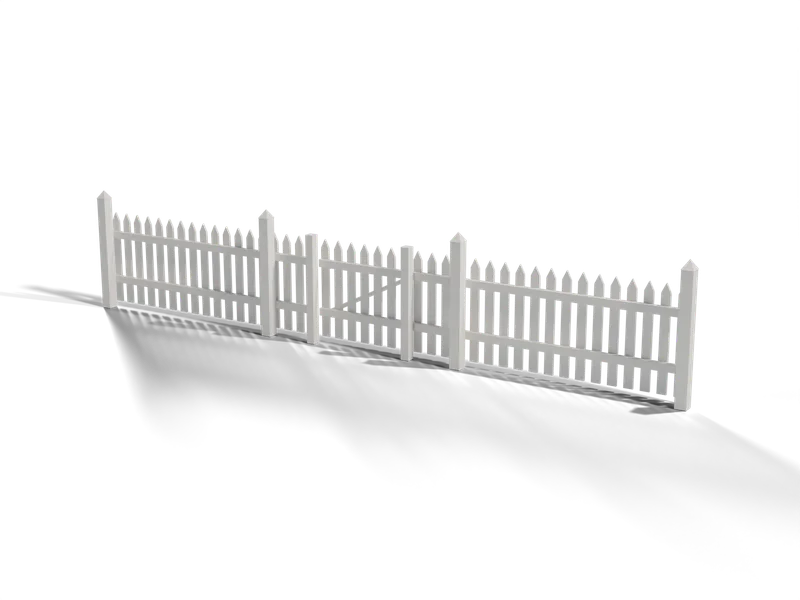
Make a 6 metre white wooden picket fence with posts every 2 metres, pointed pickets and a small gate in the middle.
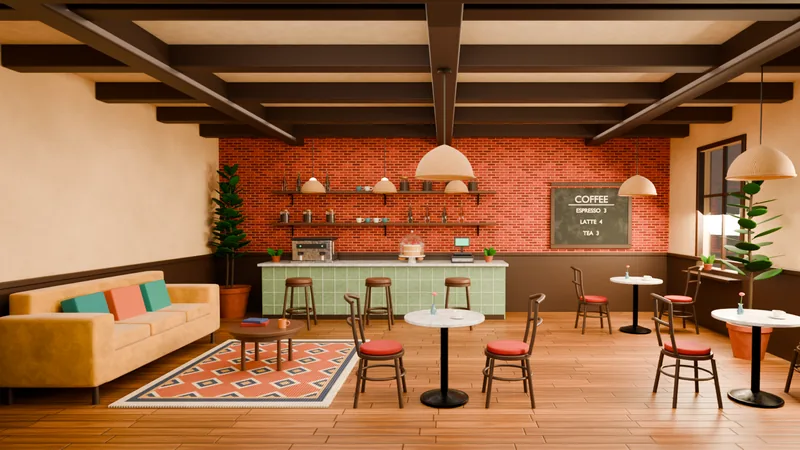
Build a room one request at a time: the walls and floor first, then the furniture, then the light. Floors, walls and furniture can get a surface pattern such as wood planks, brick, tiles, marble, plaster, fabric or leather. This cafe started as an empty scene and took 15 typed requests, with no hand modelling.
Works in Blender 4.2 and later.
Everything it builds is checked before it runs. Only Blender modelling actions are allowed: it does not open, delete or upload your files, go online or start other programs.
A command that would be too heavy for Blender is stopped before it runs.
It reads what is already in your scene, so the next request changes the objects that are there. “Only the lantern glass should glow.”
Install, press Start free, type. The AI is included in your plan, so there is no other account to create and no other bill.
Works in Blender 4.2 and later on Windows, macOS and Linux. Not sure which you have? Help › About Blender shows it, and blender.org has the newest one free.
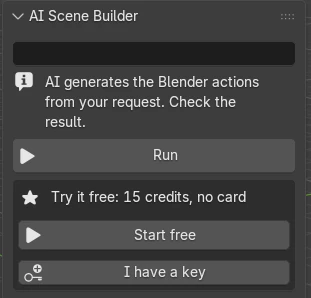
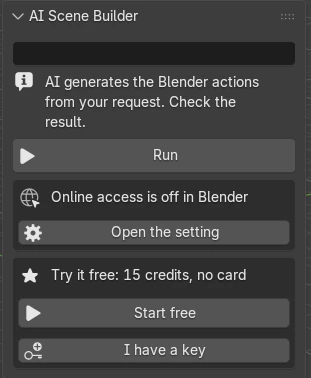
Start with 15 free credits, about 5 requests. Pick a plan when you want more. Prices are in US dollars; cancel anytime.
Enough for about 5 requests. One trial per computer. No card.
One request usually takes 1–3 credits. Even a big one takes at most 5 credits.
Download freeEnough for about 66 requests a month. For trying ideas every week.
One request usually takes 1–3 credits. Even a big one takes at most 12 credits.
Enough for about 150 requests a month. For regular projects.
One request usually takes 1–3 credits. Even a big one takes at most 18 credits.
Enough for about 333 requests a month. For daily, heavy use.
One request usually takes 1–3 credits. Even a big one takes at most 24 credits.
Monthly plans renew automatically every month until you cancel. Payments are not refunded, except where the law requires. Tax may be added depending on your country; you see the final amount before you pay. By subscribing you agree to the terms.
Need more this month? On any monthly plan, add 100 credits for $10 with Add 100 credits in the add-on settings. Extra credits are spent after your monthly credits and last up to 60 days while your plan is active.
Already on a plan? Change or cancel it with Manage plan in the add-on (Edit › Preferences › Add-ons › AI Scene Builder). Lost your key? Email contact
A request usually takes 1 to 3 credits. A scene with several parts takes more; the examples above took 2 to 5. After paying here you get a key to paste into the add-on. Started with the free credits? Pick a plan from the add-on panel instead. Your plan is added to the key you already have, so there is nothing to paste.
It goes to our server and to Anthropic, the AI provider we use, to create the result. We keep the result for 30 minutes, so if your connection drops you get it without spending more credits. Then we delete it. We keep only counts of how many credits you used.
Results are made by AI and can be wrong. Check them before you use them in your work.
We are GRAMSHIFT, a small studio in Japan that makes tools and games. We built AI Scene Builder so a scene can start from a sentence instead of an empty file. The example scenes on this site were made with the same add-on you download here. The requests that come up most go into the next version.
— GRAMSHIFT
You type what you want in plain English, for example “a wooden dining table with four chairs”, and AI Scene Builder adds it to your open scene as real Blender objects with materials. You can move, edit and re-use every part like anything you modelled yourself.
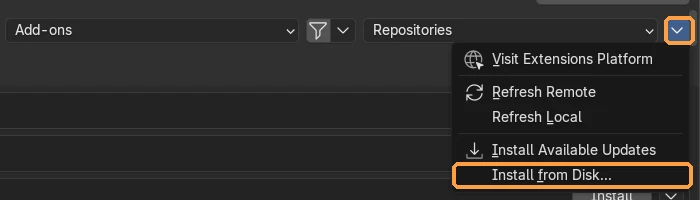
Blender 4.2 and later on Windows, macOS and Linux. It installs as a normal Blender extension from the downloaded .zip file.
Yes. Press Start free in the add-on and you get 15 free credits, once per computer: enough for about 5 requests. No card and no sign-up form.
Credits are what your requests spend. A request usually takes 1 to 3 credits; a request with several parts takes more. The examples on this page took 2 to 5 credits each, and each plan box shows the most one request can take. The panel shows how many credits you have left.
Yes. Type a follow-up such as “make the awning blue” or “add a third stool”. It sees the current scene, so it edits what is there instead of starting over. Each follow-up is a new request.
Yes. Type the step, for example “Bevel only the selected edge of my cube with a width of 0.2” or “Set up my render to save a PNG with a transparent background”, and it does that step in your open scene. Many of the Blender answer pages show a line like this for their task.
Press “Undo this request” in the panel. Everything that request added or changed goes back with that one button, however many parts it built.
Before anything runs, the code the AI writes is checked. Only Blender’s own modelling commands are allowed, so it cannot open, delete or upload your files, reach the internet or start other programs. Commands so heavy they would freeze Blender are stopped before they run.
No. It sends your request, a short text summary of the scene (object names, sizes and material names) and one small preview picture of the viewport. Your .blend file stays on your computer.
In Blender, open Edit › Preferences › Add-ons › AI Scene Builder and press Manage plan. That opens the Stripe billing page, where you can cancel or change plan at any time. Your plan keeps working until the end of the month you paid for, and it is not charged again. Lost your key, or no longer have the add-on installed? Email contact@saas-diary.com from the email address you paid with and we will cancel it for you.
Payments are not refunded, except where the law requires. Try it first with the free credits, which need no card. If you cancel, your plan keeps working until the end of the month you paid for.
No. A monthly plan gives fresh credits at the start of each billing month. An extra pack is used after your monthly credits and lasts up to 60 days while you are subscribed.
Credits are spent only when the AI sends back an answer. If the connection or the AI service fails, nothing is counted, and the add-on can send the same request again.
Yes. The objects it builds are yours to use in personal and commercial projects.
Yes. A paid key is not tied to one computer, so you can use it on your desktop and your laptop. Keep it to yourself: the free credits are once per computer, and a key is for one person.
It depends on your country: sales tax or VAT may be added. Checkout may show the price in your own currency, and it shows the final amount before you pay. Payment is not available from some countries, including China and Russia.
No AI is always right. It is good at props, furniture, simple buildings and small scenes; it can miss details on complex shapes. Check the result, and use a follow-up or Undo when something is off.
Email contact@saas-diary.com with what you typed and what happened. We read every message.