How to Array an Object Along a Curve in Blender
Select the object, add an Array modifier, set Fit Type to Fit Curve and pick your curve in the Curve field so the copies fill its length. Then add a Curve modifier below it (Add Modifier › Deform › Curve) and set Curve Object to the same curve. The row of copies now bends along the path.
- Mode
- Object Mode, Properties editor
- Menu
- Modifier Properties › Add Modifier › Generate › Array, then Deform › Curve
- Shortcut
- Shift + A, then Curve › Bézier to add a path
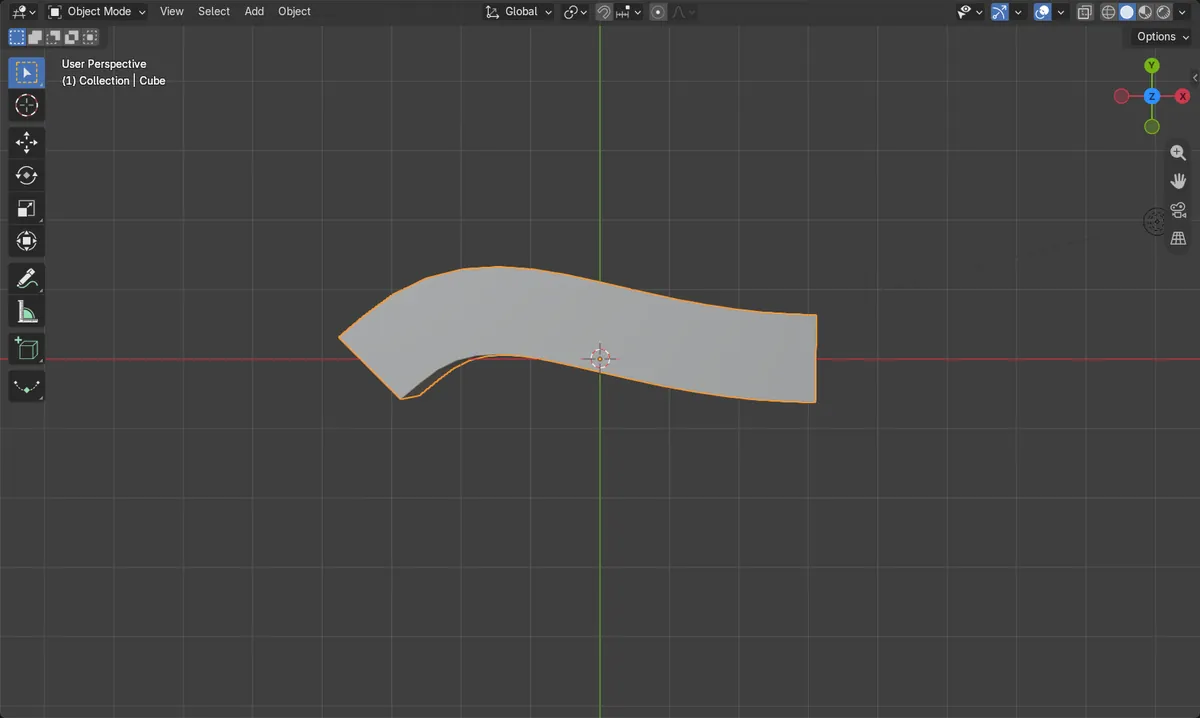
Array with Fit Curve
Makes as many copies as fit the curve length.
Curve modifier below it
Bends the whole row to follow the curve.
Same curve in both
Pick the same curve object in the Array and the Curve modifier.
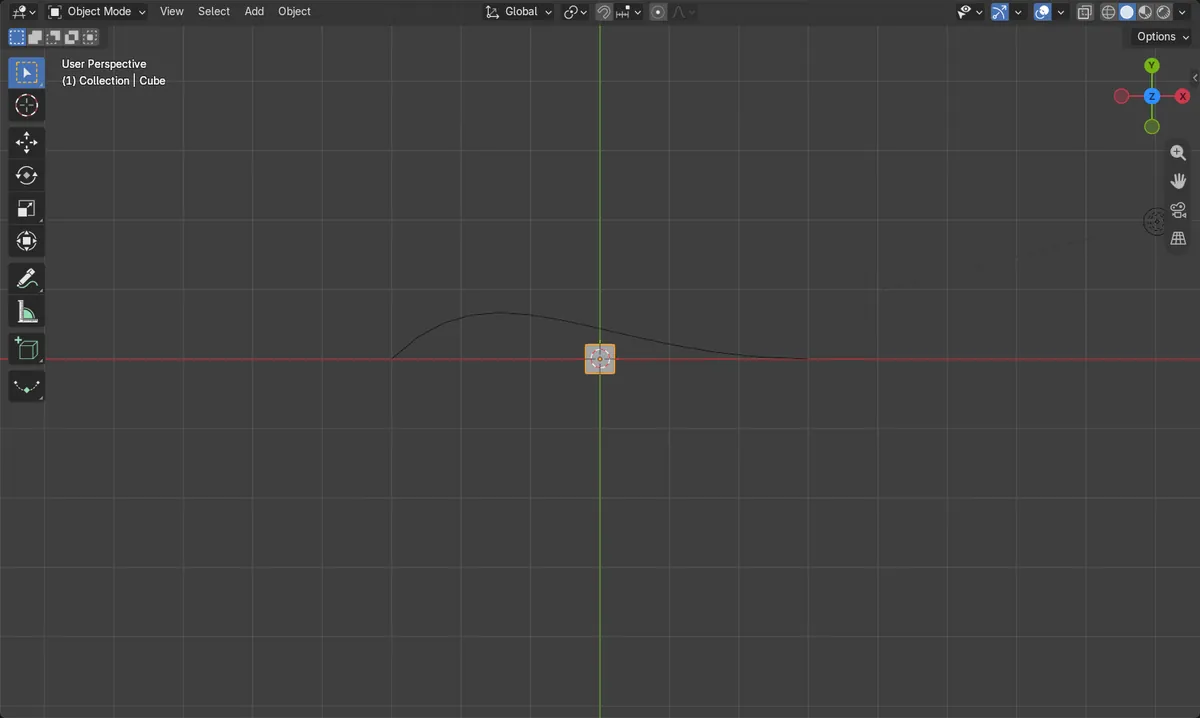
Before and after

AI Scene Builder is a Blender add-on. You type what you want, and it builds it in your scene: buildings, neon signs, wet pavement, fog and lights. Nothing in this picture was modeled by hand.
On a phone now? The add-on runs in Blender on a computer. Send yourself the link and open it there.
Step by step (Blender 5.x)
- Press Shift + A and choose Curve › Bézier to add a path, then shape it. Keep the curve and the object at the same origin, for example both at 0, 0, 0.
- Select the object and open the Modifier Properties tab (wrench icon).
- Click Add Modifier › Generate › Array (Legacy).Blender 4.2 LTS: In Blender 4.2 the entry is called Array.
- Set Fit Type to Fit Curve and choose your curve in the Curve field.
- Click Add Modifier › Deform › Curve and set Curve Object to the same curve. Keep it below the Array modifier.
- If the row runs the wrong way, change Deform Axis in the Curve modifier to match the Array direction (X by default).
Other ways to do it
- Applying the scale of the object and the curve first (press Ctrl + A and choose Scale) keeps the spacing even
- Set Fit Type to Fixed Count instead to choose the number of copies yourself
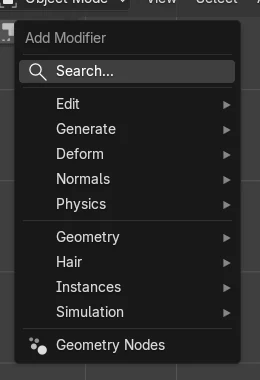
Blender 4.2 LTS vs Blender 5.x
| What | Blender 4.2 LTS | Blender 5.x |
|---|---|---|
| Array entry in Add Modifier › Generate | Array | Array (Legacy); the entry called just Array adds a different, newer modifier with other settings |
Common snags
The copies stay in a straight line
The Array modifier only repeats the object. Add the Curve modifier below it and pick the curve. In the test the row was 0.4 m wide with Array alone and spread 6.54 m by 1.86 m along the curve once the Curve modifier was added.
The row starts far away from the curve
The object and the curve need the same origin. Move the object to the curve's origin, for example both at 0, 0, 0.
The spacing or size looks wrong
The object or the curve has an unapplied scale. Select each, press Ctrl + A and choose Scale.
An AI add-on for Blender
AI Scene Builder is a Blender add-on that builds and edits your scene from one typed request, such as “a small wooden table with two chairs”. Each request can be undone in one click.
 A lighthouse island at sunset built with the add-on from 10 typed requests. See every request →
Questions
How do I make a chain follow a curve in Blender?
Use an Array modifier with Fit Curve on one chain link, then a Curve modifier set to the same curve.
How do I change the gap between copies?
Change Relative Offset in the Array modifier. 1 places the copies edge to edge.
Why are my copies twisted?
Check Deform Axis in the Curve modifier; it must match the direction the Array repeats in.
What the pictures show
- Before: one 0.4 m cube and a Bézier curve, both with applied scale.
- With the Array modifier set to Fit Curve, the cube became 16 copies (128 vertices), still in a straight row 0.4 m wide.
- After adding the Curve modifier with the same curve, the row spread 6.54 m by 1.86 m and followed the curve.
- Results were identical in Blender 4.2 LTS and Blender 5.x; only the menu names differ as shown above.