How to Change the Viewport Background Color in Blender
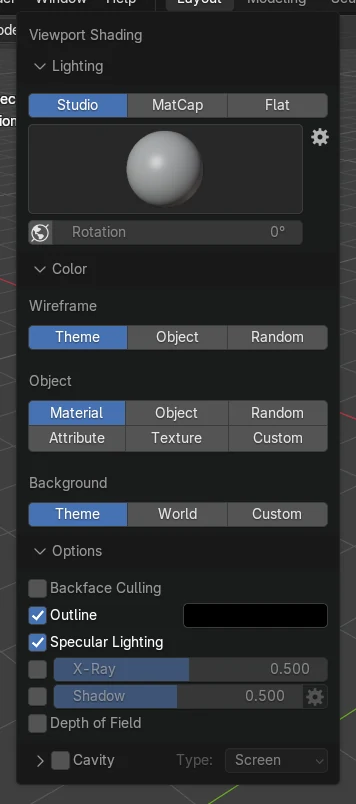
In Solid shading, click the small arrow at the right of the shading buttons in the 3D Viewport header to open the Viewport Shading dropdown. Under Background choose Custom (called Viewport in Blender 4.2), then click the color swatch and pick any color. Theme (the default) uses the dark theme color, and World uses the World color. This changes only the viewport, not the render.
- Mode
- Solid shading, 3D Viewport
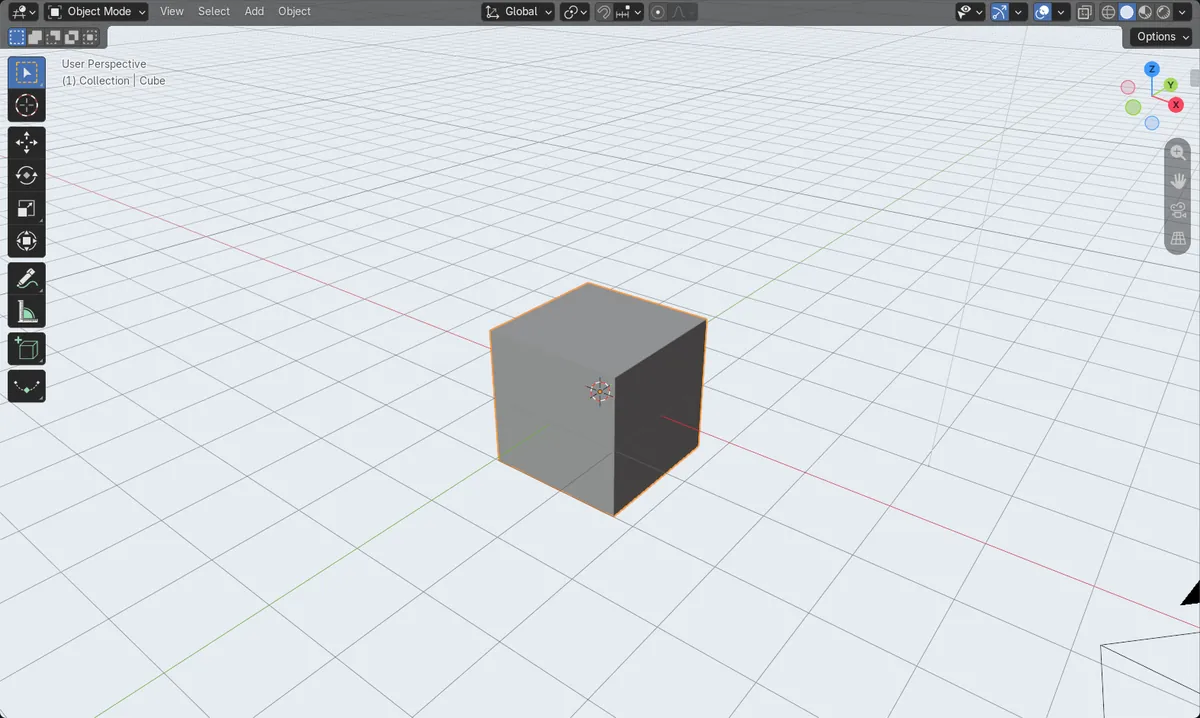
Background: Custom
Lets you pick any color for the viewport. In 4.2 the button is called Viewport.
Theme, World, Custom
The three background choices.
Viewport only
The render background is set by the World.
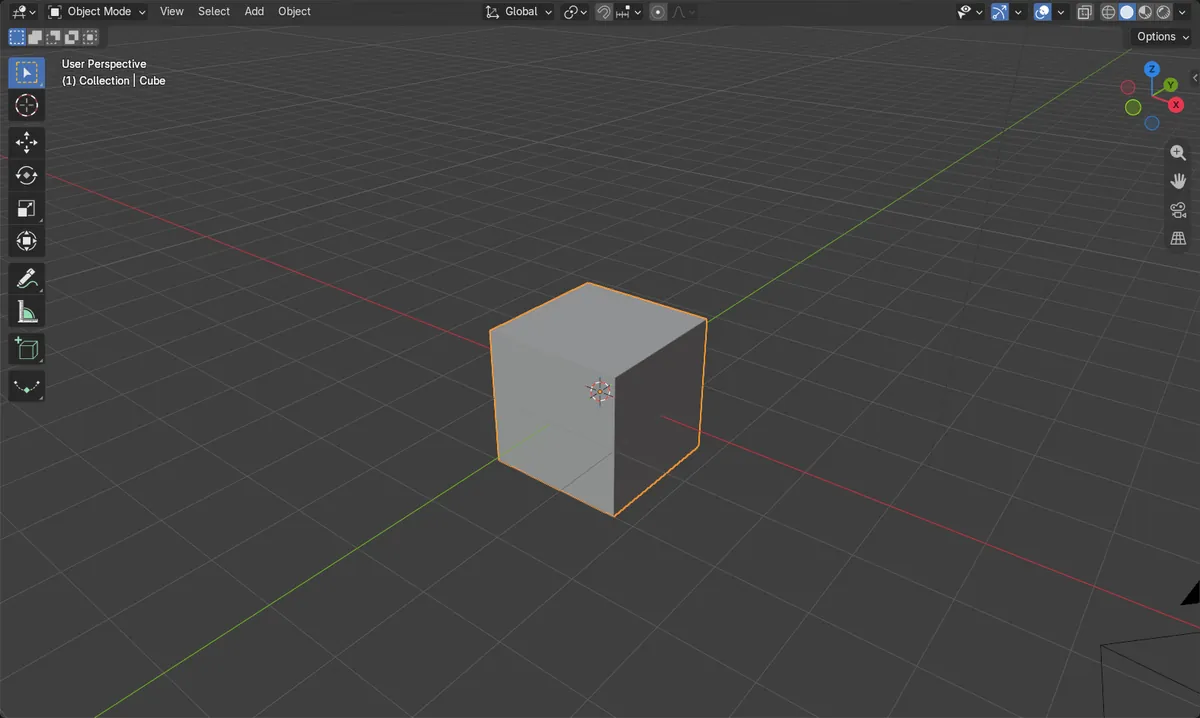
Before and after

AI Scene Builder is a Blender add-on. You type what you want, and it builds it in your scene: buildings, neon signs, wet pavement, fog and lights. Nothing in this picture was modeled by hand.
On a phone now? The add-on runs in Blender on a computer. Send yourself the link and open it there.
Step by step (Blender 5.x)
- Make sure the 3D Viewport is in Solid shading (press Z and choose Solid).
- Click the small arrow at the right of the four shading buttons in the header to open Viewport Shading.
- Under Background, click Custom.Blender 4.2 LTS: Under Background, click Viewport.
- Click the color swatch below it and pick a color.
Other ways to do it
- Choose World to use the Viewport Display color from the World Properties tab
Blender 4.2 LTS vs Blender 5.x
| What | Blender 4.2 LTS | Blender 5.x |
|---|---|---|
| Background choice for your own color | Viewport | Custom |
Common snags
The color does not show in Material Preview
The Background choice belongs to Solid and Wireframe shading. Material Preview and Rendered usually show the world or its lighting instead.
The render still has the old background
This setting changes only the viewport. Change the render background in the World Properties tab.
An AI add-on for Blender
AI Scene Builder is a Blender add-on that builds and edits your scene from one typed request, such as “a small wooden table with two chairs”. Each request can be undone in one click.
 A lighthouse island at sunset built with the add-on from 10 typed requests. See every request →
Questions
How do I make the Blender viewport background white?
Open the Viewport Shading dropdown, set Background to Custom (Viewport in 4.2) and pick white in the color swatch.
Does this change the render background?
No. It changes only the viewport. The render uses the World settings.
What the pictures show
- Before: the background followed the dark theme color in Solid shading.
- After choosing Custom (Viewport in 4.2) under Background and a light blue-grey color, the viewport behind the cube turned light blue-grey.
- The three choices were Theme, World and Custom in 5.x, and Theme, World and Viewport in 4.2.
- Results were identical in Blender 4.2 LTS and Blender 5.x; only the menu names differ as shown above.