How to Duplicate an Action in Blender 5.3 Without Changing the Original
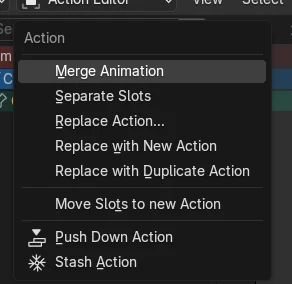
In Blender 5.3, select the object, open the Dope Sheet in the Action Editor and choose Action › Replace with Duplicate Action. Blender makes a copy of the action (for example Bounce.001) and swaps every user of the original over to the copy, so you can edit the copy while the original action stays in the file as it was.
- Mode
- Dope Sheet: Action Editor
- Menu
- Action › Replace with Duplicate Action
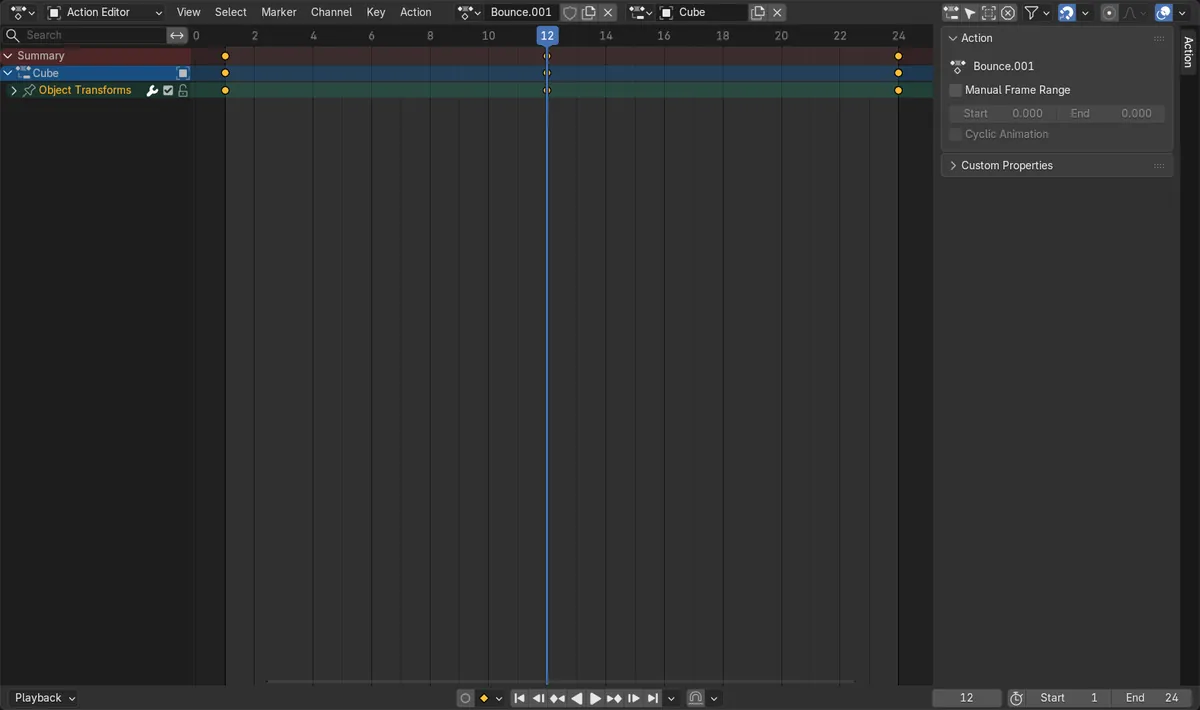
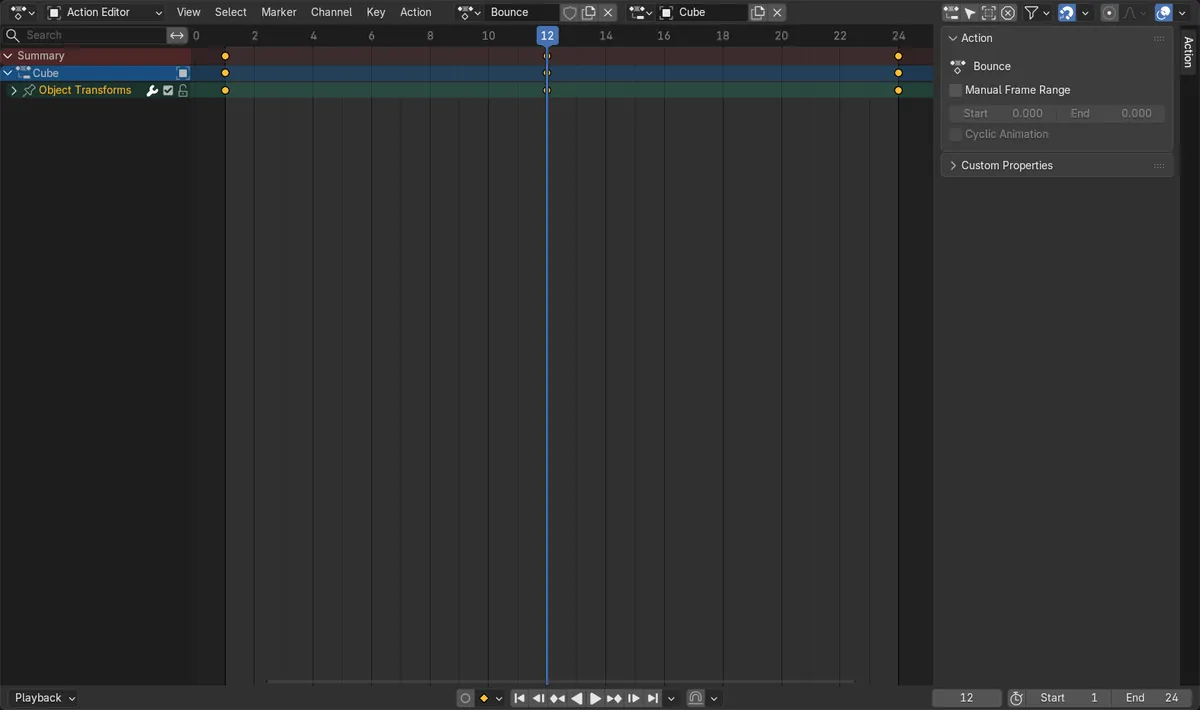
A copy to edit
The cube playing Bounce switched to a new action, Bounce.001, with the same keys.
The original is untouched
Changing a key in Bounce.001 left the keys of Bounce exactly as they were.
The original has no users
After the swap, Bounce was still in the file but used by nothing, so give it a Fake User to keep it.
Before and after

AI Scene Builder is a Blender add-on. You type what you want, and it builds it in your scene: buildings, neon signs, wet pavement, fog and lights. Nothing in this picture was modeled by hand.
On a phone now? The add-on runs in Blender on a computer. Send yourself the link and open it there.
Step by step (Blender 5.3)
- Select the object whose animation you want to change, in Object Mode.
- Open a Dope Sheet and switch it to the Action Editor, so the object's action is shown in the header.
- Choose Action › Replace with Duplicate Action. The header now shows the copy, for example Bounce.001.
- Edit the keys of the copy. To keep the original action in the file, open it in the action list and turn on its Fake User (shield icon).
Other ways to do it
- In the 3D Viewport, Object › Animation › Replace with Duplicate Action does the same for the active object.
- Replace with New Action, in the same menu, swaps the users to a new empty action instead of a copy.
Blender 5.2 LTS vs Blender 5.3
| What | Blender 5.2 LTS | Blender 5.3 |
|---|---|---|
| Replace with Duplicate Action | Not in Blender 5.2 LTS. | In the Action Editor's Action menu and in Object › Animation. |
| Replace Action and Replace with New Action | In the Action Editor's Action menu. | In the Action Editor's Action menu. |
Common snags
The original action seems to disappear
After the swap the original has no users. Turn on its Fake User, which saves a data-block even if it has no users.
Other objects changed too
Replace with Duplicate Action swaps all users of the action to the copy. Objects that shared the original action now play the copy as well.
The menu item is missing
The command is new in Blender 5.3. In Blender 5.2 LTS the Action menu has Replace Action and Replace with New Action only.
An AI add-on for Blender
AI Scene Builder is a Blender add-on that builds and edits your scene from one typed request, such as “a small wooden table with two chairs”. Each request can be undone in one click.
 A log cabin room built with the add-on from 9 typed requests. See every request →
Questions
How do I copy an action in Blender so I can edit it separately?
In Blender 5.3, select the object and choose Action › Replace with Duplicate Action in the Action Editor. The object gets a copy, and the original stays as it was.
Where did my original action go after Replace with Duplicate Action?
It is still in the file, but with no users. Pick it in the action list and turn on Fake User to keep it.
Is Replace with Duplicate Action in Blender 5.2 LTS?
No. It was added in Blender 5.3; Blender 5.2 LTS has Replace Action and Replace with New Action.
What the pictures show
- Blender 5.3: a cube with the action Bounce (keys 0, 2, 0 on Z) played Bounce.001 after Replace with Duplicate Action.
- Blender 5.3: the file then had two actions, Bounce and Bounce.001, with the same keys; Bounce had 0 users.
- Blender 5.3: changing the middle key of Bounce.001 to 3 left Bounce at 0, 2, 0.
- Blender 5.2 LTS: there is no Replace with Duplicate Action command.