How to Flip the Camera View Horizontally in Blender 5.3 (Flip View)
In Blender 5.3, look through the camera with Numpad 0, then choose View › Navigation › Flip View in the 3D Viewport. The camera view is mirrored left to right, the way artists flip a canvas to spot problems in a composition. Run Flip View again to turn the mirror off.
- Mode
- 3D Viewport, camera view
- Menu
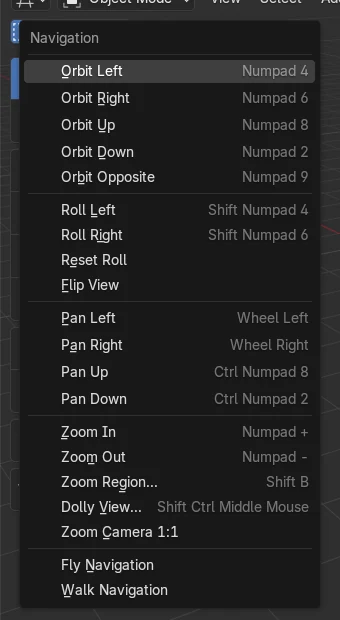
- View › Navigation › Flip View
- Shortcut
- Numpad 0 (camera view first)
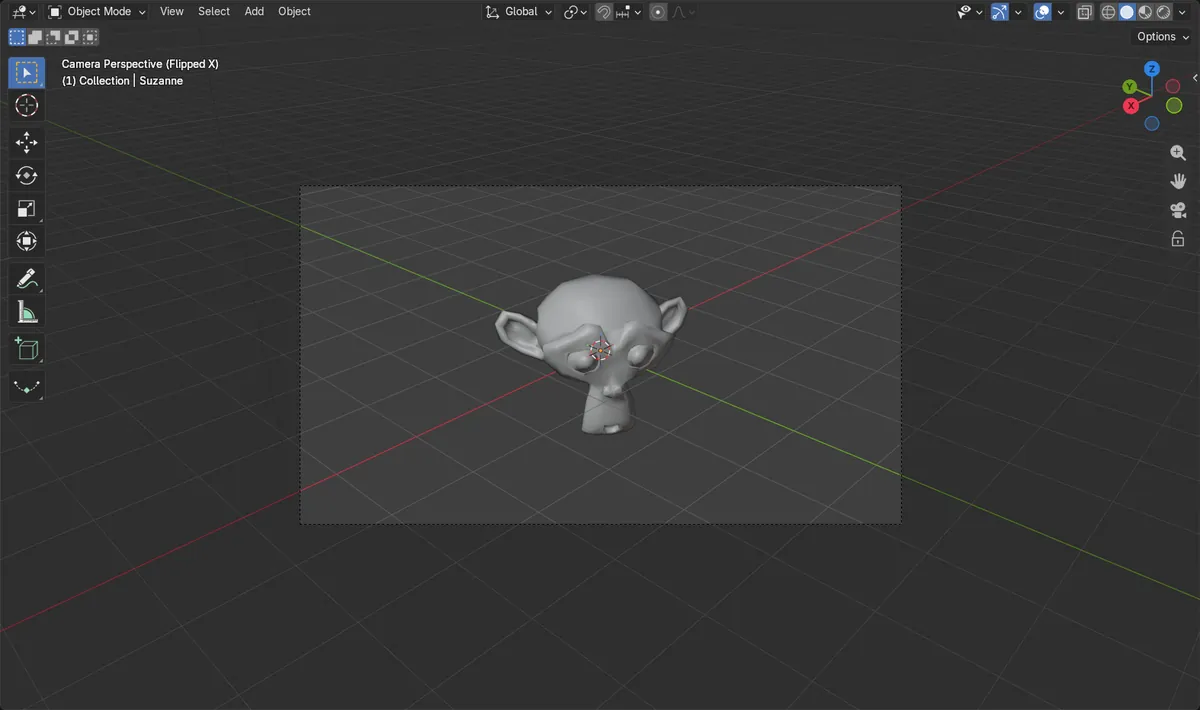
A true mirror image
The monkey's ear on the right of the camera frame moved to the same distance on the left.
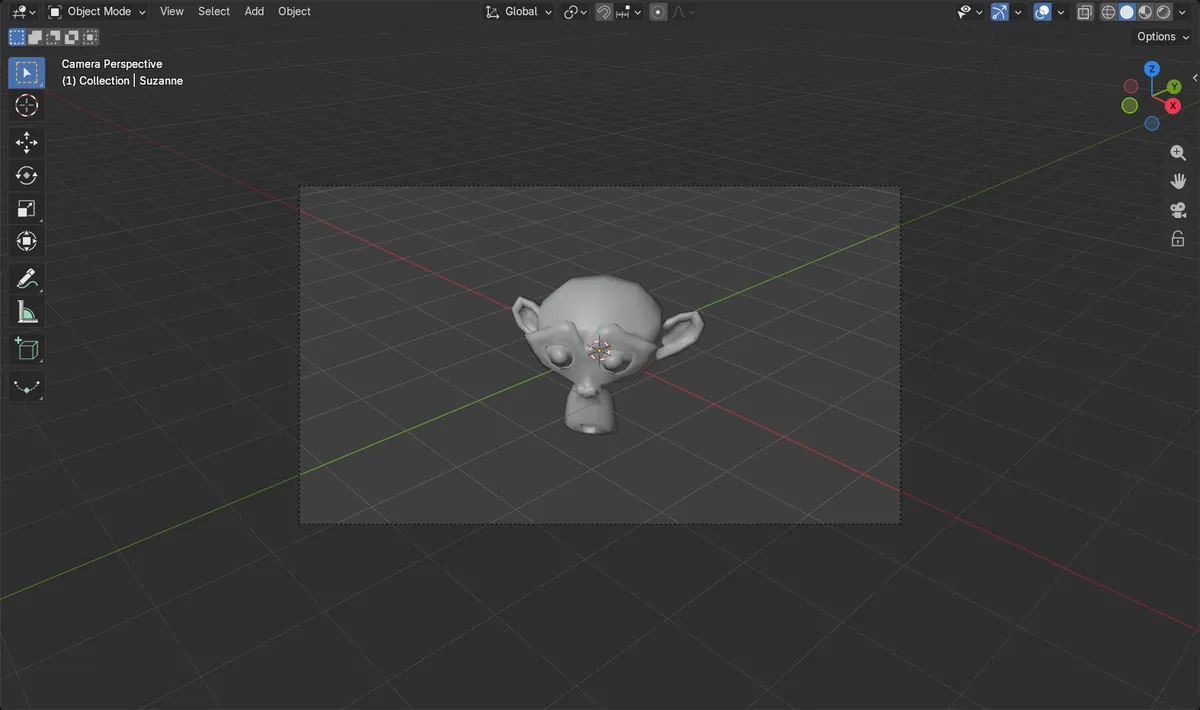
Run it again to undo
A second Flip View turned the mirror off and brought back the normal view.
Camera view only
Flip View works while looking through the camera; in a free view the command cannot run.
Before and after

AI Scene Builder is a Blender add-on. You type what you want, and it builds it in your scene: buildings, neon signs, wet pavement, fog and lights. Nothing in this picture was modeled by hand.
On a phone now? The add-on runs in Blender on a computer. Send yourself the link and open it there.
Step by step (Blender 5.3)
- Hover over the 3D Viewport and press Numpad 0 to look through the active camera.
- Open View › Navigation in the viewport header.
- Click Flip View. The camera view is mirrored left to right.
- Check your composition, then choose View › Navigation › Flip View again to return to the normal view.
Other ways to do it
- From a free view, View Camera (Numpad 0) switches to camera view, and Flip View becomes available.
- In a mirrored camera view, running Flip View once more switches back to the normal view.
Blender 5.2 LTS vs Blender 5.3
| What | Blender 5.2 LTS | Blender 5.3 |
|---|---|---|
| Flip View | Not in Blender 5.2 LTS. | In View › Navigation; mirrors the camera view left to right. |
| View Camera (Numpad 0) | Numpad 0 toggles the camera view. | Numpad 0 toggles the camera view. |
Common snags
Flip View does nothing in a free view
The command only runs in camera view. Press Numpad 0 to look through the camera first.
The view stays mirrored after leaving the camera
When you orbit out of the camera view, the viewport stays mirrored. Go back to camera view with Numpad 0 and run Flip View again to turn it off.
Flip View is missing from the menu
Flip View is new in Blender 5.3. Blender 5.2 LTS has no command to mirror the view.
An AI add-on for Blender
AI Scene Builder is a Blender add-on that builds and edits your scene from one typed request, such as “a small wooden table with two chairs”. Each request can be undone in one click.
 An evening market street built with the add-on from 11 typed requests. See every request →
Questions
How do I mirror the viewport in Blender to check my composition?
In Blender 5.3, press Numpad 0 for camera view, then use View › Navigation › Flip View. Run it again to go back.
Why is Flip View not working in Blender?
Flip View only works in camera view. Look through the camera with Numpad 0 first, then choose Flip View.
Is Flip View in Blender 5.2 LTS?
No. Flip View was added in Blender 5.3; Blender 5.2 LTS has no command to mirror the view.
What the pictures show
- Blender 5.3: in camera view, Flip View moved the monkey's ear from 0.176 right of center to 0.176 left of center.
- Blender 5.3: running Flip View a second time turned the mirror off.
- Blender 5.3: after switching from the flipped camera view to a free perspective view, the viewport was still mirrored.
- Blender 5.3: in a free view, Flip View could not run; it works in camera view.
- Blender 5.2 LTS: there is no Flip View command.