How to See All Objects in the Blender Viewport (Home)
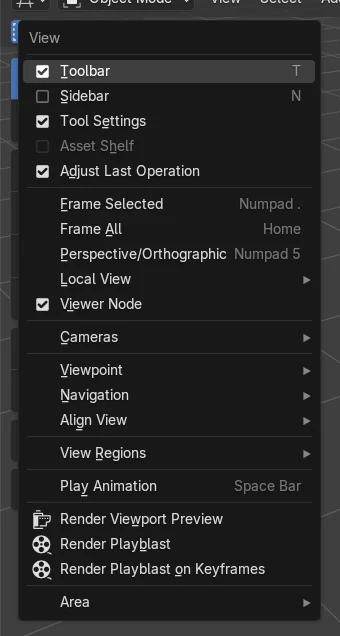
Hover the 3D Viewport and press Home, or choose View › Frame All. The view zooms and moves until every object in the scene fits on screen. To zoom to only the selected object, press numpad . (View › Frame Selected). Shift + C also frames everything and moves the 3D cursor to the world origin.
- Mode
- 3D Viewport
- Menu
- View › Frame All
- Shortcut
- Home
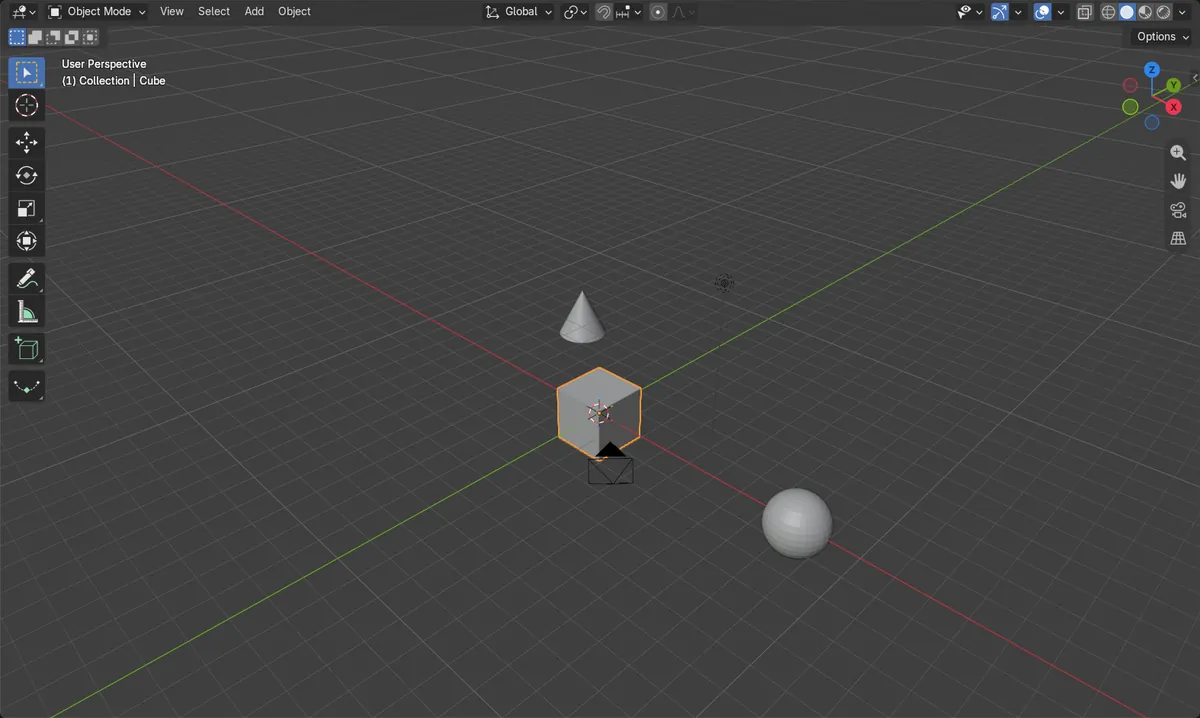
Home
Fits every object in the view.
Numpad .
Zooms to the selected object only.
Shift + C
Also moves the 3D cursor to the world origin.
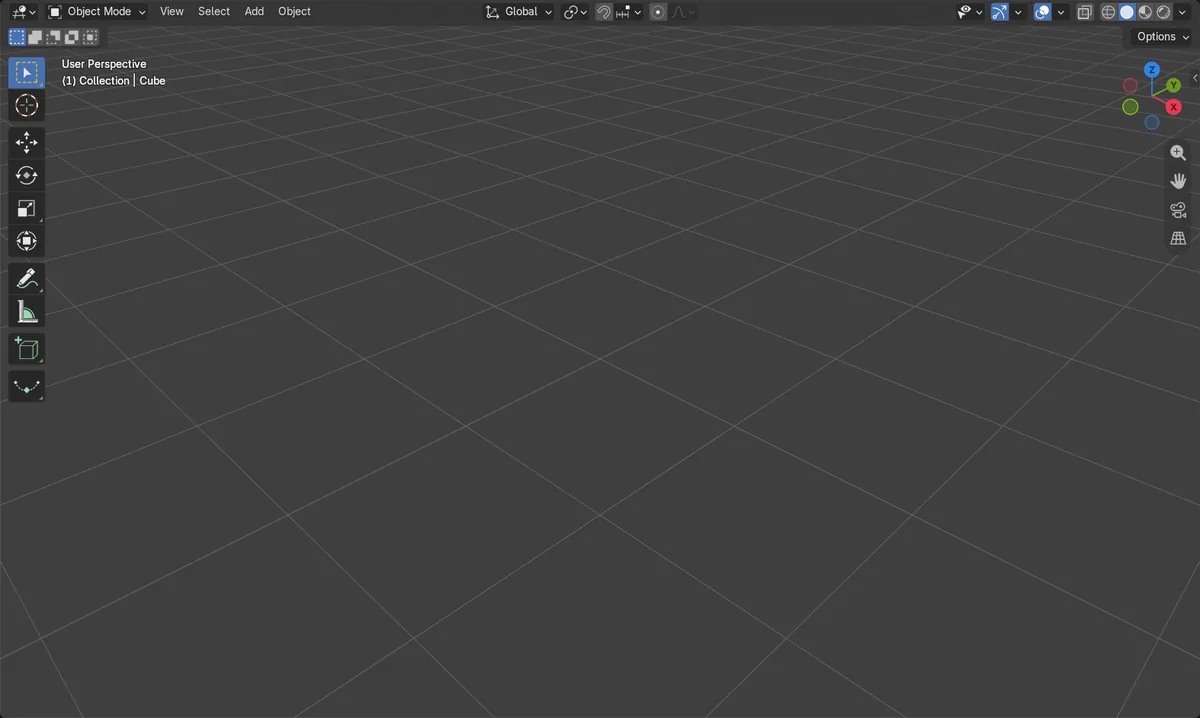
Before and after

AI Scene Builder is a Blender add-on. You type what you want, and it builds it in your scene: buildings, neon signs, wet pavement, fog and lights. Nothing in this picture was modeled by hand.
On a phone now? The add-on runs in Blender on a computer. Send yourself the link and open it there.
Step by step (Blender 5.x)
- Hover the 3D Viewport.
- Press Home, or choose View › Frame All.
- The view zooms until every object fits.
- To zoom to one object, select it and press numpad . (View › Frame Selected).
Other ways to do it
- View › Frame All
- View › Frame Selected (numpad .) for the selected object
- Ctrl + Home to frame all in every region
Common snags
Home zooms out very far
A far-away object, often a stray light or camera, is in the scene. Select what you want and press numpad . instead.
Home does nothing
The mouse must be over the 3D Viewport. On a laptop without Home, use View › Frame All.
An AI add-on for Blender
AI Scene Builder is a Blender add-on that builds and edits your scene from one typed request, such as “a small wooden table with two chairs”. Each request can be undone in one click.
 A log cabin room built with the add-on from 9 typed requests. See every request →
Questions
How do I find my object in Blender?
Press Home to frame all objects, or select it in the Outliner and press numpad . to zoom to it.
What does Shift + C do in Blender?
It frames all objects and also moves the 3D cursor to the world origin.
What the pictures show
- Before: the view pointed at empty space, with no object in sight.
- Home zoomed out and moved the view until the camera, cone, cube, light and sphere were all in sight.
- Results were identical in Blender 4.2 LTS and Blender 5.x.