How to Lasso Select in Grease Pencil Edit Mode in Blender 5.4
In Blender 5.4, select a Grease Pencil object and press Tab to enter Edit Mode. The lasso is now the active select tool, so you only drag with the left mouse button around the points you want. You can also hold Ctrl and drag with the right mouse button, or use Select › Lasso Select. In Blender 5.3 the box select tool is active instead.
- Mode
- Grease Pencil Edit Mode
- Menu
- Select › Lasso Select
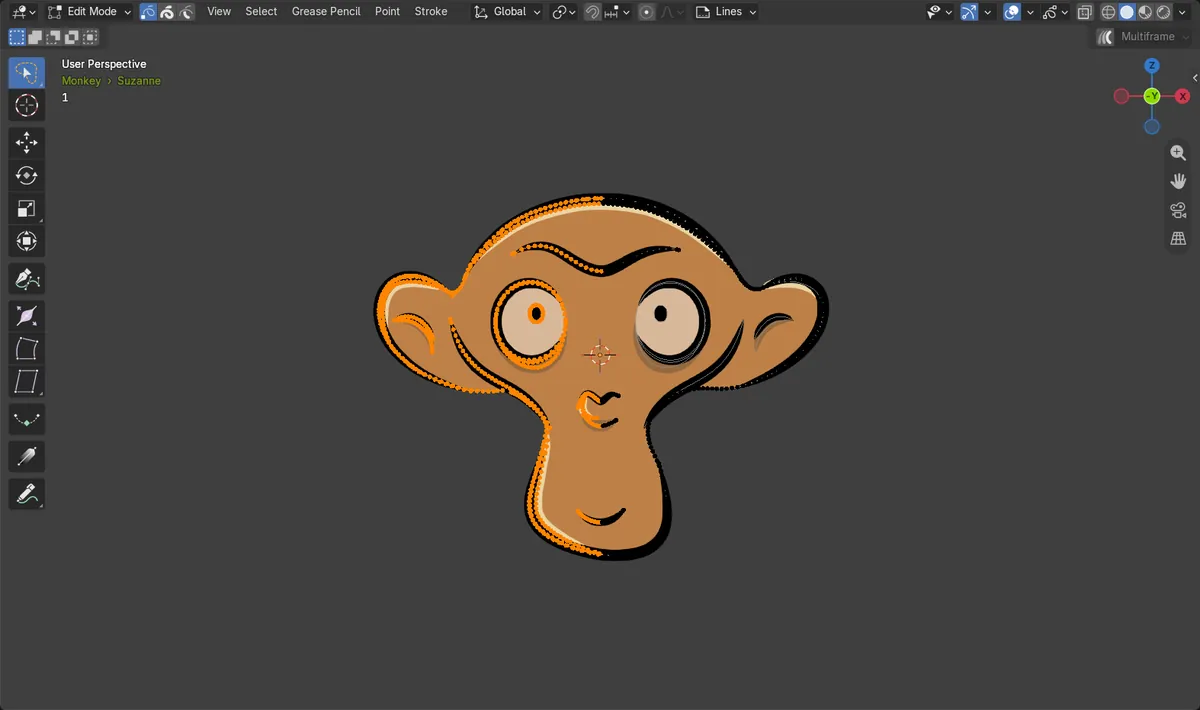
Lasso by default
In Blender 5.4, Grease Pencil Edit Mode starts with the lasso as the active tool. Left-drag draws a free shape and selects every point inside it.
Other ways in
Select › Lasso Select in the header, or hold Ctrl and drag with the right mouse button from any select tool.
Changed in 5.4
Blender 5.3 opens Grease Pencil Edit Mode with the box select tool. Lasso is still there, but you have to pick it first.
Before and after


AI Scene Builder is a Blender add-on. You type what you want, and it builds it in your scene: buildings, neon signs, wet pavement, fog and lights. Nothing in this picture was modeled by hand.
On a phone now? The add-on runs in Blender on a computer. Send yourself the link and open it there.
Step by step (Blender 5.4 Alpha)
- Click your Grease Pencil object in the 3D Viewport and press Tab to enter Edit Mode.
- Check the toolbar on the left: the top tool shows the lasso icon. In Blender 5.4 it is already active.Blender 5.3: In Blender 5.3 the top tool is the box select. Hold it down or press W to switch to the lasso.
- Drag with the left mouse button around the strokes or points you want. When you let go, everything inside the shape is selected.
- To add to the selection, hold Shift while you drag. To remove points, hold Ctrl while you drag.
Other ways to do it
- Select › Lasso Select in the header opens the lasso with the mode you pick from its sub-menu.
- Hold Ctrl and drag with the right mouse button to lasso from any tool. Add Shift to remove points instead.
- Press Shift + Space to open the tool menu at the cursor and choose a different select tool.
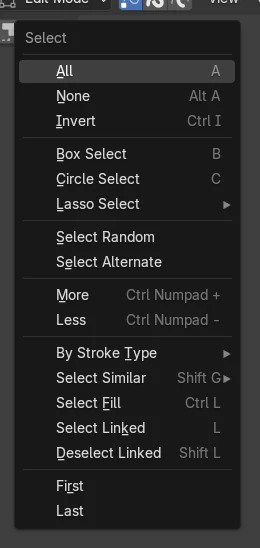
Blender 5.3 vs Blender 5.4 Alpha
| What | Blender 5.3 | Blender 5.4 Alpha |
|---|---|---|
| Default select tool in Edit Mode | Box select is the active tool when you enter Grease Pencil Edit Mode. | Lasso select is the active tool when you enter Grease Pencil Edit Mode. |
| Release status | Blender 5.3.0 is the current stable release. | Blender 5.4 is in Alpha until February 3, 2027, so menus and behaviour may still change before the final release. |
Common snags
Dragging draws a rectangle, not a free shape
You are on Blender 5.3 or older, or the box tool was picked earlier in this file. Press W until the lasso icon is active, or choose it in the toolbar.
Dragging moves the strokes instead of selecting
A transform tool such as Move is active. Click the top select tool in the toolbar, then drag again.
Nothing gets selected
You are still in Object Mode. Press Tab to enter Edit Mode first, then draw the lasso around the points.
An AI add-on for Blender
AI Scene Builder is a Blender add-on that builds and edits your scene from one typed request, such as “a small wooden table with two chairs”. Each request can be undone in one click.
 A lighthouse island at sunset built with the add-on from 10 typed requests. See every request →
Questions
How do I lasso select in Grease Pencil Edit Mode?
In Blender 5.4 the lasso is the default tool, so press Tab and drag around the points. In any version you can hold Ctrl and drag with the right mouse button, or use Select › Lasso Select.
Why is the lasso the active tool in Grease Pencil Edit Mode now?
Blender 5.4 made the lasso the default select tool in Grease Pencil Edit Mode, so a free shape around hand-drawn strokes is the first thing a drag does. Blender 5.3 starts with the box select tool.
How do I go back to box select in Grease Pencil Edit Mode?
Press W to step through the select tools, or hold the top tool in the toolbar and choose the box. Box Select is also in the Select menu.
What the pictures show
- Tested build: Blender 5.4.0 Alpha (f9495703eb0b, 2026-11-10 build), compared with Blender 5.3.0.
- Test scene: the Grease Pencil Monkey from Add > Grease Pencil, 1,216 points, seen from the front with nothing selected in Edit Mode.
- 5.4: after Tab into Edit Mode the active tool was the lasso select. A lasso around the left half selected 640 of the 1,216 points and none on the right half.
- 5.3.0: the same steps left the box select as the active tool. The lasso operator itself selected the same 640 points.